Shortcuts " " to the “General options” have been added in the following sections of the top toolbar:
- Consumption and solar collection demand
- Hydraulic circuit
- Tag
- Edit
- Analysis
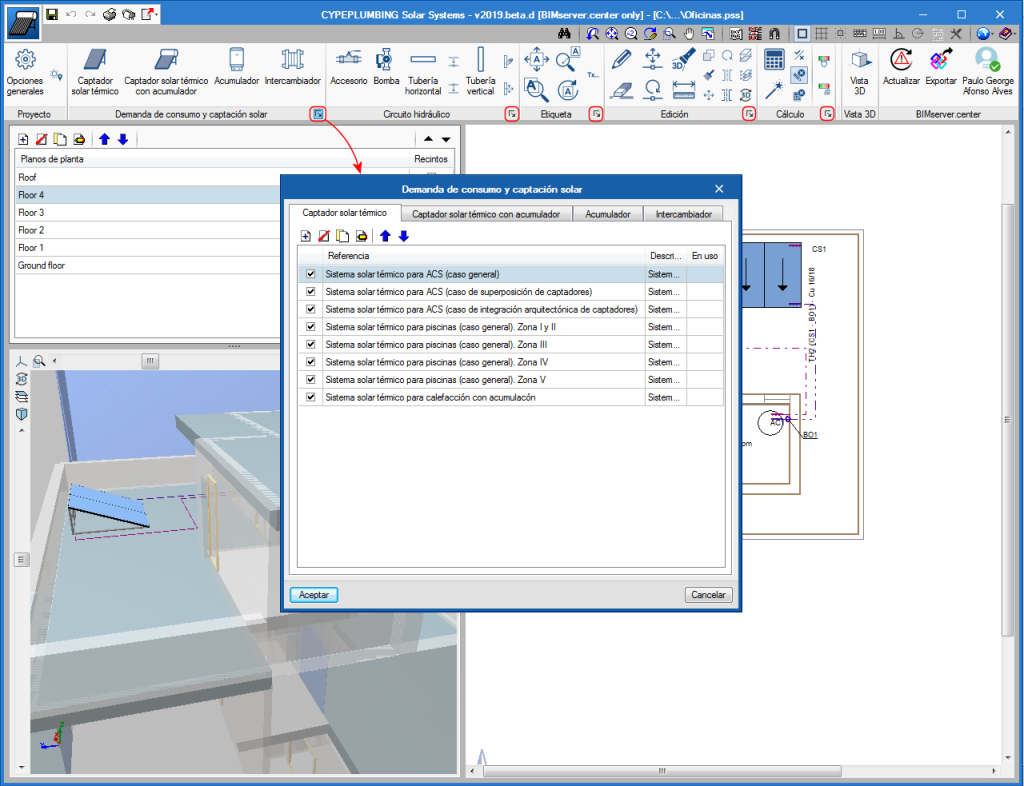




Shortcuts "" to the “General options” have been added in the following sections of the top toolbar:
Tag management in drawings has been improved. Now, tags follow pipes or their associated element when they are moved.
Additionally, the tool “Rotate tag”  has been added in the “Label” menu.
The same tool has been added in CYPEPLUMBING Sanitary Systems.
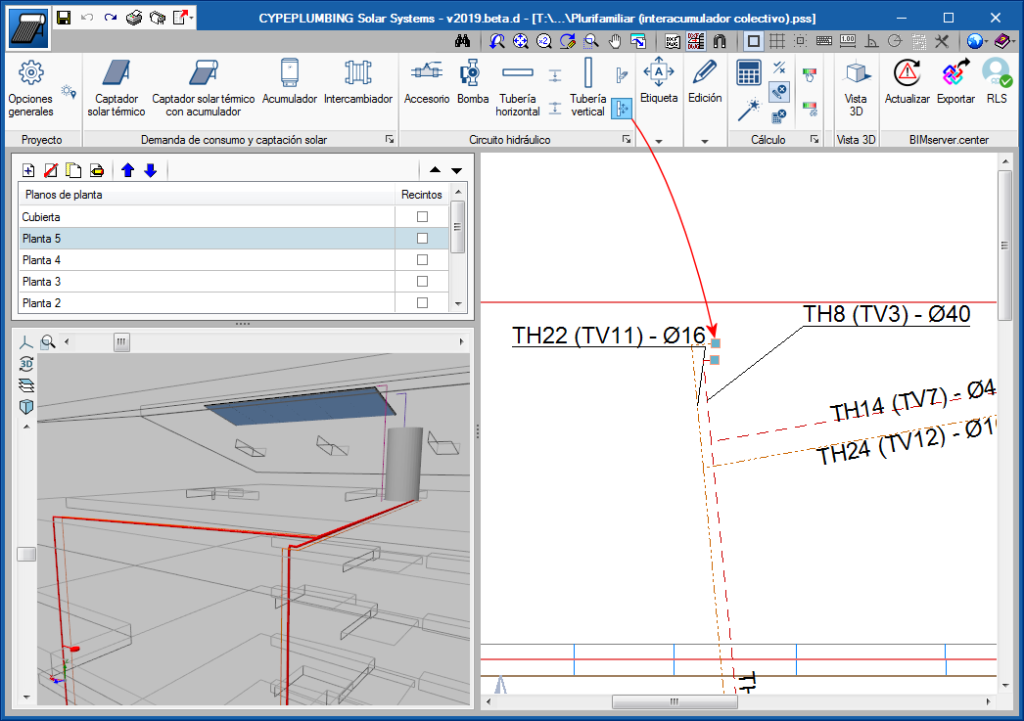
A new icon  has been added to the “Pipes” toolbar, which users can use to completely move a drainpipe, from its initial floor to the last. In previous versions, they could only be moved using the generic “Move” tool
  from the “Edit” menu, which continues to exist to move any element. However, when this tool is used to move drainpipes, only the span of the pipe of the floor that is shown on-screen is moved.
In both cases, only the drainpipe is moved and not the horizontal pipes that connect to it.
The tool to move complete vertical drainpipes () has also been implemented in CYPEPLUMBING Water Systems and CYPEPLUMBING Solar Systems.
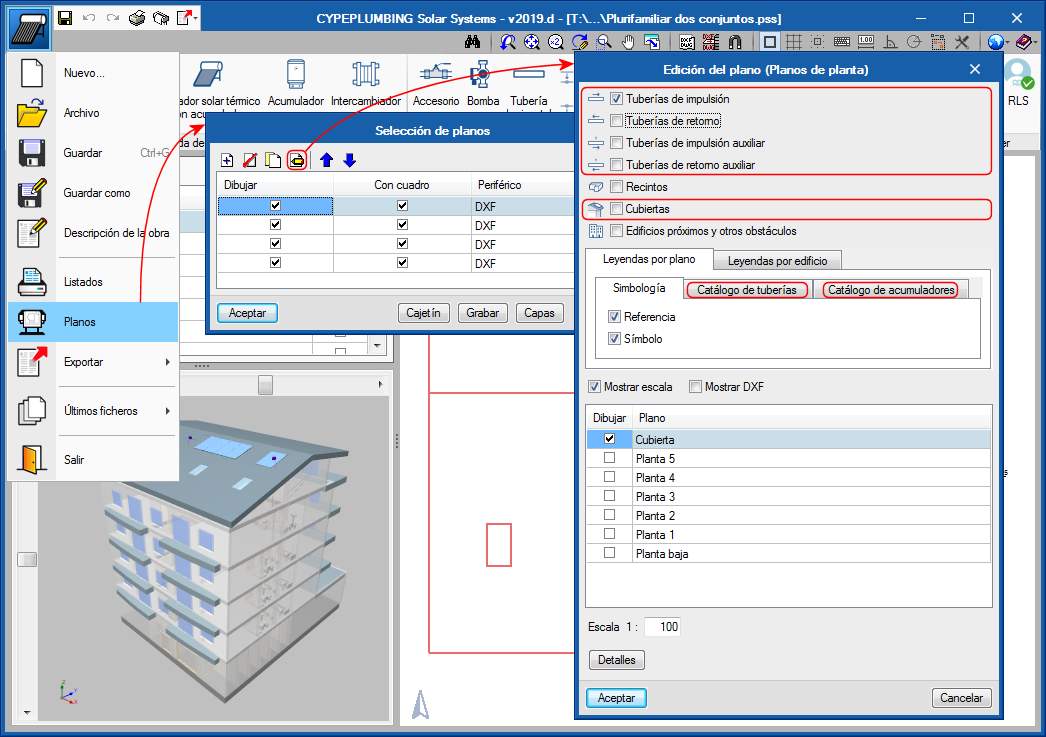
As of the 2019.d version, drawings by circuit can be chosen (Discharge pipes, Return pipes, Auxiliary discharge pipes and Roofs) in the “Edit drawings (Floor plans)” dialogue box. Furthermore, users can design the catalogue keys of the pipes and storage tanks.
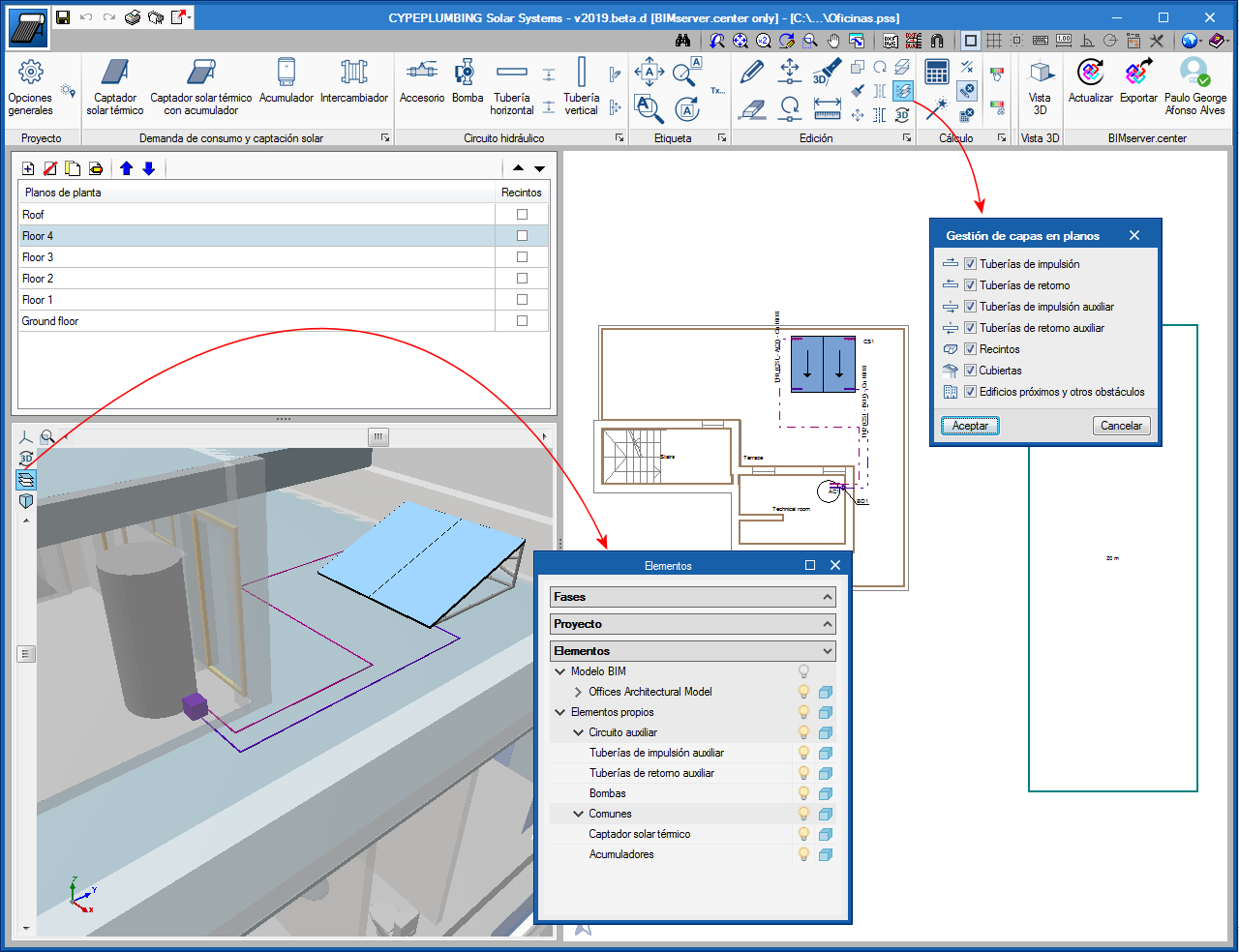
In the 2D view of CYPEPLUMBING Solar Systems, circuits can now be viewed by layer.
Furthermore, the management of the layers in the 3D views has been improved; the layers of the discharge and return circuits have been separated.
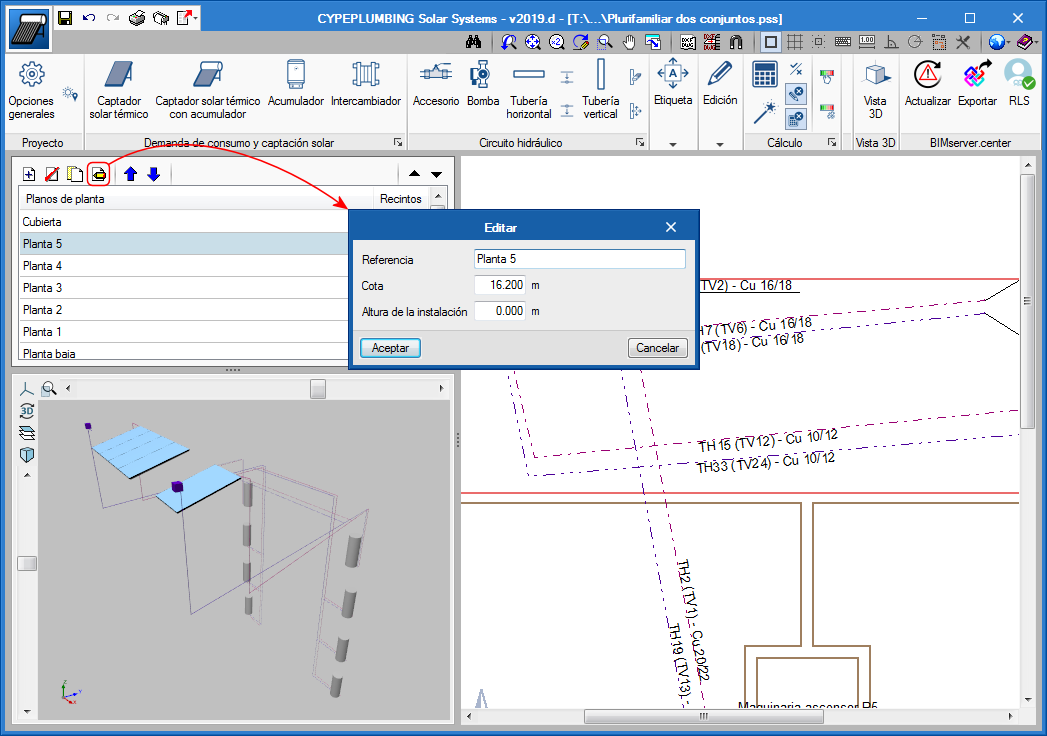
In the 2019.d version, users can indicate the height at which the general pipe installation is to be placed. This height can be indicated when the floors are edited.
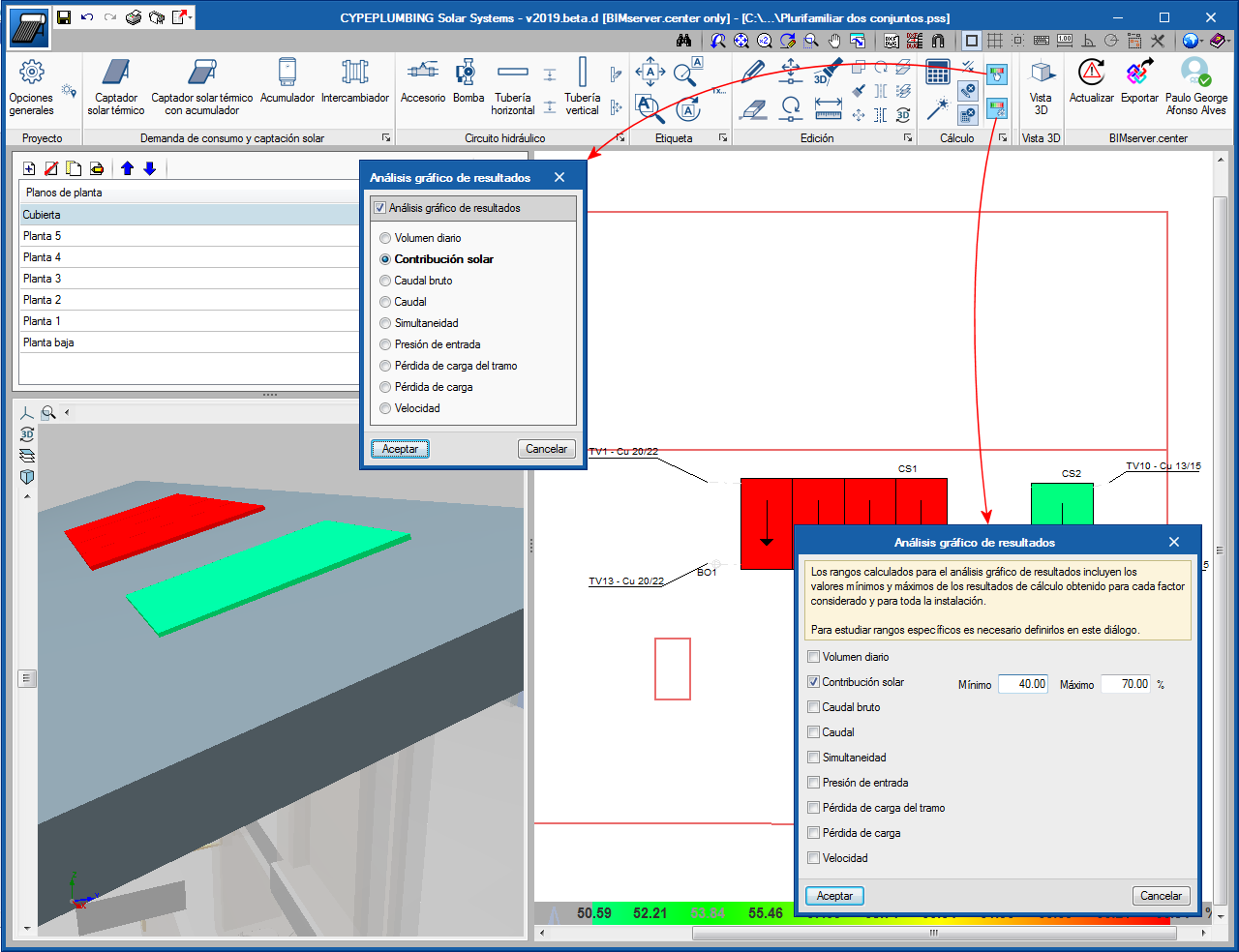
In the 2019.d version, the program allows users to select the parameters that intervene in the calculation of the demand, solar contribution and hydraulic calculations of the installation that are to be analysed, and draws the installation using a colour scale  to ease its graphical analysis in the 2D and 3D views on screen. The parameters to be analysed are selected in the dialogue box that appears when the button, that is located in the “Calculation” section of the toolbar is pressed.
Specific result ranges can also be studied in the global scope of the installation by selecting the  button in the same section.
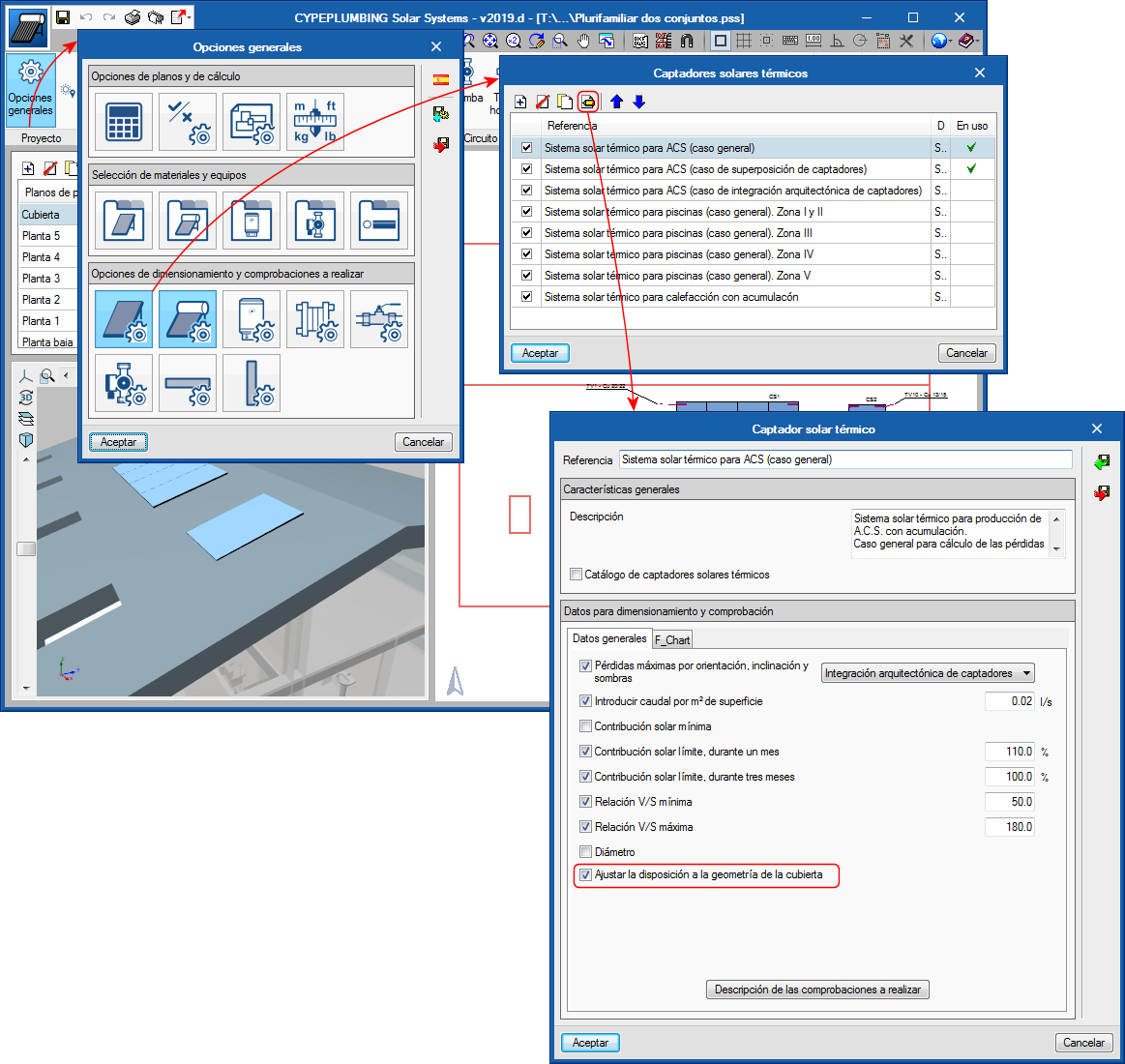
In the 2019.d version of CYPEPLUMBING Solar Systems, the option: “Adjust the layout to the geometry of the roof” has been implemented for solar collectors (“General settings” button > “Design and check options to be carried out” section > “Solar thermal collectors” or “Solar thermal collectors with storage tanks” button > Edit or create a collector).
The option “Adjust the layout to the geometry of the roof” is activated or deactivated independently for each type of solar collector that has been defined in the general options.
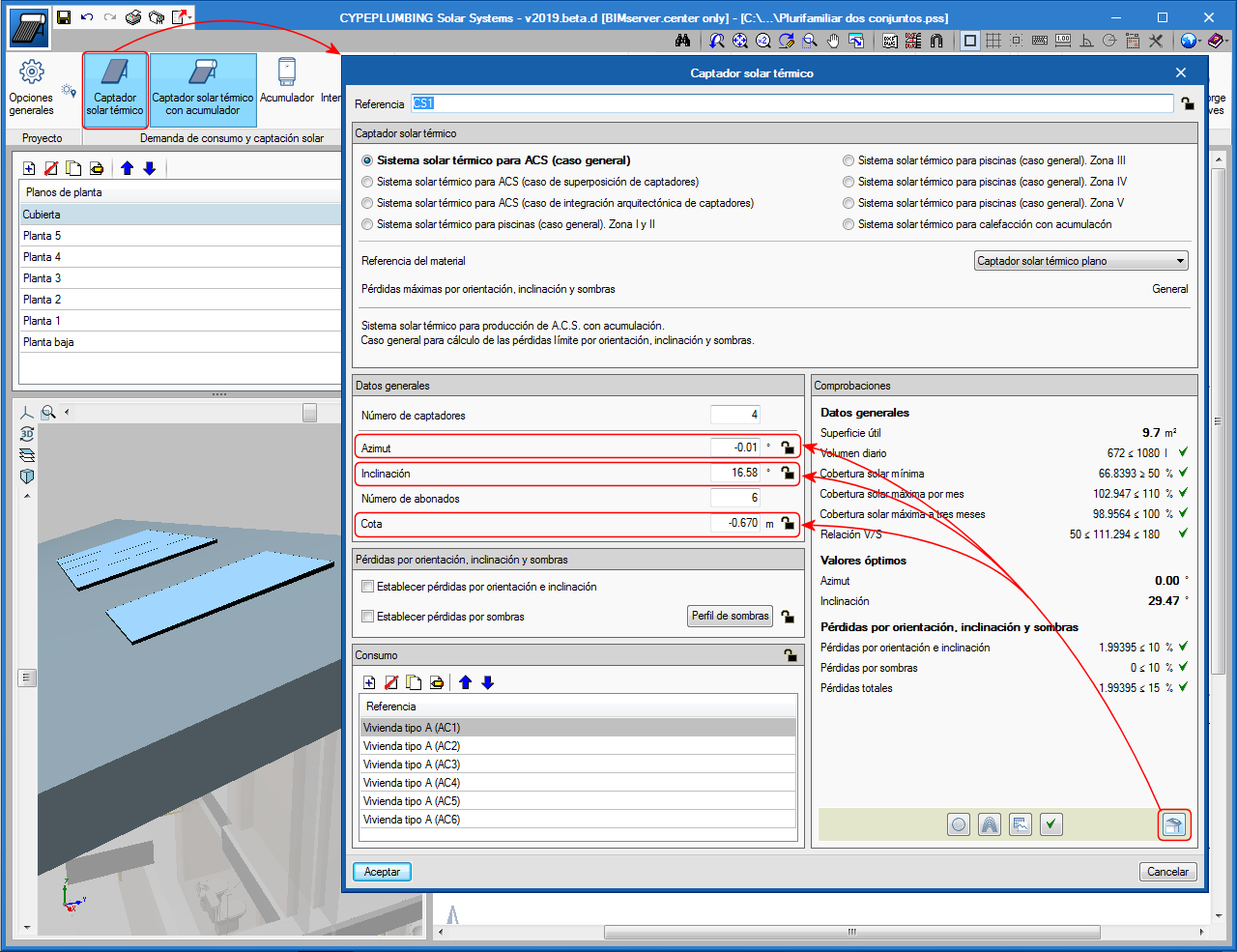
If the option “Adjust the layout to the geometry of the roof” is activated, the program will automatically adjust the solar collector (azimuth, slope and installation height) to that of the geometry of the roof when users select the “Design” button in the panel that appears when a solar collector is introduced or edited.
If the option “Adjust the layout to the geometry of the roof” is not activated, the program will only adjust the azimuth and the slope to its optimum values (regardless of the geometry of the roof) when users select the “Design” button from the panel that appears when a solar collector is introduced or edited.
Tag management in drawings has been improved. Now, tags follow pipes or their associated element when they are moved.
Additionally, users can insert a tag using the “Insert text” tool  in the “Label” menu. Inserted tags will not be associated to elements or pipes of the installation.
