Update history​​

CYPEPLUMBING

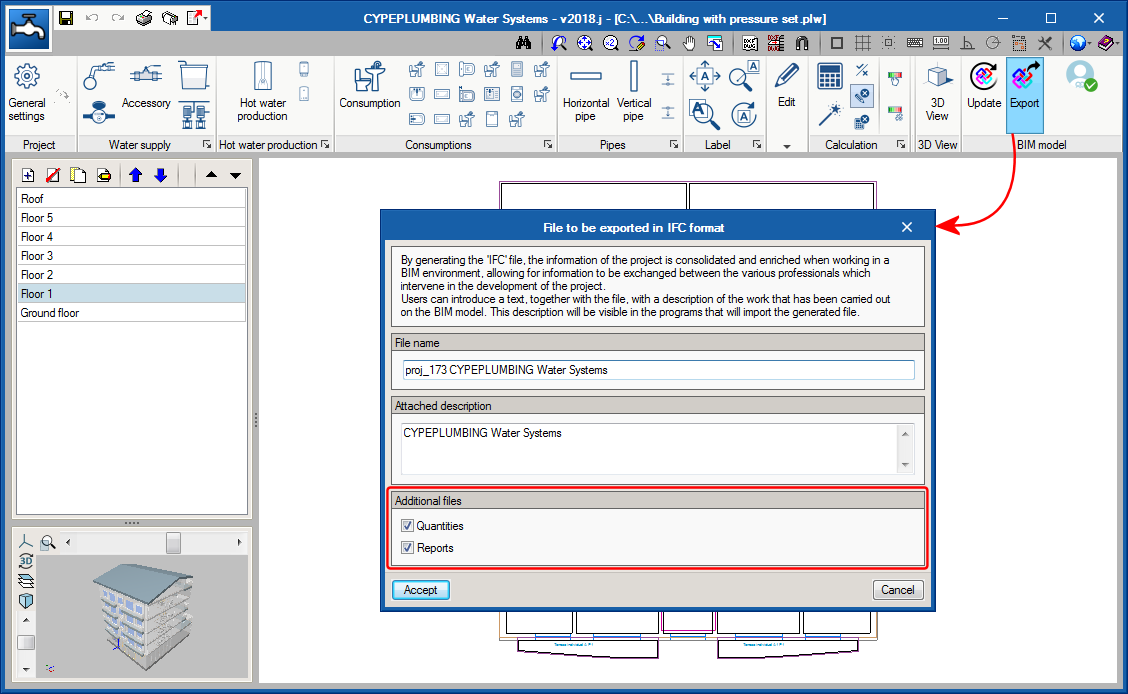
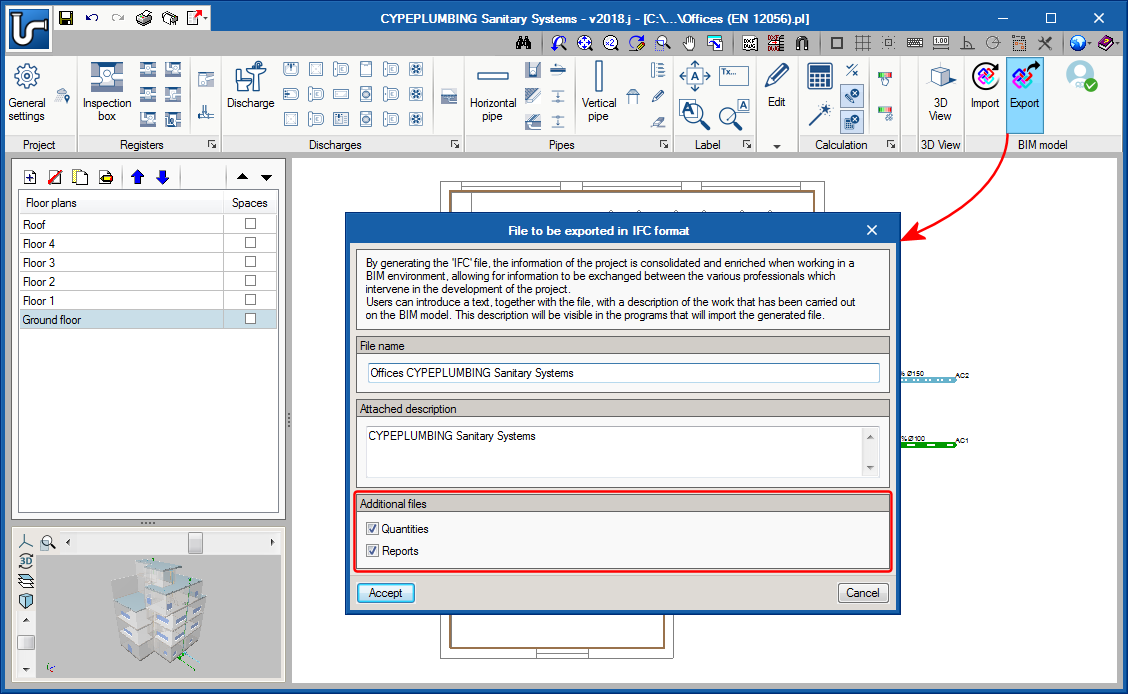
CYPEPLUMBING Water Systems allows users to export the quantities of the project to the BIM model in FIEBDC-3 standard format (so it can be treated by bill of quantities programs such as Arquimedes) and the document configured by users using the Document manager (also implemented in this version) with PDF format.

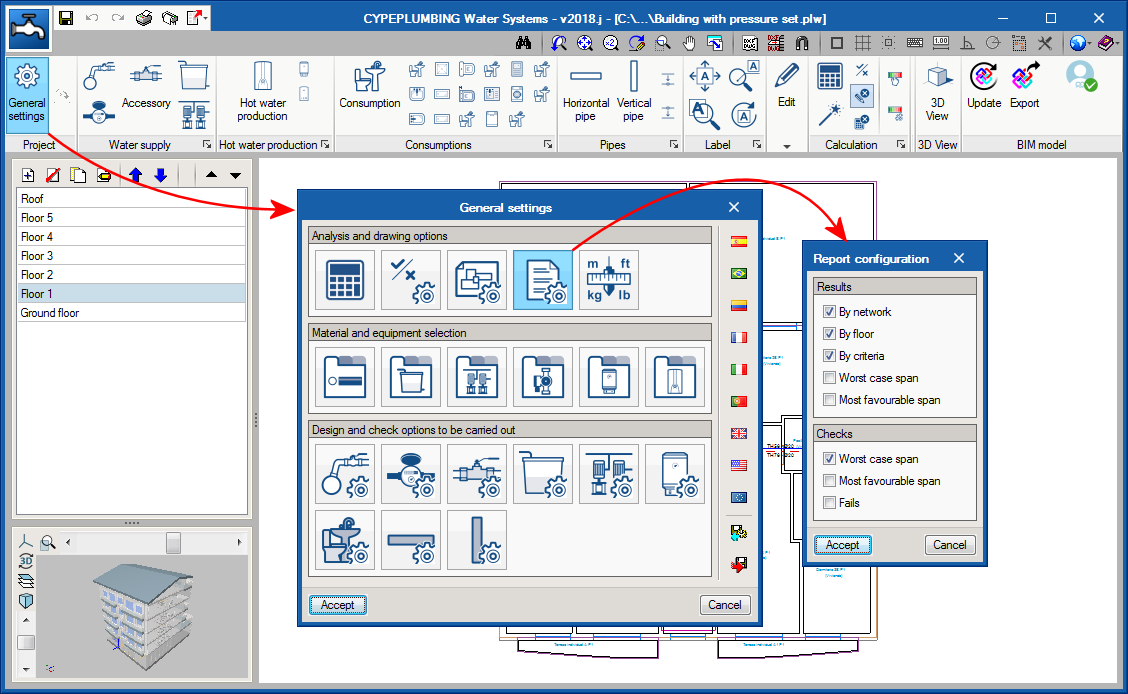
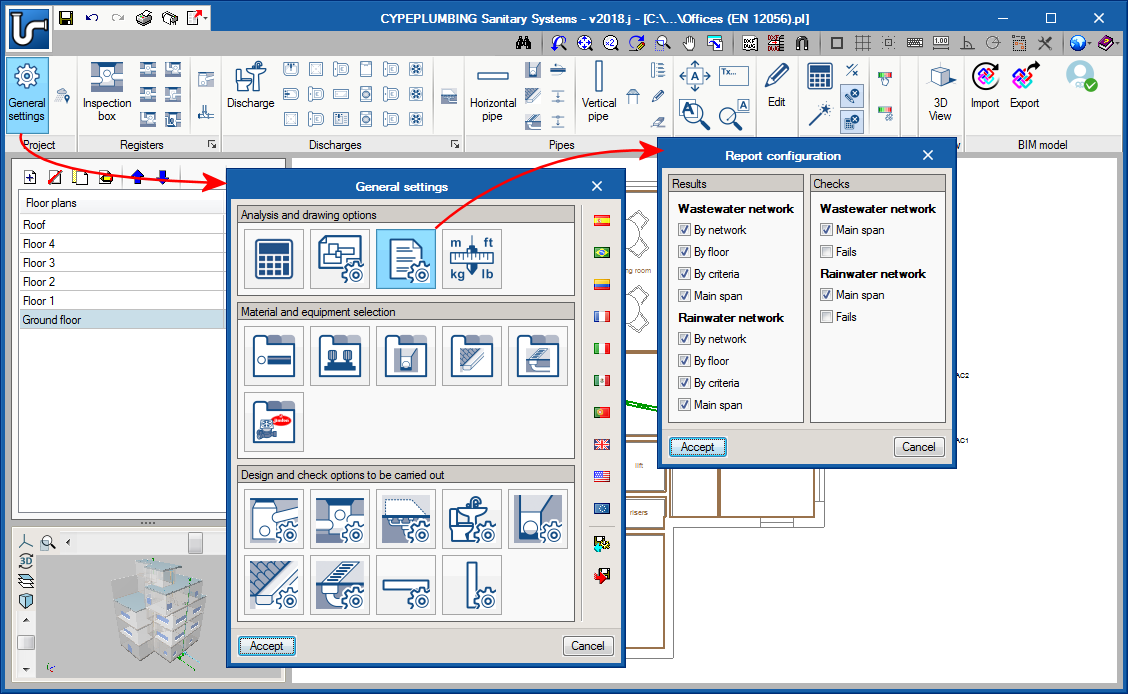
As of the 2018.i version of CYPEPLUMBING Water Systems, the “Results” report and the new “Checks” report can be configured.

Now, users can organise the information of the results report (by network, by floor, by criteria and/or by main span) and include the checks of the most important spans (main span and/or spans that fail checks).

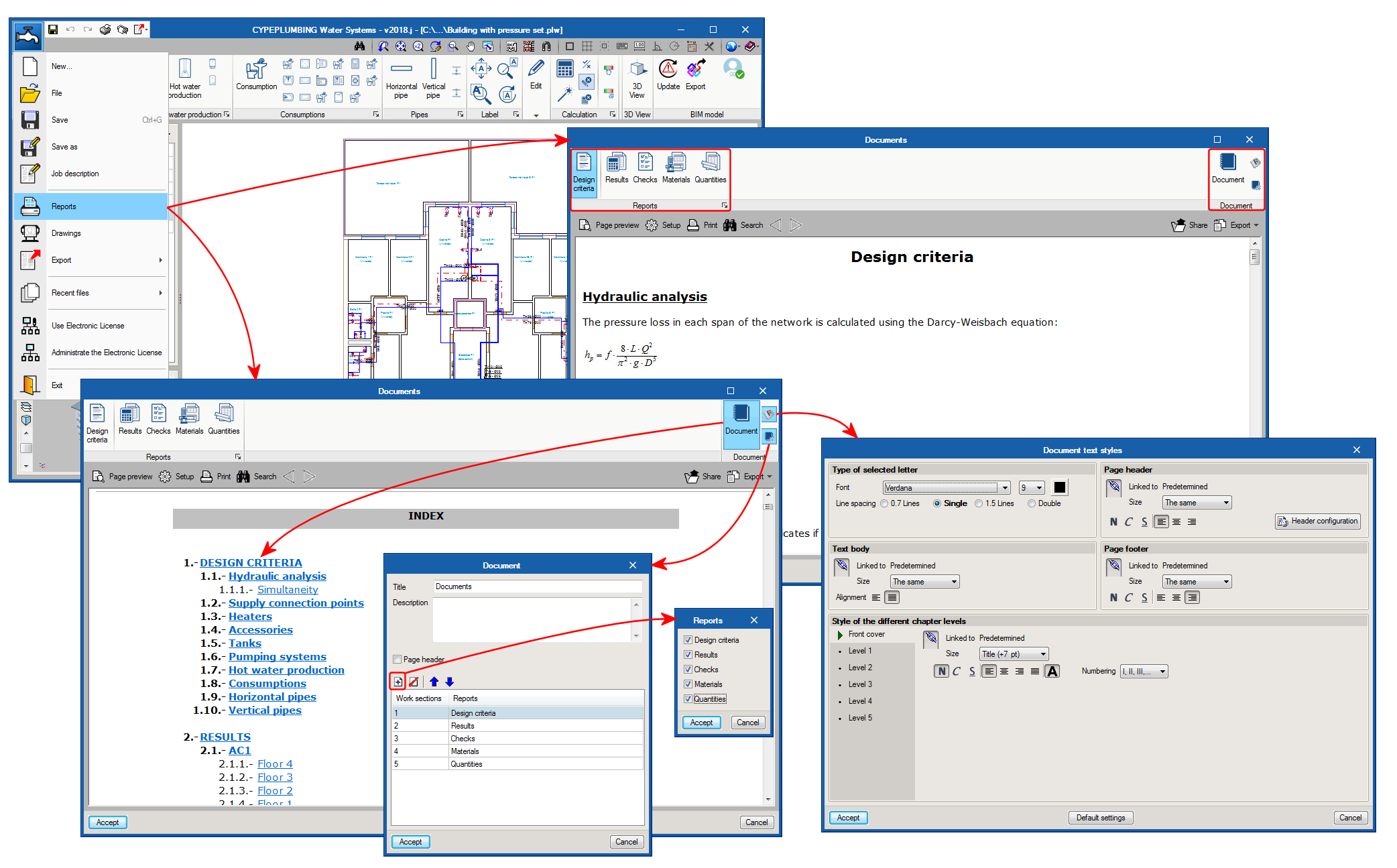
The 2018.i version of CYPEPLUMBING Water Systems includes two new reports that users can view and select to include in the project documents with the new Document manager (see project documents manager) together with the Design criteria, Results and Quantity reports that were already present in previous versions:

  • Checks
    In previous program versions, the program could generate a report of all the checks that have been carried out on the selected span (one by one). The checks report that is implemented in the 2018.i version gathers all the checks of all the spans.

    Additionally, the 2018.i version allows users to introduce customised descriptions in the checks report for each span and in general.
  • Materials
    The materials report is created with the material catalogues that are used to design the project.

Implemented in the design criteria report is the simultaneity information described in the design options defined by the selected code and by the possible technical customisation users can carry out.

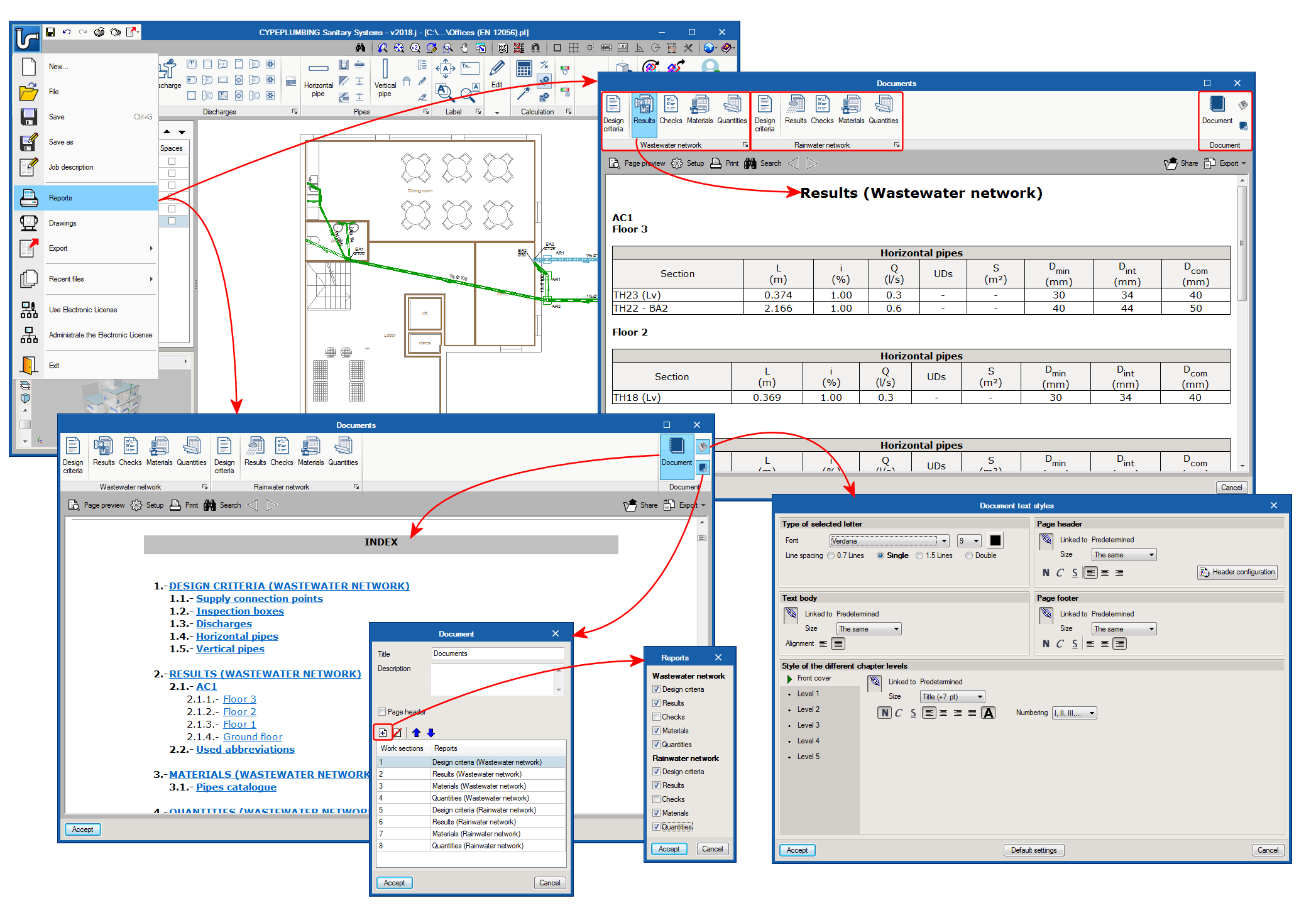
The 2018.i version of CYPEPLUMBING Water Systems (also the 2018.i version of CYPEPLUMBING Sanitary Systems) includes a documents manager where users can view all the reports that are generated by the program. With this manager, users can create a document that includes selected reports, and then print it, export it to various format files (PDF, DOCX, Text, HTML, RTF) or attach it to the BIM project in PDF format (see the section on Export documents to the BIM project). The reports users can include in this document are organised in chapters with their indices and in the order they wish for them to be. It is also possible to configure the document headers and styles.

CYPEPLUMBING Sanitary Systems allows users to export the quantities of the project to the BIM model in FIEBDC-3 standard format (so it can be treated by bill of quantities programs such as Arquimedes) and the document configured by users using the Document manager (also implemented in this version) in PDF format.

The “Results” report and the new “Checks” report can be configured.

Now, users can organise the information of the results report (by network, by floor, by criteria and/or by main span) and include the checks of the most important spans (main span and/or spans that fail checks), independently for the wastewater and rainwater networks.

The 2018.i version of CYPEPLUMBING Sanitary Systems includes three new reports that users can view and select to include in the project documents with the new Document manager (see previous section) together with the Results and Quantity reports that were already present in previous versions:

  • Design criteria
    Here users can specify all the design options corresponding to the selected code or customise the design options.
  • Checks
    In previous program versions, the program could generate a report of all the checks that have been carried out on the selected span (one by one). The checks report that is implemented in the 2018.i version gathers all the checks of all the spans.
  • Materials
    The materials report is created with the material catalogues that are used to design the project.

The 2018.i version of CYPEPLUMBING Sanitary Systems (also the 2018.i version of CYPEPLUMBING Water Systems) includes a documents manager where users can view all the reports that are generated by the program. With this manager, users can create a document that includes selected reports, and then print it, export it to various format files (PDF, DOCX, Text, HTML, RTF) or attach it to the BIM project in PDF format (see the section on Export documents to the BIM project). The reports users can include in this document are organised in chapters with their indices and in the order they wish for them to be. It is also possible to configure the document headers and styles.

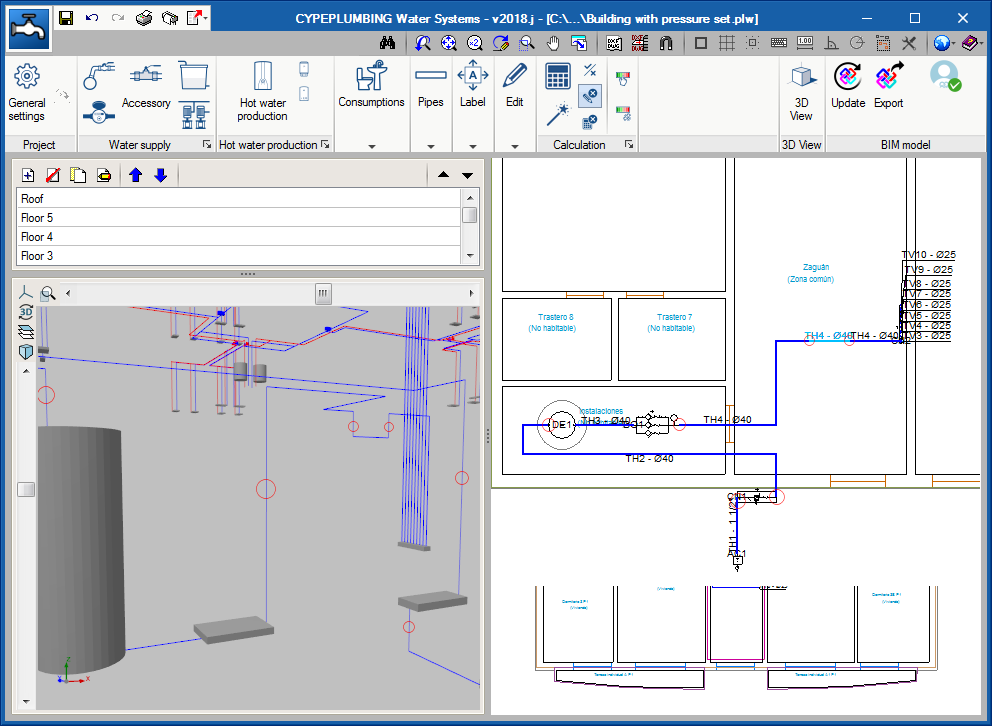
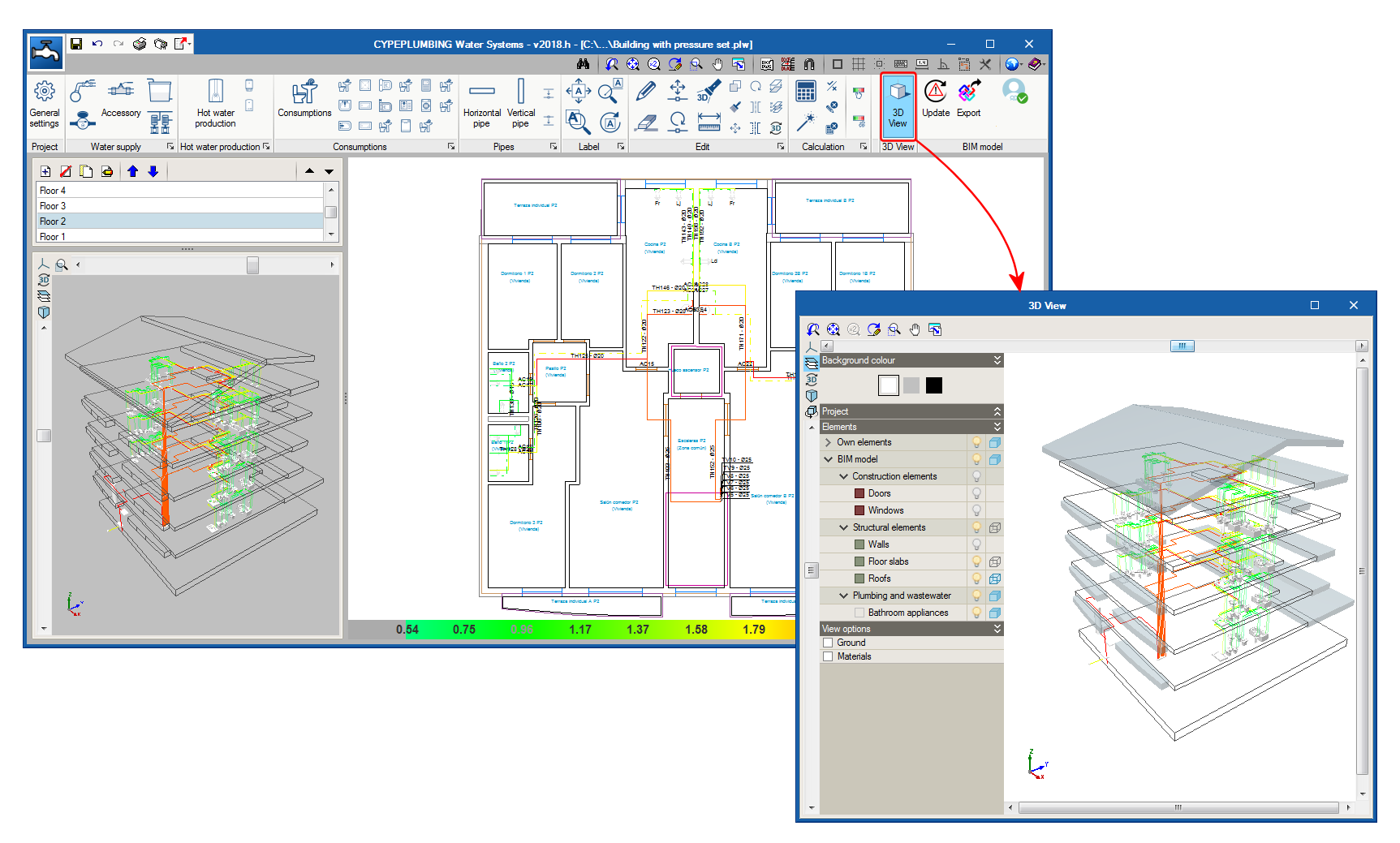
The 2018.h version of CYPEPLUMBING Water Systems includes the 3D View button. This tool shows, in a separate window, the 3D view of the BIM project. This 3D view is the same that appears in the bottom left hand corner of the screen, but the configuration of the visible elements and their perspective are independent in both views.

The new 3D view has also been implemented in CYPEPLUMBING Sanitary Systems.

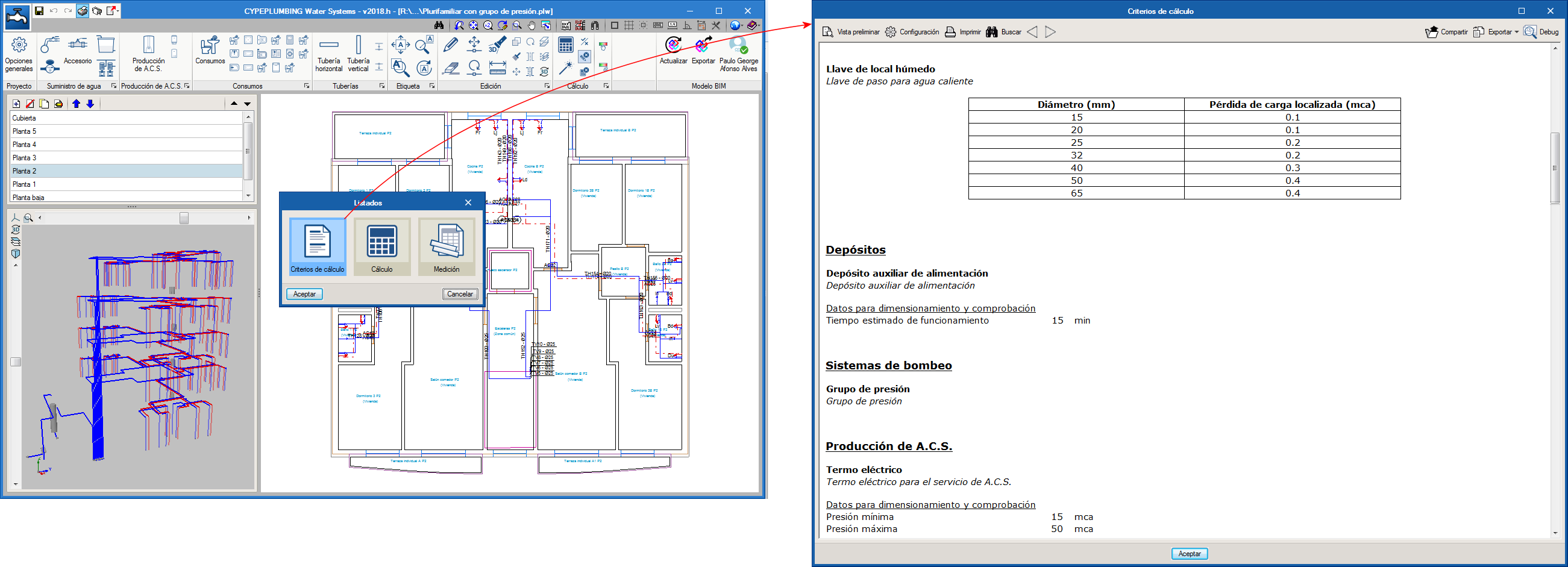
As of the 2018.h version of CYPEPLUMBING Water Systems, the program generates a report that gathers the criteria that have been selected in the general options, been applied to the designed installation and condition the results of the calculations that have been carried out.

The tool that assigns the properties of the installation has been improved. In previous versions, it was only possible to assign dimensions. As of the 2018.h version, design criteria and dimensions can be assigned to selected elements.

These improvements have also been included in CYPEPLUMBING Sanitary Systems.