Dialog boxes
Dialog boxes let you request or modify information whilst the report is being generated, using windows defined within the template itself. They may include text, editable fields, tick boxes, drop-down menus and other elements linked to variables.
To display a dialog box whilst the report is being generated, you must make the relevant call from one of the scripts in the template.
Creating and configuring dialog boxes
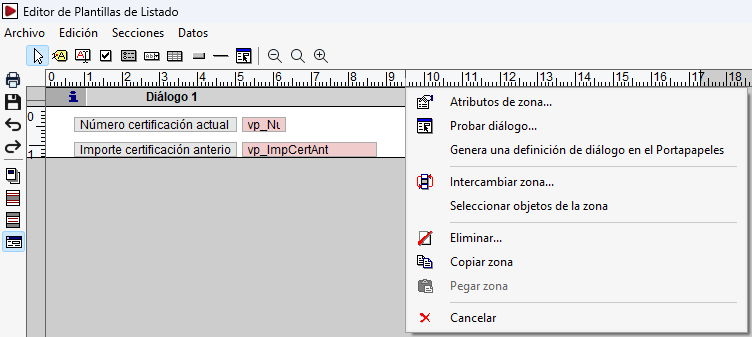
Clicking on the dialog box’s title bar opens a menu containing configuration options. Under "Zone attributes", you can change the number of lines in the dialog box; if you set a value of 0, the dialog box is removed. The "Check dialog box" option allows you to check its appearance and functionality whilst designing it.
Using dialog boxes in scripts
There are two ways to display a dialog box from a script:
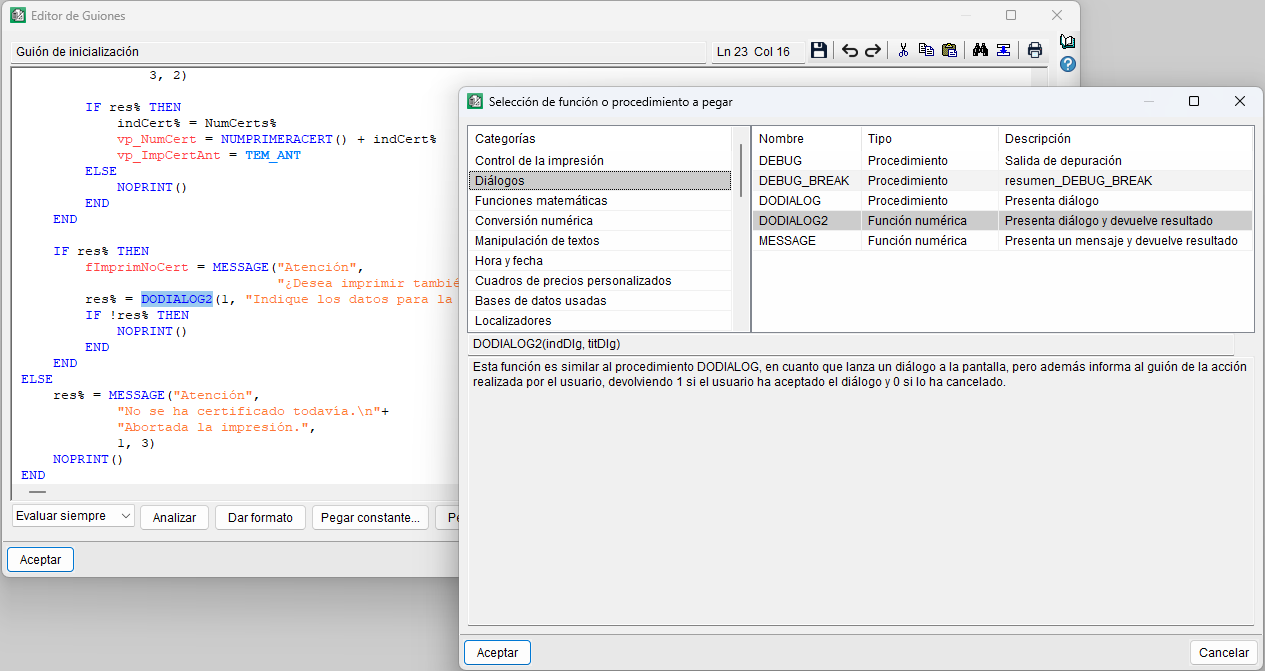
DODIALOG(indDlg, titDlg)Displays the dialog box identified by "indDlg", with the title set to the text specified in "titDlg". When you click "Accept", the changes are stored in the variables used, and the script continues to run. When you click "Cancel", the variables retain their previous values and the script continues.DODIALOG2(indDlg, titDlg). It works similarly to "DODIALOG", but it also returns a value that indicates the action taken: 1if the dialog box has been accepted and 0 if it has been cancelled. In this way, the script can carry out different actions depending on the option selected.