Checking licence permissions
You can check the licences available under the CYPE licence using the following methods:
- From the CYPE Menu interface, click on the licence number at the bottom.
- Alternatively, from the interface of a CYPE program, click on the "Help" option or menu at the top of the program and select the "About" option. Then, in the pop-up window, click on the licence number displayed in the bottom-right-hand corner.
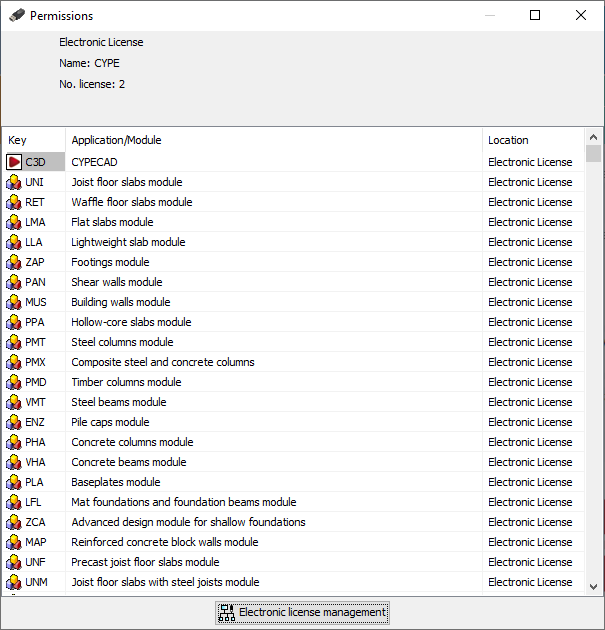
The "Permissions" window opens when you follow any of the methods described.
First shown here are the licence type, the name and the number of the licence.
The permissions available under the licence are then listed in a table that includes the permission’s "Key", its name (in the "Application/Module" column) and its "Location".
| Note: |
|---|
| If a particular permission does not appear in this table, it may be that the licence has not been read correctly or that the permission is not included in the licence you are using. You can contact CYPE to clarify and resolve any issues. |