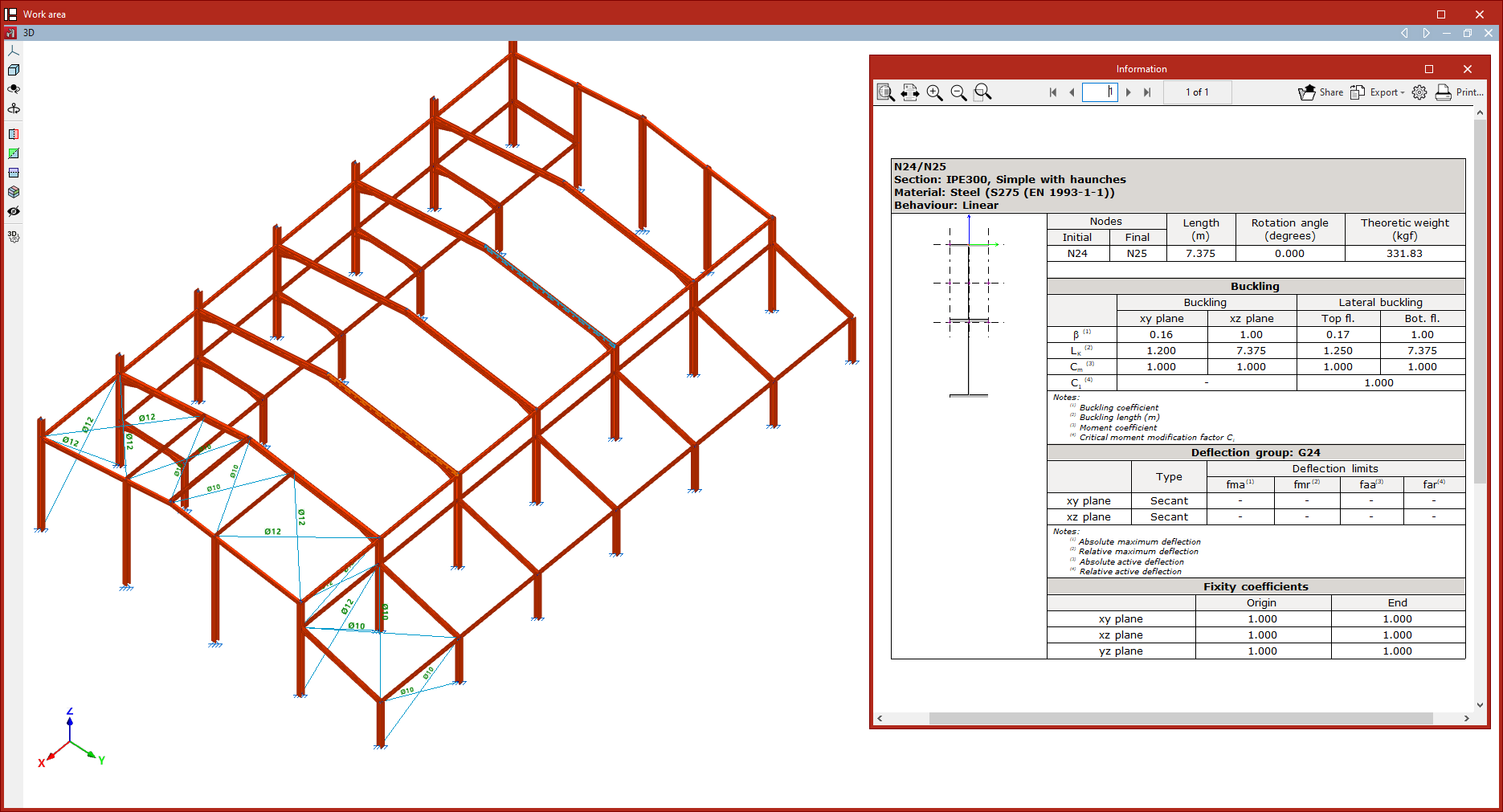
Checking bar information
The following tool, available in the "Bars" group of the top toolbar, under the "Geometry" tab (in the "Structure" tab), allows you to check the information about the bars.

Information
The "Information" option displays an information list of the selected bars.
To select the bars, click on them one by one with the left mouse button or define a capture area. Then, confirm with the right mouse button.
The program will display a list on screen showing the information for the bars. Each table in the list indicates the reference of each bar, its "Section" and "Material". On the left-hand side, the section and layout of the section are shown.
On the right-hand side, you will see the reference of the "Nodes" ("Start" and "End"), the "Length" of the bar, the "Rotation angle", the "Theoretical weight", the "Buckling" parameters, and the "Deflection group" it belongs to, as well as the "Fixity coefficients" in both planes.
Using the corresponding options at the top right, you can "Share", "Export" in various formats, or "Print" the information.