Introduction
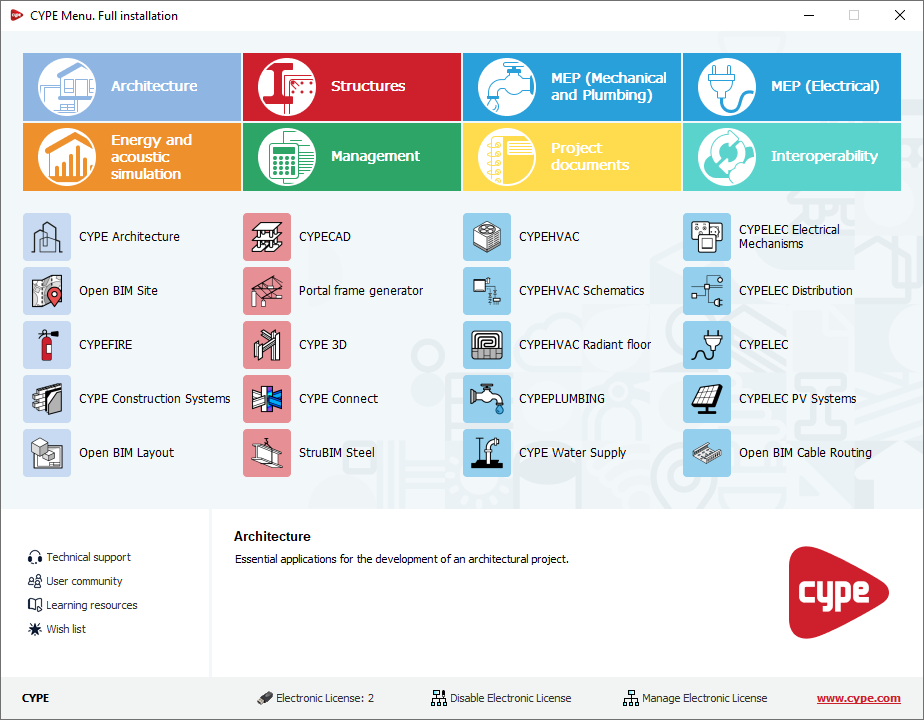
CYPE Menu. Full installation is an app that, once installed, lets you access CYPE’s main programs. You can use it as a single platform to launch each app individually.
When opening CYPE Menu. Full installation, a panel appears that lets you access the different CYPE programs, organised into several categories: Architecture, Structures, MEP (Mechanical and Plumbing), MEP (Electrical), Energy and acoustic simulation, Management, Project documents and Interoperability. This structure makes it easy to locate and quickly access each program.
As well as acting as an app launcher, CYPE Menu. Full installation lets you sign in to the BIMserver.center platform and works as an electronic licence manager, including the ability to view purchased modules and tools for using or managing licences.
From the interface, you can also access additional services such as technical support or the learning resources for each program.