Linking to BIMserver.center in the CYPE menu
Log in
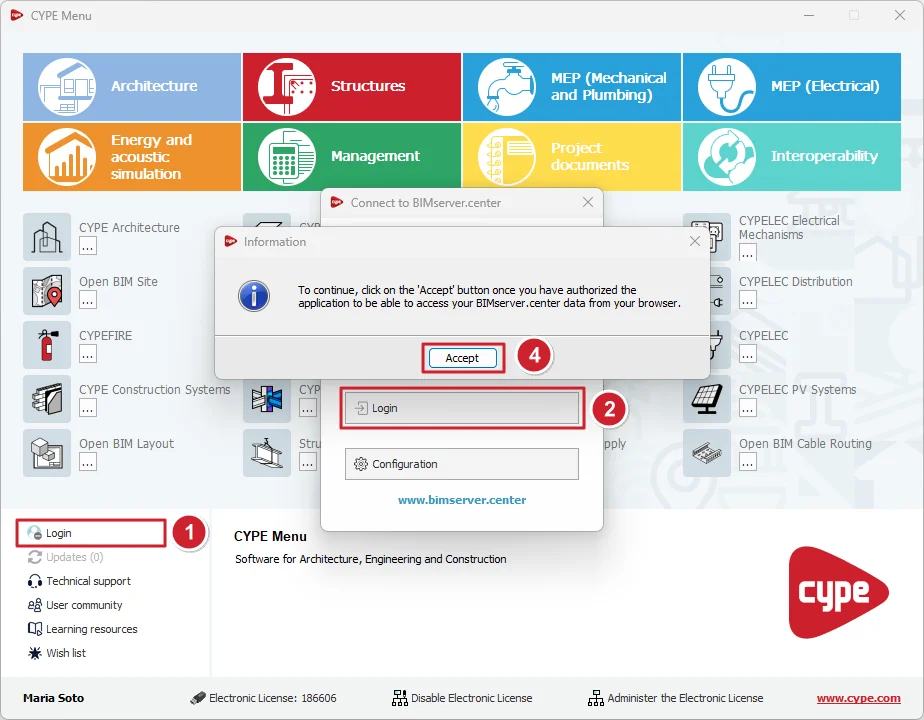
In CYPE Menu, you must log in with your BIMserver.center account to install the software from the platform. This way, CYPE Menu will display the name of your BIMserver.center account instead of "Log in". Furthermore, the downloaded apps will also appear in your user profile on the BIMserver.center platform. The steps to log in are as follows:
- Click on the "Log in" option at the bottom left (1).
- Next, click on the button of the same name in the pop-up window (2).
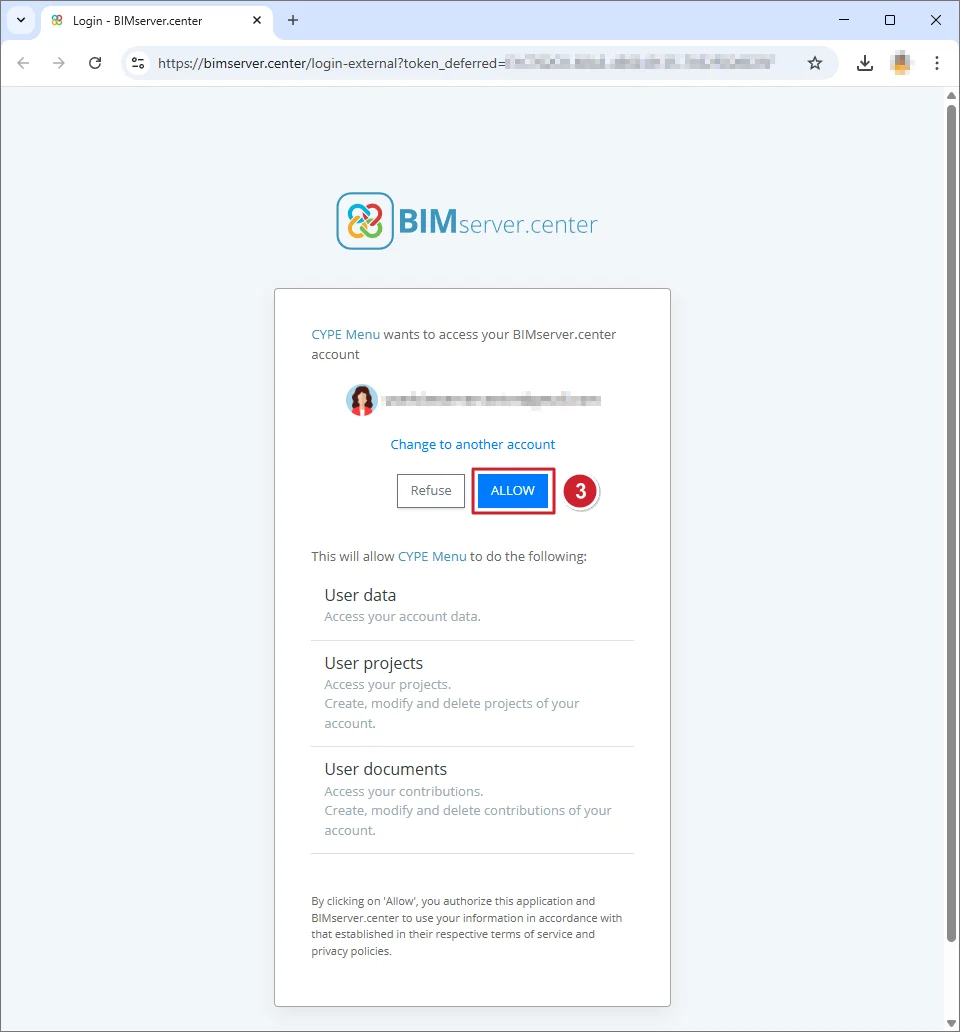
- A tab will open in your web browser displaying the message CYPE Menu wants to access your BIMserver.center account. Here, click "ALLOW" (3).
- Then click the "Accept" button (4) in the "Information" window.
Log out
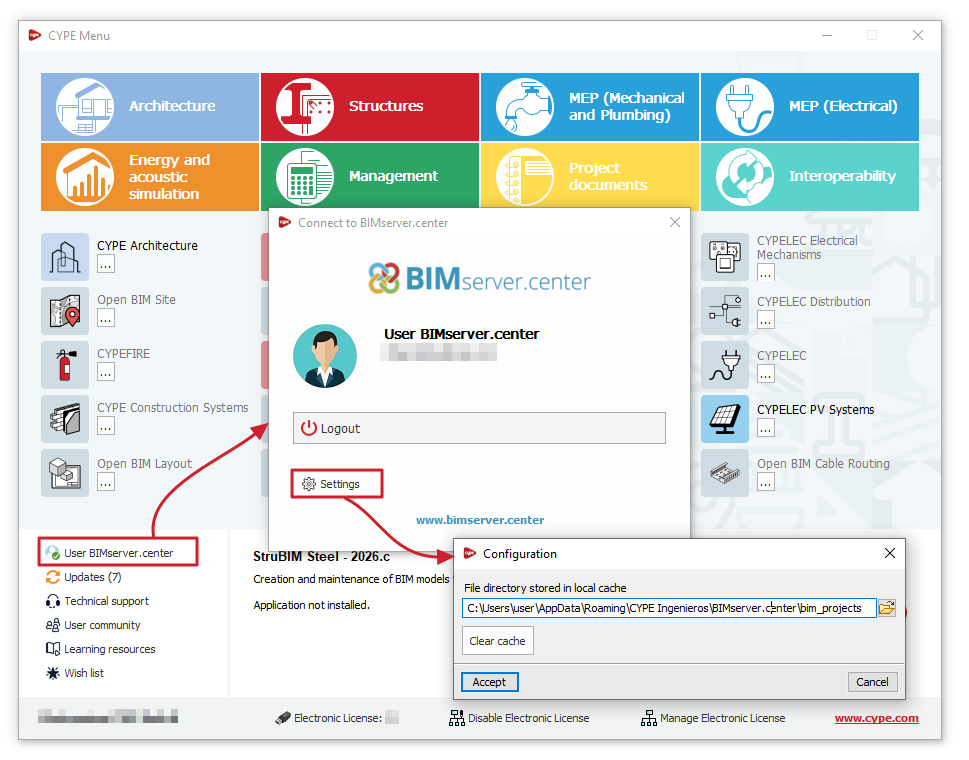
To log out of a session started with a BIMserver.center account, click on the account name and, in the window that appears, select "Log out".
Configuration
By clicking on the name of the BIMserver.center account you are logged in with and selecting "Configuration" in the window that appears, you can:
- change the "Directory of files stored in the local cache" (by default, C:\Users\user\AppData\Roaming\CYPE Ingenieros\BIMserver.center\bim_projects, where 'user' is the Windows username),
- and "Clear cache" for "Projects", "Sessions" and "Log files".