Shadows
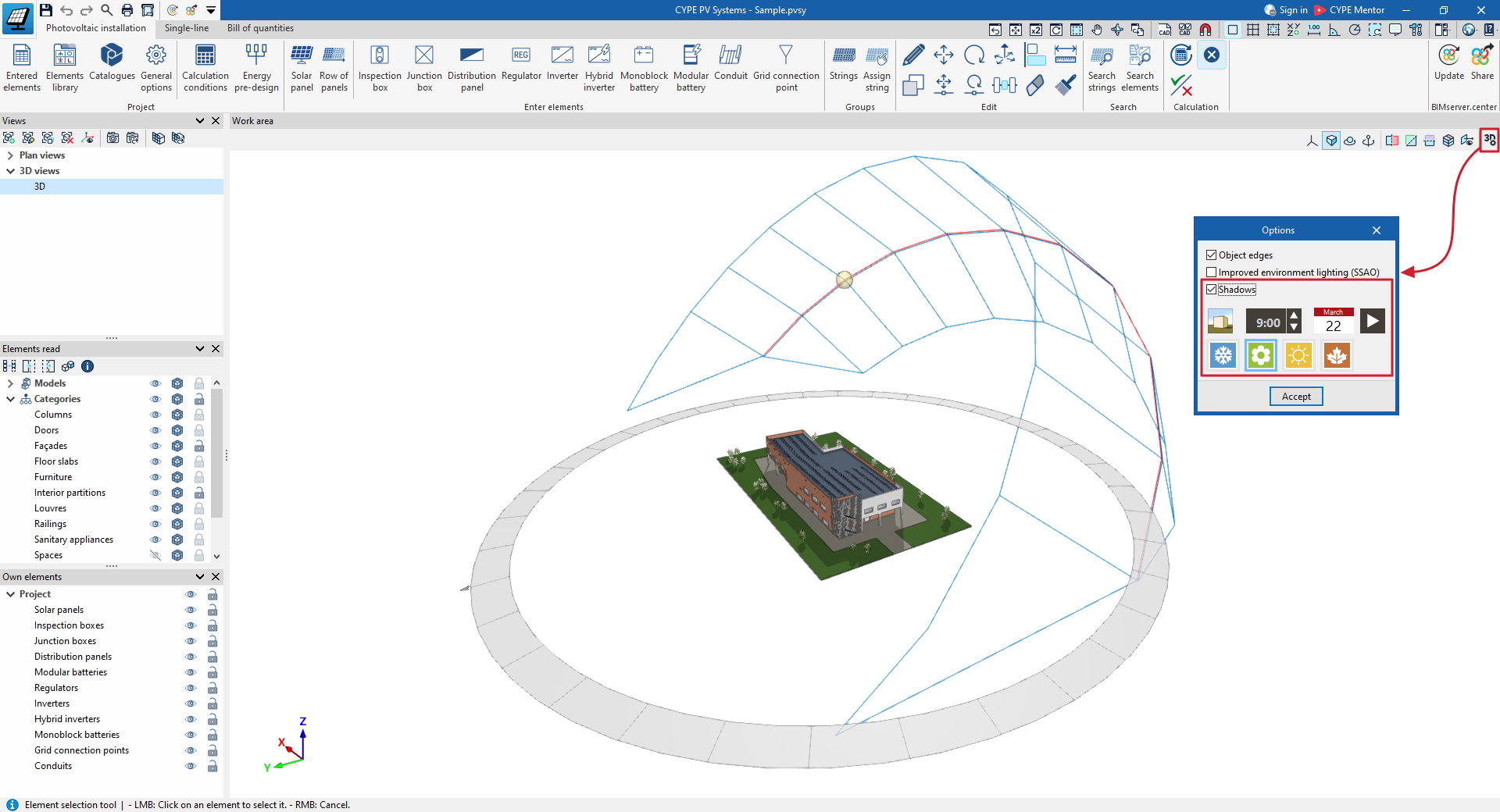
The "Shadows" option can be found under "Options" in the toolbar at the top right of the "Work area".
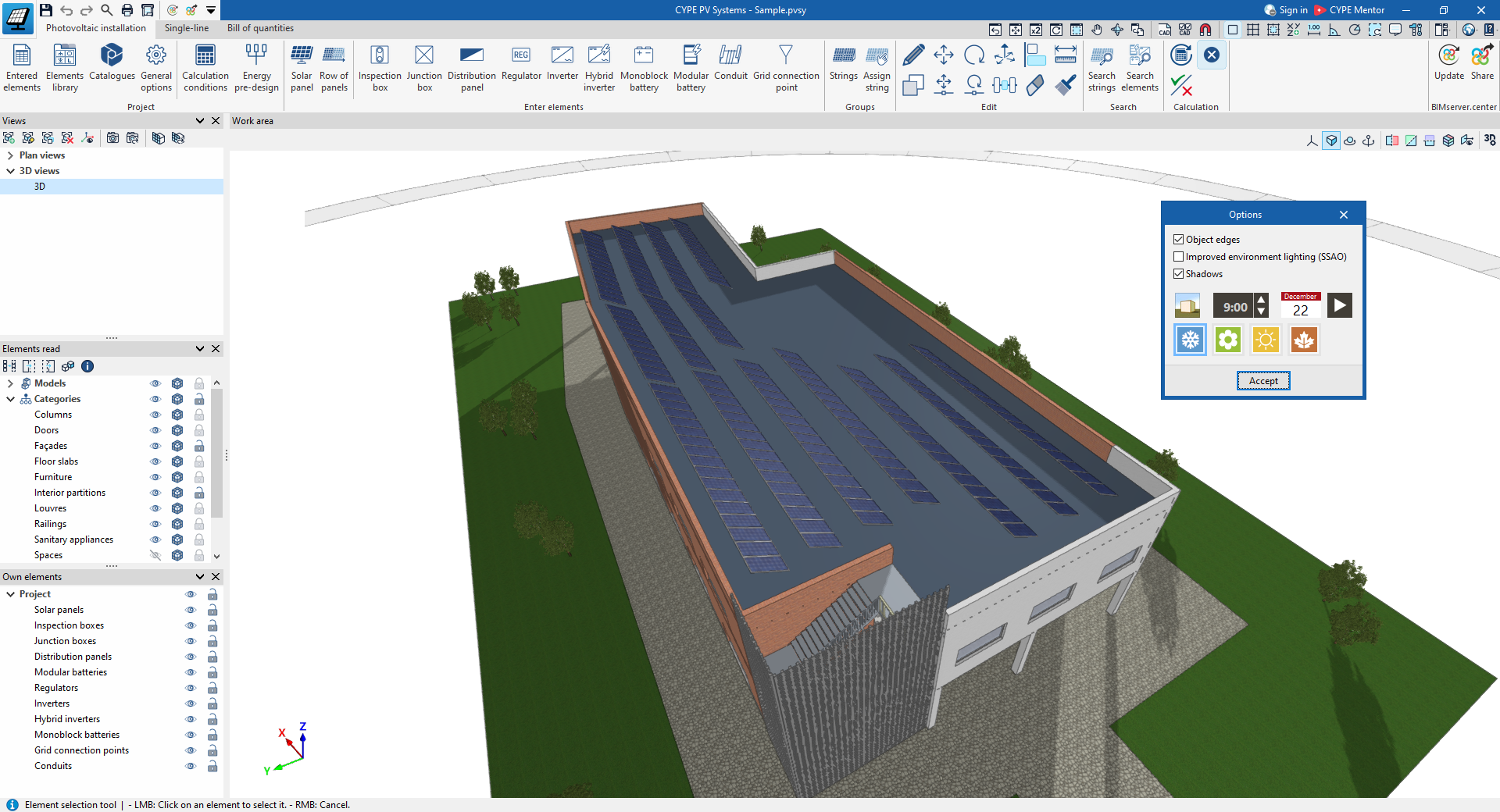
If this option is enabled, the program can simulate the sun’s path over the site throughout the year, enabling you to assess the impact of surrounding shadows—cast both by the building itself and by nearby buildings and other obstacles—on the photovoltaic installation.
When enabling this option, you can adjust the following settings:
- Display
Displays the position of the sun on the selected day and time, as well as the path or positions of the sun throughout the year. - Time
Selects the solar time. - Date
Selects a date. - Animation
Displays an animation of the shadows cast at the selected time throughout the year. Clicking this button again stops the animation. - Winter / Spring / Summer / Autumn
These options are shortcuts that allow you to go directly to the first day of each season.