Defining loadcases and combinations
The "General data" menu at the top contains the following options, which allow you to define the project’s loadcases and combinations:

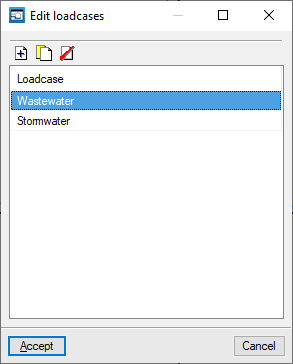
Edit loadcases
This allows you to define the basic parameters of the installation.
To do this, add elements to the list and type in their names.
Once the loadcases have been defined, contributions can be assigned to each of them via the "Nodes", "Edit design data" option. The coefficients corresponding to the laodcase combinations must also be defined via the "General data", "Edit combinations" option.
Edit combinations
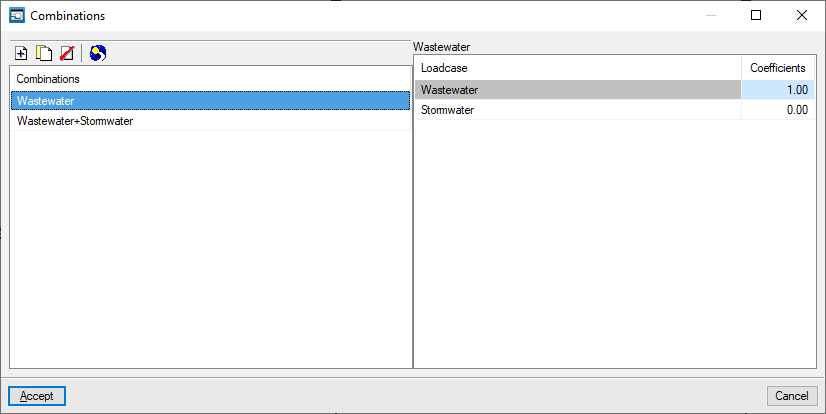
This allows you to define combinations of loadcases.
To do this, items are added to the left-hand list, and their names are entered. Then, in the right-hand list, the combination coefficients (expressed as fractions) assigned to each loadcase in the selected combination are indicated.
The loadcases must have been entered previously via "General data", "Edit loadcase".
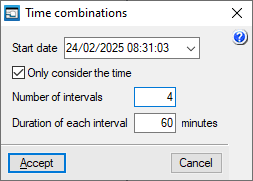
The program also includes a feature for automatically creating "Time combinations" by specifying a particular "Number of intervals" and the "Duration of each interval" from a "Start date". If you select the "Only consider time" option, only the time—and not the date—is included in the reference for the generated combinations.