

Options available in CYPE Water Supply
At the top right of the auxiliary horizontal bar are the features needed to use the program alongside other tools from BIMserver.center.

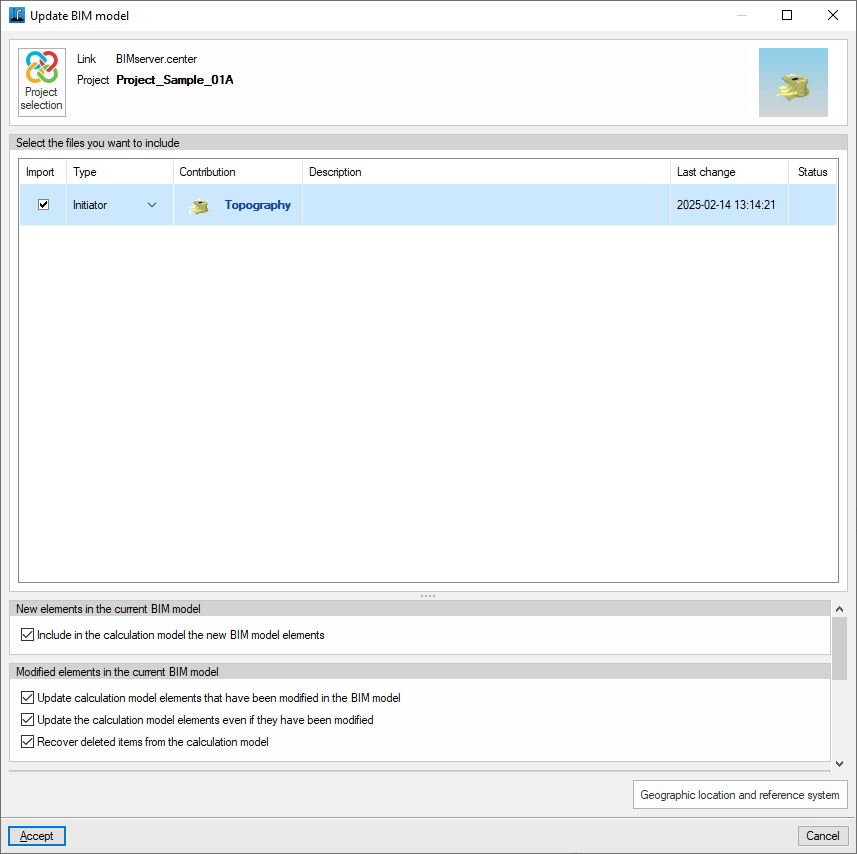
Update
Update the information contained in the files previously imported into the project, or import new files if required.
To do this, at the top, you must "Select the files you want to include".
At the bottom, you can manage the inclusion of new elements or the updating and/or restoration of modified elements in the current BIM model by ticking the relevant boxes in the list.
Export in IFC format
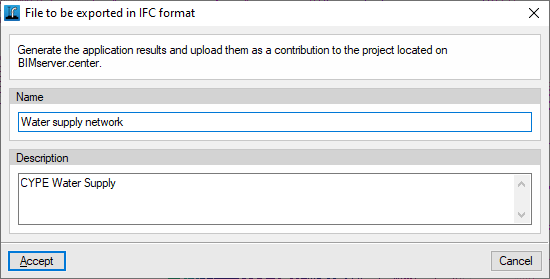
Export the information about the installation created using the program to BIMserver.center so that you can share it with other users.
During the export process, you can specify the details of the IFC file to be exported:
- Name
- Description
3D view
Clicking on this option displays a combined view of the models imported from the BIMserver.center project, alongside the elements specific to the installation drawn in the program.
