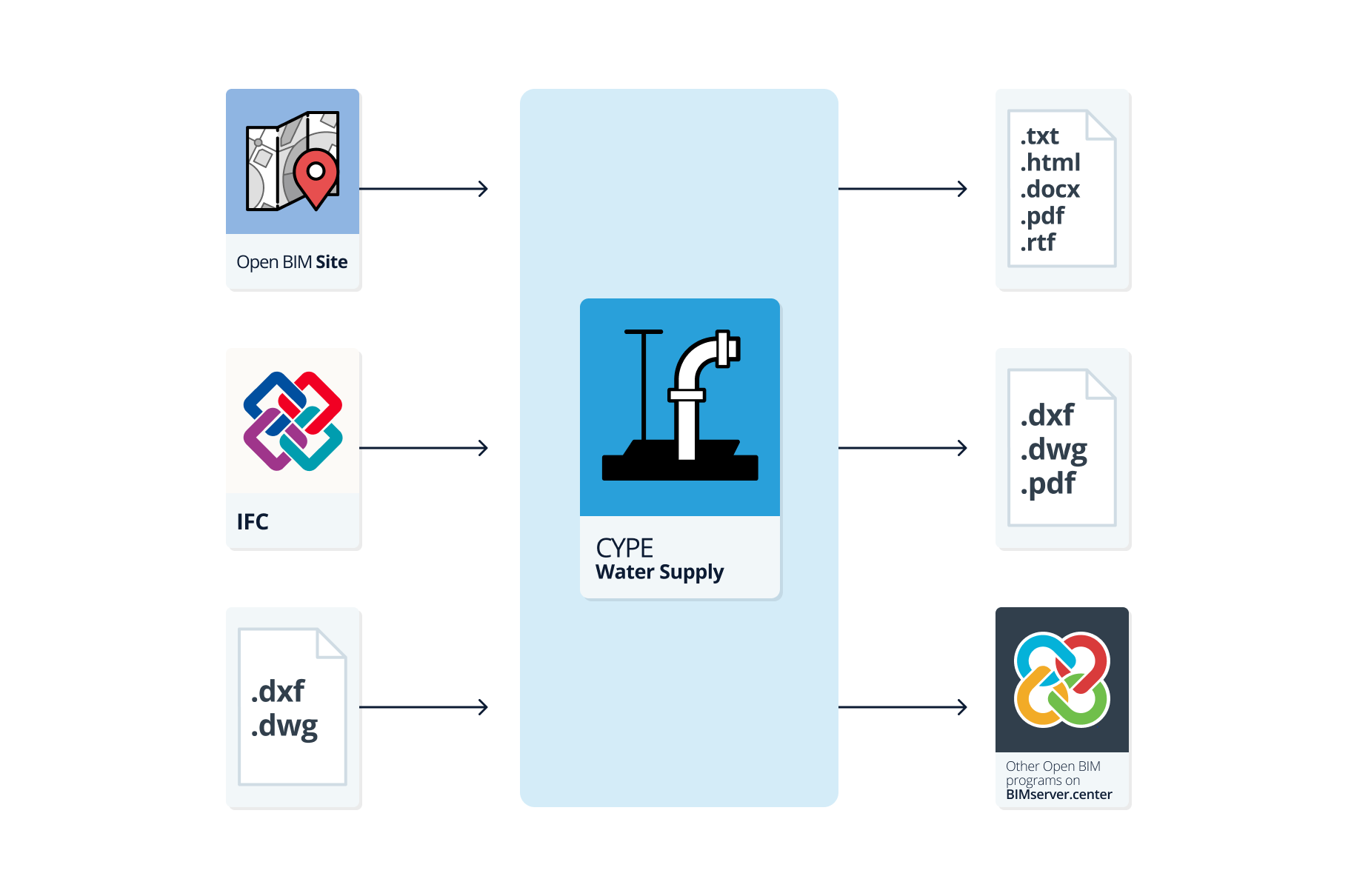
Workflows supported by the program
As CYPE Water Supply is an Open BIM tool and is connected to the BIMserver.center platform, it offers different possibilities in its workflow.
Data entry
Free design
- Free design of the network by manually entering the coordinates of the nodes and the layout of the sections that make up the system in CYPE Water Supply.
- Free design of the network by entering the nodes and sections using DXF-DWG, DWF templates or images (.jpeg, .jpg, .bmp, .wmf) imported into CYPE Water Supply.
Automatic generation of the system geometry from DXF/DWG files
- Imports a DXF or DWG file from "Import", "Geometry", and automatically generates the system geometry from the information contained therein. This file must have the metre as the drawing unit, and the network must be close to the origin of coordinates. In this option, only the layers containing the sections to be used for generation must be activated.
Importing data from BIMserver.center
If the CYPE Water Supply job is linked to a BIM project on the BIMserver.center platform, the following actions can be carried out:
- Importing terrain topography information if the BIM model contains an IFC file with the appropriate entities. This makes it possible to visualise the topography in the CYPE Water Supply 3D view, to display the contour lines in plan in the work area of the general interface, and to rely on the imported topography in the data entry process, automatically identifying the values of the elevations of the new nodes entered on the topography. Among the available options are the following:
- Importing topographic models in IFC format generated by Open BIM Site.
- Importing topographic models in IFC format generated by other programs (such as Aplitop's TcpMDT applications available in BIMserver.center) and uploaded to the BIMserver.center project via the web platform. The terrain data must be defined in an entity of type IfcGeographicElement in a file in IFC4 format.
Data output
- Exporting reports to HTML, DOCX, PDF, RTF and TXT formats.
- Exporting drawings to DXF, DWG and PDF formats.
- Exporting information generated with CYPE Water Supply to the BIMserver.center platform using IFC and GLTF formats. This allows it to be viewed by authorised project participants.