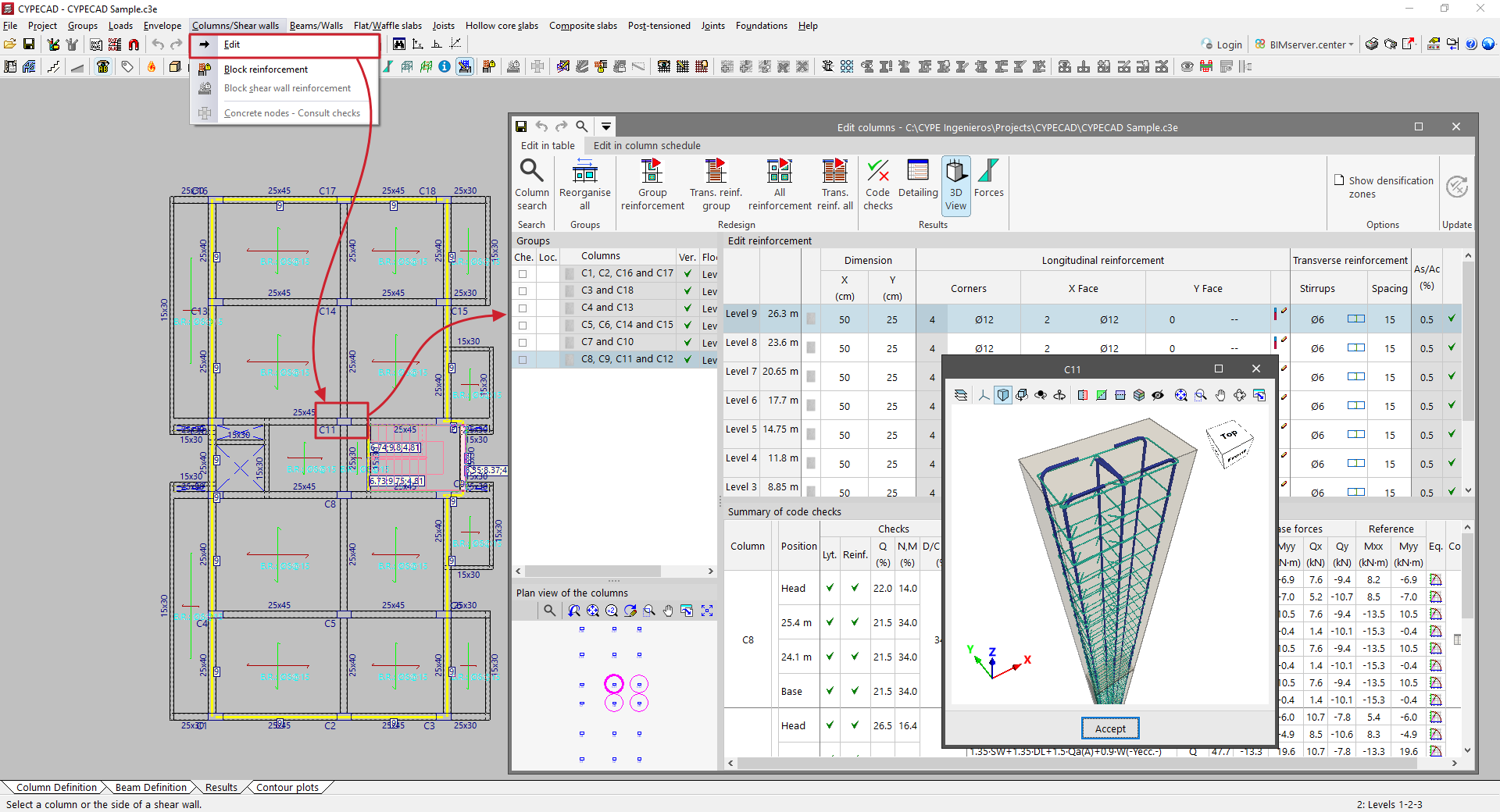
Accessing the column editor
To access the column editor in CYPECAD after analysing the structure, open the "Results" tab and select the "Columns/Shear walls" menu at the top of the interface.

Then, click on "Edit" and click on the column you wish to view or edit on the floor plan. Columns with verification errors are displayed in red. This allows you to access the "Edit columns" window, where the advanced column editor is displayed if you are working with regulations that allow its use.