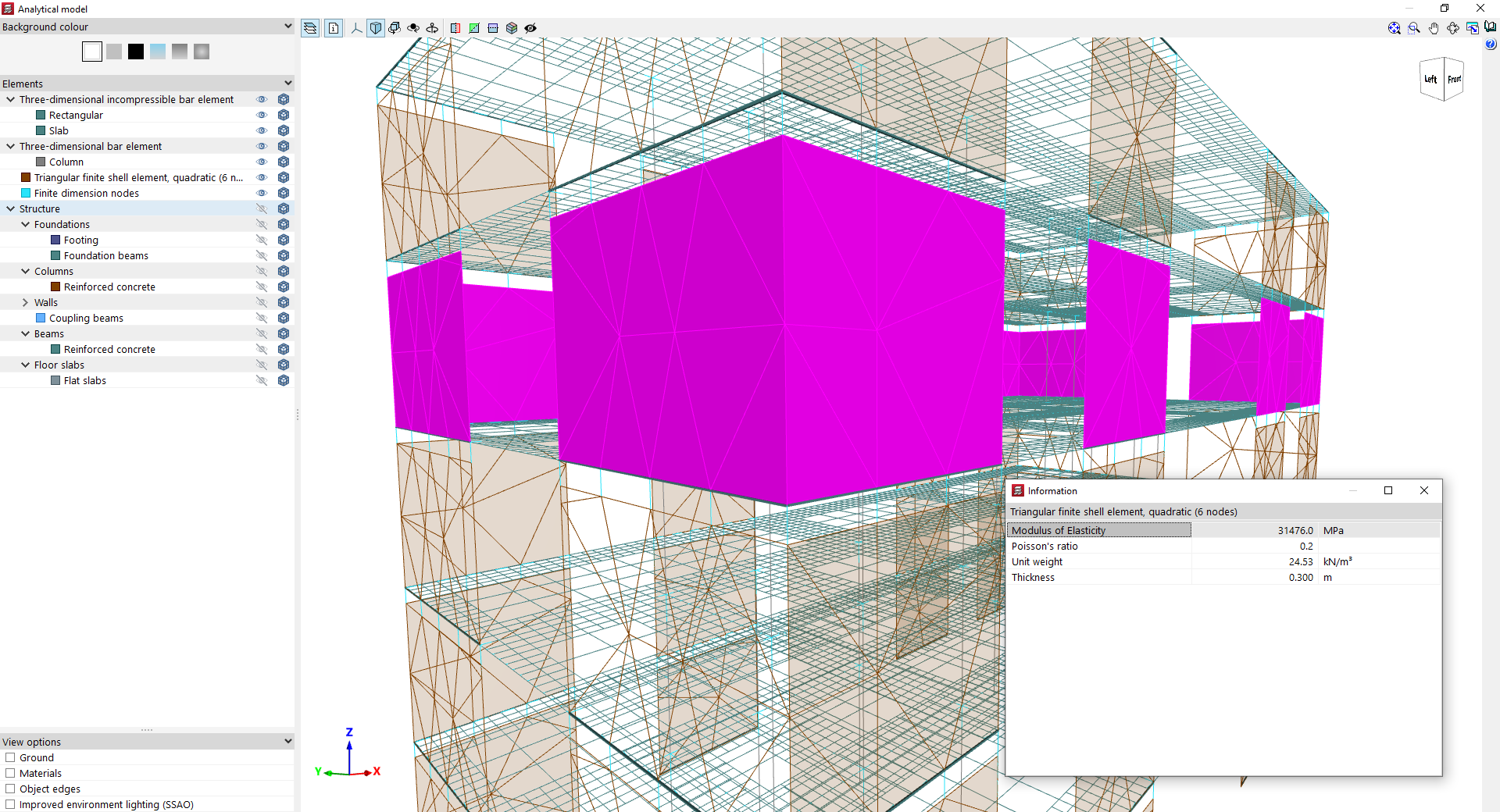
View the analytical model of the structure
The "Analytical model" option, within the "Envelopes" menu on the "Results" tab, allows you to view the analytical model corresponding to the latest analysis for the structure.
The program generates the elements of the analytical model by discretising the structural elements during the model analysis process.
When you click on the option mentioned, the program retrieves the groups of elements by type and, once the process is complete, opens a viewer of the model in a pop-up window.
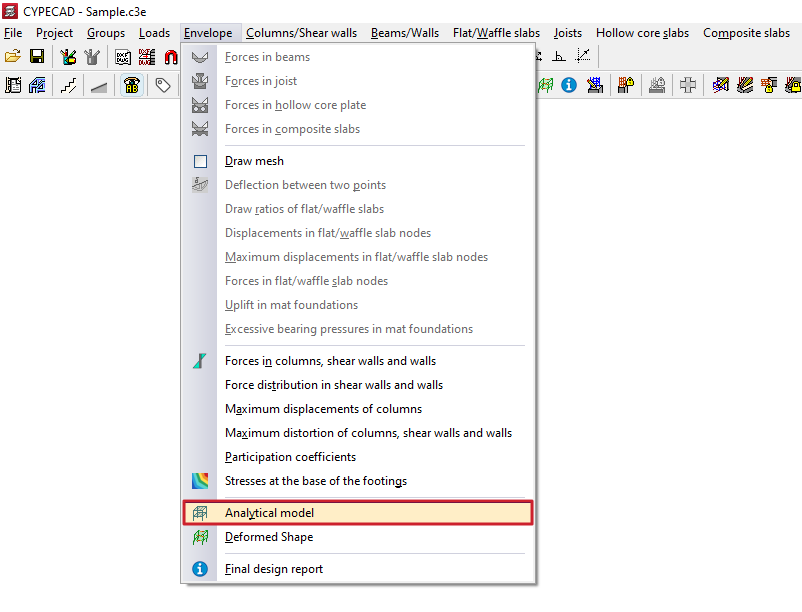
In this window, in the browser on the left-hand side, you can change the "Background colour" and then enable or disable the display and/or transparency of the following "Elements" of the analytical model in the viewer:
- Three-dimensional incompressible bar element
This section covers the elements of the analytical model corresponding to beams (such as bars with a "Rectangular" cross-section) and floor slabs (such as the bars used to discretise "Slabs"). - Three-dimensional bar element
This section contains the elements of the analytical model of the "Column" type. - Triangular finite shell element, quadratic (6 nodes)
These elements correspond to the triangular finite elements that the program uses to discretise walls and screens. - Finite-dimensional nodes
These elements correspond to the finite-dimensional nodes generated at the junctions between other elements (for example, at the junction between several beams and the lower and upper sections of a column).
It is also possible to enable the display of the volume of the elements in the "Structure" section, including elements from the "Foundations", "Columns", "Walls", "Beams" and "Floors".
At the bottom, the program offers "View options" common to other 3D viewers in the program, including the option to enable the "Ground", display "Material" textures or "Object edges", and use "Improved environment lighting (SSAO)".
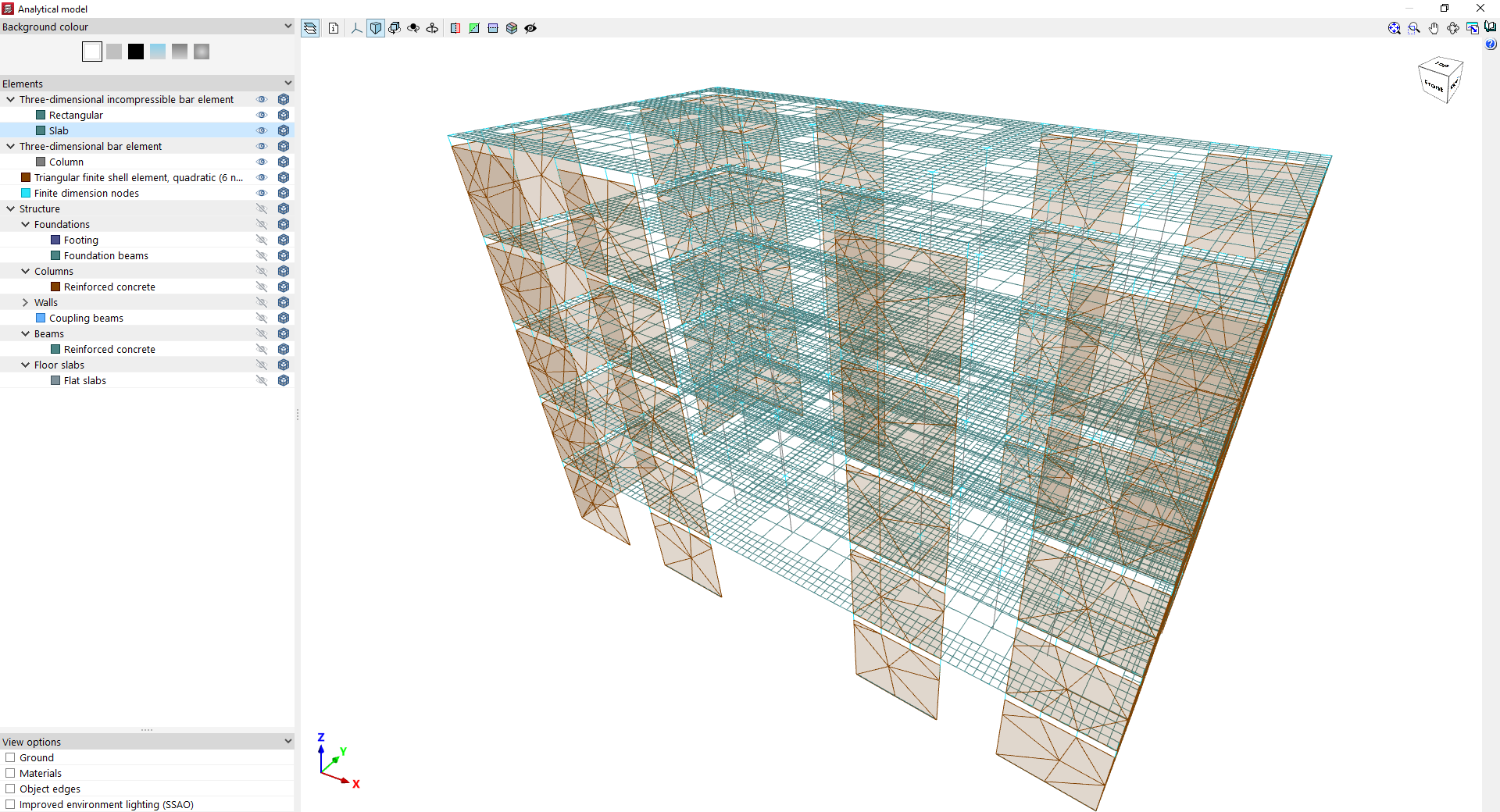
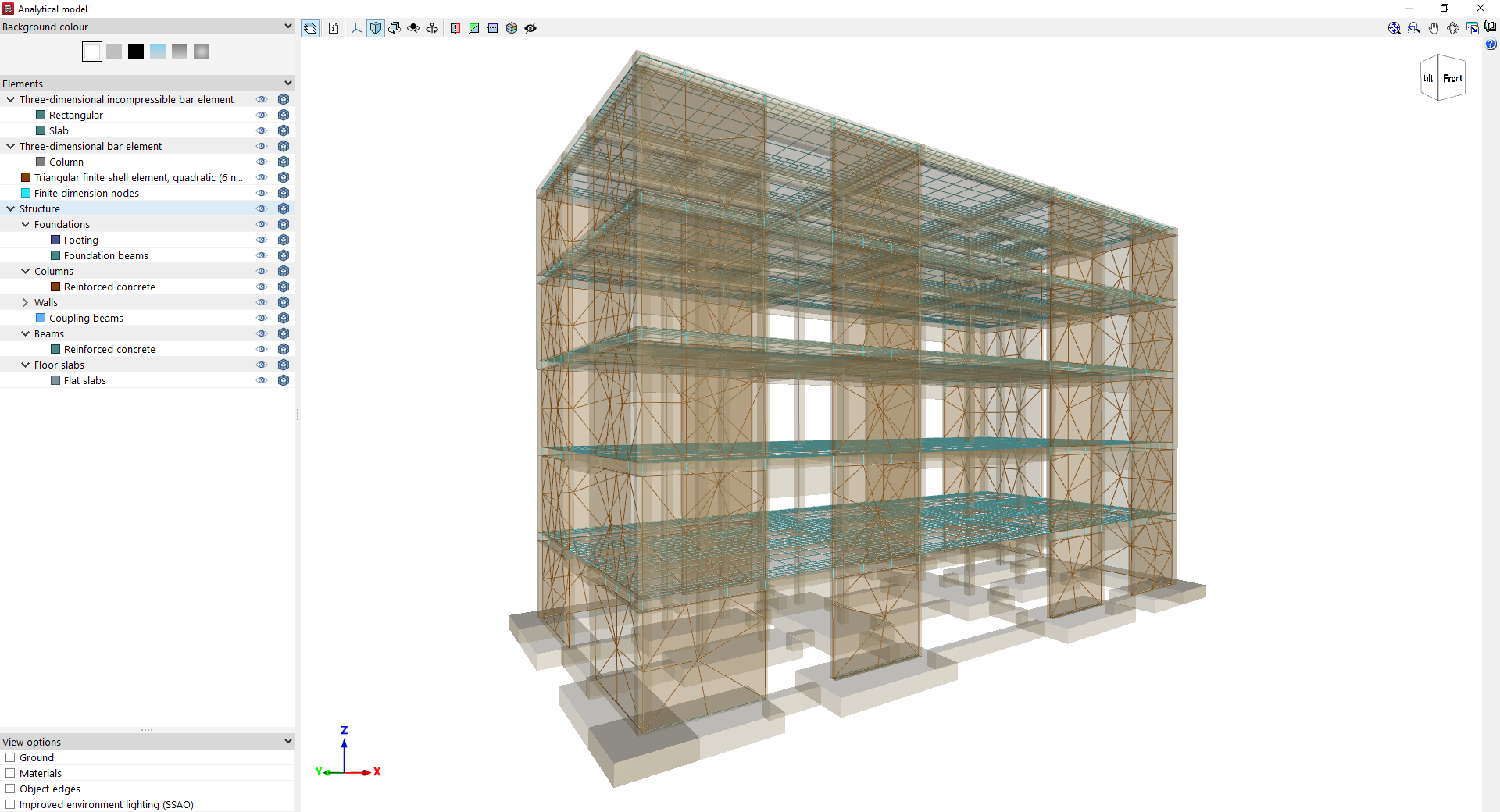
By using the "Information" option on the toolbar at the top of the viewer, you can click on the various groups of elements in the analytical model to view properties such as the following:
In a three-dimensional non-compressible beam element (such as the beams in a slab floor or main beams):
- Modulus of Elasticity
- Poisson's ratio
- Length
- Width
- Depth
- Shear area
- Bending inertia Iy
- Torsional inertia
- Bending stiffness factor
- Torsional stiffness factor
- Fixity coefficient at the origin
- Fixity coefficient at the end
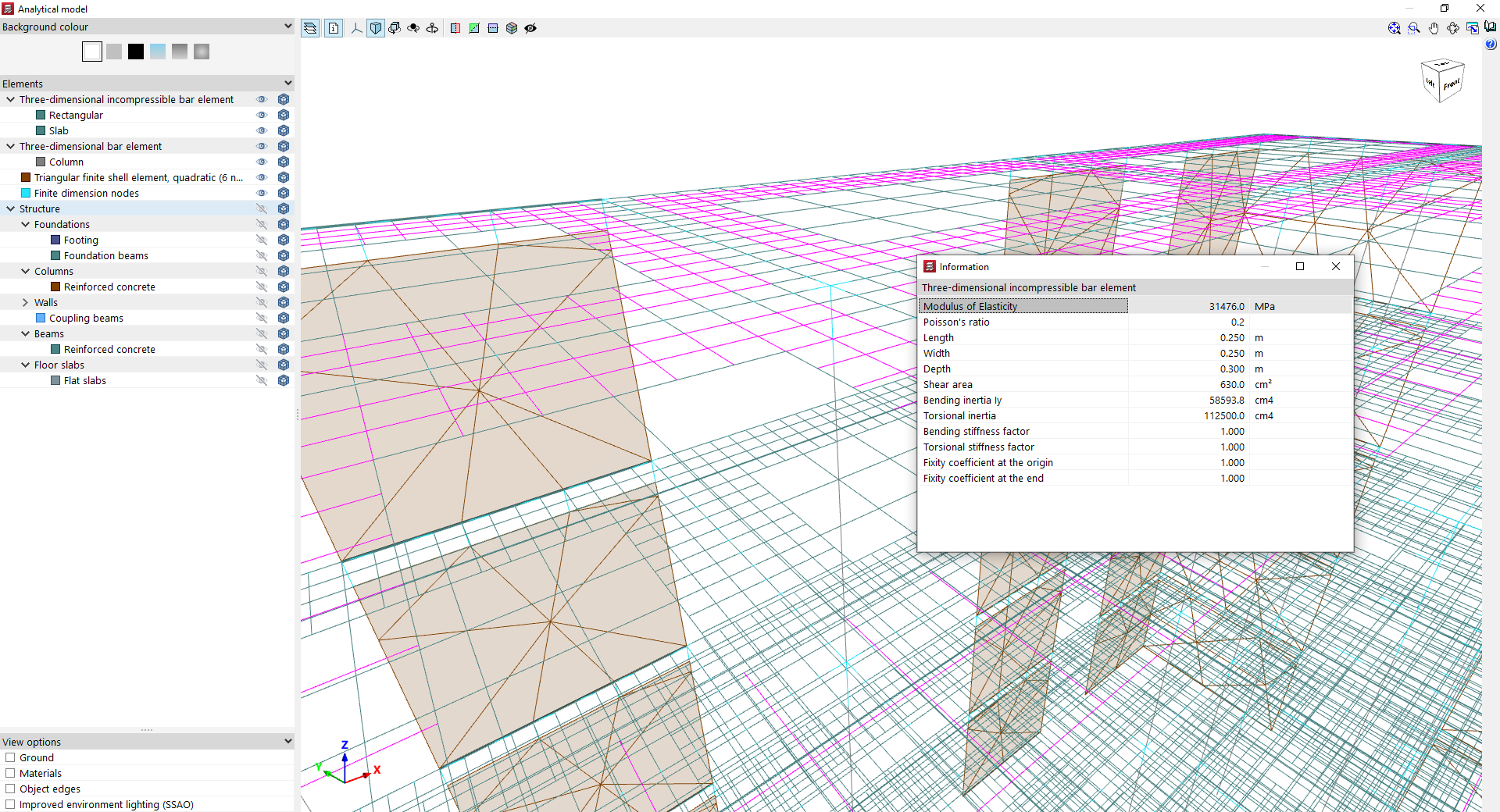
In a three-dimensional beam element (such as columns):
- Modulus of Elasticity
- Poisson's ratio
- Unit weight
- Length
- Width
- Depth
- Angle
- Section area
- Shear area Y
- Shear area Z
- Bending moment of inertia Iy
- Bending moment of inertia Iz
- Torsional inertia
- Bending stiffness factor
- Torsional stiffness factor
- Axial stiffness factor
- Fixity coefficient at the origin
- Fixity coefficient at the end
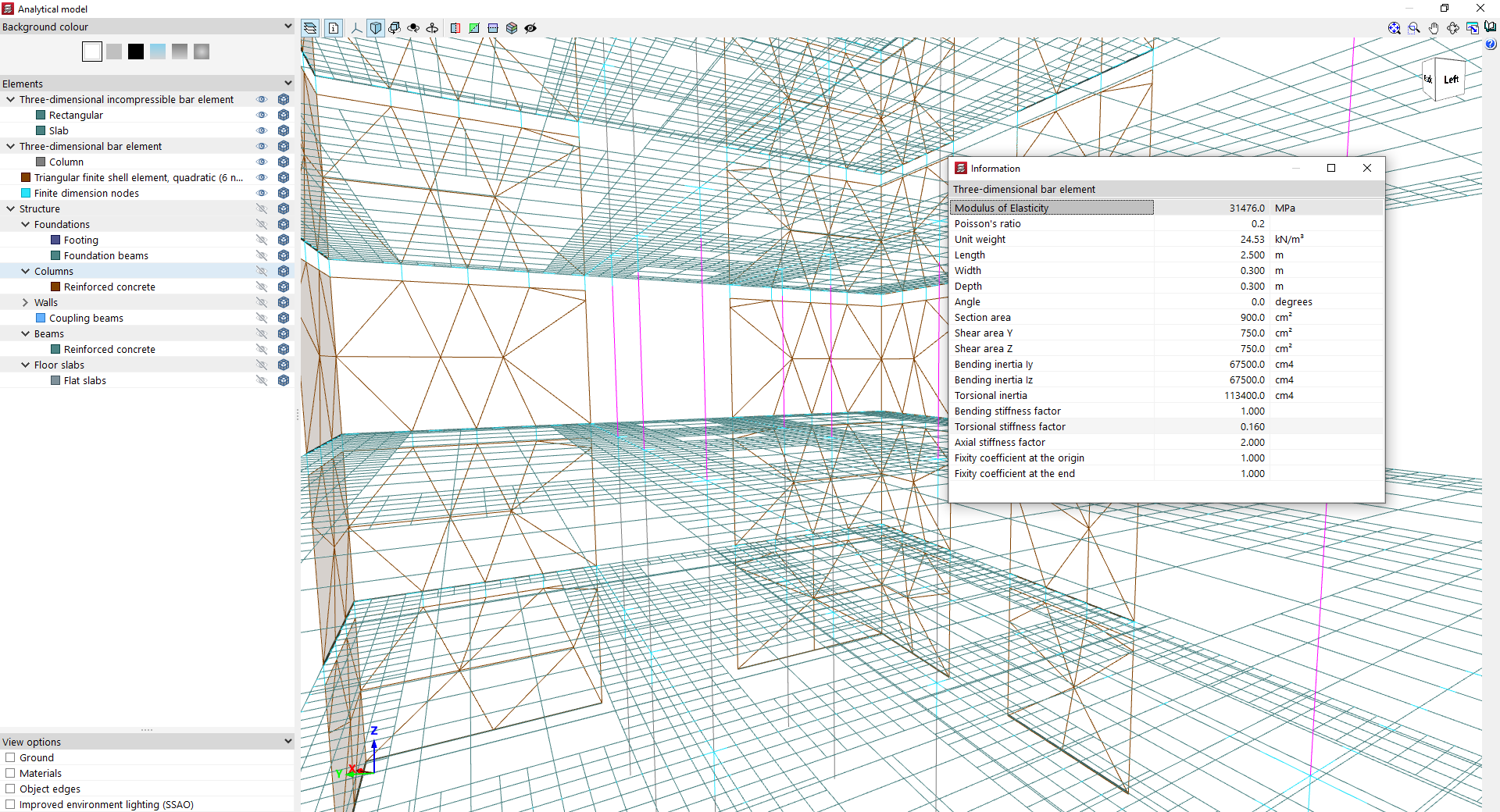
In a finite triangular quadratic sheet element (6 nodes):
- Modulus of Elasticity
- Poisson's ratio
- Unit weight
- Thickness