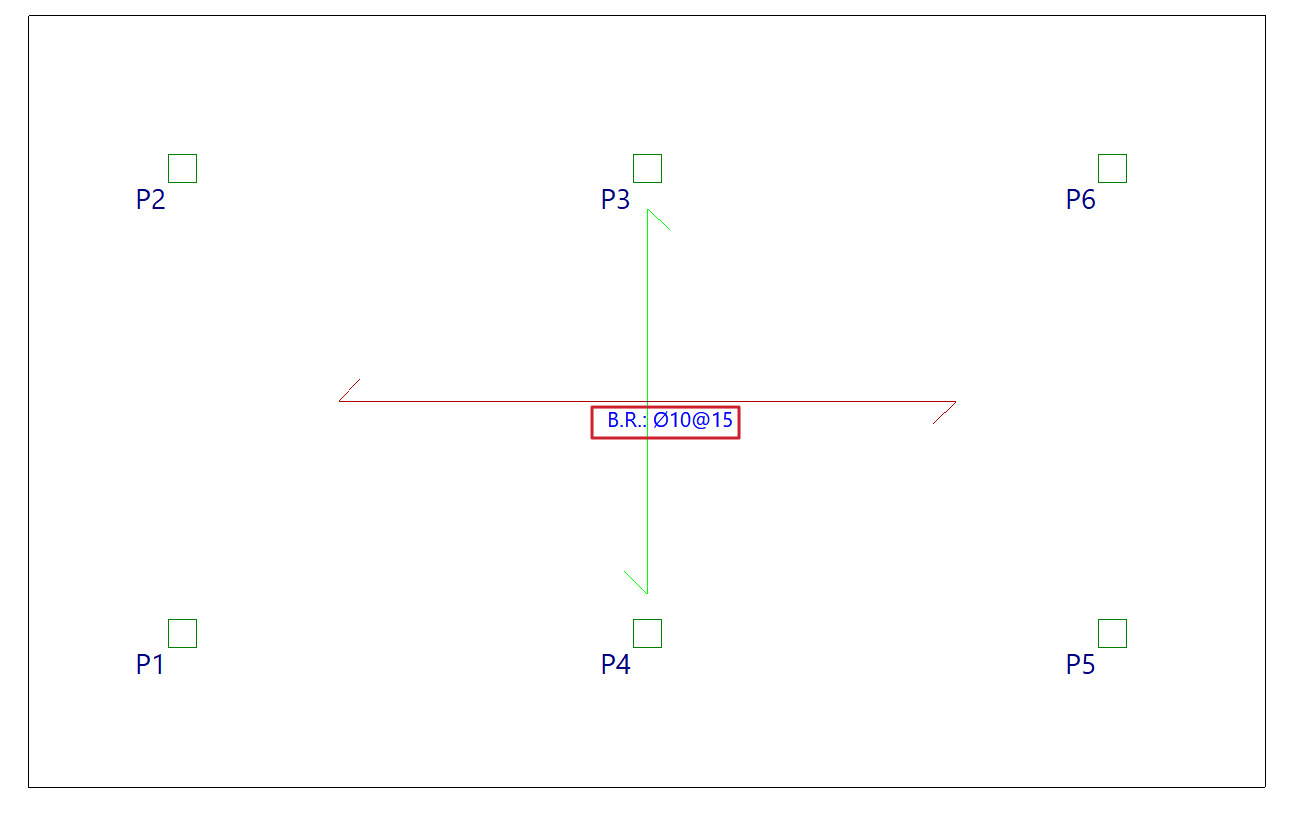
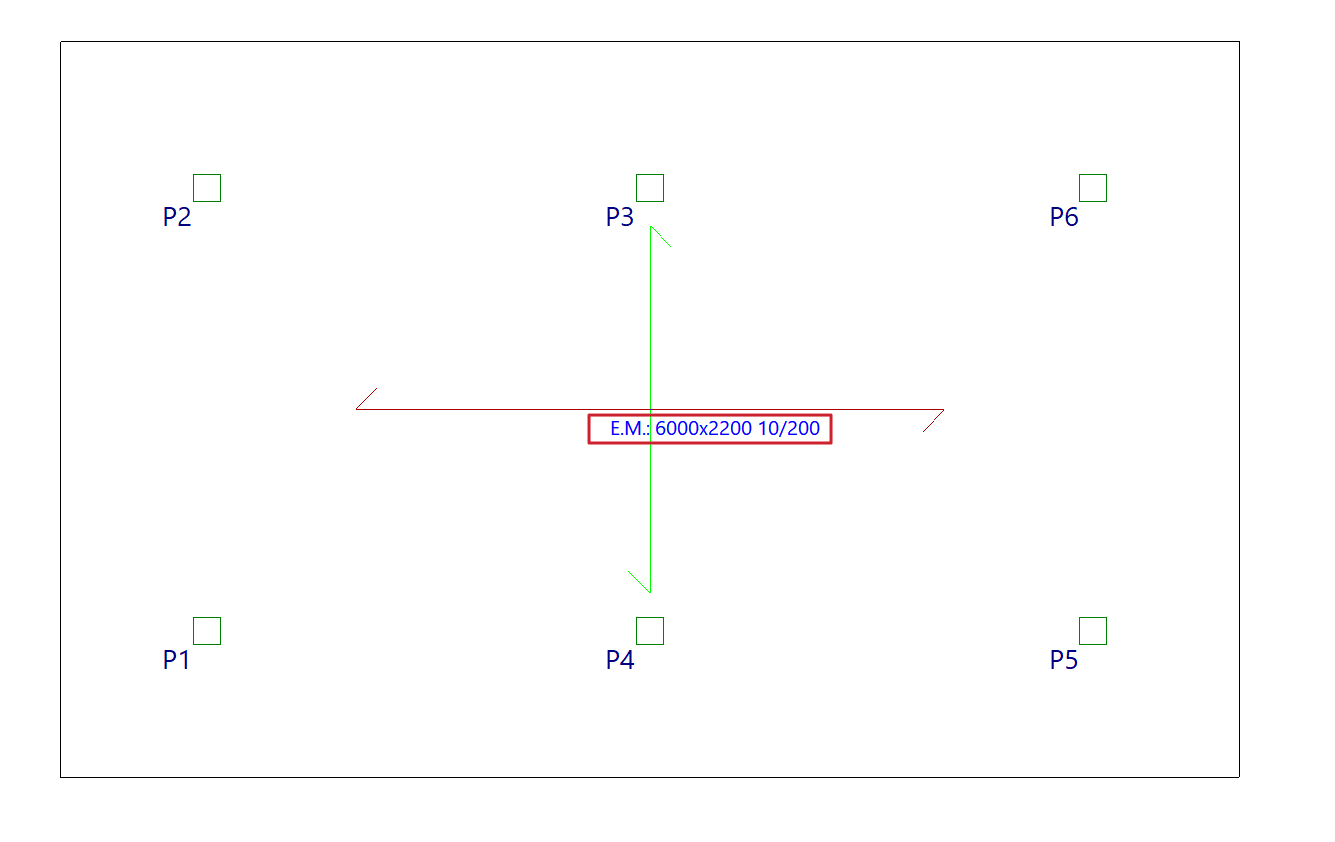
Assigning base reinforcement or electrowelded mesh
The option "Assign 'Base reinforcement / Electrowelded mesh'", available in the "Panels" menu on the "Beam input" tab and also in the "Slabs/Waffle slabs" menu on the "Results" tab, allows you to define base or assembly reinforcement for drop panels, slabs, waffle slabs, in-situ joist floors and composite slabs, as well as welded mesh for slabs.
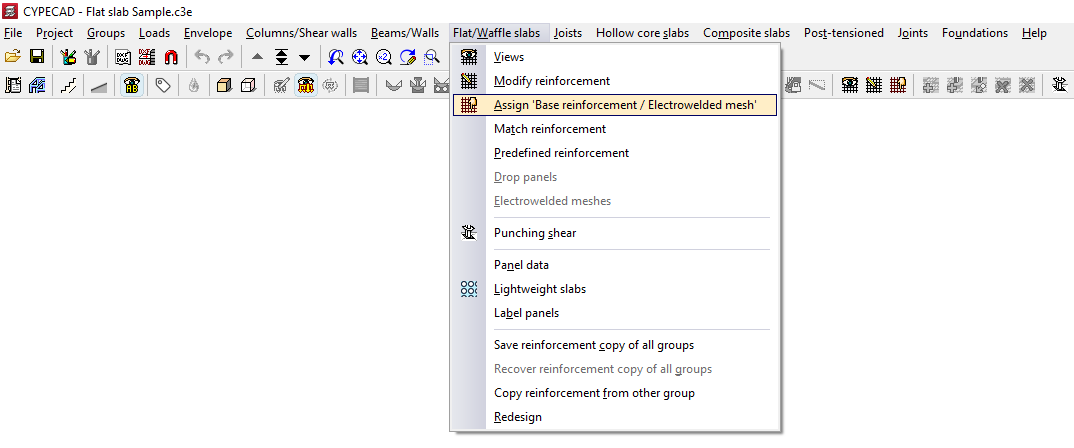
When you click on the option, if there is more than one type of slab on the current floor, you must select a floor slab using the left mouse button to specify the reinforcement type to be assigned:
- In the case of solid slabs, you will need to choose whether to assign a "Base reinforcement" or an "Electro-welded mesh" by selecting the relevant option in the window that appears.
- In all other cases, the program will allow you to assign a "Base reinforcement".
For analysis purposes, the welded mesh and the base reinforcement are treated in the same way, bearing in mind that, when designing the slab reinforcement, both elements provide a uniform mechanical contribution across the entire span.
Assignment of base reinforcement
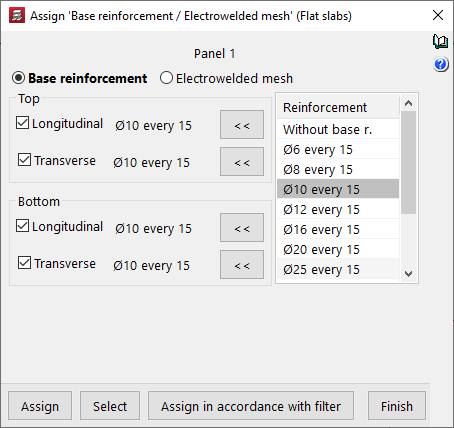
To assign a base framework, you need to configure the following options in the window that appears when you select this option:
- On the left, tick the boxes for the reinforcement types you wish to apply ("Longitudinal" or "Transverse", and either "Top" or "Bottom").
- The "Assemblies" column on the right shows the available base assemblies according to the assembly table that has been configured.
- Using the buttons in the middle (labelled "< <"), you can copy the selected reinforcement on the right to the sections corresponding to the top longitudinal, top transverse, bottom longitudinal and bottom transverse reinforcement on the left. You must click on each of these buttons for every position of the reinforcement, if there are several.
| Note: |
|---|
| If you wish to assign a standard reinforcement configuration that is not available in the table, you must edit the relevant reinforcement table (under "Project > General data > By position") and add that configuration. In the case of drop panels, the minimum reinforcement required for the top-mounted reinforcement is 2∅10 per grid. For this reason, when a lower value, 2∅8, is selected in the reinforcement list, the buttons allowing it to be assigned to the top reinforcement do not appear. Furthermore, for foundation slabs, it is mandatory to place a base reinforcement based on the slab thickness. Consequently, base reinforcement configurations below those defined based on the thickness of the selected foundation slab will not be available. These values can be modified in the program under "Project > General data > By Position > Flat, waffle and joist floor slab options > Minimum quantities". |
Assigning welded mesh
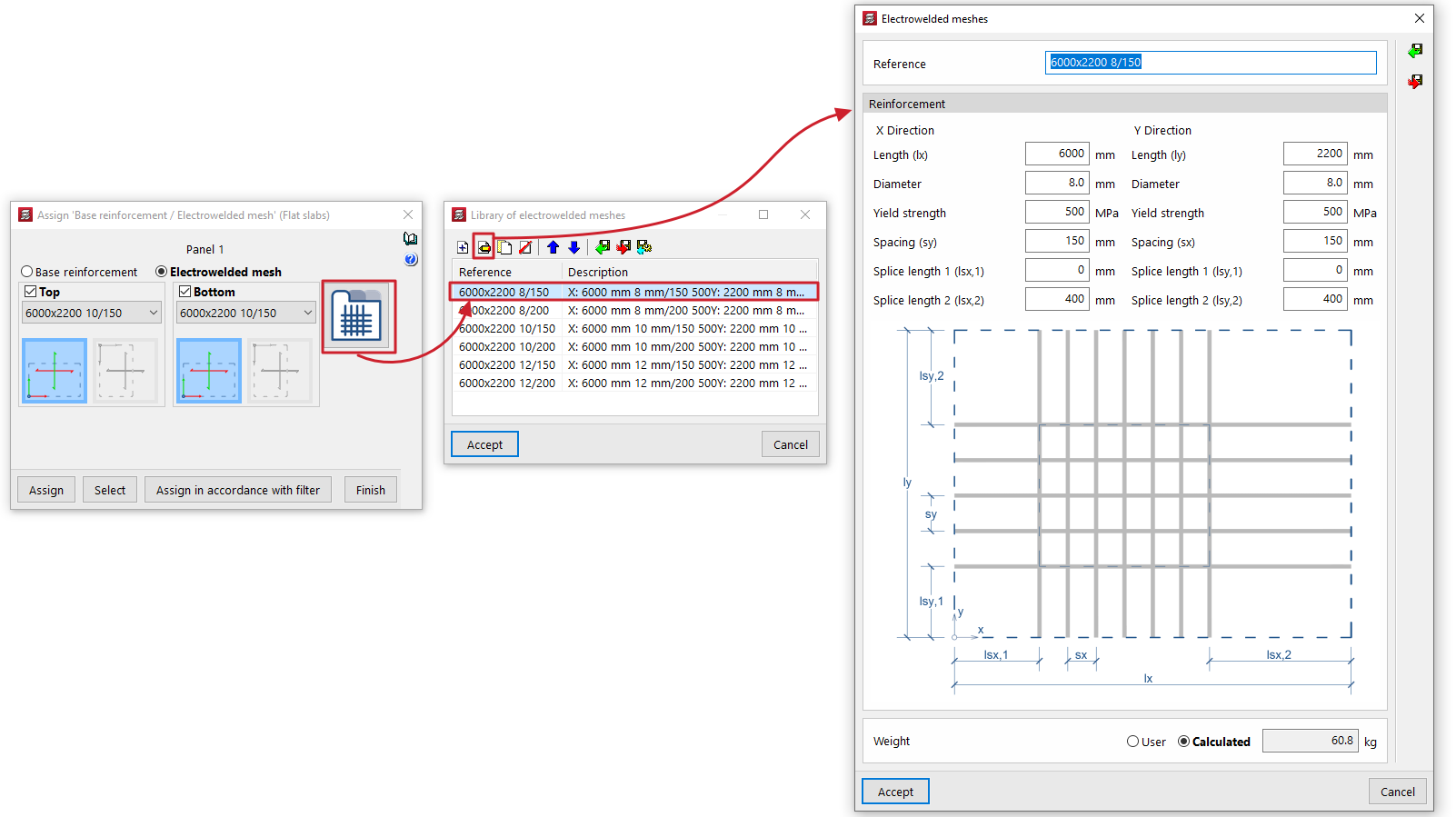
To assign welded mesh to a solid slab, the window that appears when you select this option allows you to specify the welded mesh to be assigned to both the "Top" and "Bottom" faces of the slab. To do this:
- Select one of the welded mesh options available from the drop-down menu. If you wish to assign a welded mesh that is not listed in the table, you will need to edit the "Welded mesh library" accessible on the right-hand side and, if necessary, modify the welded mesh assembly tables.
- At the bottom, you can specify whether the X and Y axes of the mesh are "Coincident axes" with the slab’s reinforcement axes, or "Transposed axes" (rotated by 90° relative to the slab’s reinforcement axes).
Selecting panels on the floor plan
Once you have defined the base reinforcement or welded mesh to be assigned, click on "Assign" and select the floor panels to which you wish to apply it on the floor plan. If you select a panel of a different type, you will be prompted again to select the base reinforcement to be assigned to panels of that type.
The "Select" option allows you to extract information about the base reinforcement or welded mesh from a panel where it has already been applied.
Furthermore, the "Assign according to filter" option allows you to assign the specified base reinforcement or welded mesh to the panels selected according to the defined filter. The filter can be applied to the "Current group", to "All groups" or to a "Selection of groups". In the list that appears when using this option, you must tick the "Assign" box for the slab types to which you wish to apply the base reinforcement or welded mesh.
Once the base reinforcement or welded mesh has been applied to the panels, you can re-reinforce the slabs via the "Reinforce slabs" option, which is available under the "Match reinforcement" option in the same menu.