Assigning hollow core slabs
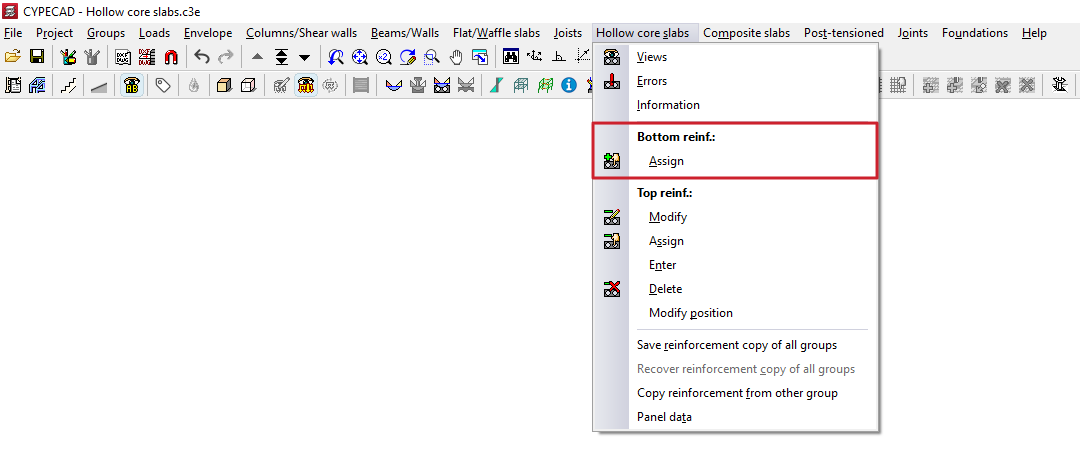
The "Assign" option is located in the "Bottom reinforcement" section of the "Hollow core slabs" menu, within the "Results" tab, and allows you to change the type of plate assigned to a selection of hollow core slabs.
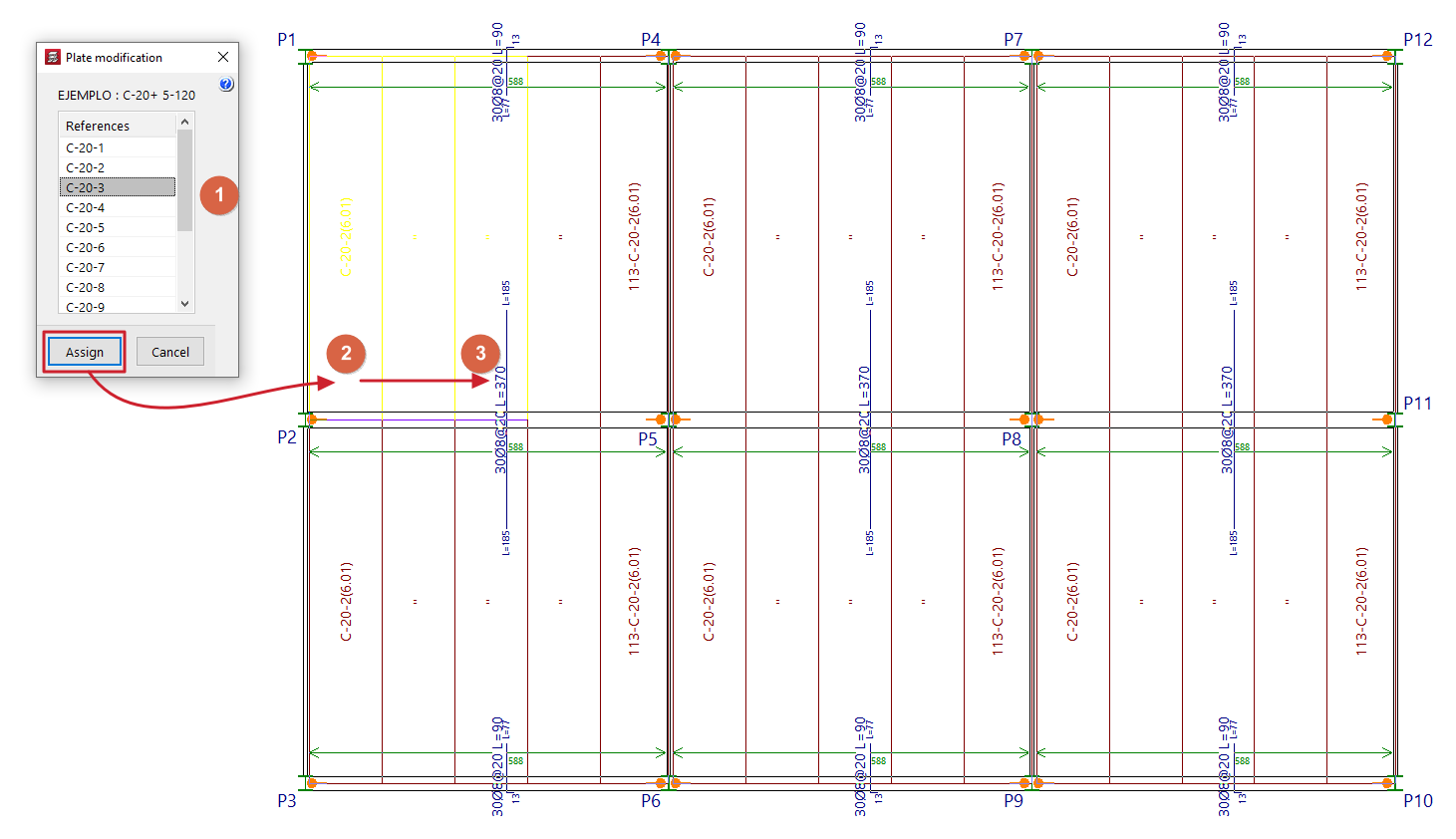
To do this, select the panel to be assigned from the list in the "Edit panels" pop-up window. Then, click on "Assign" and select the panels on the floor plan to which you wish to assign that type (by left-clicking on a point on the panel to select the start panel, and then clicking on another point on the same panel to select the end panel; the selected panels are highlighted in a different colour).
This change can be made either before or after the analysis.