Assigning steel and timber joists
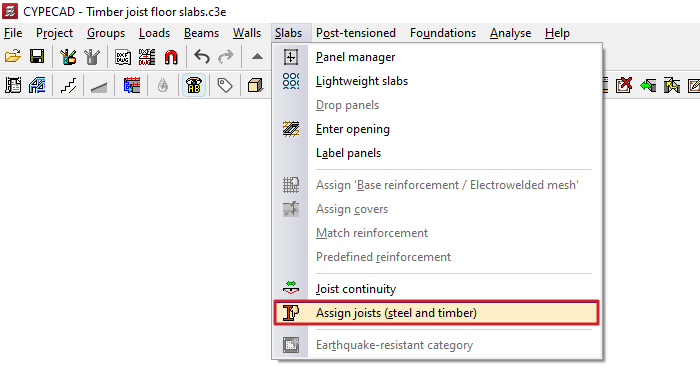
The "Assign joists (steel and timber)" option, within the "Panels" menu on the "Beam input" tab, allows you to change the type of joist used in floor slabs of this type by applying a bulk assignment of data to all selected joists.
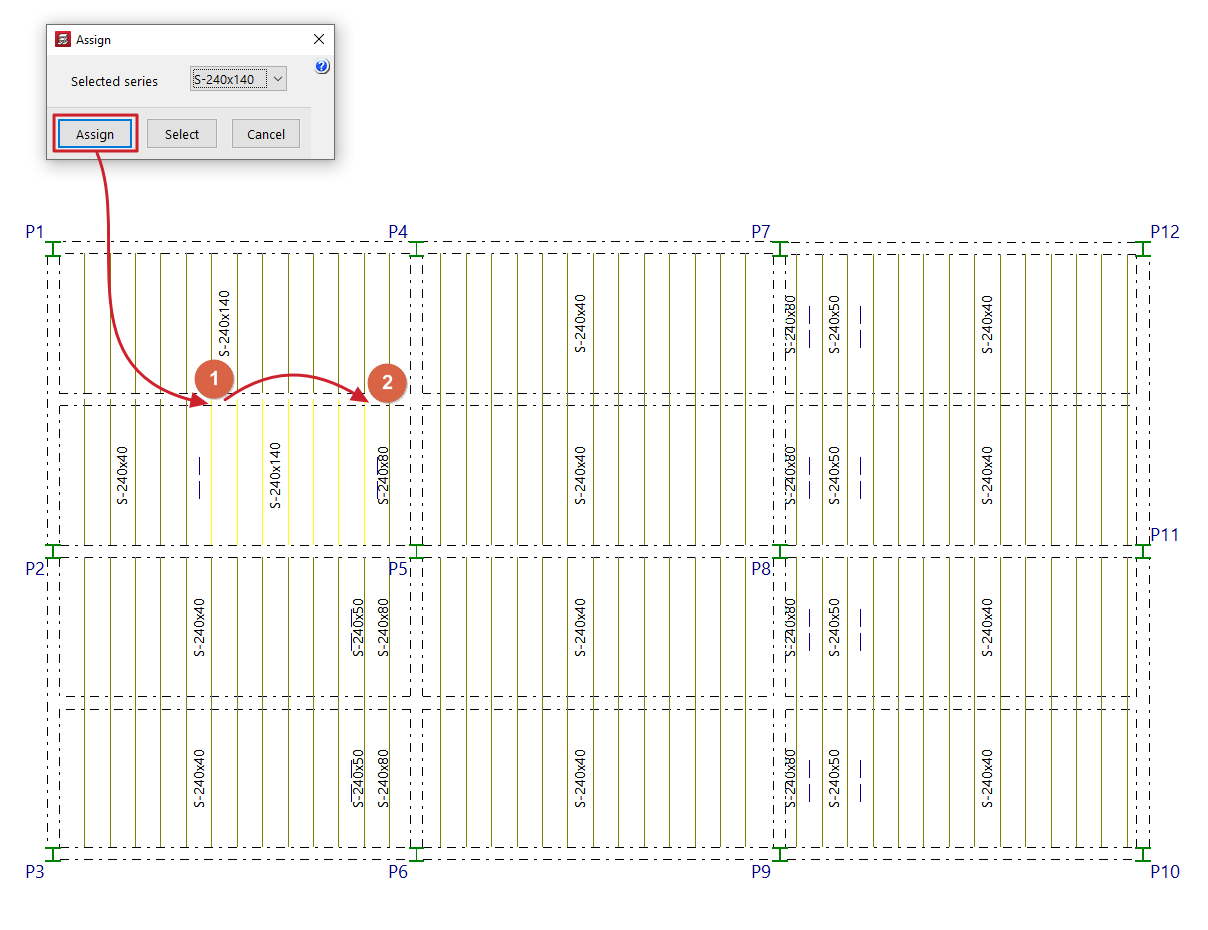
Next, click on "Assign" and select the joists on the floor plan to which you wish to assign this data. To do this, left-click on a point on the floor slab to select the starting joist, and then click on another point on the same slab to select the ending joist. The selected joists are highlighted in a different colour.
In the pop-up window, you can also use the "Select" option to copy the data for a selected joist on the floor plan, or "Cancel" to close the window.