


Checking and designing concrete block walls
The following options in the "Beams/Walls" menu on the "Results" tab allow you to check and design concrete block walls, respectively.
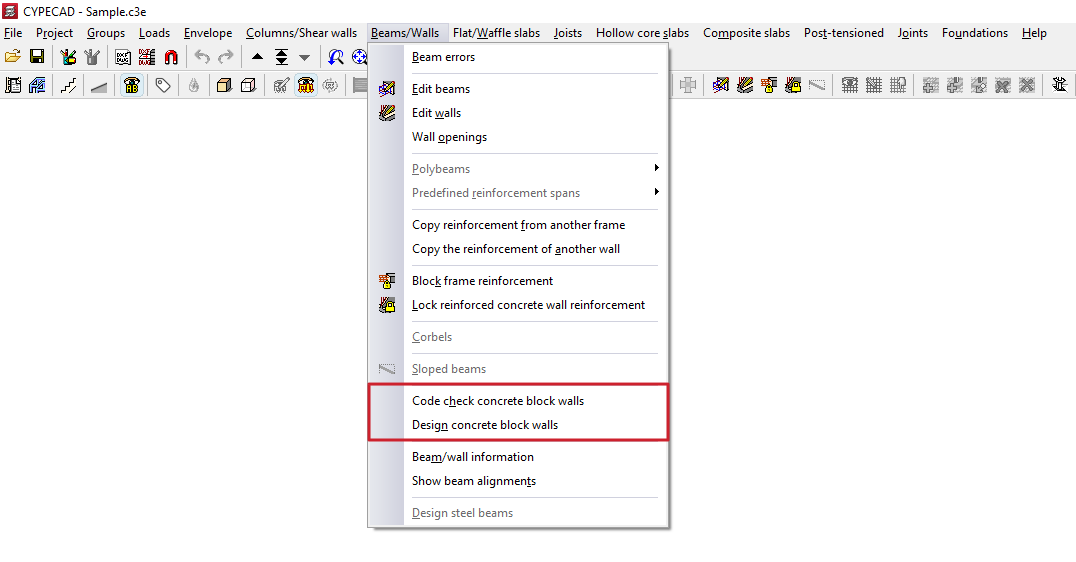
Code check concrete block walls
This option allows you to check whether the checks carried out on the concrete block walls have been passed.
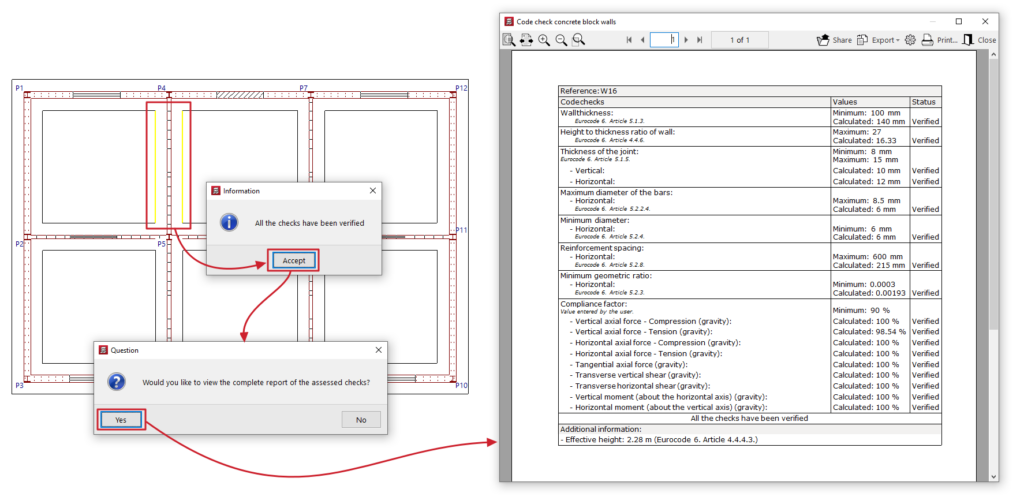
To do this, after clicking on the option, use the left mouse button to select the wall you wish to check. The program will indicate whether all the checks have been passed or whether any checks have failed.
Once you have accepted the dialogue box that appears, you can view on screen the list of checks carried out on the wall, including those relating to the wall’s geometry, reinforcement or compliance factor under various loads.
This report can be printed or exported in various formats.
Designing concrete block walls
This option allows you to redesign the reinforcement for concrete block walls without having to reanalyse the structure. This can be useful if minor changes have been made to the dimensions of these walls.
If you do this, any changes made to these structures based on the results of the previous design will be lost.
The forces used to design the reinforcement shall be those obtained from the most recent structural analysis carried out.
| Note: |
|---|
| Changes to the type of block used in the walls render the forces obtained in the last analysis invalid. For this reason, if you wish to ensure the accuracy of the results—particularly if significant changes have been made to the dimensions—we recommend that you reanalyse the job. |
