


Copy from another group
The "Copy from another group" option in the "Groups" menu, within the "Beam input" tab, allows you to copy all the data from the selected group of floors to the group you are currently working on.
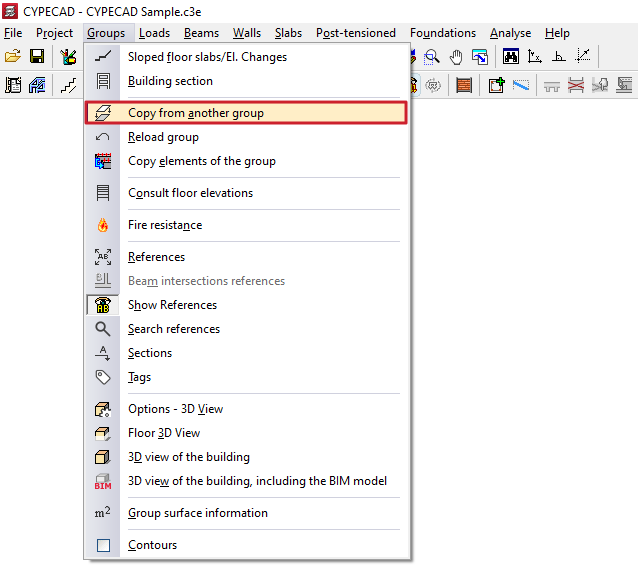
The procedure is as follows:
- Position yourself on the target group where you want to copy the items (using the options "Go to group", "Move group up" or "Move group down").
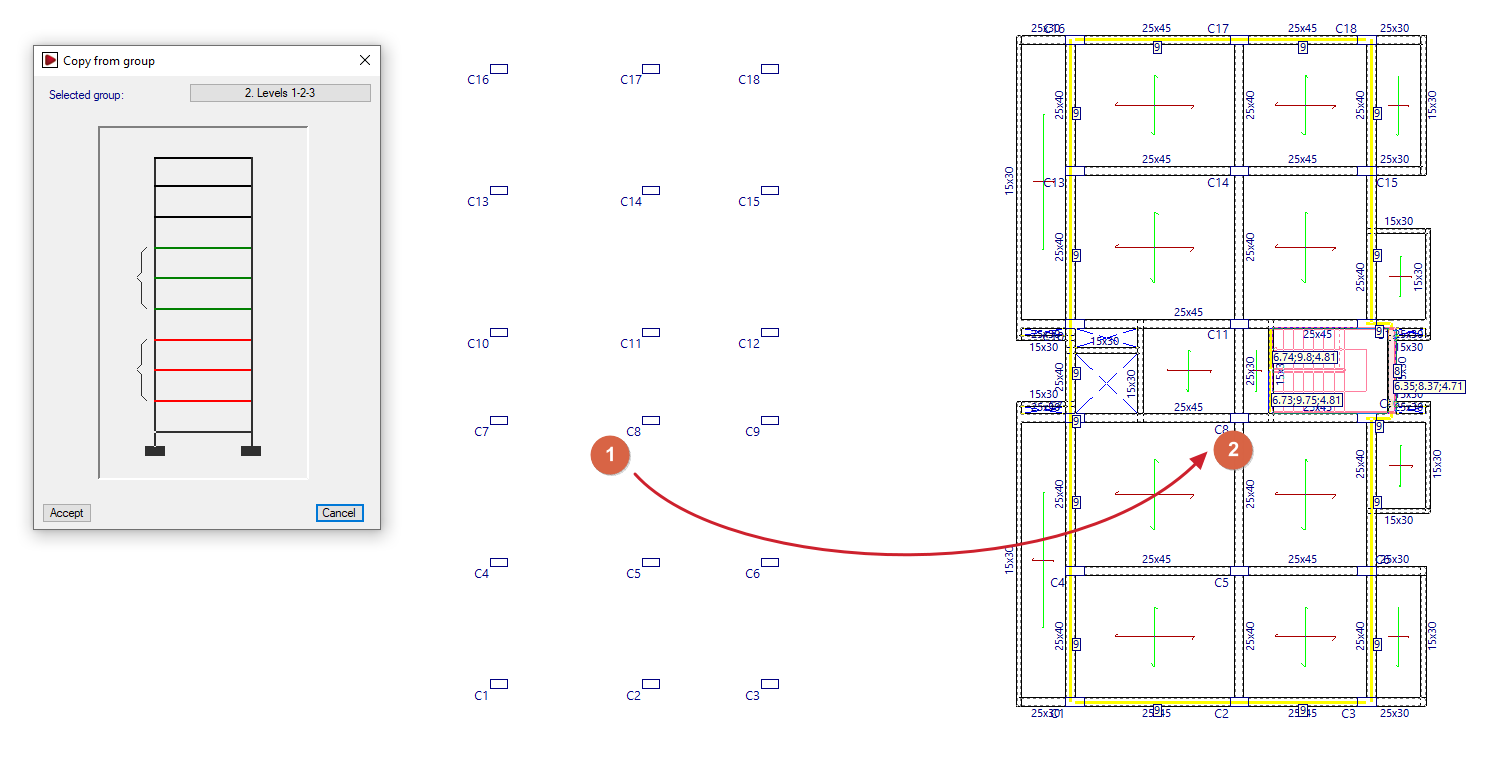
- Click on the "Copy from another group" option. The program will open a pop-up window showing a diagram of the plant groups on the site. The destination group is shown in green, and when you hover the pointer over it, the group you want to copy to is highlighted in red.
- When you select a group of floors, the program will copy all the information from the selected group to the destination group, deleting any previous information that existed there. The program will warn you of this situation by displaying a question on the screen, which you must accept to proceed with the operation.
| Note: |
|---|
| This option copies all information from one group to another, replacing the original information in the destination group. If you only need to copy a specific set of elements, use the "Copy elements of the group" option in the same menu. |
