Copying frame and wall reinforcements
The following options in the "Beams/Walls" menu on the "Results" tab allow you to copy structural models between frames or between walls:
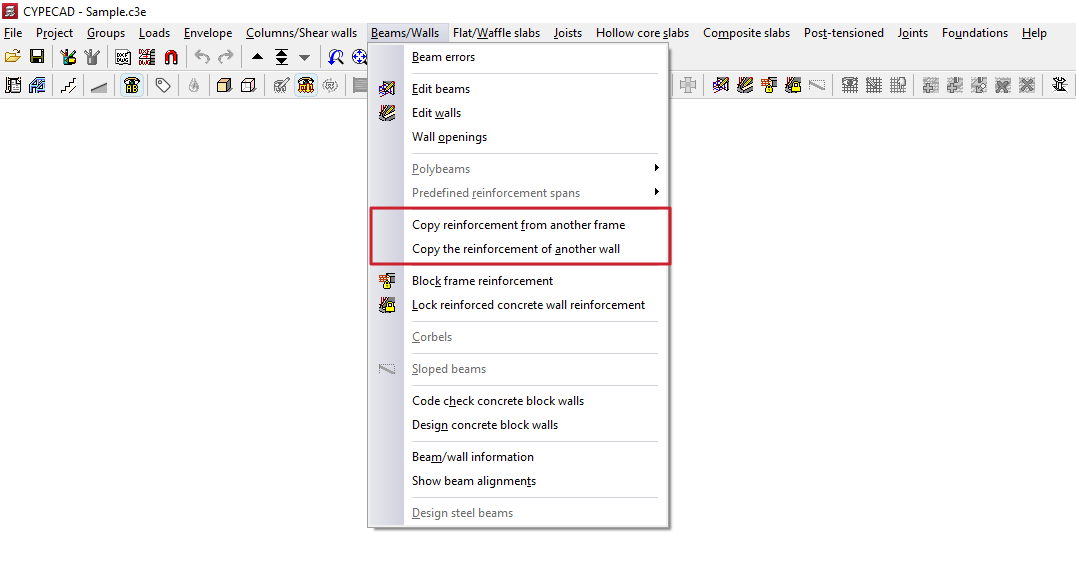
Copy reinforcement from another frame
This option allows you to copy the layout of one portal onto another portal. The two portals must have the same number of spans:
- For the longitudinal reinforcement and the first layer of positive elements, the diameter, number and length of each bar’s end are copied relative to the support axis.
- For the remaining longitudinal bars, the diameter, number and length of the bars are copied.
- For the stirrup, the diameter, spacing and length of the reinforcement are copied.
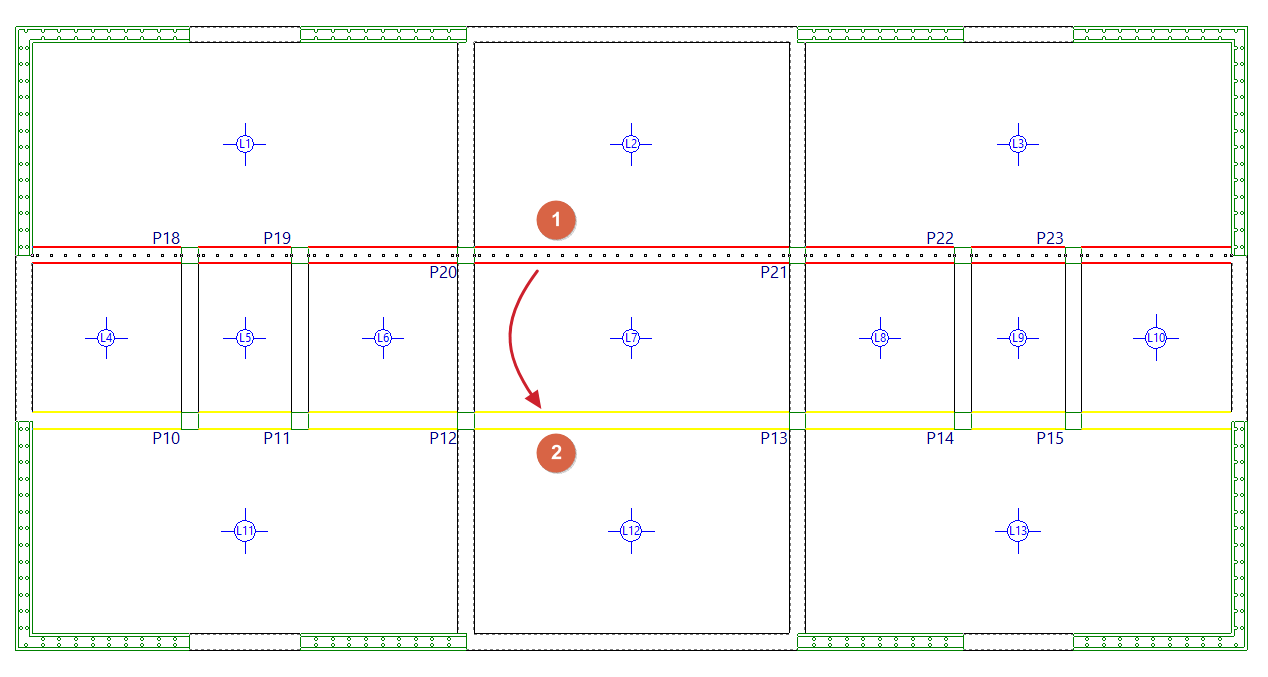
The procedure for copying the layout between frames located on the same group of floors is as follows:
- Go to the floor where the frames are located.
- Select the "Copy reinforcement from another frame" option.
- Left-click to select the frame you wish to copy (1).
- Use the left mouse button to select the destination span or span (2) to which you wish to assign the selected reinforcements.
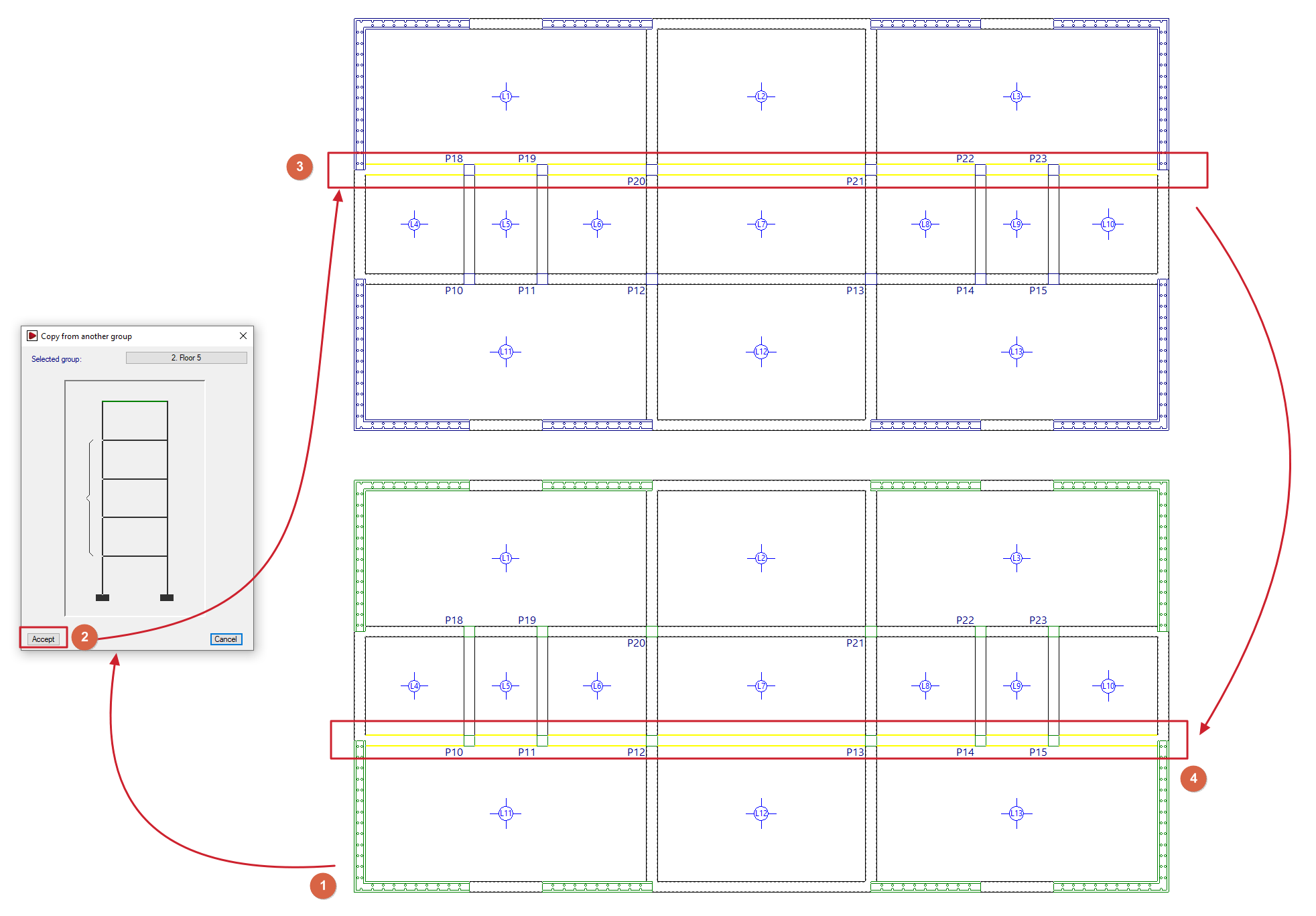
Furthermore, the procedure for copying the reinforcement between frames located on different floor levels is as follows:
- Go to the floor where the destination frame is located (1).
- Select the "Copy reinforcement from another frame" option.
- Click the right mouse button and, in the dialogue box that appears, select the floor on which the portal containing the information to be copied is located (2).
- The program will then be positioned on the selected floor. Here, use the left mouse button to select the portal to be copied (3).
- The program immediately returns to the starting floor. Here, use the left mouse button to select the destination span or spans (4) to which you wish to assign the selected reinforcements.
| Note: |
|---|
| After making the copy, we recommend that users check the beam assembly onto which the copy has been made, to ensure that the quantities specified are not lower than those required, as the program does not flag this issue at the time of copying. Copying the reinforcement between frames does not mean that a single frame will appear in the beam drawing. This will only happen when the geometry of the copied frames is exactly the same. |
Copy the reinforcement from another wall
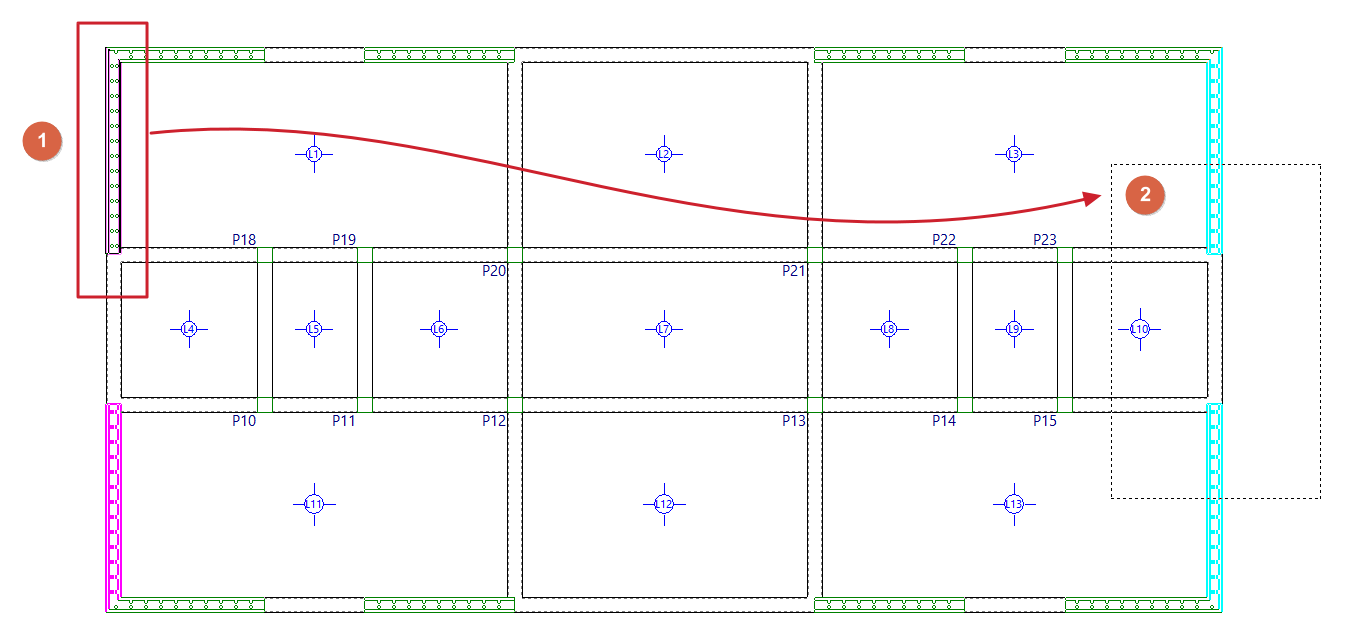
This option allows you to copy the structure of one wall onto another wall. The procedure is as follows:
- Go to the floor where the walls are located.
- Select the "Copy reinforcement from another wall" option.
- Left-click on the wall to be copied (1).
- Left-click to select the destination wall or walls (2) to which you wish to assign the selected reinforcement, or use a selection area to select them. Walls with the reinforcement already copied will be highlighted in magenta.