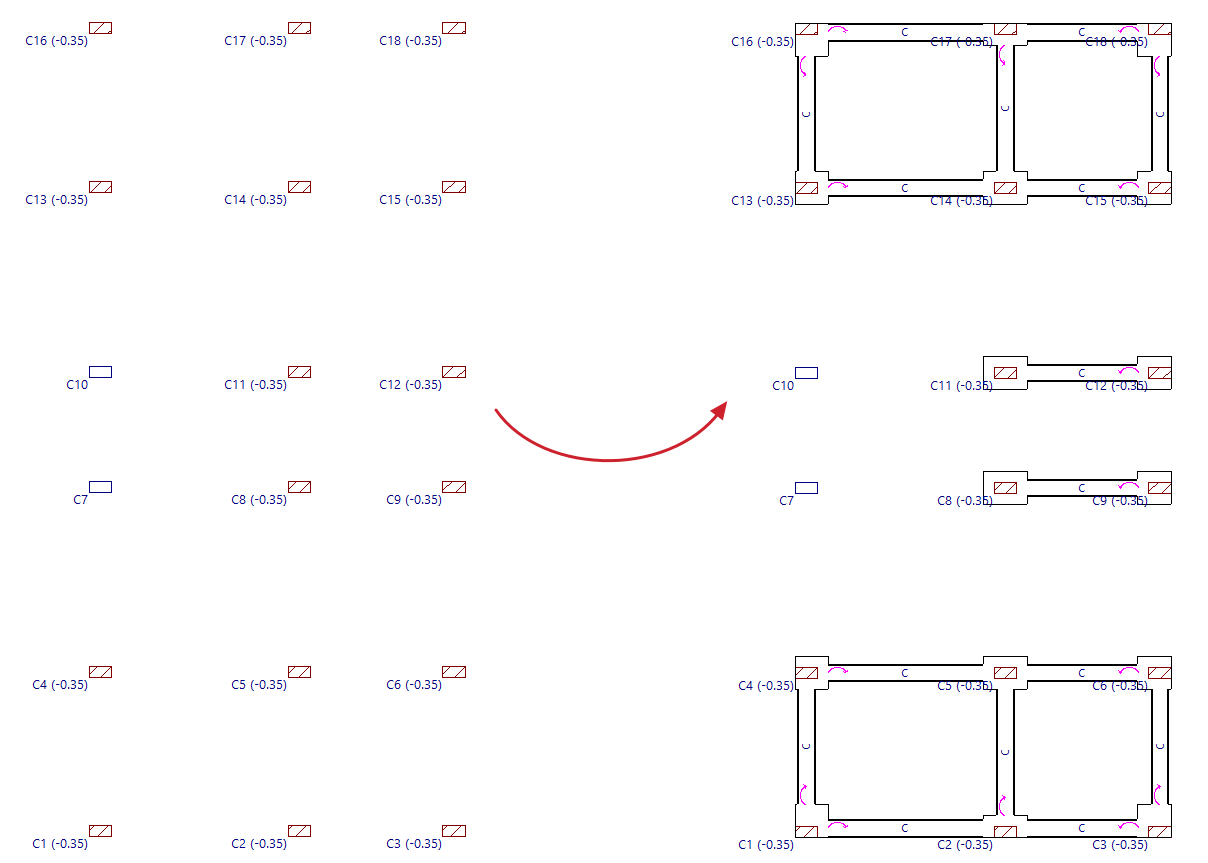
Generating footings and beams
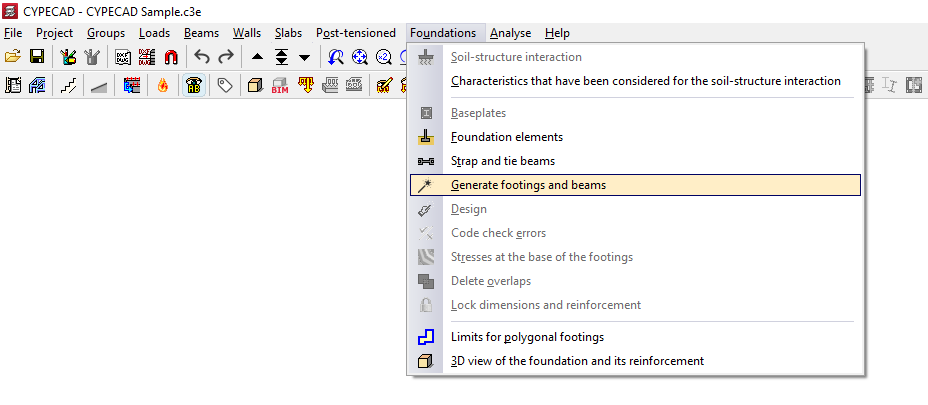
The "Generate footings and beams" option, available in the "Foundations" menu on the “Beam input” or “Results” tabs, allows you to automatically create footings and centring beams based on the layout of the beam starts on the floor plan and in accordance with the specified parameters.
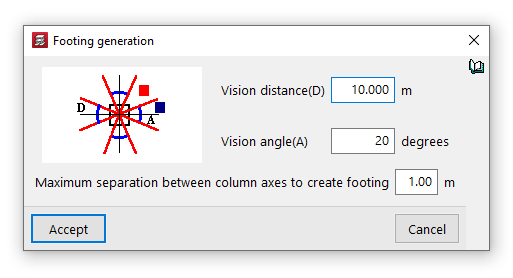
Options in the "Footing generation" window
The first parameters allow you to configure the generation of beams between footings. The program will generate beams if the axis of one column facing another is within a distance from the axis of the generating column that is less than the "Viewing distance (D)", provided that the angle formed by them falls within the "Viewing angle (A)".
You can also define the "Maximum separation between column axes to create footing". The program will generate a composite footing for columns that are spaced less than this value apart.
After clicking "Accept", the program will read the column bases on the visible floor plan and generate footings at these points, as well as beams between the footings in accordance with the settings specified.
From here, users can modify the footings and beams generated using the other options in the "Foundations" menu to adapt them to the actual project conditions.