Defining in-situ concrete joist floors
The "In situ joist floor slab" option (within the "Enter floor" window, under "Joist floors") allows you to enter concrete joist floors that are assembled entirely on site.
The program will reinforce the joists on site in the same way as concrete beams. For this type of floor slab, you can assign base reinforcement for positive reinforcement using the option "Panels > Assign 'Base reinforcement / Welded mesh'".
When defining in-situ joist floors, the user must select the "Selected floor slab" from those available on site. The controls on the right allow you to "Add", "Delete", "Copy" or "Edit" these floor slabs.
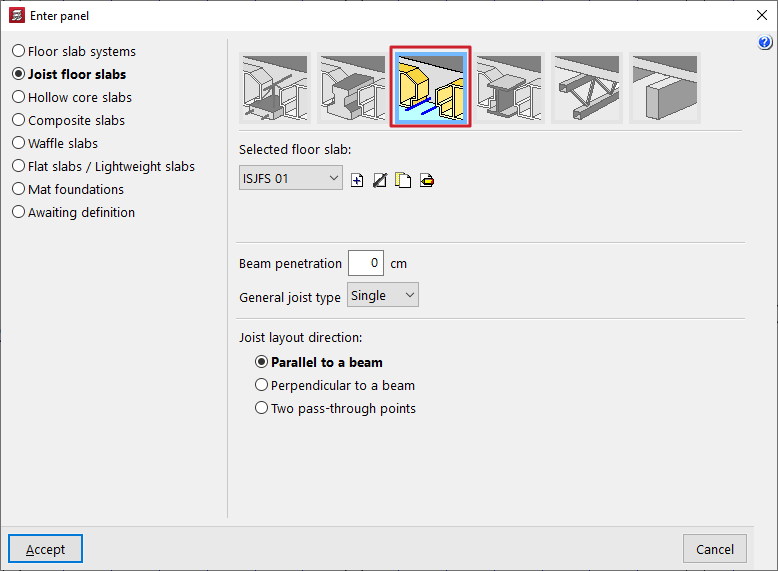
When using these controls, the program opens a window where each joist floor slab can be configured on-site.
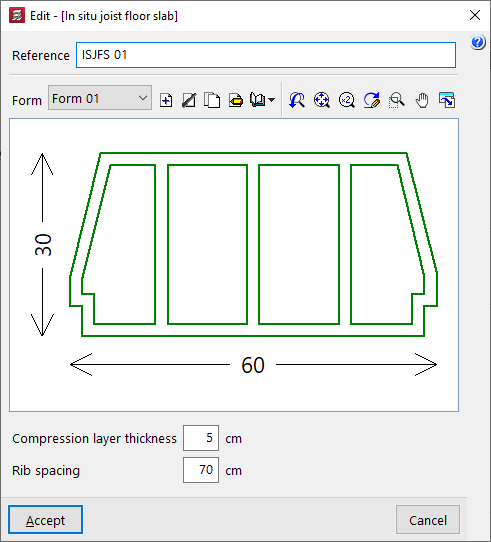
Here, a "Reference" is first entered for the floor slab.
Next, select the type of "Form" to be used in the floor slab. A designed section of the selected vault is displayed in the centre of the floor slab editing window.
Finally, the following parameters are defined:
- the "Compression layer thickness (a)";
- and the "Rib spacing (c)" between joists.