Defining joist floor slabs
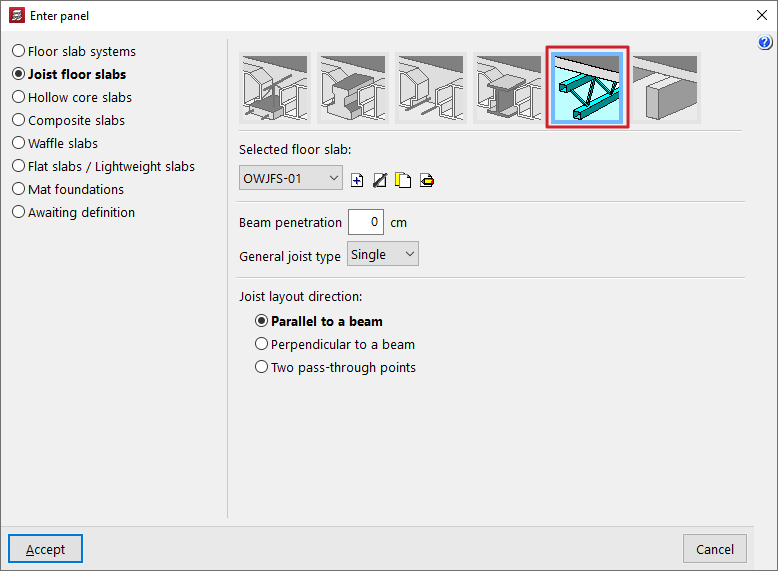
When defining simply supported latticed steel joists or joist floor slabs (within the "Enter slab" window), the user must select the "Selected floor slab" from those available in the project. The controls on the right allow you to "Add", "Delete", "Copy" or "Edit" these floor slabs.
When using these controls, the program opens a window where you can configure each joist floor slab.
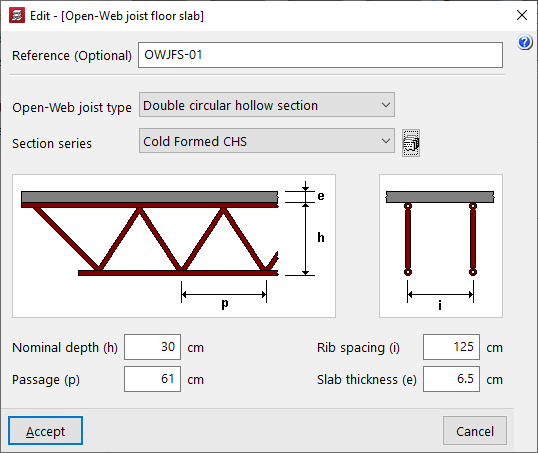
Here, a "Reference (Optional)" is entered first for the floor slab.
Next, select the "Open-web joist type" from the available options:
- Double circular hollow section
- Double rectangular hollow section
- Quadruple rectangular hollow section
- Double angles
- Quadruple angles
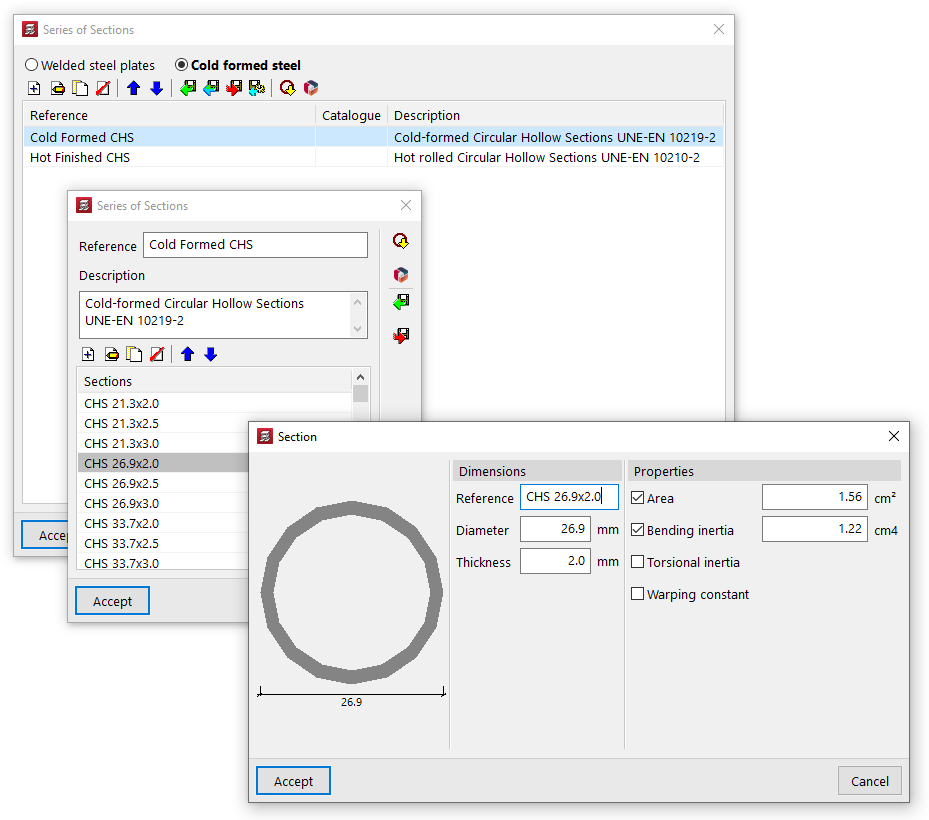
The drop-down menu at the bottom allows you to select the "Section series" used for the hollow sections or angles that make up the joist. The button on the right opens a window where you can select the type of steel and then add, edit and manage the section series available in the project in a list.
In this list, as well as entering data manually and importing and/or exporting it to files on your hard drive, you can also carry out the "Import of predefined profile series" from various catalogues and reference guides included in the programme, as well as download and "Import manufacturer catalogues" from the Open BIM Database.
Once the section series has been selected, the following parameters are defined:
- the "Total height (of the) lattice beams(h)";
- the spacing between the diagonals of the lattice ("Lattice spacing (p)");
- the "Rib spacing (i)" between joists;
- and the "Thickness (of the) top slab" (e).
These parameters (h, p, i, e) are shown in the designed diagram of the joist in the centre of the window.