Defining loadcases
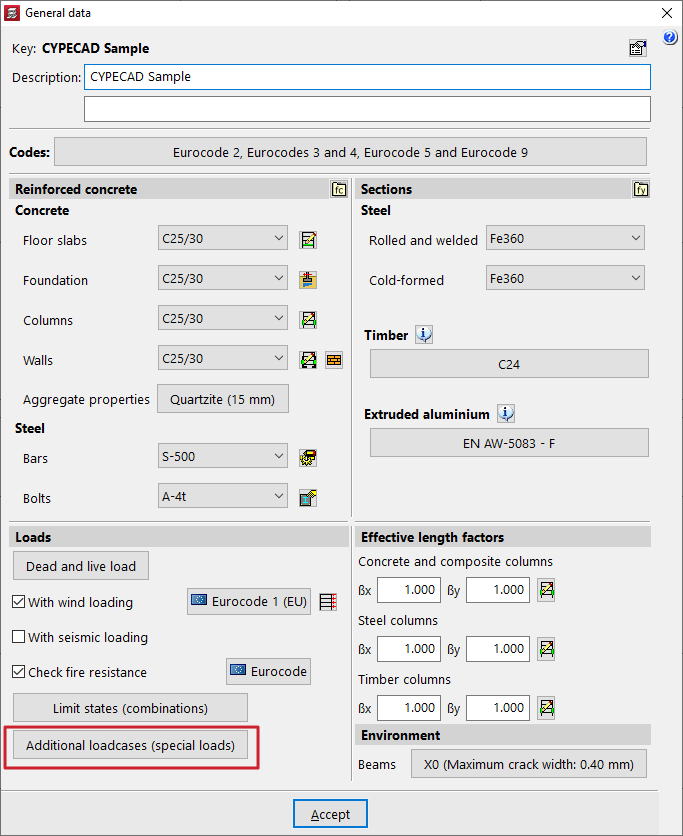
Load assumptions are configured in CYPECAD in the "Project" menu by selecting the "General data" option. This menu can be accessed from the different tabs in the program. It also appears automatically when creating a new project.
Then, at the bottom of the window, in the "Loads" section, select the "Additional loadcases (special loads)" option.
Use categories
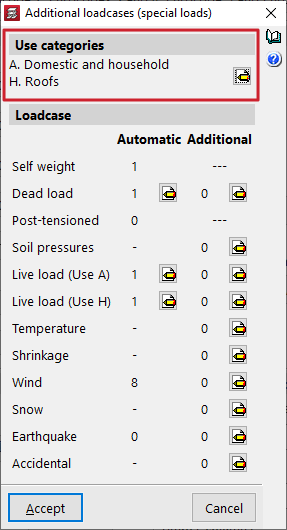
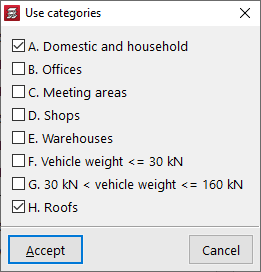
In the "Use categories" section, all existing use categories in the project are declared within those covered by the selected standards. To do this, use the edit button and activate the desired categories (e.g. domestic and household, offices, warehouses or vehicle weight).
For the program, a use category is a group of use overload loadcases combined with the same combination coefficients as the other loadcases defined in the project. The categories are then assigned to each group via the group edit menu.
Loadcase
The "Loadcase" section defines the number and type of load for the structure.
Automatic loadcases
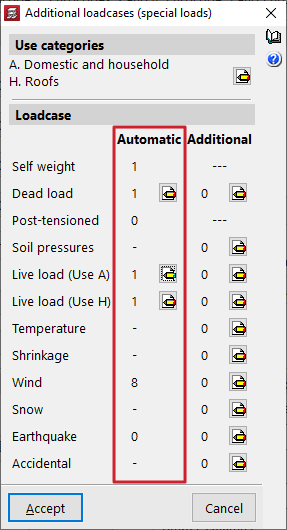
The "Automatic" column shows the loadcases that the program automatically considers.
These include the "Self-weight" loadcase, the "Dead loads" loadcase and a "Live load" loadcase for each of the declared service categories.
If the "Wind action" and "Seismic action" options have been previously activated in the "General data" window, automatic loadcases will also be added in the "Wind" and "Earthquake" sections, generated according to the selected standards.
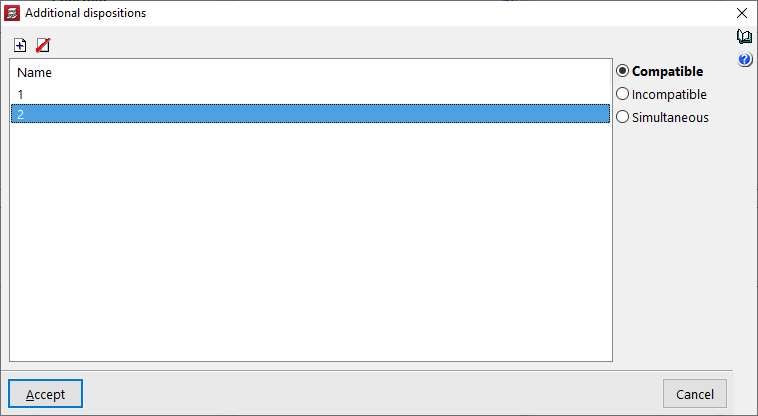
Editing automatic loadcases allows the insertion of different load arrangements, as explained below.
Additional loadcases
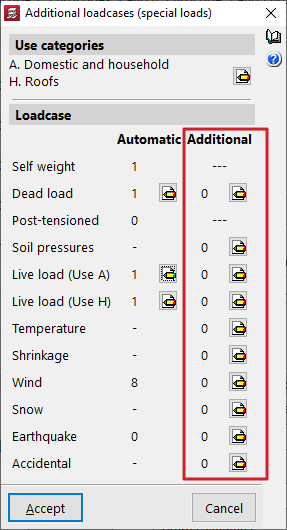
In the "Additional" column, additional loadcases can be added if required.
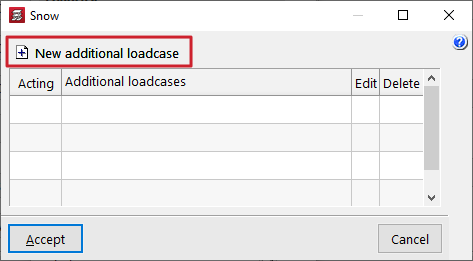
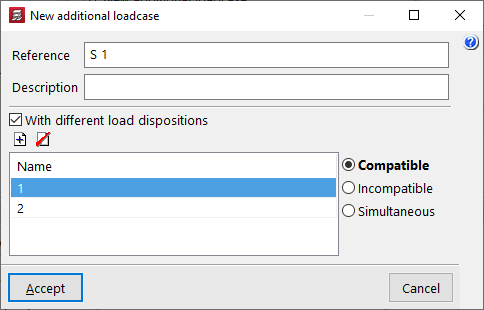
To do this, after clicking the edit button within the desired category, such as "Snow" or "Accidental", click "New additional loadcase" and enter a "Reference" and a "Description".
Optionally, the program allows the "With different load arrangements" checkbox to be enabled for each of the added loadcases. This option is also available for the automatic loadcases by clicking the edit button in the corresponding column. The concept of a load arrangement allows different loading states to be defined and grouped within the same load case. Load arrangements may be "Compatible", "Incompatible" or "Simultaneous" with each other.
Combination of loadcases
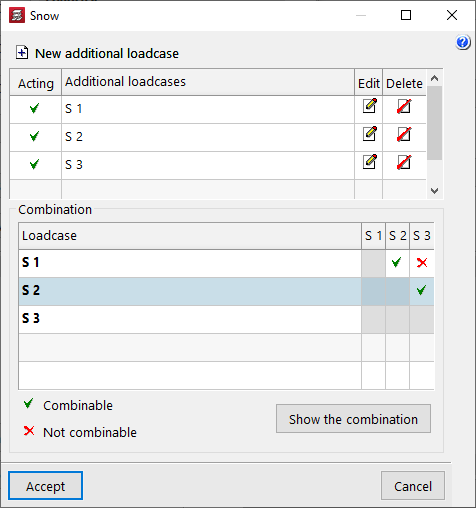
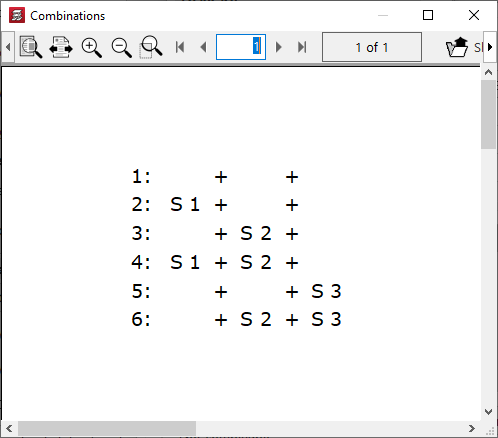
If several additional loadcases are added, the program displays a "Combination" for the different loadcases, where their condition as "Combinable" or "Not combinable" can be specified. The "Show the combination" button allows the "Combinations" obtained after editing the table to be listed.
| Note: |
|---|
| Due to the large number of automatic combinations that can be generated, we recommend not indiscriminately increasing the number of load provisions or combinable loadcases. |
Consider second order effects
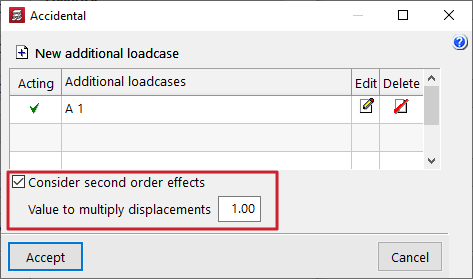
In the case of additional horizontal loads such as accidental loads, wind or seismic loads, the program allows users to "Consider second order effects" by ticking the corresponding box and entering a "Value to multiply displacements" which must be estimated by the user.
| Note: |
|---|
| The displacement amplification value for concrete elements can be estimated at 1/0.7 = 1.43, corresponding to a 30% reduction in stiffness, according to Brazilian standard NBR 6118. As a higher value, 1/0.5 = 2 can be estimated, corresponding to a 50% reduction in stiffness, according to the CEB-FIP 1990 Model Code. |