Defining reinforced or prestressed joist floors based on geometric properties
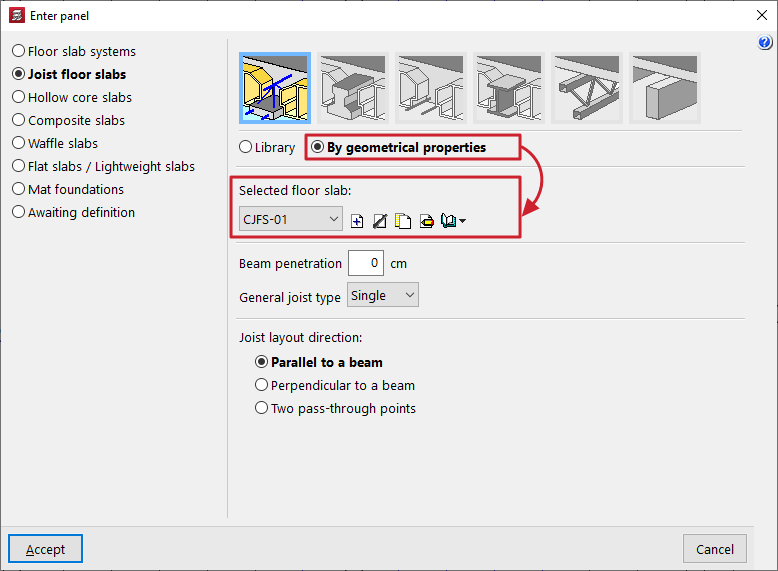
When defining reinforced or prestressed joist floors (in the "Enter floor" window), if the "By geometrical properties" option is selected, users must choose the "Selected floor slab" from those available in the project.
| Nota: |
|---|
| If the selected code does not allow you to select reinforced or prestressed joist floors from the "Library", the only option available will be to define the floor based on its geometric characteristics. |
The controls on the right allow you to "Add", "Delete", "Copy" or "Edit" these floor plans. It is also possible to access a "Library Manager" options menu to save information about the defined sections to files on the hard drive.
When you use these controls, the program opens a window where you can configure each joist floor slab according to its geometric properties.
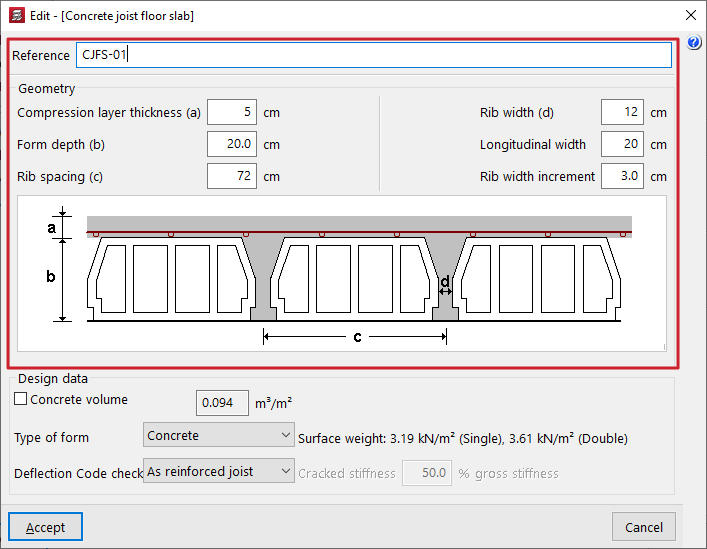
Here, a "Reference" is first entered for the floor slab.
Next, the "Geometry" is defined by entering the following parameters:
- the "Compression layer thickness (a)";
- the "Form depth (b)";
- the "Rib spacing (c)" between joists;
- the "Rib width (d)";
- the "Longitudinal width" of the form, which only affects the quantities of forms carried out in the "Form quantities report" (menu "File > Reports > Form quantities");
- and the "Rib width increment" or thickness of the ribs of the small form to be taken into account for the purposes of calculating deflection.
The first parameters (a, b, c and d) refer to the distances shown in the floor plan diagram displayed in the centre of the window.
| Note: |
|---|
| The value for "Rib width increment" allows the thickness of the web stiffeners or lightweight component to be considered when calculating the stiffnesses and the cracking moment required for the deflection analysis. This practice is common among the leading manufacturers of precast joists. If these partitions are not considered, the deflection given by the program for floor slabs defined by geometric characteristics will always be greater than that obtained with an equivalent floor slab defined in the library using reinforced or prestressed precast joists. The values for the "Increase in web width" depend on the type of hollow block or lightweight element. The following values are proposed: -Concrete lightweight block: 3 cm. -Ceramic lightweight block: 0 cm. -Polystyrene lightweight block: 0 cm. -Recoverable formwork: 0 cm. |
The "Calculation data" is defined below:
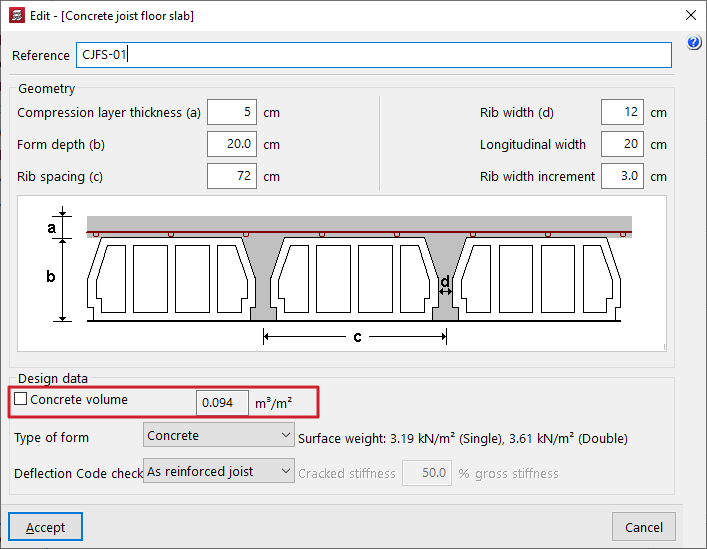
- The "Concrete volume" checkbox can be activated or deactivated:
- If this option remains deactivated, the program calculates the approximate volume of concrete per unit area, taking into account the geometric parameters entered in this window, and displays the updated value in the field on the right.
- If this option is activated, users can enter the concrete volume per unit area in the field on the right; this value may differ from that suggested by the program, thereby overriding it.
- In the drop-down menu "Vault type", select the vault material. This can be:
- Concrete / Ceramic / Polystyrene
In these cases, this information, together with the geometric parameters entered, allows the approximate "Surface weight" of the floor slab to be calculated for both single and double joists. These values are shown on the left. - Generic
Alternatively, you can select the "Generic" option to manually enter the surface weight of the floor slab with simple joists in the field provided on the right.
- Concrete / Ceramic / Polystyrene
| Note: |
|---|
| The "Concrete volume" displayed or entered by the user, as well as the "Unit weight" entered by the user, applies to a floor slab with single joists. In the case of double and triple joists, the program calculates the corresponding volumes based on the geometry entered. |
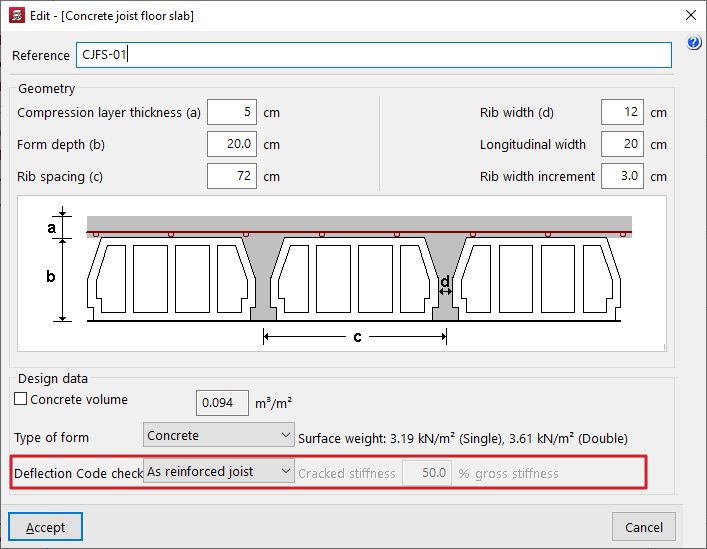
- The last drop-down menu indicates whether the "Deflection check" that the program carries out on these floor slabs is carried out for reinforced joists or prestressed joists, which affects the calculation of the cracked moment of inertia of the joists:
- As a reinforced joist
In the case of reinforced joists, the program calculates the amount required to support the positive moment in the joist. Using this value, it calculates the approximate cracked moment of inertia. - As a prestressed joist
In prestressed joist floors, the approach used for reinforced joists is not applicable, as the behaviour of this type of joist is entirely different; it may be the case that the cracked moment of inertia is practically equal to the gross moment of inertia due to the effect of prestressing. Therefore, in this case, the user must enter the value of the "Cracked stiffness" expressed as a percentage of the uncracked stiffness ("% gross stiffness") in the field on the right. This percentage ranges from 50% to 100% in the most common cases found in manufacturers’ data sheets.
- As a reinforced joist
| Note: |
|---|
| In both cases, the gross moments of inertia of the joists are calculated based on the geometric parameters entered and assuming webs of constant width with flanges at the junction with the compression layer. |