Editing forms in cast-in-situ concrete and steel joist floor slabs
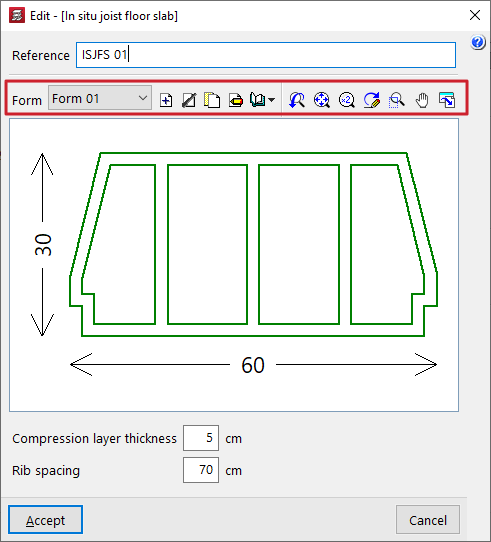
When defining floor slabs made of in-situ concrete joists or steel joists, you must select the type of "Form" to be used in the floor slab.
In the definition panel for these floor slabs, the controls to the right of the "Cavity" section allow you to "Add", "Delete", "Copy" or "Edit" the cavity types available on the project. It is also possible to access a menu of options under "Library Manager" to save information on the types of forms to files on the hard drive.
These controls open a window where you can configure each type of form by entering the following parameters:
- the "Type of form", whether "Concrete", "Ceramic", "Removable form" or "Polystyrene",
- and the geometric parameters that define it, which depend on the type chosen, including the various widths and heights, as well as its longitudinal width and unit weight, as applicable. The diagram of the form shown on the right helps to identify each parameter.
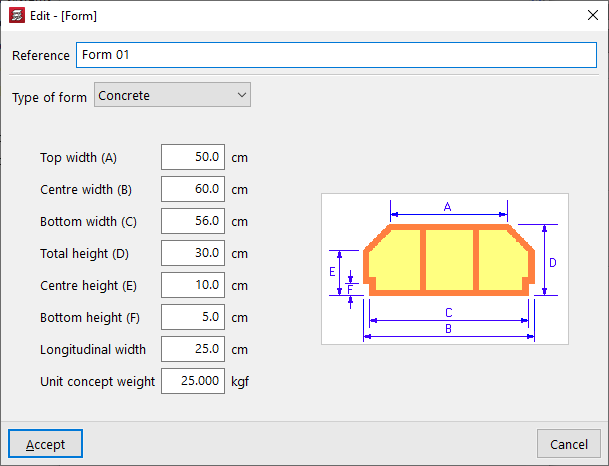
Concrete form / Ceramic form / Lightweight aggregate concrete form
The parameters required for the specification of concrete, ceramic or lightweight concrete blocks are as follows:
- Top width (A)
- Centre width (B)
- Bottom width (C)
- Total height (D)
- Centre height (E)
- Bottom height (F)
- Longitudinal width
- Unit concept weight
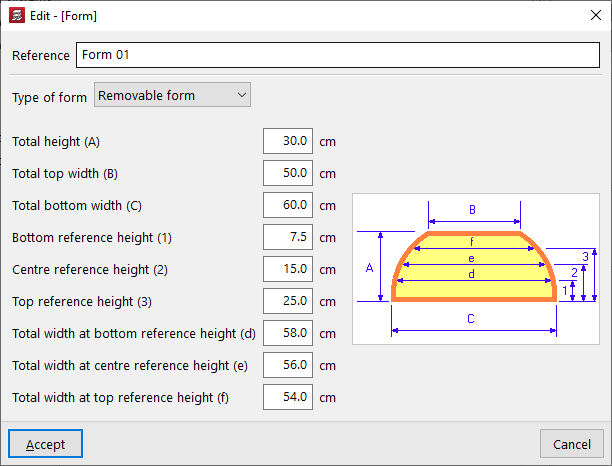
Removable form
The parameters required to define reusable formwork panels are as follows:
- Total height (A)
- Total top width (B)
- Total bottom width (C)
- Bottom reference height (1)
- Centre reference height (2)
- Top reference height (3)
- Total width at bottom reference height (d)
- Total width at centre reference height (e)
- Total width at top reference height (f)
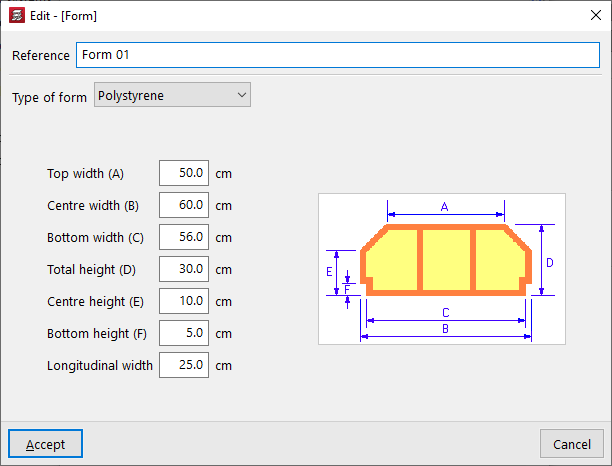
Polystyrene form
The parameters required for defining polystyrene blocks are as follows:
- Top width (A)
- Centre width (B)
- Bottom width (C)
- Total height (D)
- Centre height (E)
- Bottom height (F)
- Longitudinal width