Fixity in beam faces
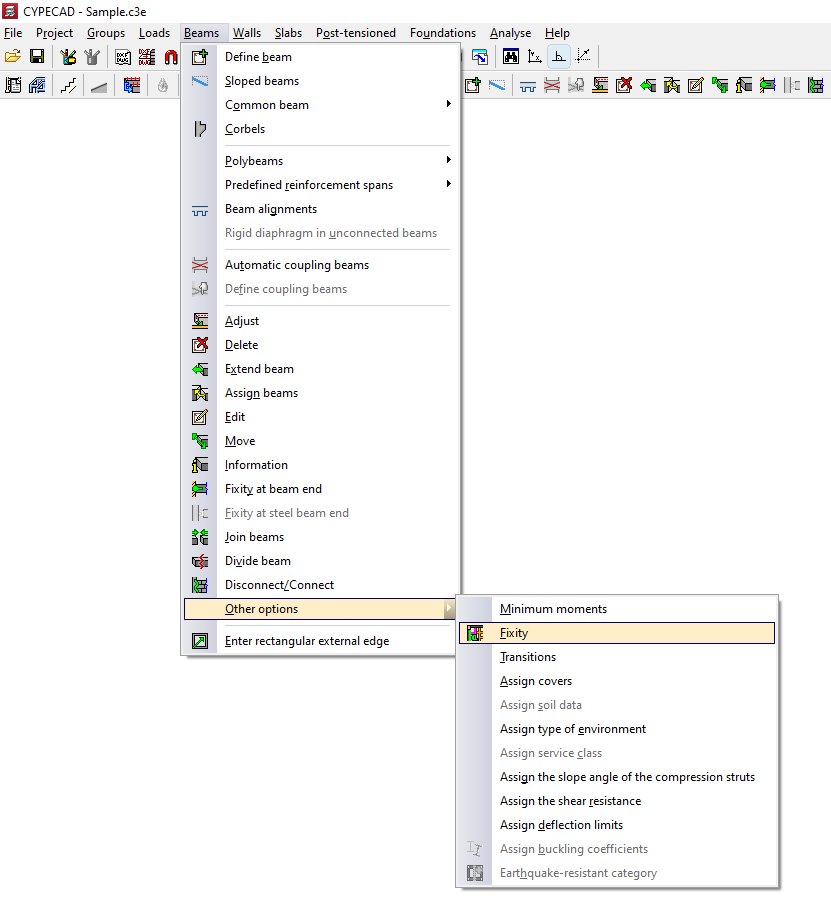
The "Fixity" option in the "Other options" menu, within "Beams", on the "Beam input" tab, allows you to fully or partially articulate slab ribs and connect them to the faces of the specified beams and to beam axes in the case of joist slabs.
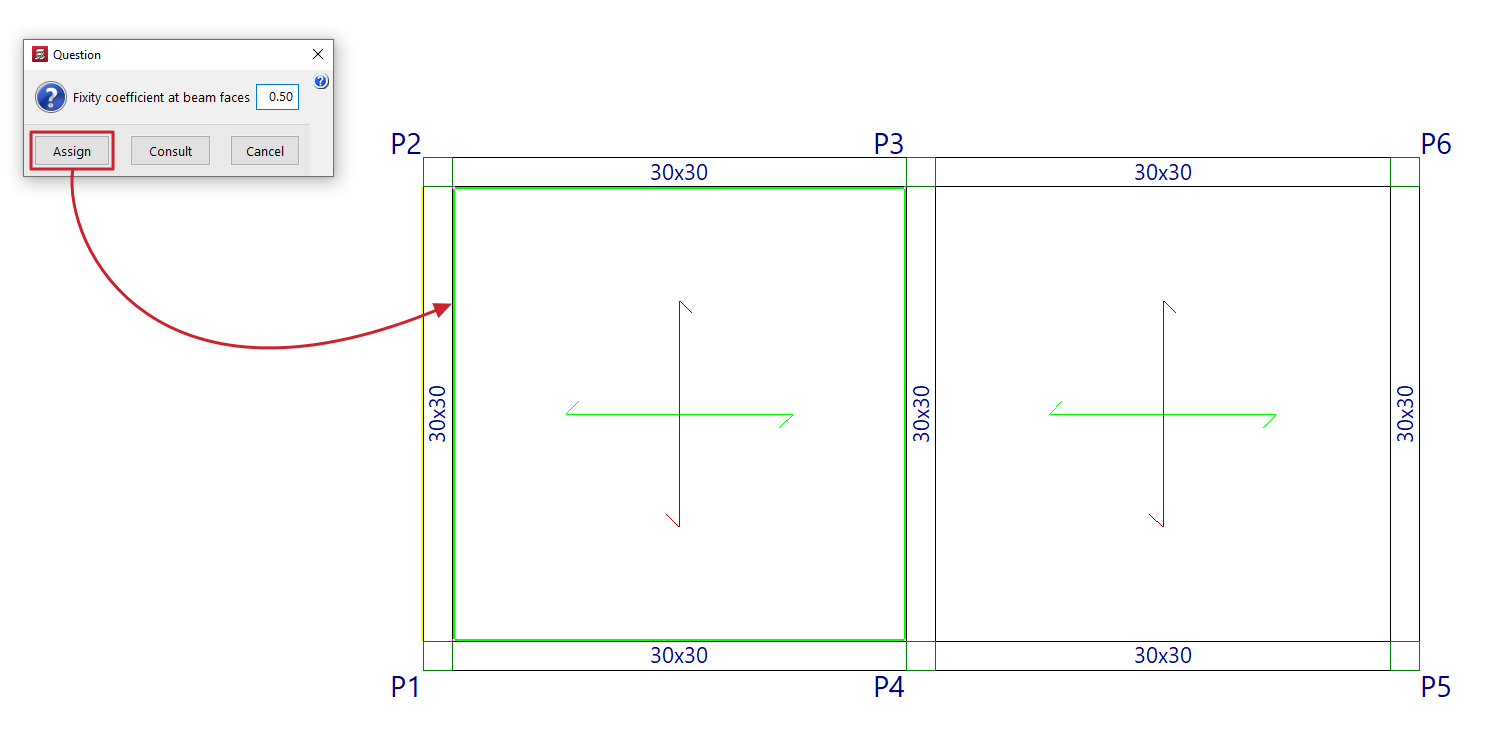
To do this, in the dialogue box that appears, you can enter the desired "Fixity coefficient in beam faces". This value can vary between 0 (hinged) and 1 (fully embedded).
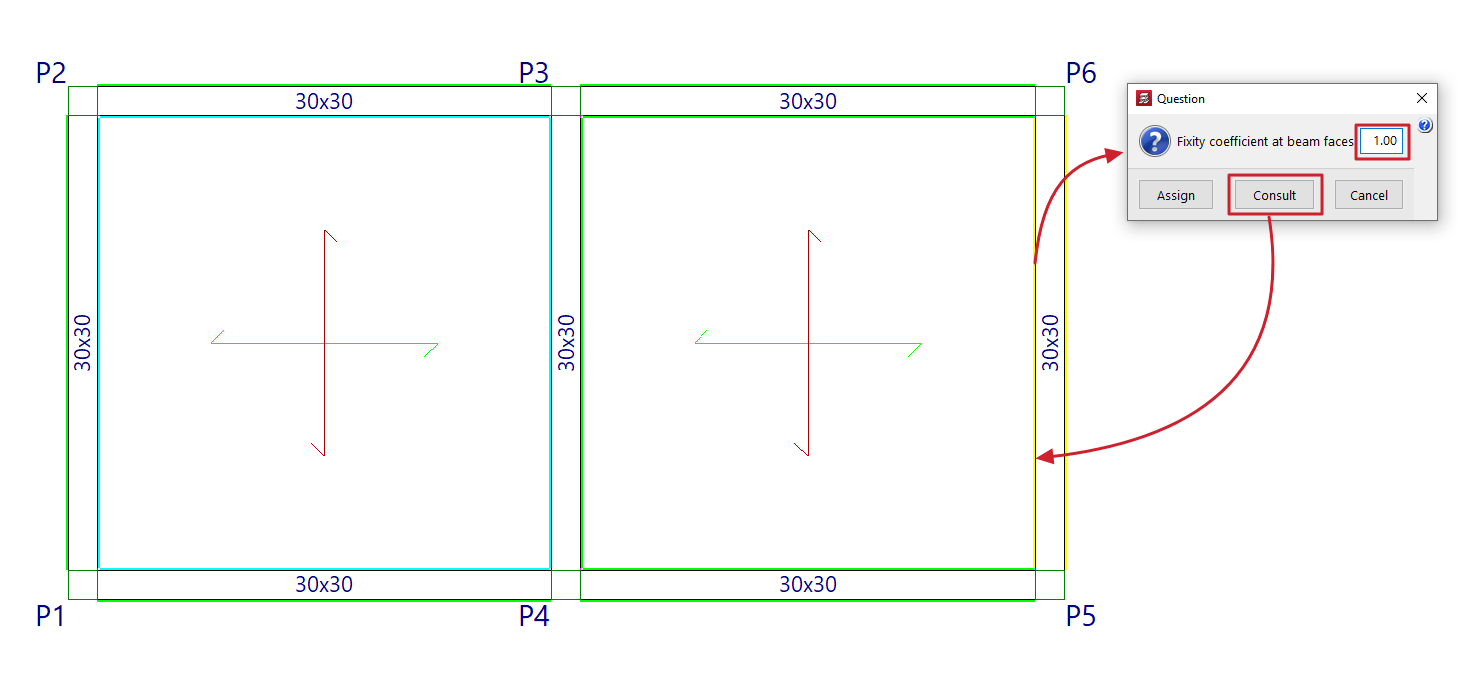
Then, click on "Assign" to apply the value entered in the dialogue box to the faces of the beams selected with the left mouse button, or on "Consult" to examine the value applied to the faces of the beams (clicking with the left mouse button will open the dialogue box with the applied value).
The program will use colour coding to indicate the values entered in the model elements:
- Light green indicates items that have the same data entered in the dialogue box.
- The cyan colour indicates elements that have data entered that differs from that defined in the dialogue box and also differs from the program's default data.
- Elements that have data entered that differs from that defined in the dialogue box are shown in black, and this data is also the same as the program's default data.