Consulting forces in beams, joists, hollow core plates and composite slabs
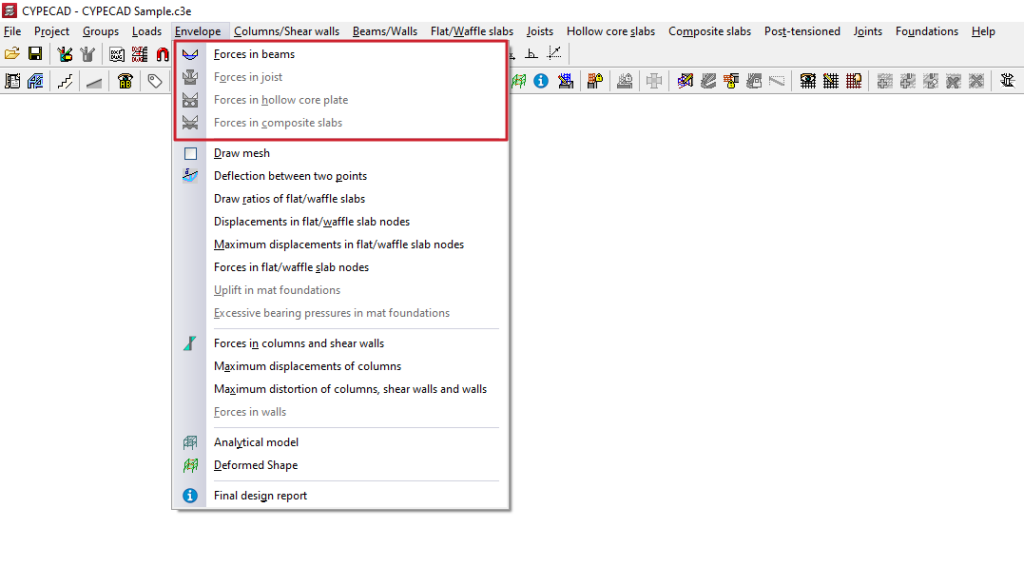
To consult the stress laws for beams, joists, hollow core plates and composite slabs in the program, after analysing the structure, open the "Results" tab and select the desired group. Then click on the "Envelopes" menu at the top of the interface.
The menu options that enable the consultation of the stresses in these elements are as follows:
- Stresses in beams
- Efforts in joists
- Efforts in hollow core plates
- Efforts in composite slabs
Each of these is explained below:
Esfuerzos en vigas
The "Forces in beams" option allows you to view the moments, shear forces, and torsional forces of the beams selected by envelopes, single loadcases, and combinations of single loadcases.
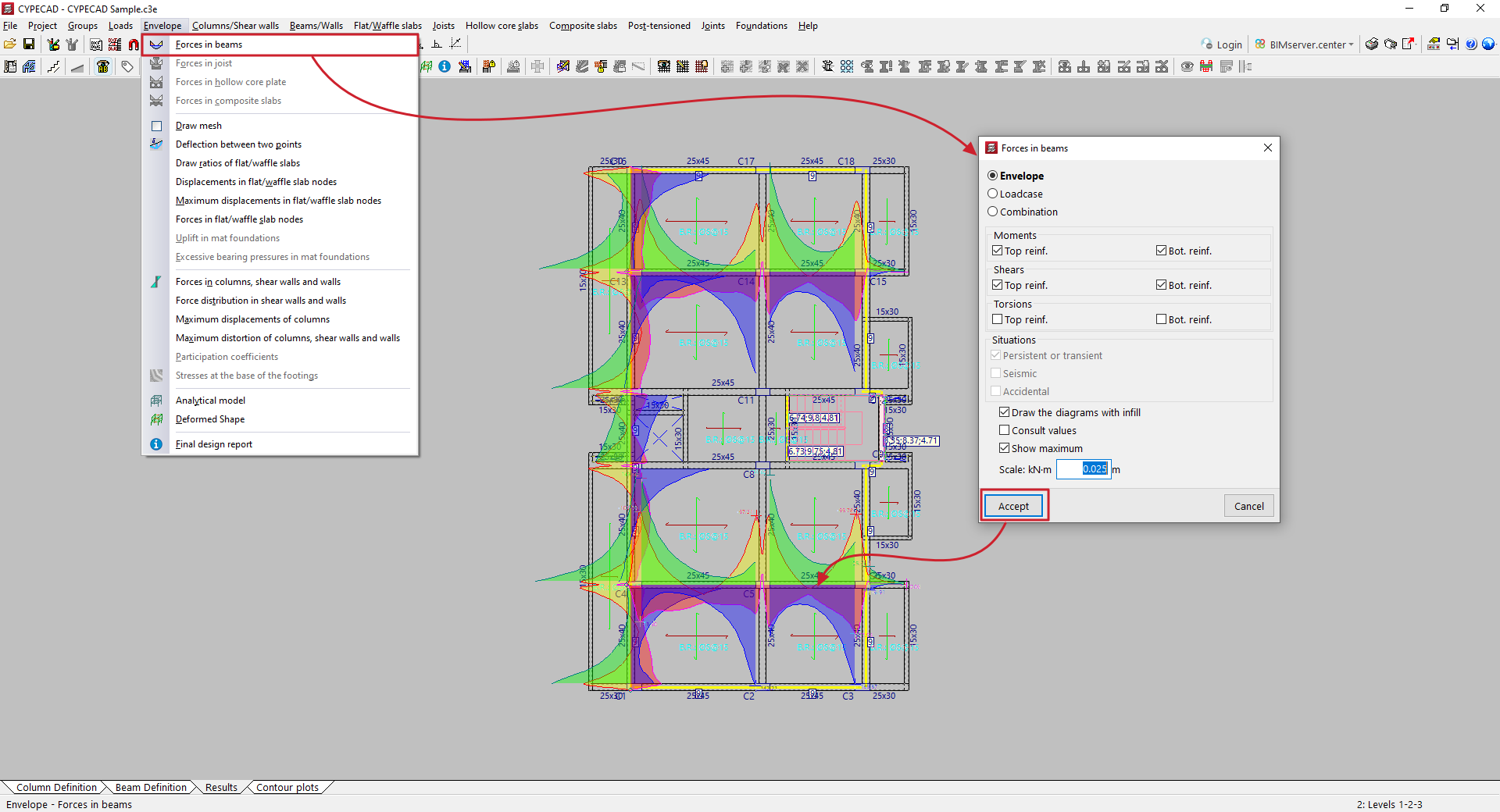
In the window that appears when you click on this option, you can configure the display of forces.
Thus, in the first selector, you indicate whether you wish to display:
- the "Envelopes" of forces, in which case two graphs will appear, corresponding to the upper and lower envelopes;
- the efforts associated with a specific simple "Loadcase", which must be selected later from a drop-down menu;
- or the efforts of a specific "Combination" of loadcases, which must also be selected from a drop-down menu from among those available.
Next, tick the boxes for "Moments", "Shears" or "Torsions", depending on the type of forces you wish to consult.
When consulting the stress "Envelopes", you can view the graphs of the stresses used in the dimensioning of the "Negative" and "Positive" reinforcement by ticking the corresponding boxes. By ticking the following boxes, you can also display the stresses corresponding to different design "Situations", whether they are "Persistent or transient", "Seismic" or "Accidental".
At the bottom, the program offers additional options:
- The "Draw the diagrams with infill" option allows you to represent diagrams with colour fill, which will be different for each type of stress.
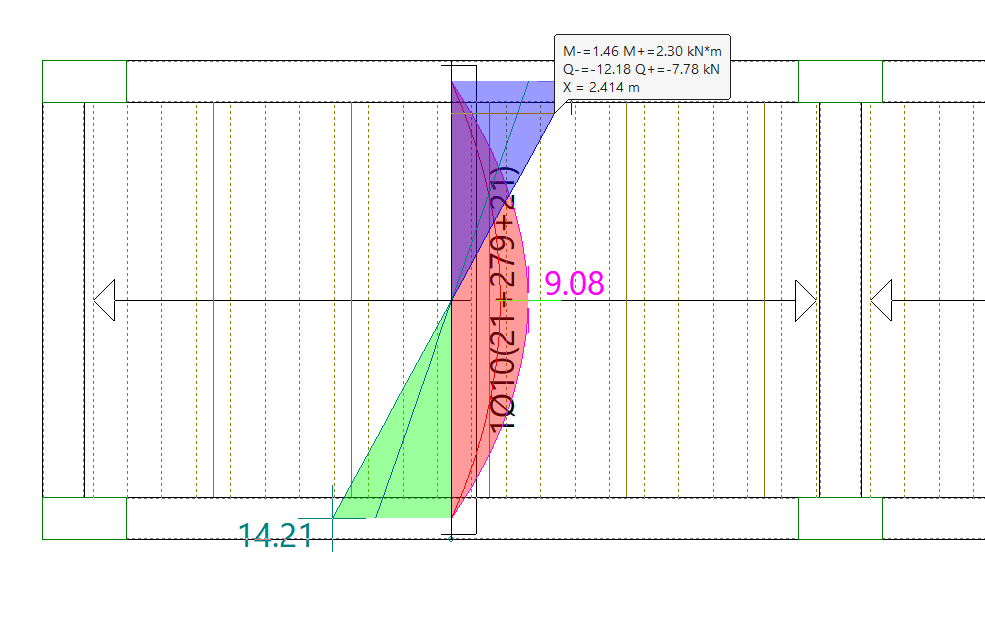
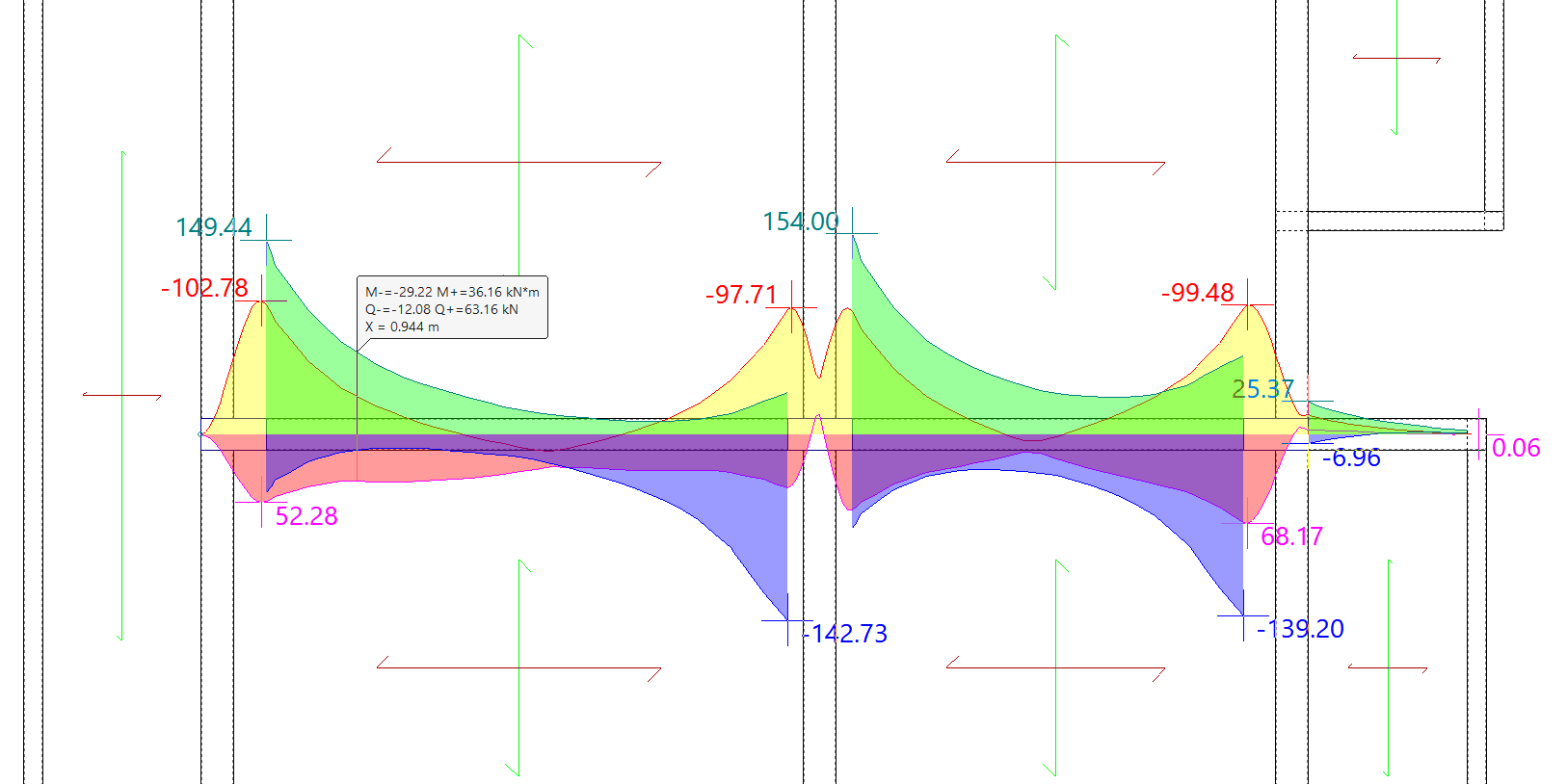
- The "Consult values" option allows you to obtain the analytical value of any point by moving the pointer over the graph.
- and the "Show maximum" option allows the maximum positive and negative stresses to be labelled and displayed on screen.
Finally, you can enter a value for "Scale" to control the size of the force diagram on the screen.
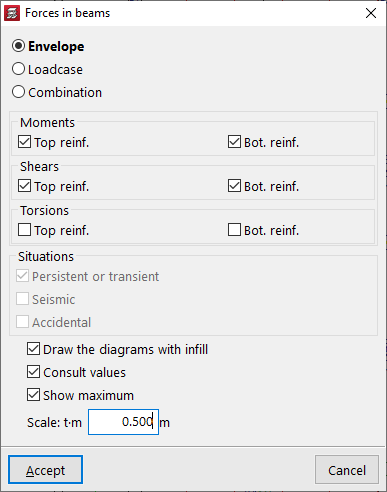
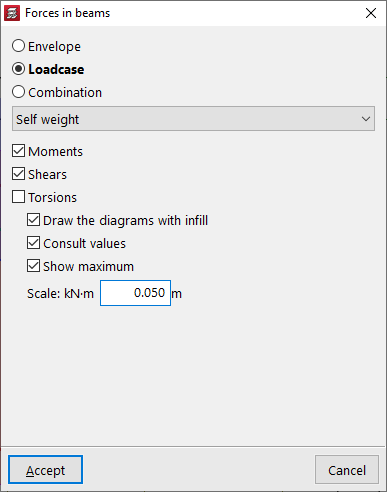
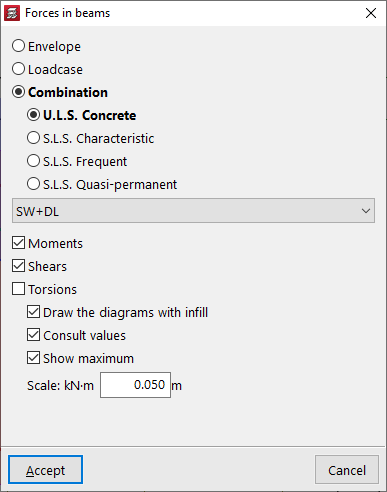
After accepting, click on a portal frame to view the force laws. If the corresponding options have been activated, the values at each point will be displayed by moving the pointer over them, and the maximum values will be labelled on the screen.
Right-clicking returns you to the previous window, where you can modify the selection of options to consult other types of forces.
Forces in joists
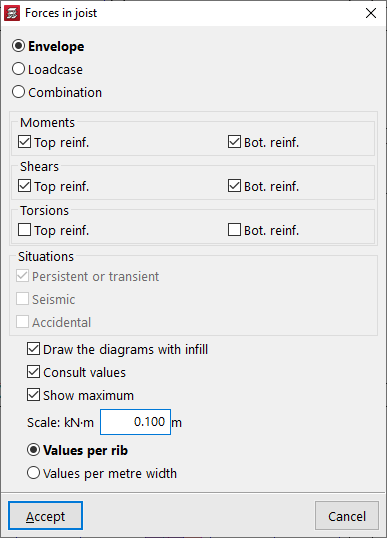
To view the "Forces in joists", you can view the moments, shear forces and torsional forces of the selected joists by envelopes, simple loadcases and combinations of simple loadcases.
In this case, it is possible to view the "Values per rib" or the "Values per metre width". This can be selected at the bottom of the pop-up window that appears when you click on the option.
The remaining options are equivalent to those described for checking stresses in beams.
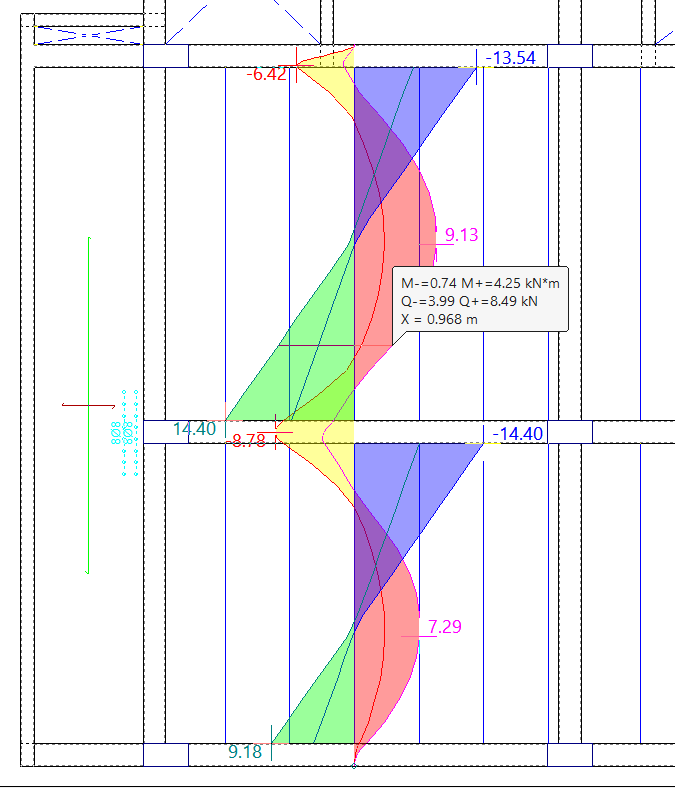
After accepting, click on each of the joists to view the forces.
Forces in lightweight slabs and composite slabs
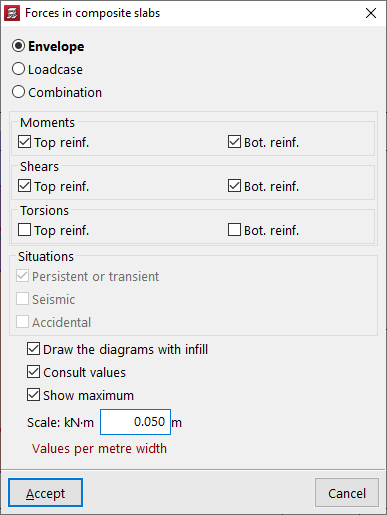
The options "Forces in lightweight slabs" and "Forces in composite slabs" allow you to view the moments, shear forces and torsional forces of the lightweight slabs or composite slabs selected by envelopes, simple loadcases and combinations of simple loadcases.
In these two cases, the "Values per metre width" are always shown. This provides the force graph for each discretised band of this width in this type of floor slab.
The remaining options are equivalent to those described for checking forces in beams.
To view the forces in this type of slab, click on any point on the slab. The program will display the force diagram located at the centre of the slab.