Generic pressure diagram for walls
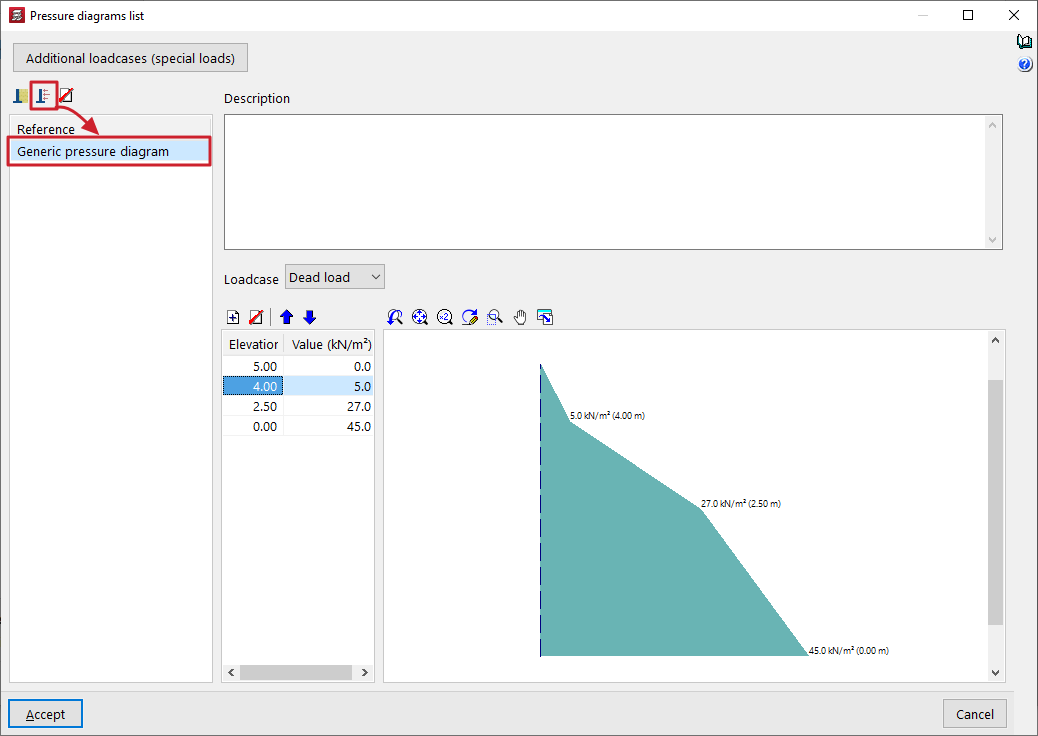
The introduction of a "Generic pressure diagram" within the "Pressure diagram list" for walls allows pressure diagrams to be freely defined by directly entering the values that define them from point to point.
To define a generic pressure diagram, you need to enter the following data:
- At the top of the panel, you can enter text for "Description".
- Next, select the "Loadcase" to which the rule will be applied. Any load case can be selected; for example, this option can be used to specify the wind pressure on a wall.
- Finally, in the table below, you must enter pairs of points that define the diagram, specifying a "Value" (in units of force per area) for each "Coordinate" (in general site coordinates).
Right-clicking on the cells in this table brings up a context menu that allows you, amongst other options, to "Copy selected rows" or "Paste from clipboard", which is useful if you have this data in other spreadsheets.
The program displays the geometry of the pressure diagram in the viewer on the right-hand side.