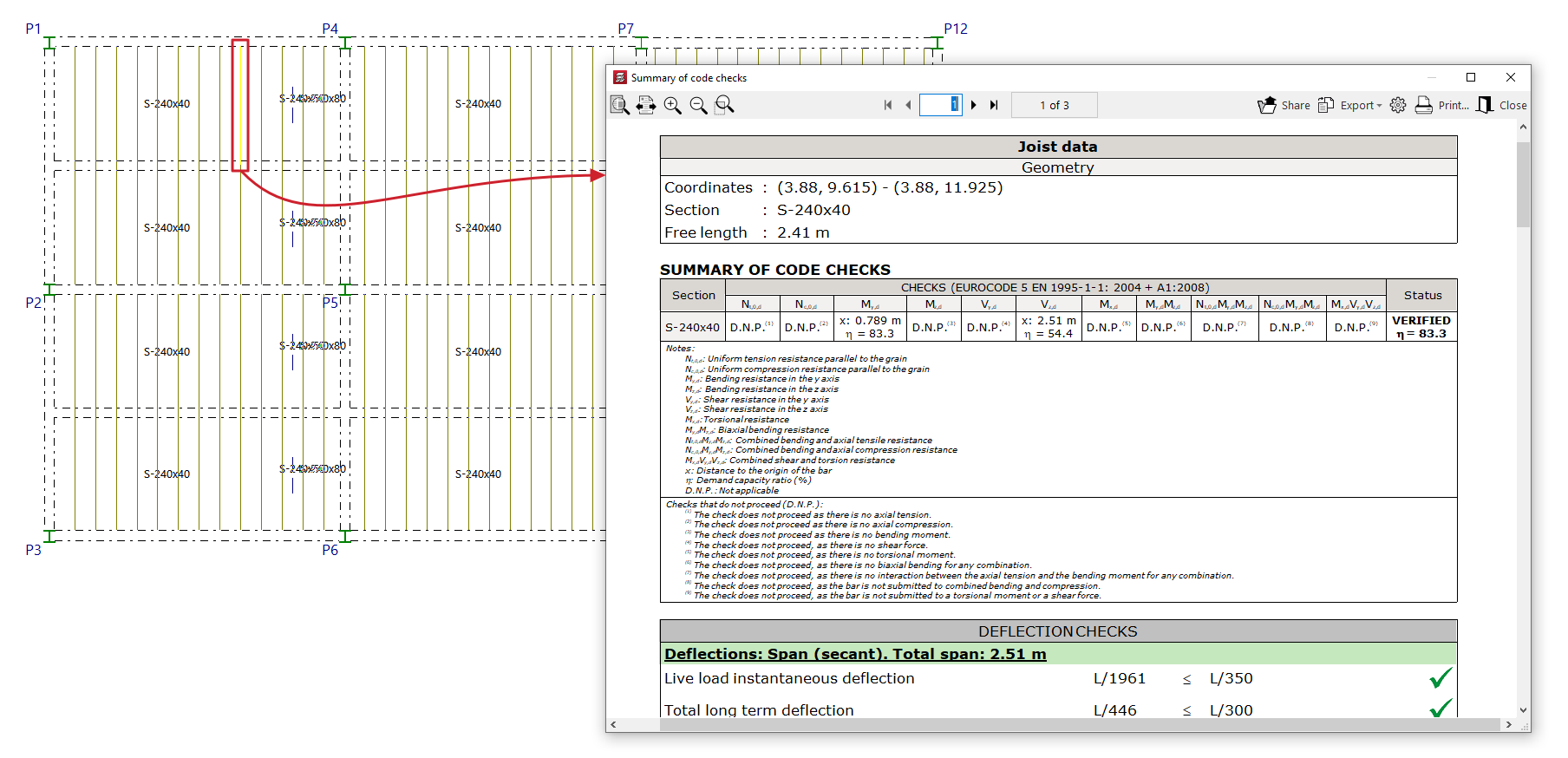
Joist checks
The "Code check" option, located in the "Joists" menu on the "Results" tab, allows you to display a list of check results for the steel or timber joists on screen once the analysis has been completed.
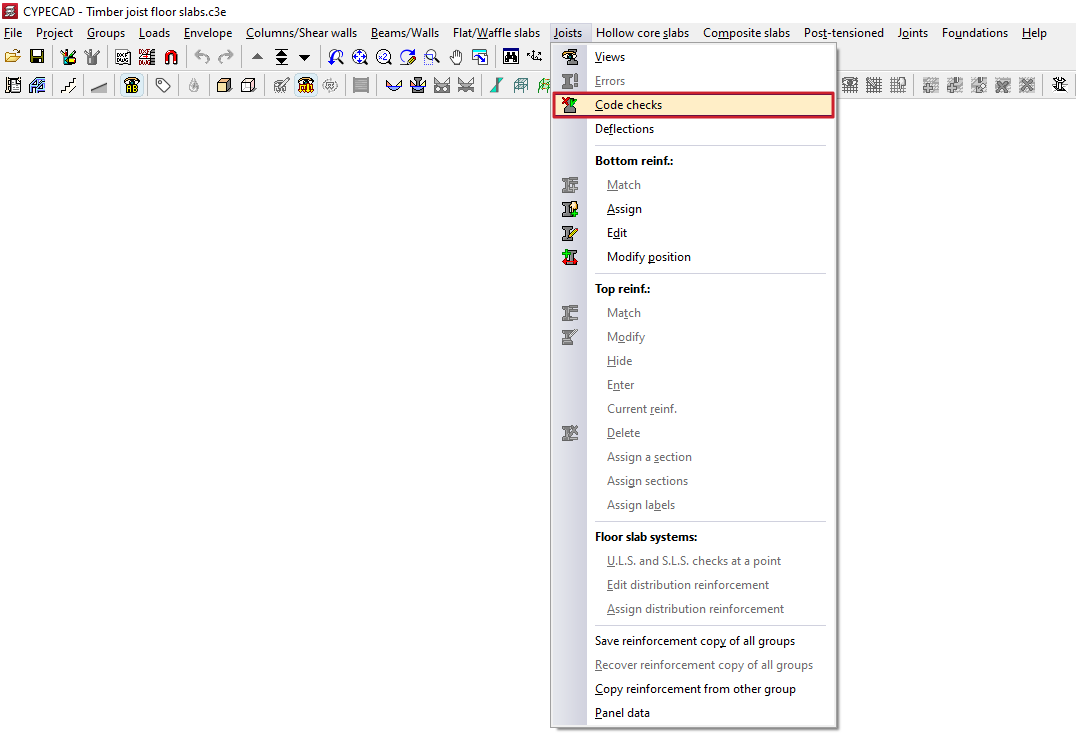
After clicking on this option and selecting a joist, a pop-up window opens displaying a report in which:
- details are provided on the "Geometry" of the joist,
- a "Summary of checks carried out" (including "Deflection checks") is displayed,
- and details are provided of the various "Strength checks" carried out on the joist in accordance with the selected standards, indicating the extent to which they have been met.
This report can be exported or printed in various formats.