


Joist continuity (steel and timber)
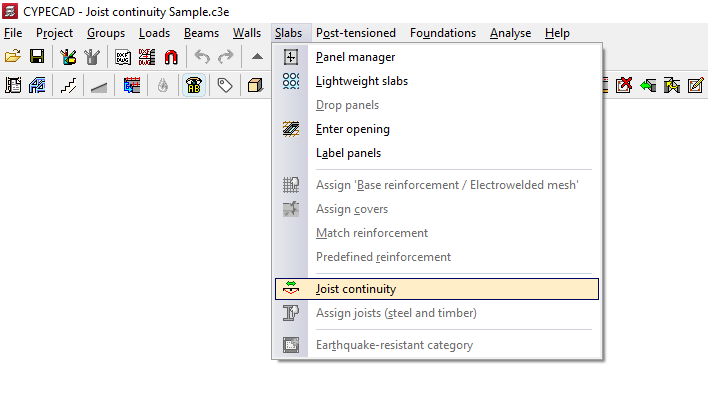
The "Joist continuity" option, within the "Sections" menu on the "Beam input" tab, allows you to set the continuity conditions for adjacent floor sections made of steel or timber joists.
In this way, the program will calculate the dimensions of each continuous joist in both sections as if it were a single piece.
When you click on the option, a dialogue box appears with the following options:
Add
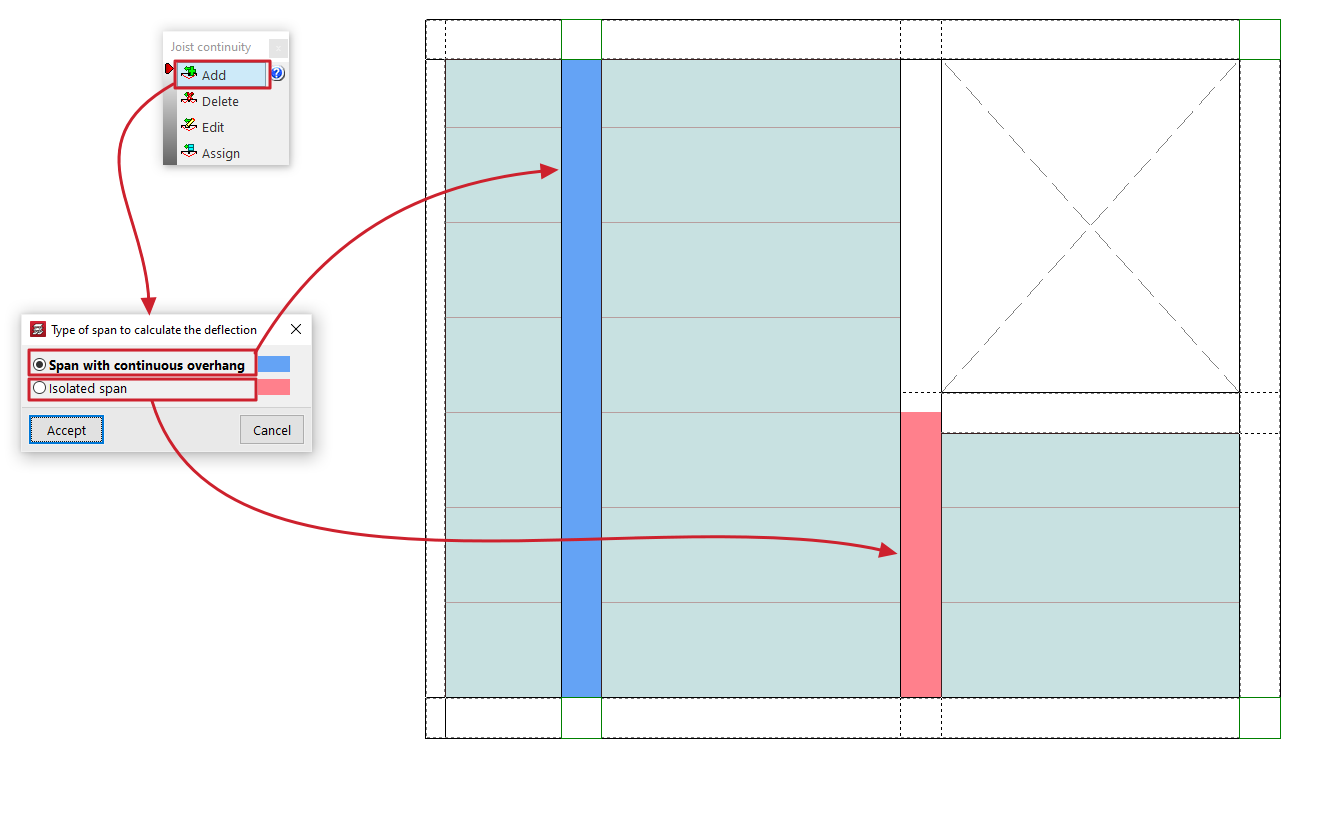
This opens the "Type of span to calculate the deflection" dialogue box, which offers two options:
- Span with continuous overhang
This allows you to select a cantilever span and an adjacent interior span. In this way, the joists of the cantilever span are treated as continuous with the joists of the adjacent interior span. - Isolated span
This allows you to select two interior spans so that the continuity of the joists within them is treated as if they were a single isolated span.
After selecting one of these two options, left-click on two slabs made of steel or timber joists to establish continuity between them.
The beam between the selected sections will change colour to show the type of continuity applied.
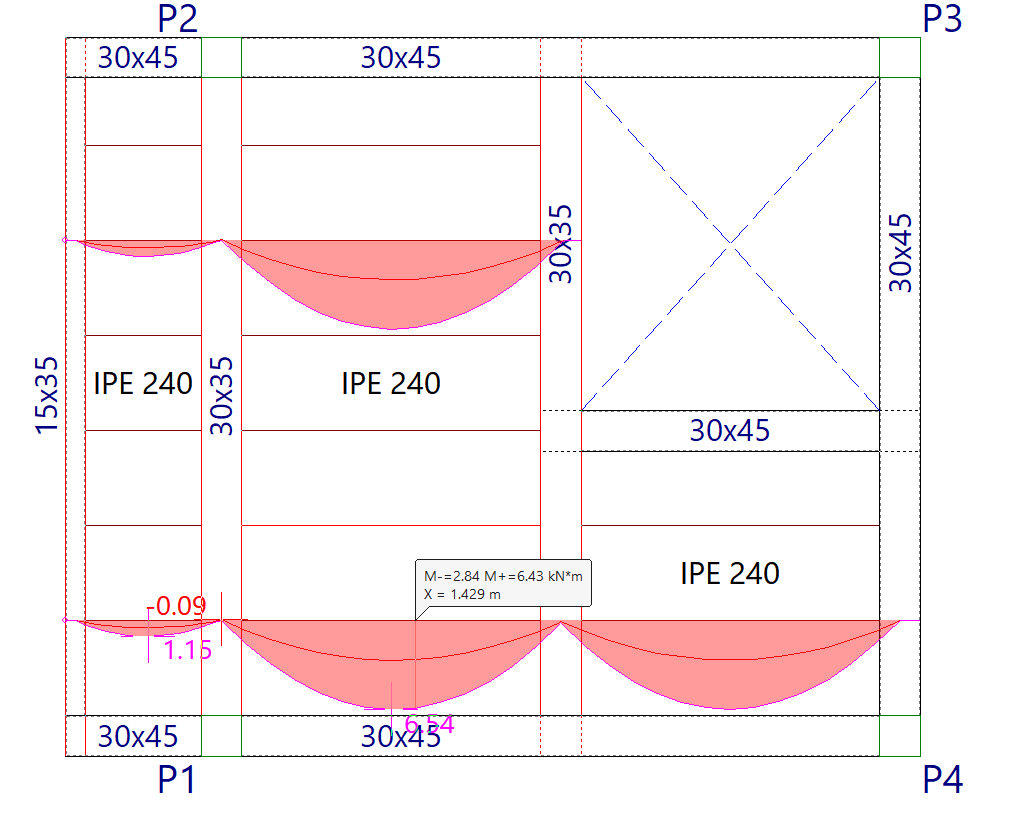
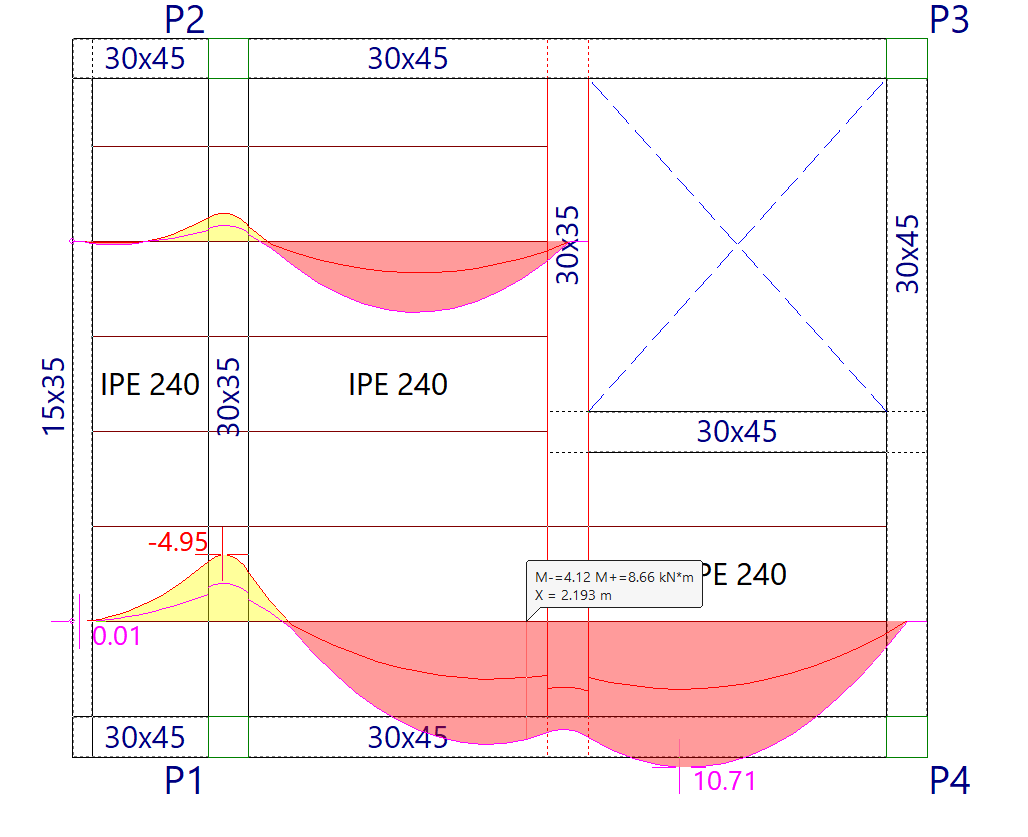
In both cases, the program will treat the joist as a continuous beam and take this into account when calculating the deflection.
Delete
This allows you to select one of the beams located between two sections to which a joist continuity condition has been applied, thereby removing that condition.
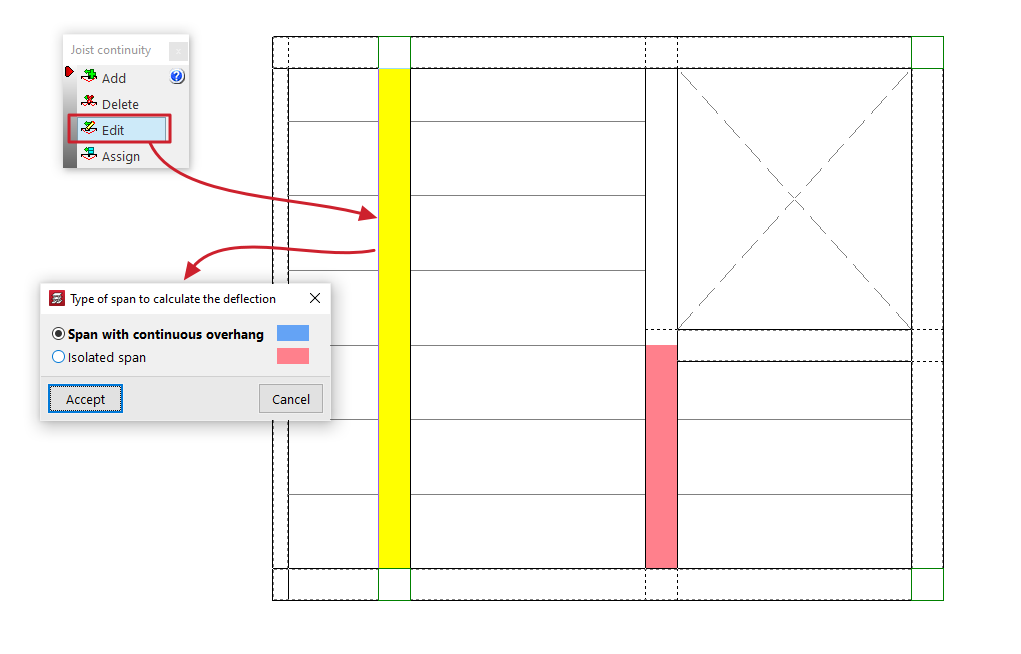
Edit
This allows you to select one of the beams located between two spans to which a joist continuity condition has been applied, in order to modify it.
To do this, in the "Type of span to calculate the deflection" dialogue box that appears when you select the beam, choose one of the two conditions described: "Span with continuous overhang" or "Isolated span".
If you accept, the selected condition will be applied.
Assign
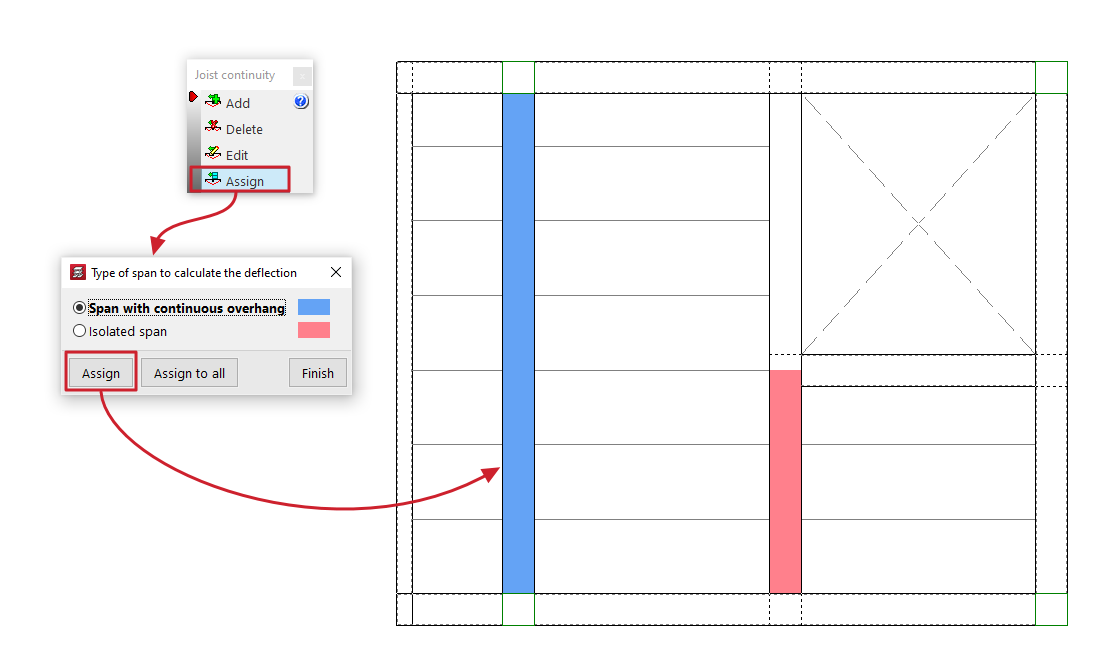
This allows you to apply the selected continuity condition to the beams located between two panels to which a joist continuity condition has already been applied (using the "Add" option).
To do this, in the "Type of span to calculate the deflection" dialogue box that appears when you click on this option, select one of the two conditions described: "Span with continuous overhang" or "Isolated span".
The "Assign" button allows you to select the beams to which the selected condition should be applied, either one by one or using a selection area, whilst "Assign to all" applies the selected condition to all beams with defined continuity conditions on the floor plan. The "Finish" option closes the dialogue box.
| Note: |
|---|
| If these continuity conditions are not applied, the result obtained is equivalent to designing each panel independently. In this case, steel and timber joists are treated as simply supported, whilst at the cantilevers, where necessary to maintain equilibrium, a fixed support at the end of these joists is automatically assumed, triggering the following error message: "Fixed or continuous ends in this type of joists are not designed". |
