Matching, editing and assigning positive moments for joists
The tools in the "Bottom reinforcement" section of the "Joists" menu, within the "Results" tab, allow you to modify the positive bending moments and shear forces in the joists, the positive reinforcement, or the types of precast joists, obtained and arranged by the program following the structural analysis.
Changes made using the tools in this section are not retained in subsequent redesigns; therefore, they should only be used during the final adjustment stage prior to printing or exporting the data.
Each of the available tools is described below.
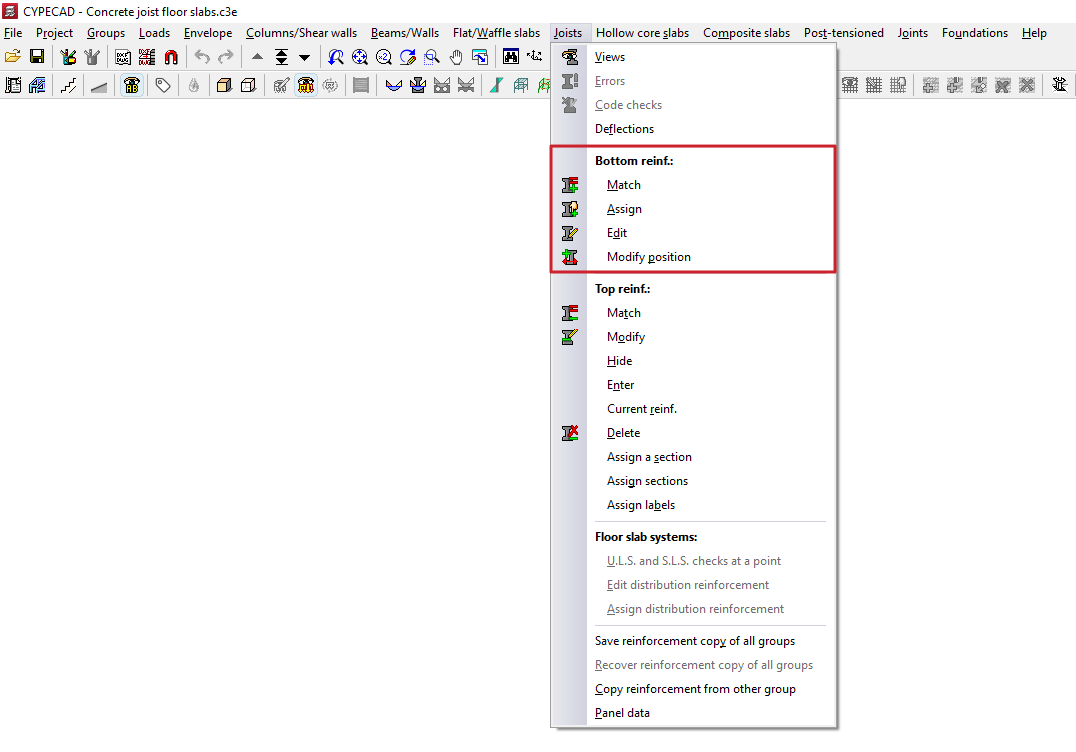
Match
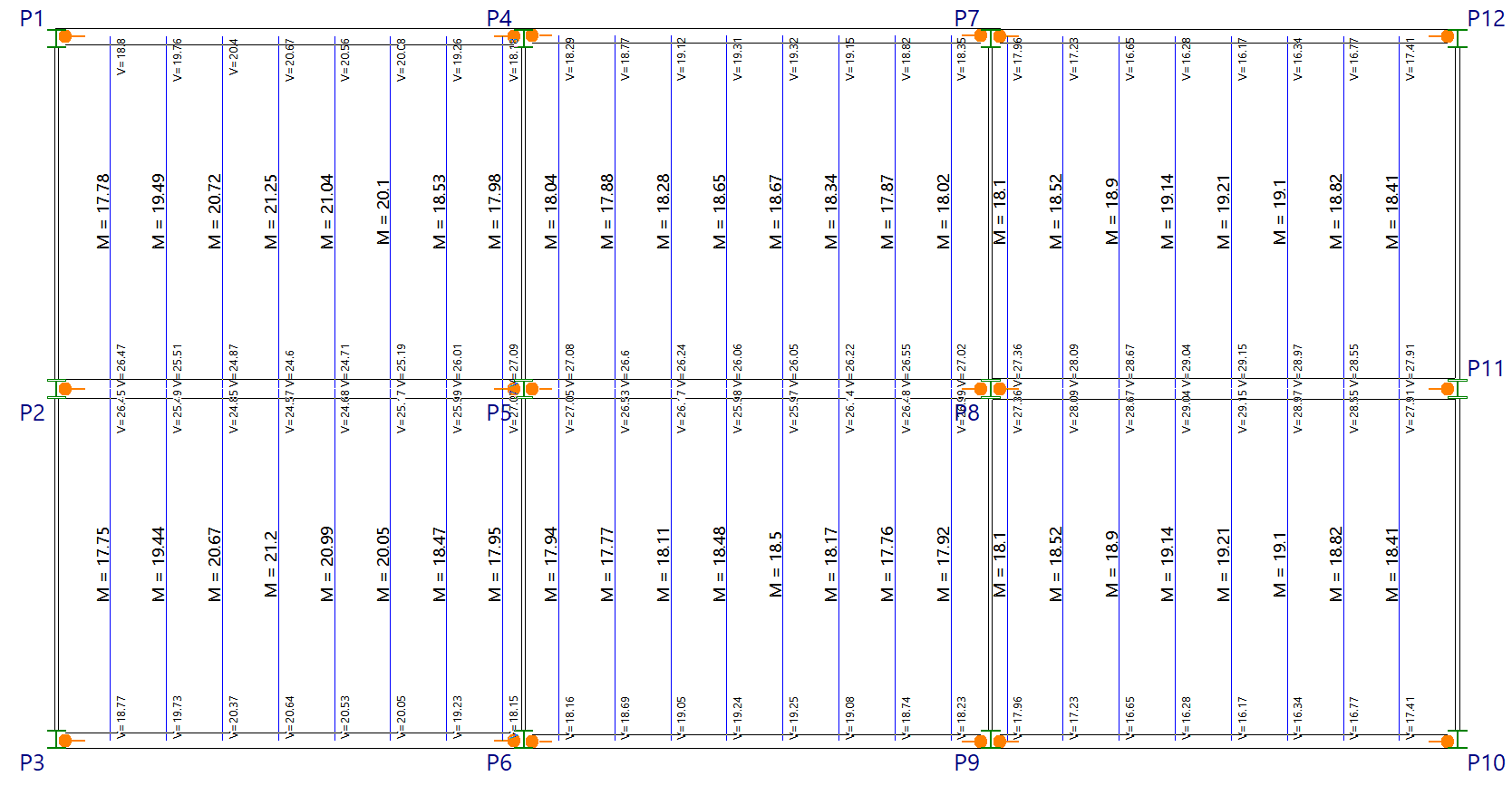
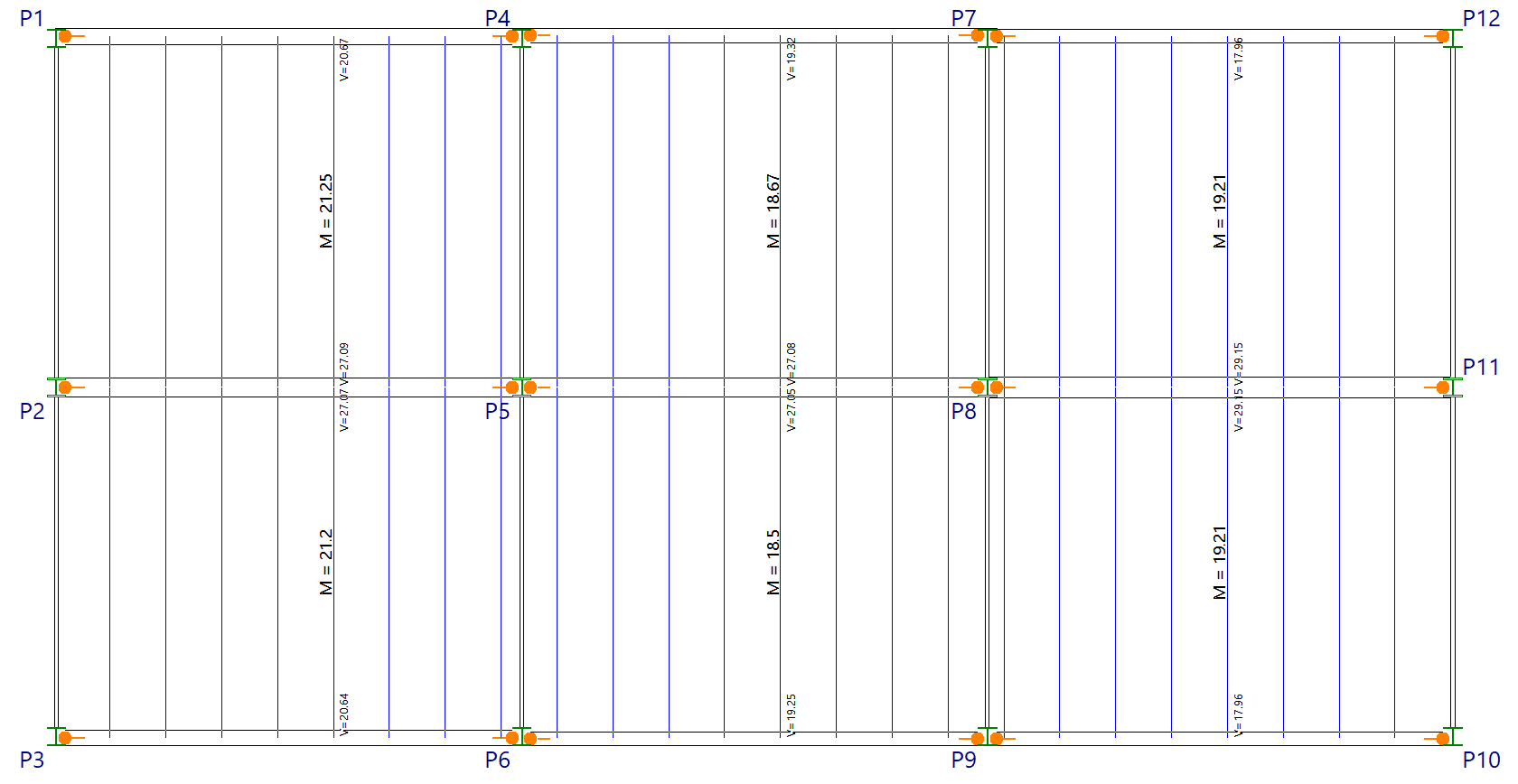
The "Match" option allows you to run an automatic equalisation process for the positive moments of joists (in generic concrete joist floors, entered using the "By geometric characteristics" option), for precast joists arranged (in reinforced or prestressed joist floors entered using the "From library" option) and the positive moments of the in-situ concrete joists. In these cases, the moments of each joist are taken as the basis for the matching.
This process groups similar joists together to streamline assembly, making construction easier and ensuring more consistent results without the need to adjust each joist manually.
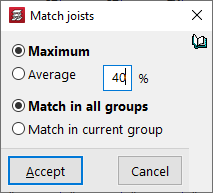
The joists are grouped in such a way that all those belonging to a group satisfy the following expression: (Maximum moment of the group - Minimum moment of the group) < (%) * Maximum moment of the group, where % is the "Matching percentage" specified by the user in the "Match joists" pop-up window that appears when this option is selected.
Once the joists in each group have been identified, the various force combinations for each joist are balanced.
The equalisation of force combinations is carried out at each of the points at which the joist has been discretised, depending on the option selected in the pop-up window that appears when this option is clicked, and depending on the type of force:
- For bending moments:
- If the option to match the bending moments to the "Maximum" moment has been selected, the maximum value from all the combinations of each of the joists forming the group will be taken for each point. Matching the maximum moment is on the safe side, so it may be the more advisable option.
- If the option to match the bending moments to the "Average" moment has been selected, the average value of all the combinations for each of the joists in the group will be taken for each point.
- For the shear force, the maximum shear value from all combinations of each of the joists forming the group shall always be taken for each point.
It is also possible to "Match across all groups" of floor plans on the project, without having to switch floor plans, or simply to "Match within the current group".
Assign
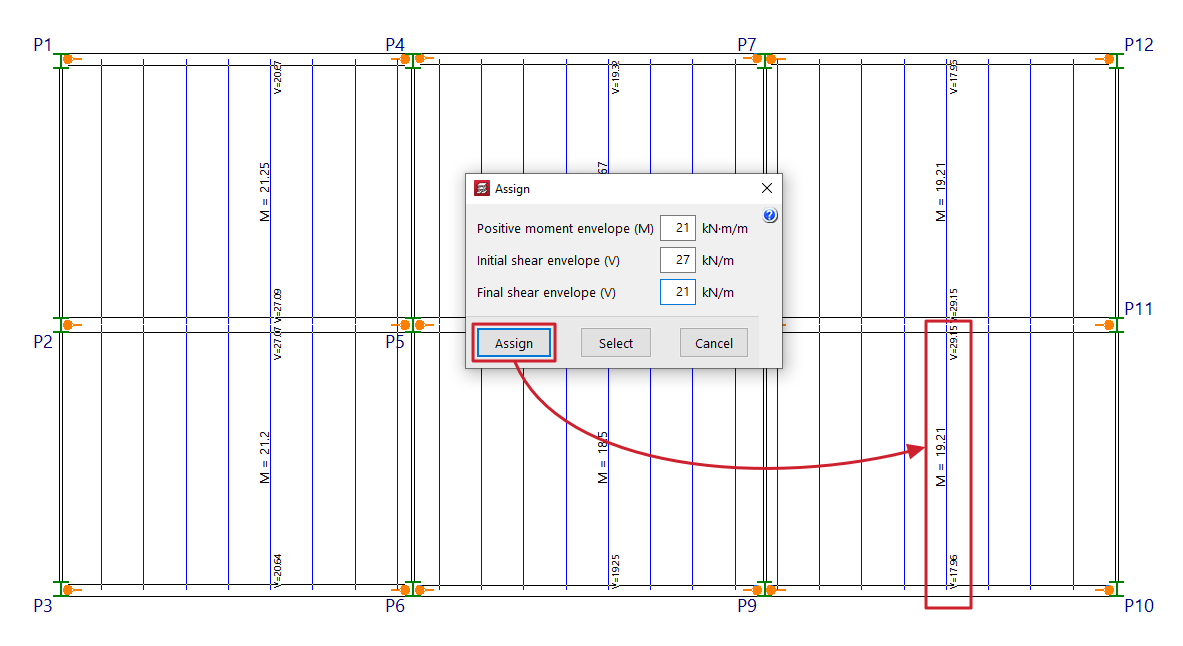
The "Assign" option allows you to modify the analysed positive moments and shear forces in the joists, the layout of positive moments, or the type of joist layout, by applying the data in bulk to all selected elements.
To do this, define the data to be assigned in the pop-up window. Next, click on "Assign" and select the floor joists to which you wish to assign this data (by left-clicking on a point on the floor slab to select the starting joist and then clicking on another point to select the ending joist; the selected joists are highlighted in a different colour). In the pop-up window, you can also use the "Select" option to copy the data from a joist selected on the floor plan or "Cancel" to close the window.
Edit
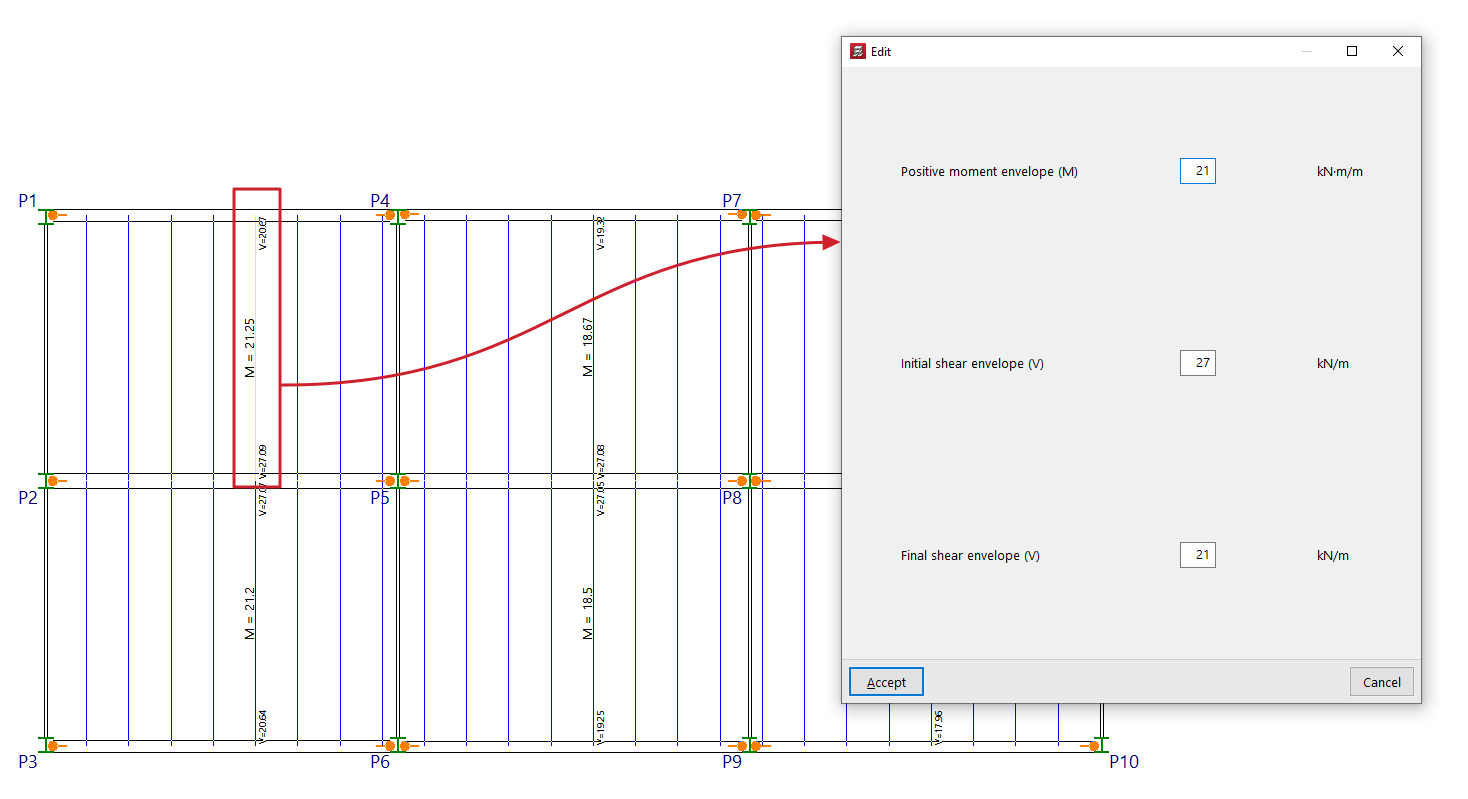
The "Edit" option allows you to change the analysed positive moments and shear forces, the layout of positive elements, or the type of joist used for an individual joist.
To do this, left-click on the joist whose data you wish to change.
Editing and/or assignment options
For prefabricated joists, you can edit or assign:
- the "Type of joist",
- the "Shear layout"
- and the"Partial additional reinforcement".
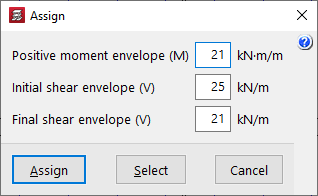
For standard concrete joists, you can edit or assign:
- the "Positive moment envelope (MF)",
- the "Initial shear envelope (V)",
- and the "Final shear envelope (V)".
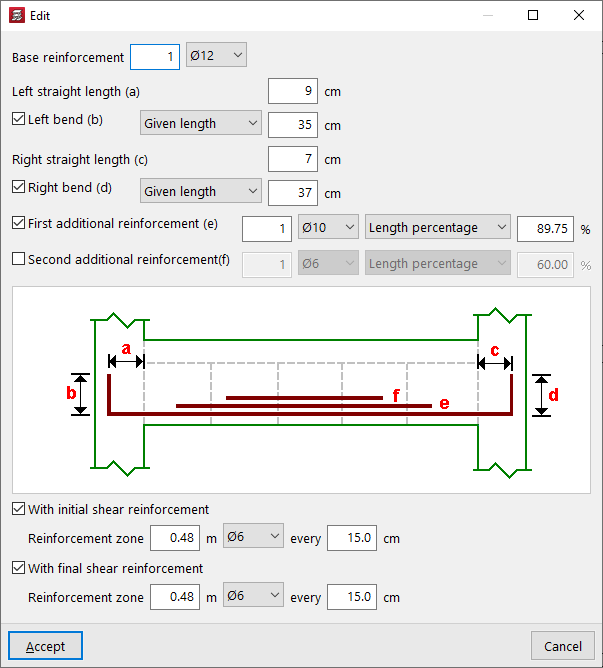
The following parameters can be adjusted for in-situ concrete joists:
- the "Base reinforcement", specifying the number and diameter of the bars, and including the following details:
- its "Left straight length (a)", with an optional "Left bend (b)" (across the "entire width" or to a "specified length");
- and its "Right straight length (a)", with an optional "Right bend (b)" (across the "In entire depth" or to a "Given length");
- Optionally, a "First additional reinforcement (e)" and/or a "Second additional reinforcement (f)" for positive reinforcement may be provided (over the "Full length", a "Specified length" or a "Percentage of length");
- Furthermore, the joist can be defined as "With initial shear reinforcement" and/or "With final shear reinforcement", specifying the "reinforcement zone", the diameter and the spacing.
- The diagram provides a visual aid to help understand each of the defined parameters (a, b, c, d, e, f).
In the case of steel and timber joists, it is possible to edit or assign the "Selected section".
Modify position
The "Modify position" option allows you to reposition the text, labelling the positive moment, the positive moment reinforcement, or the joist type on the drawing.
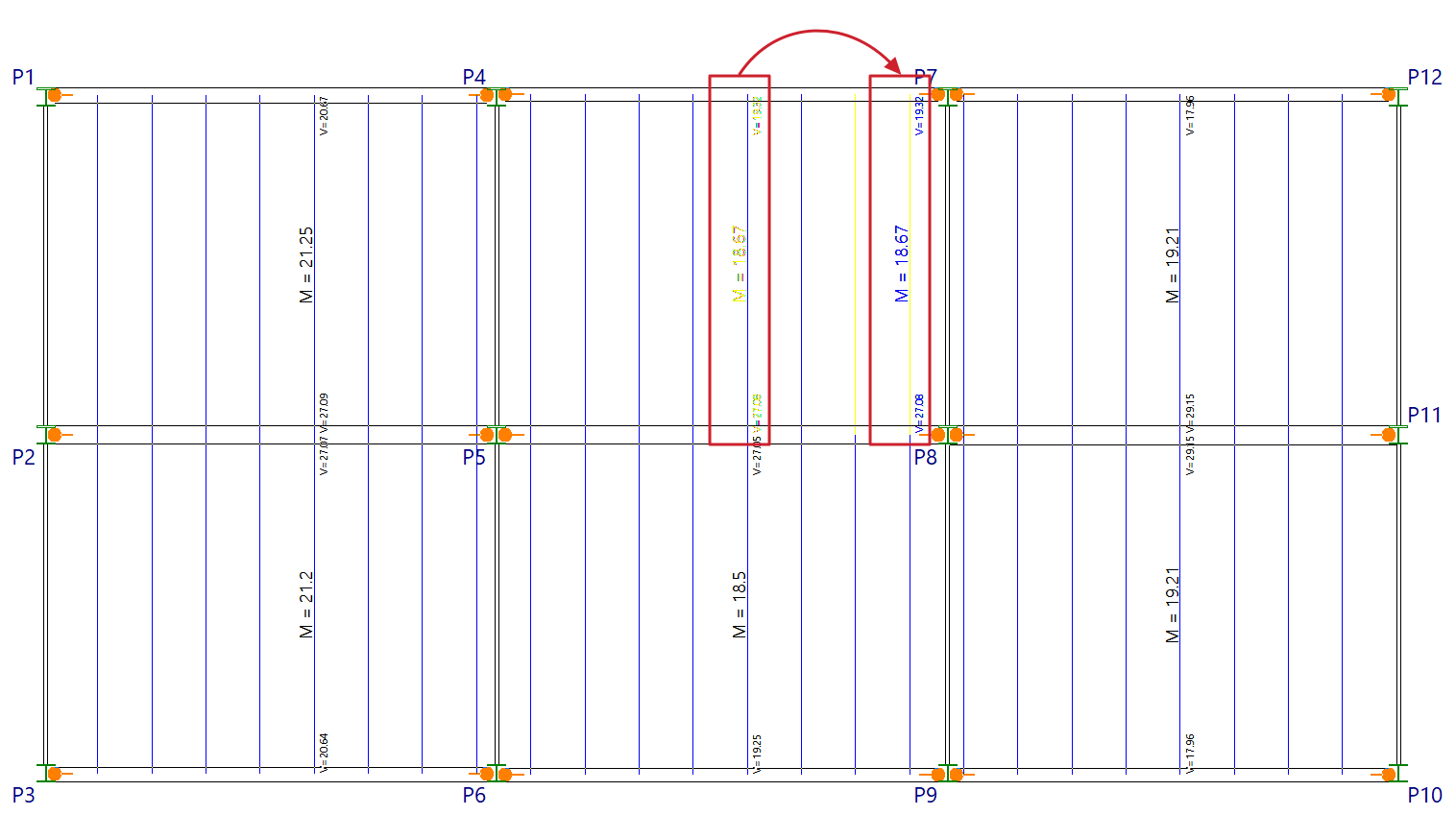
To change the position of the label, click on the panel. When you are between the joists where you want to place the label, click again. As you move the cursor across the panel, the appearance of the two joists between which the label will be placed changes when you left-click.
This option only allows you to adjust the position of the text within each group of moments, trusses or joists. If these groups have not been generated, you must run the "Align" option.