Minimum moments in beams
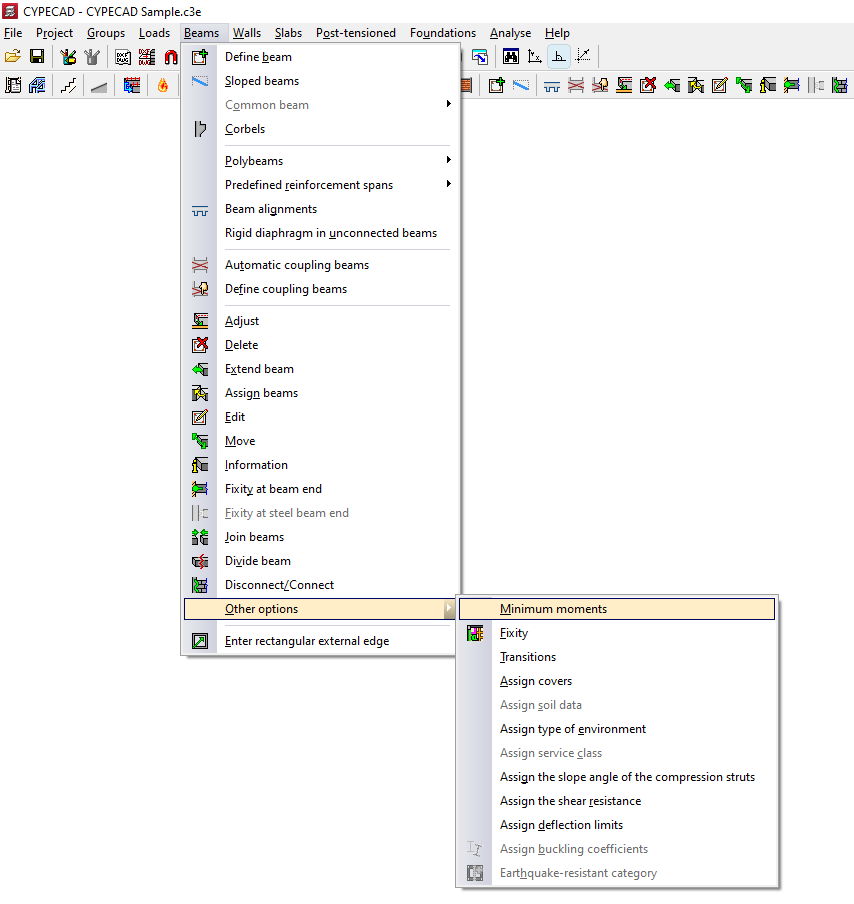
With the "Minimum moments" option in the "Other options" menu, within "Beams", on the "Beam input" tab, you can assign minimum bending moments to be covered to the beams, both negative and positive.
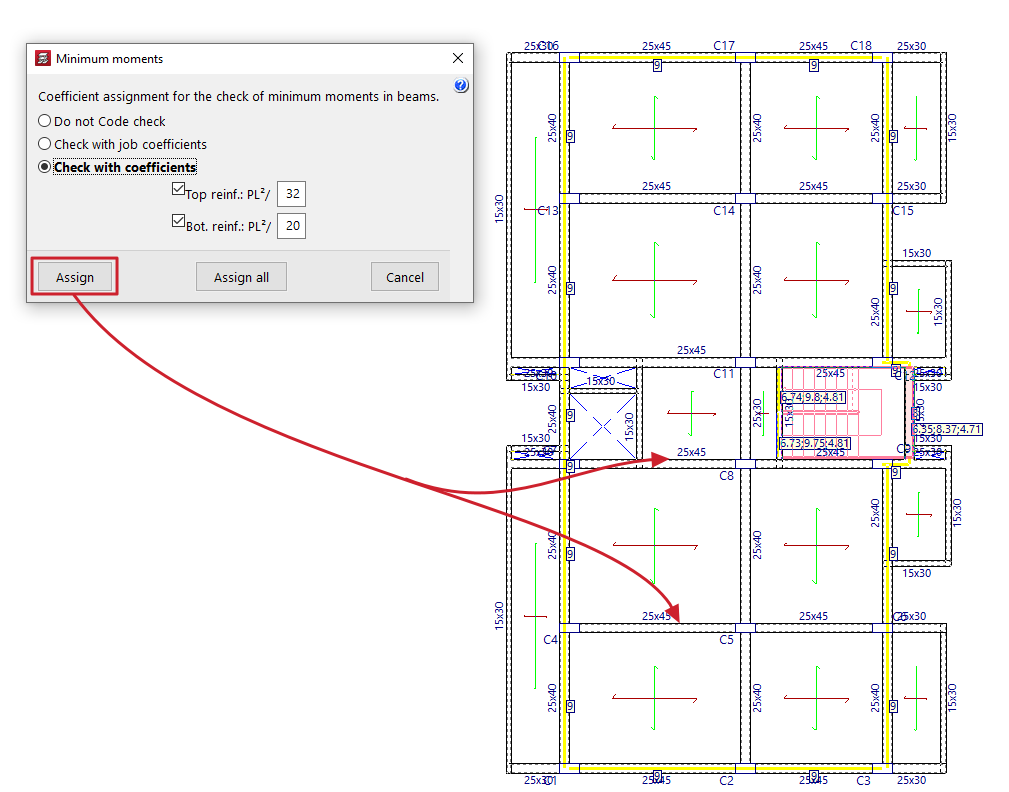
To do this, in the pop-up window that appears, you must select one of the following options related to the "Coefficients assignment for the check of minimum moments in beams":
- Do not Code check
In this case, the minimum moment check will not be performed. - Check with job coefficients
If this option is selected, the minimum moments will be checked using the coefficients defined in "Construction > Beam options > Minimum moments to be covered with reinforcement in beams". - Check with coefficients
If this option is selected, it is possible to enter the value that defines the minimum negative and positive moments. By default, these values are:- Top reinforcement: PL2/32
- Bottom reinforcement: PL2/20
The "Assign" button allows you to select the beams to which the selected condition will be applied one by one, while "Assign all" applies the selected condition to all beams on the floor. The "Finish" option closes the dialogue box.