

Options for copying floor slabs
The following options are available in the "Slabs/Waffle slabs", "Joists", "Hollow core slabs" and "Composite slabs" on the "Results" tab, allowing you to save and retrieve copies of the slab reinforcement for all groups, or to copy slab reinforcement from one group to another.
Selecting these options only affects the type of floor slab in the relevant menu where they have been selected.
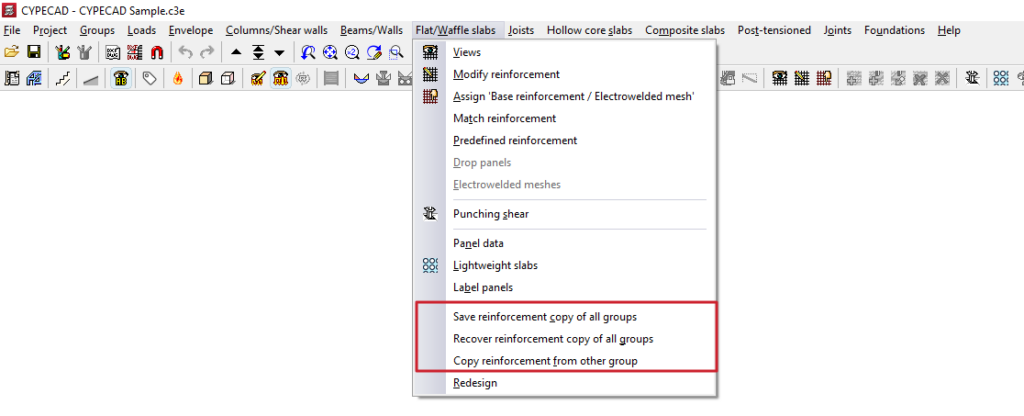
Save reinforcement copy of all groups / Recover reinforcement copy of all groups
These options allow you to save and restore backup copies of the reinforcement layout for the relevant type of floor slab in all groups, should it be necessary to redesign the structure, thereby preventing the loss of work carried out on the reinforcement.
The process is as follows:
- In a previously analysed project, the user makes manual modifications to the reinforcement in the parts of the model that require them.
- The "Save reinforcement copy of all groups" option is used to save the reinforcement with these modifications. Any modifications made to the reinforcement after this copy has been saved will not be saved.
- Subsequently, modifications are made to the projects that require a reanalysis (for example, by adding new elements to the structure).
- The project is reanalysed. During the reanalysis process, the program will have automatically made modifications to the floor structures of all groups, thereby losing the changes made manually.
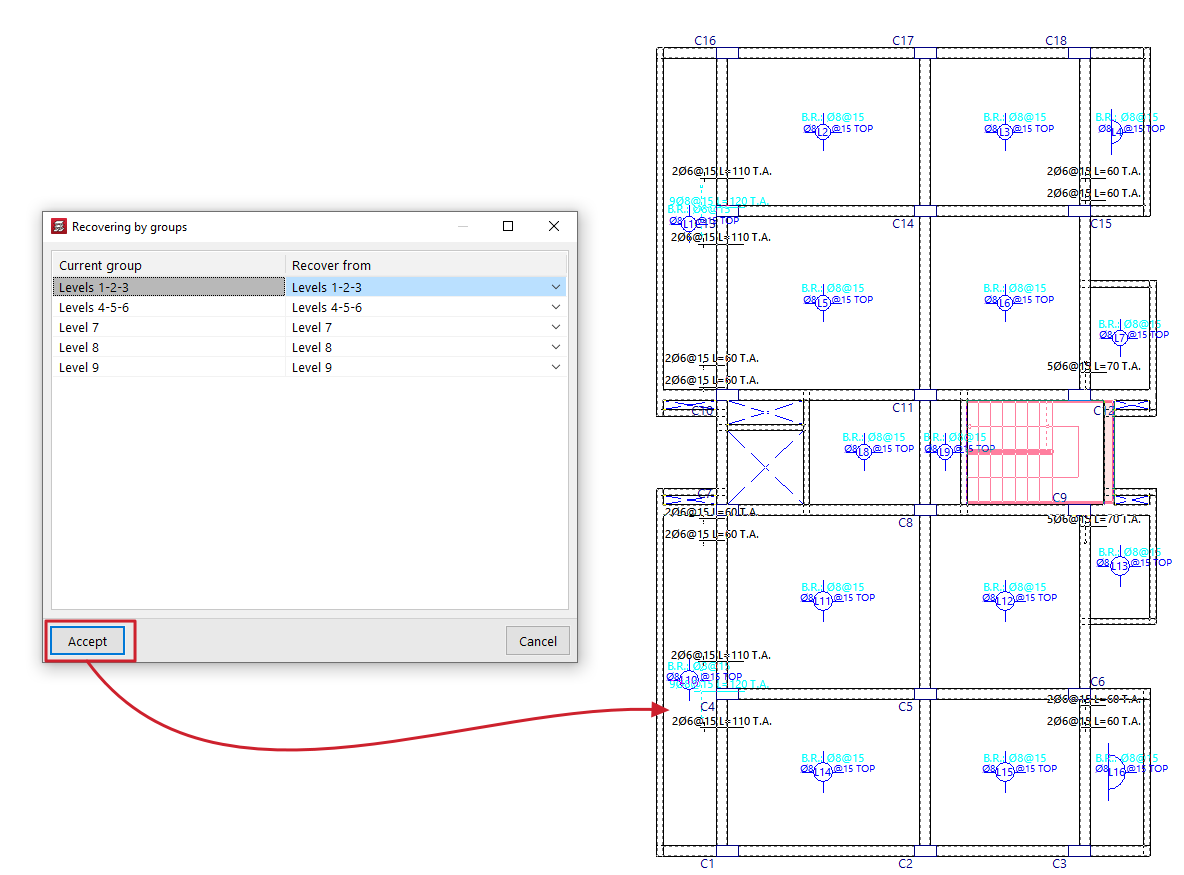
- At this point, use the "Recover reinforcement copy of all groups" option. In the window that appears, you must specify, for each ‘Current group’, the reinforcement you wish to restore (in the ‘Restore from’ column) from those available in the previous save.
Copy reinforcement from another group
This option allows you to copy the layouts from one group of floors to another.
This is particularly useful in cases where there are floors with identical layouts and loads: you would simply need to make the changes to the reinforcement for one of them, and then copy the reinforcement.
To make a copy, follow these steps:
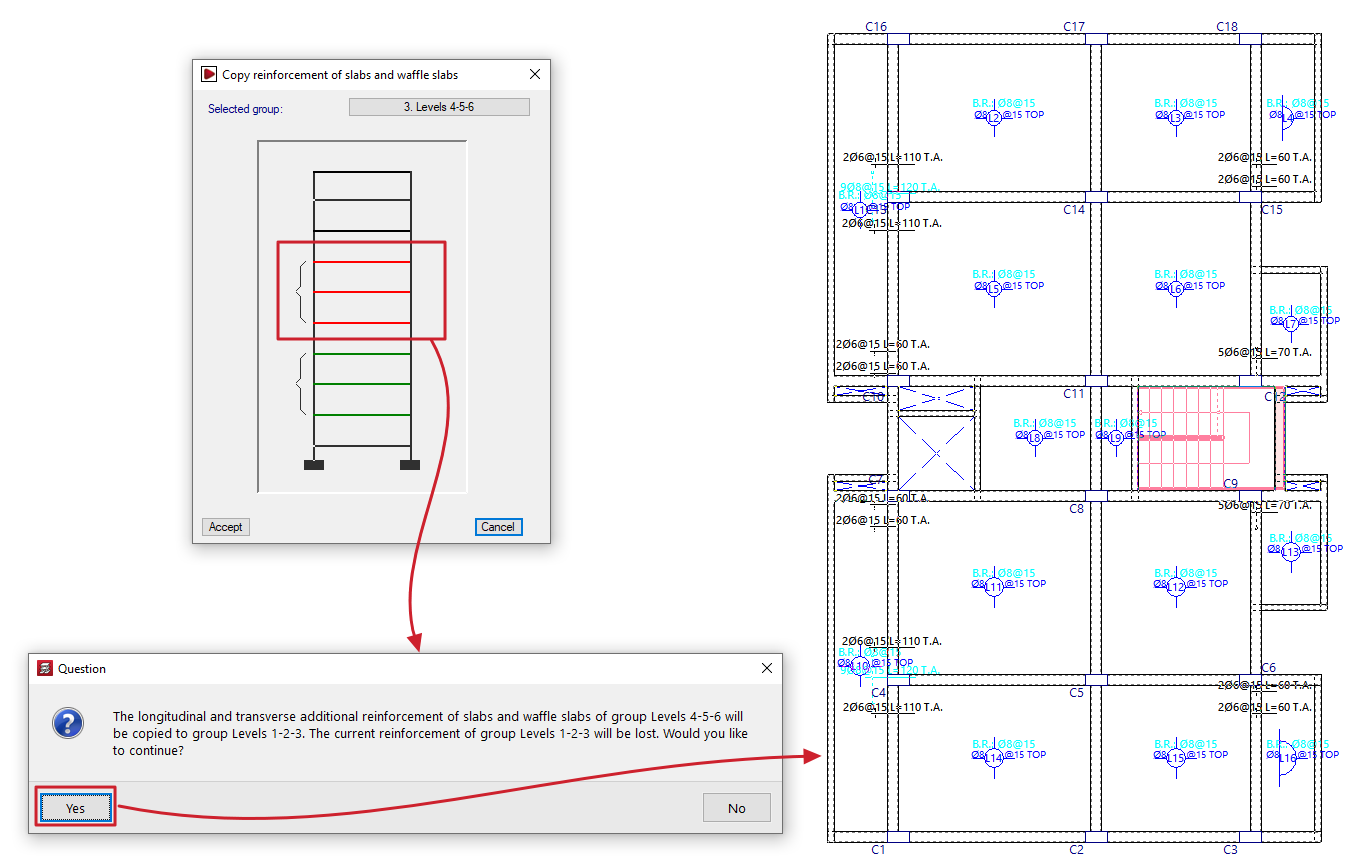
- Firstly, you need to select the target reinforcement (the reinforcement into which you wish to copy the structure of another reinforcement).
- Next, click on the "Copy reinforcement from another group" option in the relevant menu.
- Next, in the window that opens, select the group of floors from which you wish to copy the layout.
| Note: |
|---|
| If the target floor plan has a different layout from the standard floor plan, the reinforcement will only be copied in areas where there is a floor slab. In openings, the reinforcement is cut off, and no stirrups are placed. Furthermore, both the angle and the intersection point of the mesh must match. For this reason, when defining a group of floors, it is recommended to always copy the immediately preceding group. It is important to check any bars that have been cut, adding the corresponding stirrups or making any other necessary adjustments. |
