Obtaining reports
CYPECAD reports provide the information required to complete the project, including all the data entered in the model, the analysis results, and the measurements and quantities of the structure.
To access the reports, open the "File" menu and select the "Reports" option. Alternatively, reports can be accessed using the "Reports" button available in the upper right-hand part of the program interface.
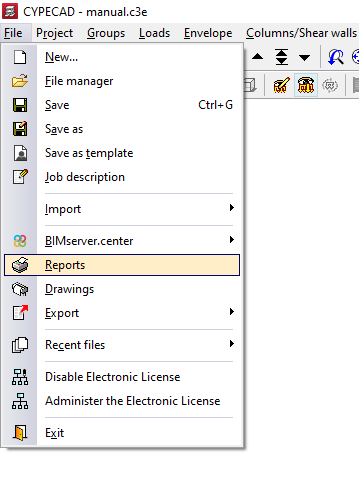
Report selection
The program displays all the available reports on screen:
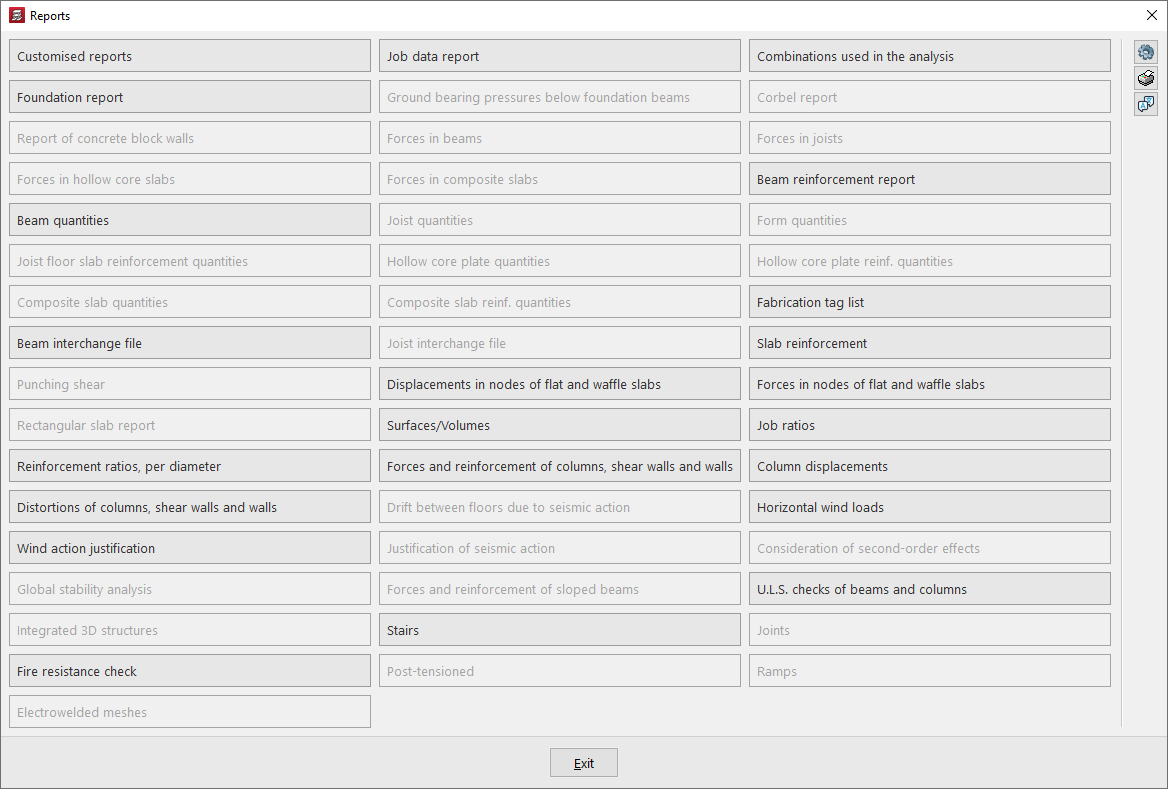
In addition, the options explained below appear on the right-hand side.
Report options
With the first button on the right, "Options", it is possible to enable or disable the visibility of the different reports in the previous "Reports" panel, as well as modify the order in which they are displayed, specify the "Number of columns", and "Sort by" "Rows" or "Columns".
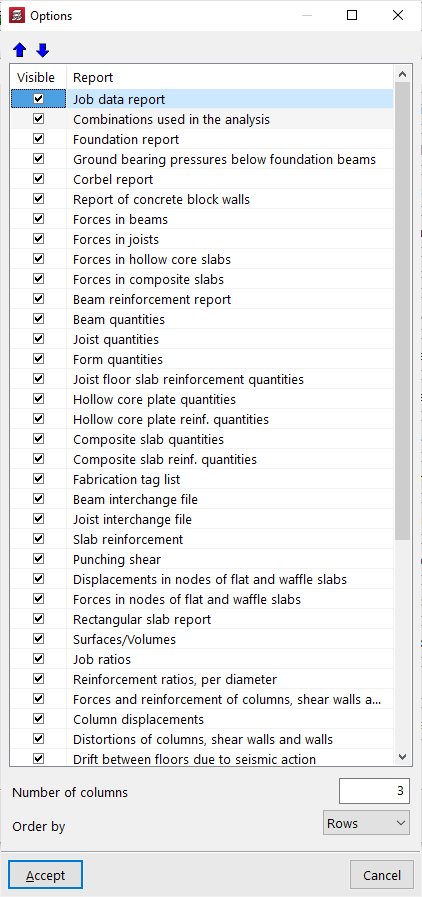
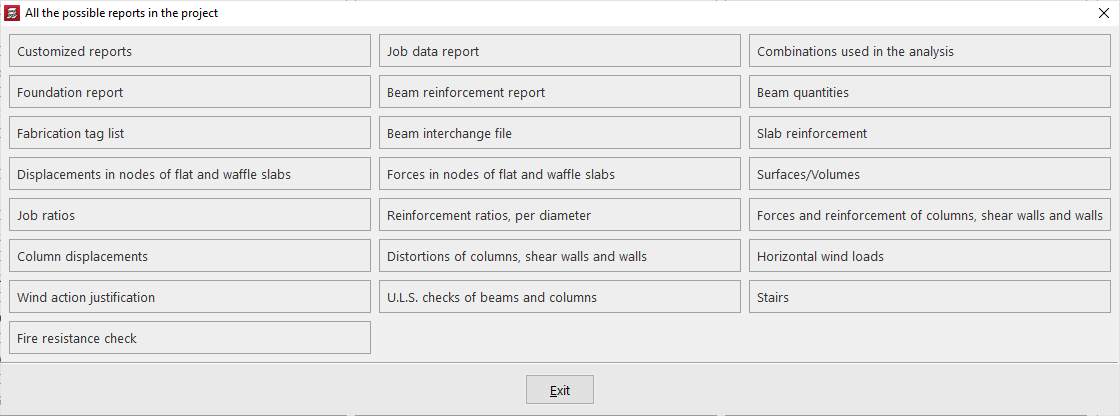
View all possible reports in the project
Some reports can be consulted before the analysis is carried out, while others require the project to be analysed. In addition, not all reports will be available in all projects, as some refer to specific elements and analyses.
It is possible to view "All possible reports in the project" by clicking the corresponding button on the right-hand side of the report selection window.
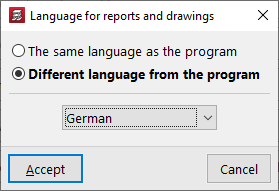
Language for reports and drawings
Using the "Language for reports and drawings" option, also accessible on the right-hand side of the "Reports" window, it is possible to select a language other than that of the program installation for generating reports and drawings. The following options are available:
- The same language as the program
The language of the documents will be the same as that used in the program installation. - Different language from the program
The language of the documents will be the one selected from those available in the drop-down list.
| Note: |
|---|
| References to certain project elements (such as, for example, the names of groups and storeys) will appear in the language in which they were entered. The same applies to general program settings, such as the names of "Floor plans", or the chapters of "Custom reports". |
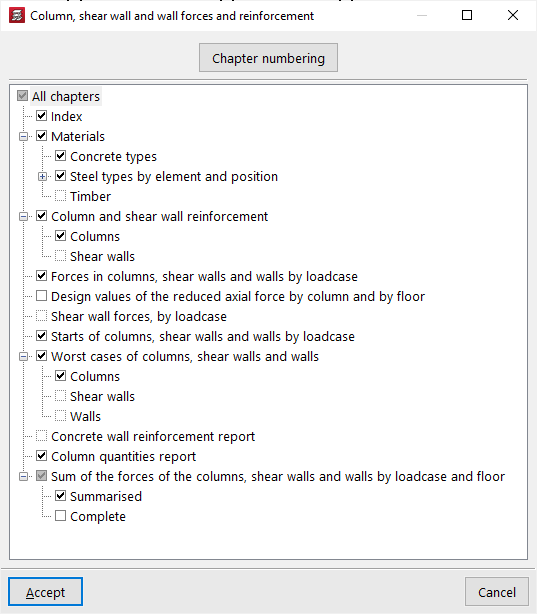
Chapter selection
When selecting a report, a window may appear in which it is possible to select the chapters, the groups, or the type of elements and information to be included in the report.
Report preview
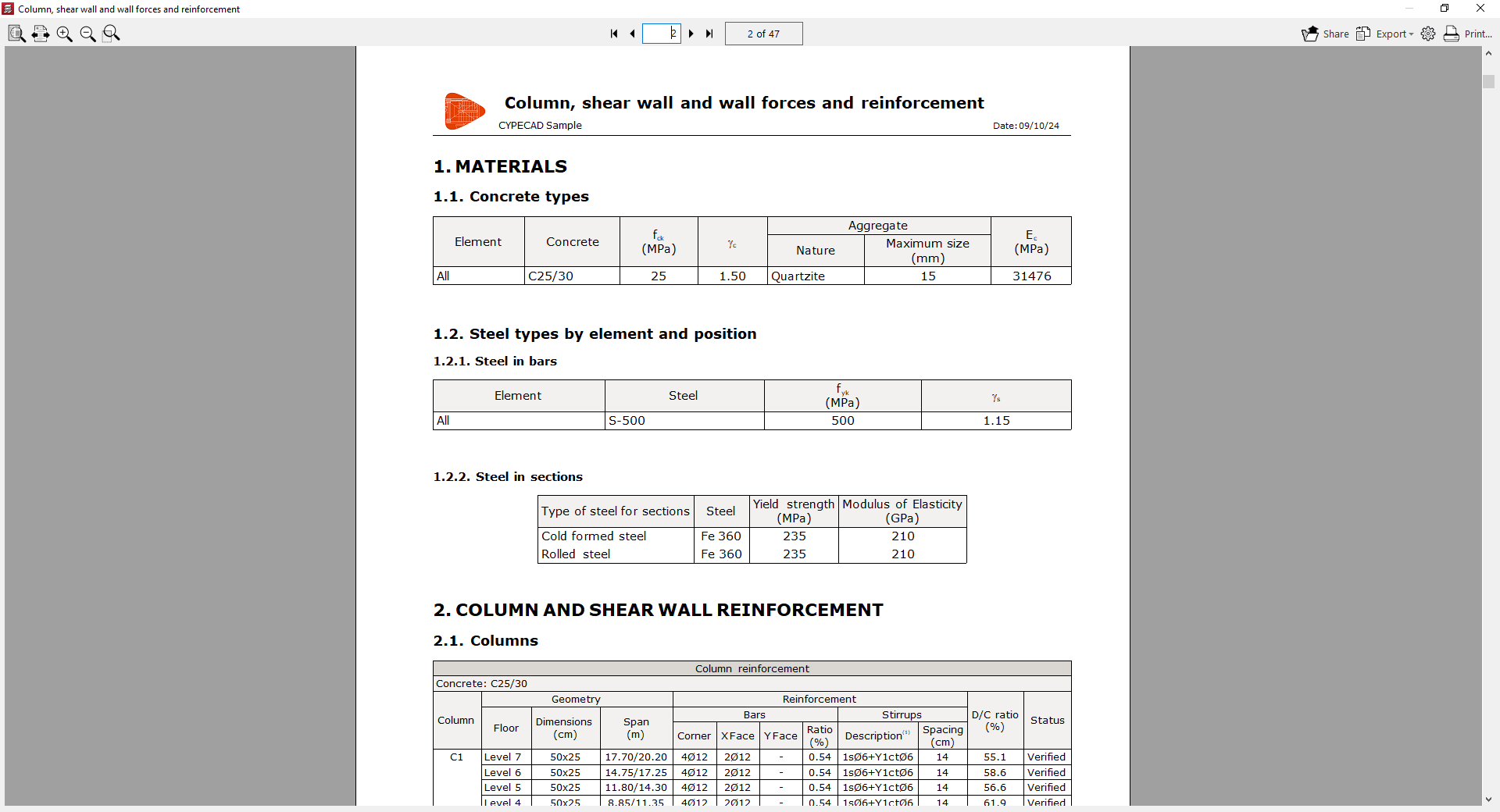
After accepting the previous windows, an on-screen preview of the report is obtained, where the information it contains and the pagination can be consulted.
From this preview, the information can be "Exported" in different formats such as PDF, DOCX, text (TXT), HTML and RTF.
The report can also be "Shared" by generating a private link, which can be useful for showing the information to other users.
Further to the right, the "Print setup" can be carried out, where the printer to be used is selected and the "Scale" and "Margins" are defined.
Finally, by clicking "Print", the document print dialogue opens, where the "Pages to print" and other "Print data" are defined.