Selecting reinforced or prestressed joist floor slabs from the library
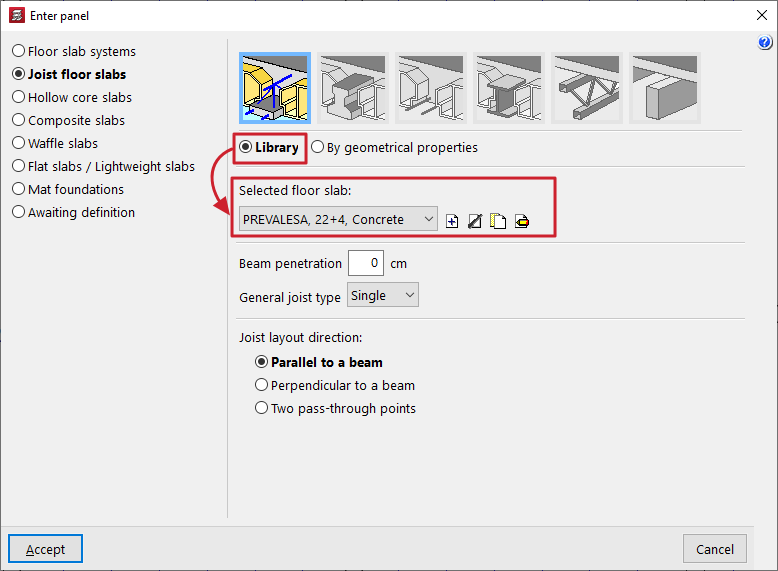
When defining reinforced or prestressed joist floor slabs (in the "Enter panel" window) and for certain standards, the "Library" option is available.
If the "Library" option is selected, users must choose the "Selected floor slab" from those available for the project. The controls on the right allow you to "Add", "Delete", "Copy" or "Edit" these floor slabs.
When you use these controls, the program opens an editing window where you can configure each library joist floor.
To import data from manufacturers, use the tools to the right of the drop-down menu:
- The "Import predefined data" option opens an import window where you tick the "Selected" box to import data for each of the desired manufacturers.
- The "Import from library" and "Export to library" options allow you to import and export data to files with the extensions .fva (prestressed joist files) or .fvp (prestressed joist files), which are saved to the selected path on the hard drive.
- In addition, the "Initial import" option allows you to select the "Default" manufacturers that will be imported automatically when creating new projects in the program.
| Note: |
|---|
| For certain specifications, if the user wishes to enter their own data, they can do so using the "Floor slab data editor" program. This editor can be downloaded from the following link and allows you to generate a file with the .fva or .fvp extension that can be imported directly into CYPECAD. |
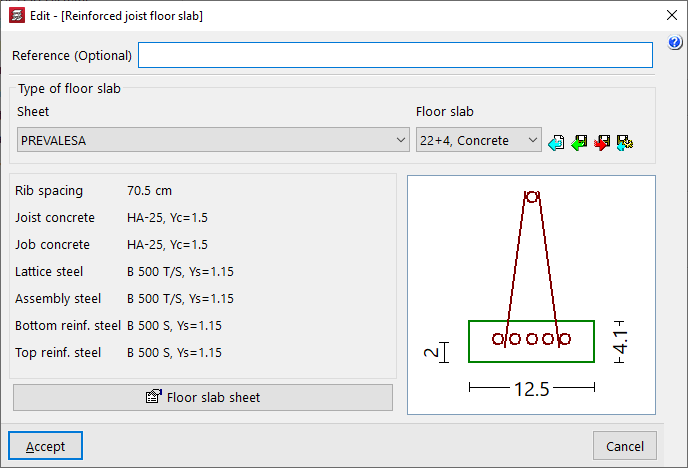
In the editing window for each type of floor, you should first enter a "Reference (Optional)" for the floor.
Next, the "Type of floor slab" is defined by selecting a manufacturer from the "Specification" drop-down menu and, from the second drop-down menu, the specific "Floor slab" from those offered by the selected manufacturer.
Once you have selected a specific library floor slab, the program will display its main characteristics at the bottom of the screen, such as the following:
- the rib spacing;
- the type of concrete used on site and in the joists;
- or the type of steel used in the various reinforcement systems (the lattice steel, the assembly steel, and the positive and negative reinforcement in the case of reinforced joists, or the prestressing steel and the negative reinforcement in the case of prestressed joists).
On the right, a designed section of the joist for the selected floor slab is shown.
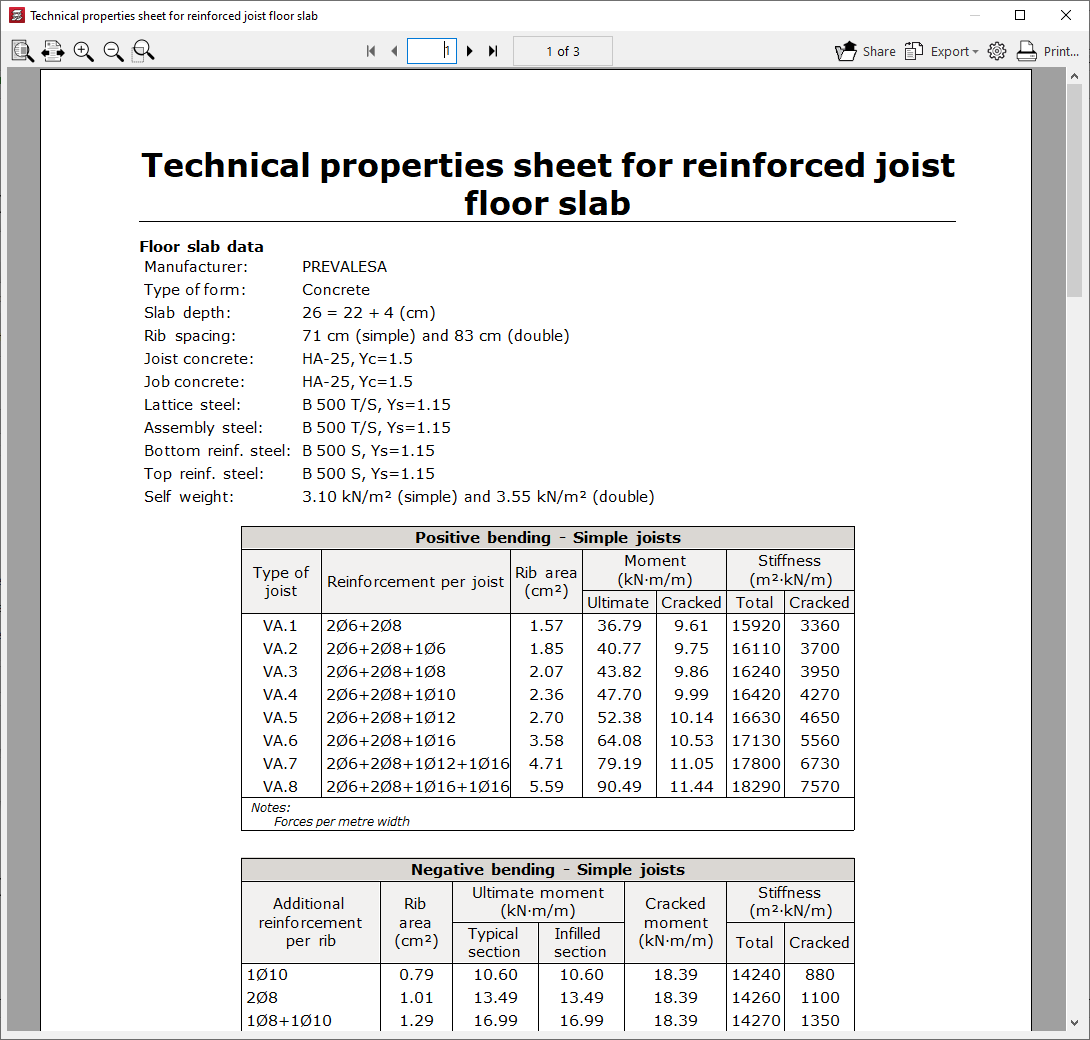
At the bottom, the "Floor slab specifications" option opens a separate window displaying the technical properties of the floor slab. The following information is shown here:
- the manufacturer, the type of hollow block, the slab depth and the materials used (concrete and steel);
- the centre-to-centre distance and dead load for single joists and double joists;
- and the data on the moments, stiffnesses and shear forces withstood by the floor slab, depending on the type of joist or top reinforcement per rib used.