Views of hollow core slabs
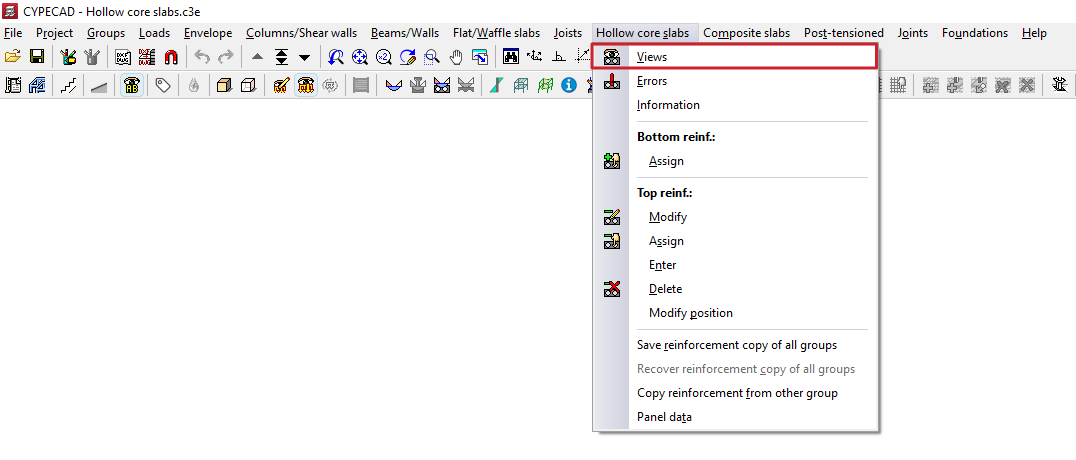
The "Views" option, within the "Hollow core slabs" menu on the "Results" tab, allows you to configure how the data obtained from the analysis of hollow core slab floor structures is displayed.
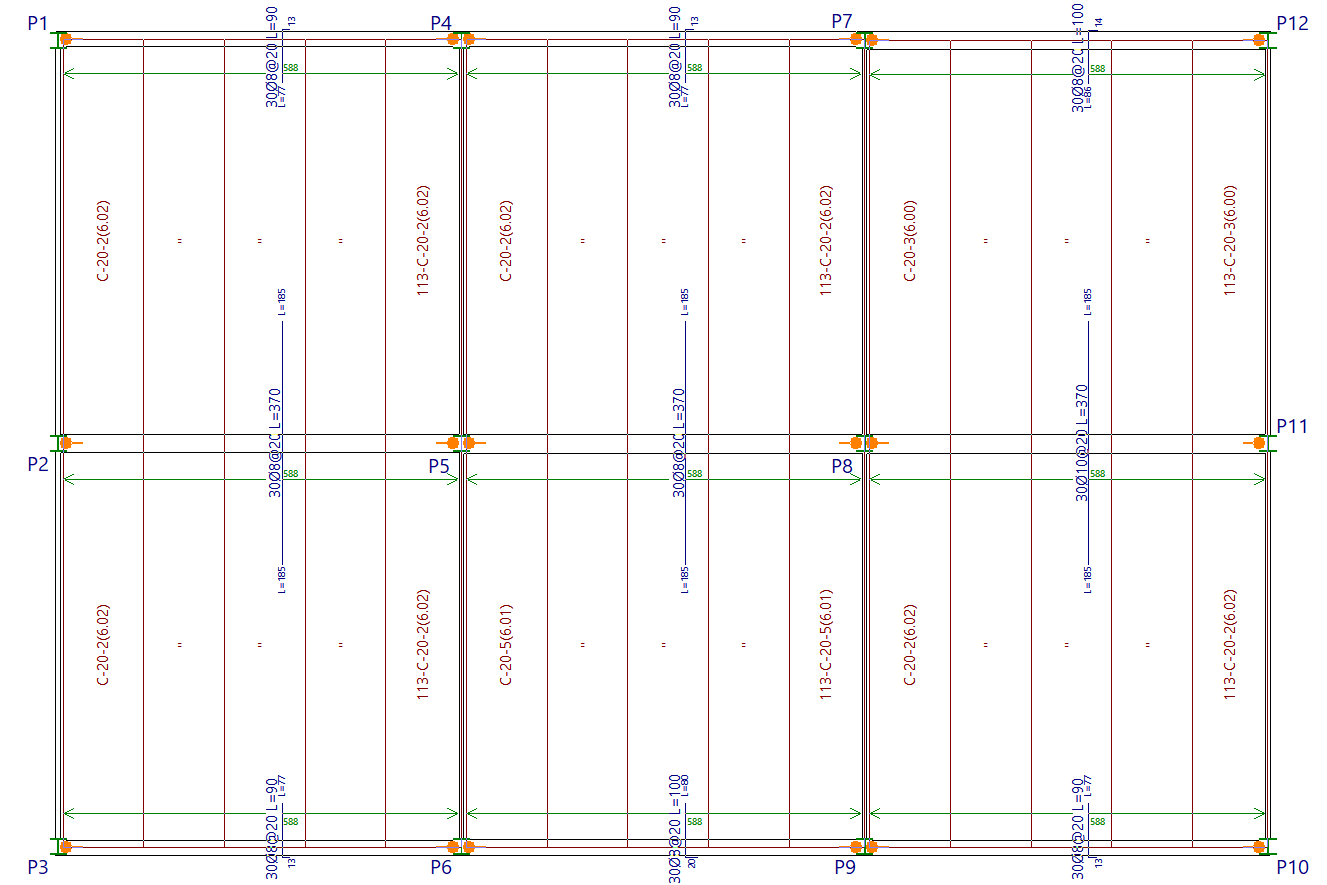
These include details of the plates used and the available top reinforcement.
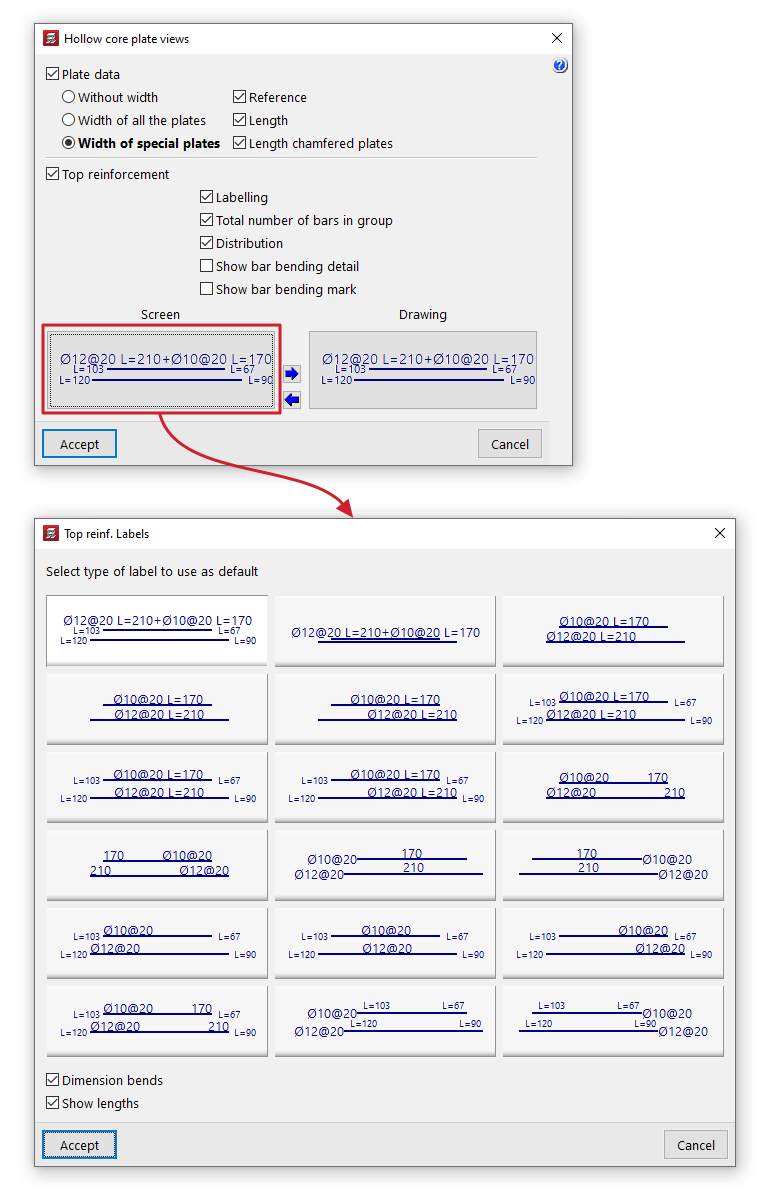
Clicking on this option opens a pop-up window containing the following tools:
- Plate data
If this option is enabled, the program adds labels to the simplified plates in their plan view, displaying the following information:- Width representation:
- Without width
The label on the hollow core slabs does not provide any information about their width. - Width of all the plates
The label on the hollow core slab indicates the width of the cross-section in all cases, both for full-width plates and for those narrower than the standard. - Width of special plates
The label on the hollow core slab indicates the cross-sectional width only for special plates, i.e. those that are narrower than the standard width (used in places where a full-width plate will not fit).
- Without width
- Data included:
- Reference
Selecting this option adds the reference for the type of hollow core slab used to the label. - Length
Selecting this option adds the length dimension of each component to the label, including the connection to the beam. - Length chamfered plates
Selecting this option adds the length dimension of each side of the component to the label, including the section where it meets the beam, when the edge is sloped or bevelled.
- Reference
- Width representation:
- Top reinforcement
Selecting this option displays the layout of the top reinforcement for hollow core slab floors. You can also configure the following:- Labelling
When this option is enabled, labels indicating the diameters and lengths of the top reinforcement are displayed. - Total number of bars per group
Include the total number of bars in each group of top reinforcement on your label. - Distribution
Add the length measurement to the green line representing the width over which the top reinforcement is distributed. - View bar bending details
If this option is enabled, a bending diagram is drawn next to the bar in inclined sections. - Show bar bending mark
If this option is enabled, on inclined sections, the bending point is marked with a small line perpendicular to the axis of the bar. - Labelling in "Screen" and in "Plan"
In both cases, the program allows you to select the "default labelling type" for top reinforcement from those available in the pop-up window. It also allows you to specify whether you wish to "Dimension bends" and/or "Show lengths" of bars by ticking the relevant boxes. - Copy label selection
These options allow you to copy the label selection on the screen to the label selection in the drawings, or vice versa.
- Labelling