Automatic design of sprinkler networks and the inclusion of branch lines, manifolds and mesh networks
Within the "Installation" tab, in the "Distribution" group of the main toolbar, there is an option to automatically generate water distribution networks, including pipes and sprinklers, from the geometry of the spaces in the model, as well as options to enter branches, manifolds with branches and complete meshed networks with assistance.

| Note: |
|---|
| To enter sprinklers or pipes individually, the corresponding options can be used in the left-hand side of the "Distribution" group and in the "Consumption" group. |
Generation options "By zone" and "Complete"
The "By zone" option allows you to automatically generate a complete water distribution network, including the layout of the pipes and sprinklers, based on the geometry of the selected zones in the workspace.
On the other hand, the "Complete" option automatically generates a sprinkler network in all the building’s zones.
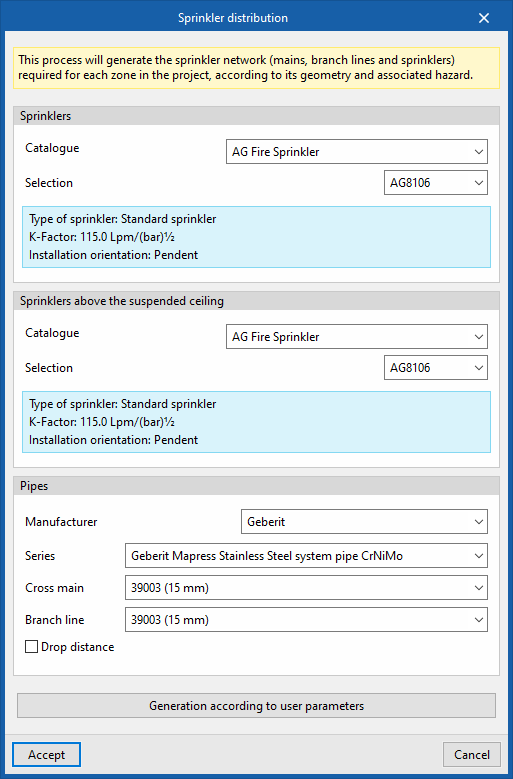
To define the distribution network, in the window that appears when selecting these options, the program allows you to select the sprinklers and the pipes that make it up (including the collectors, the branches and the drop sections leading to the sprinklers) from the manufacturer catalogues included in the Open BIM Database. These can be downloaded from the "Catalogue management" option within the "Project" group.
- Sprinklers
- Catalogue / Selection
The program displays an informational text with the characteristics of the selected product.
- Catalogue / Selection
- Pipes
- Catalogue / Series / Cross main / Branch line / Drop distance (optional)
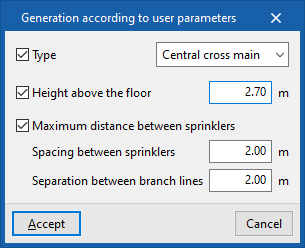
The "Generation according to user parameters" button opens a panel containing options that can be left disabled if you want the program to calculate the optimal distances in accordance with the regulations. If enabled, the following parameters can be configured:
- Type
- Grid system
The program generates a manifold on the perimeter of the space and draws parallel branches joining points of the space, thus obtaining a grid network. - Central cross main
The program generates a manifold in the centre of the space, from which sprinkler branches are traced, resulting in a branched network.
- Grid system
- Height above the floor
Height of the distribution network above the floor of the space. - Spacing between sprinklers
Separation value between sprinklers in the same branch. - Separation between branch lines
Separation value between branches along the manifold.
The program will generate two layers of sprinklers in zones where the "Sprinkler protection above the suspended ceiling" option is activated. In addition, the generation of the sprinkler network respects openings and columns, and adjusts as far as possible to the outline provided by the model.

Branch line
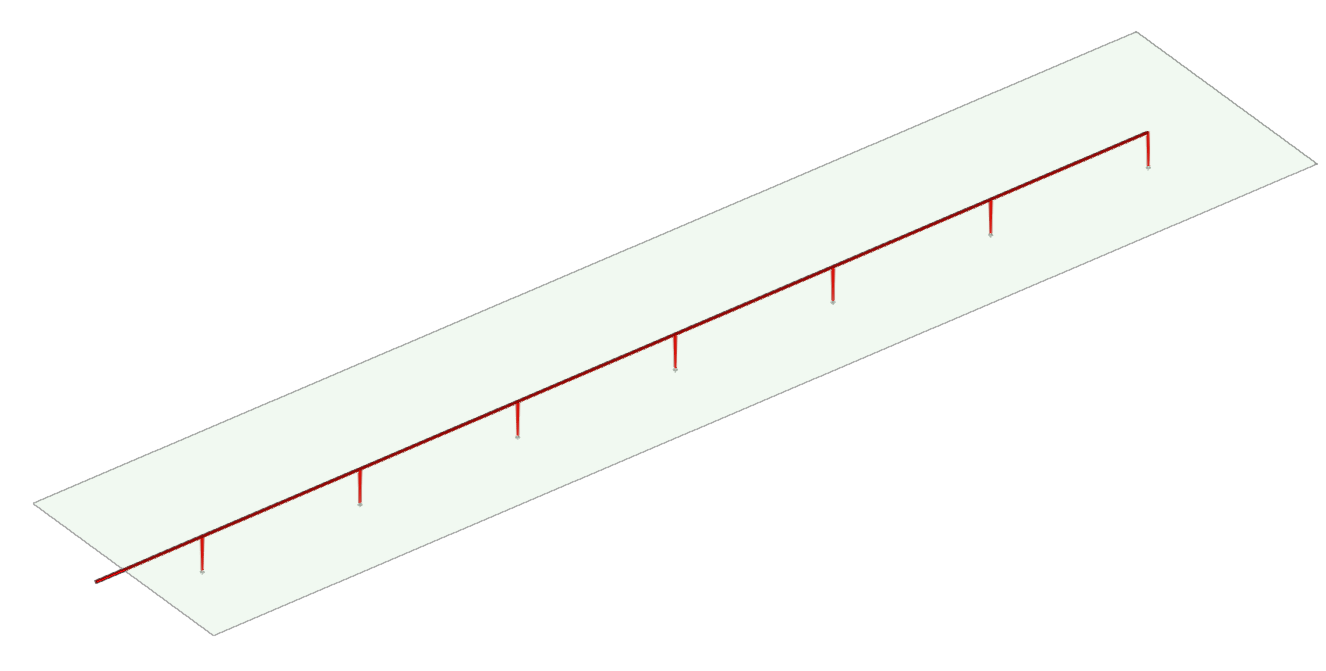
Generates a network branch line, including the definition of the pipes and sprinklers along the branch.
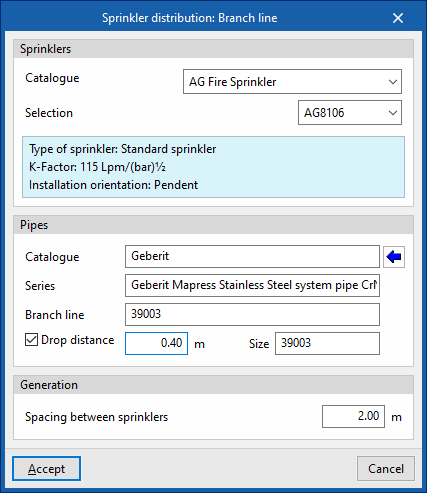
When entering a branch, in the window that appears when this option is selected, the program allows users to select the sprinklers and the pipes included in it (both the branches and the spans up to the sprinklers):
- Sprinklers
- Catalogue / Selection
- Pipes
- Catalogue / Series / Branch line / Drop distance (optional)
The following parameters can be configured for the branch generation options:
- Spacing between sprinklers
Separation value between sprinklers in the branch.
Cross main with branch lines
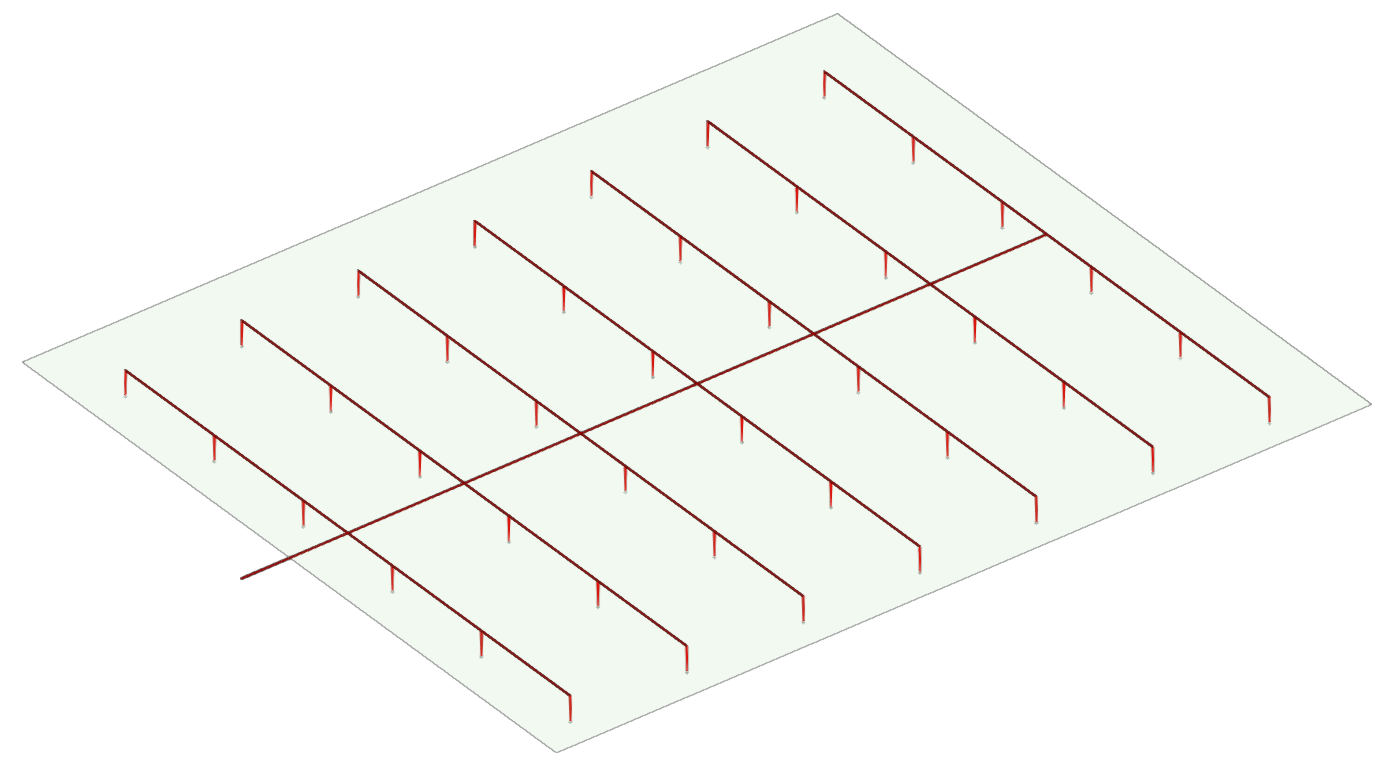
Generates a network consisting of a manifold with branches to the left and right of it, including the definition of the pipes and sprinklers along them.
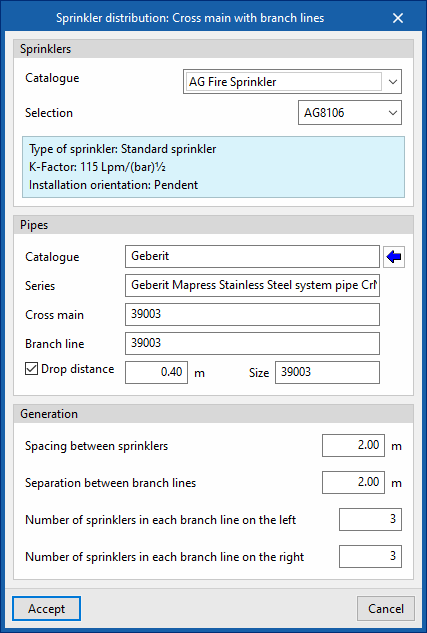
When entering a manifold with branches, in the window that appears when this option is selected, the program allows users to select the sprinklers and the pipes included in them (both the manifold and the branches or the spans up to the sprinklers):
- Sprinklers
- Catalogue / Selection
- Pipes
- Catalogue / Series / Cross main /Branch line / Drop distance (optional)
The following parameters can be configured for the generation options of the manifold with branches:
- Spacing between sprinklers
Separation value between sprinklers in the same branch. - Separation between branch lines
Separation value between branches along the manifold. - Number of sprinklers in each branch line on the left / Number of sprinklers in each branch line on the right
Sets the length of each branch to the left and right of the manifold by defining the number of sprinklers to be installed in the manifold.
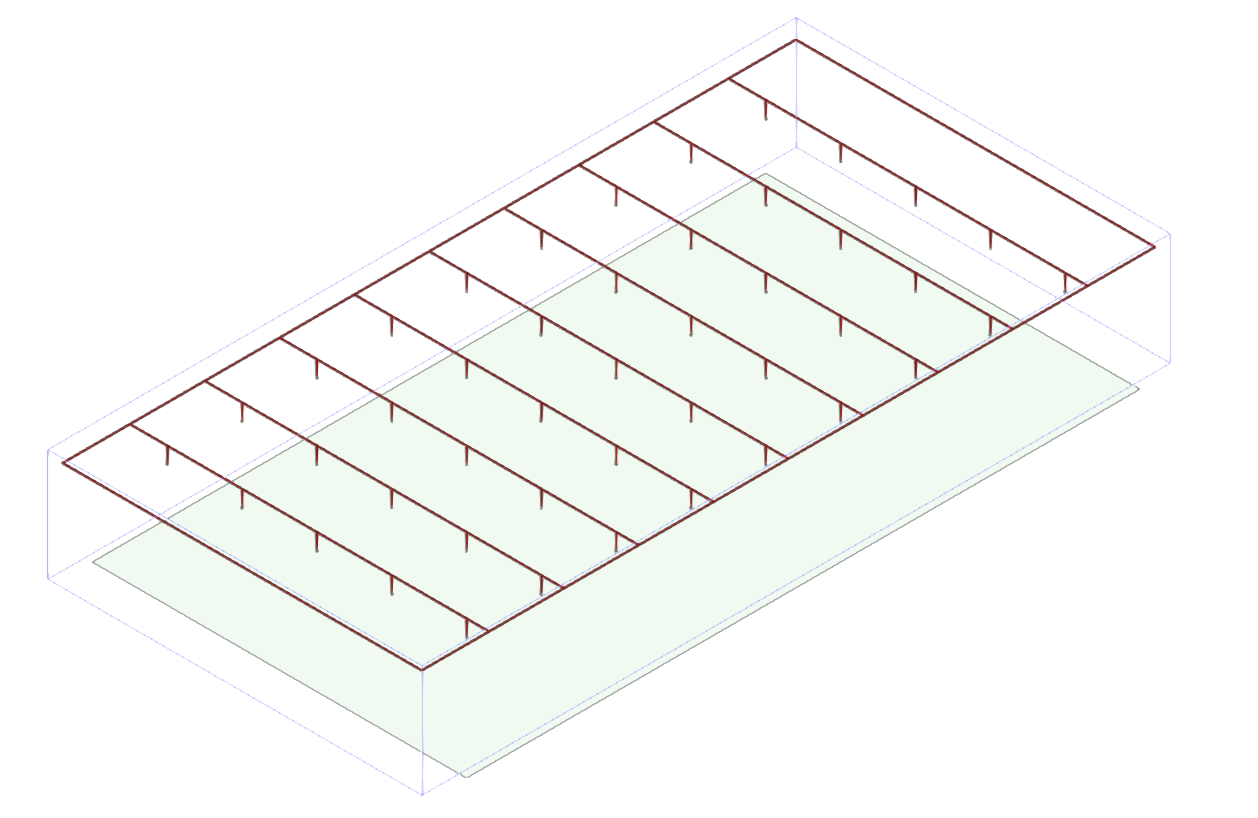
Grid system
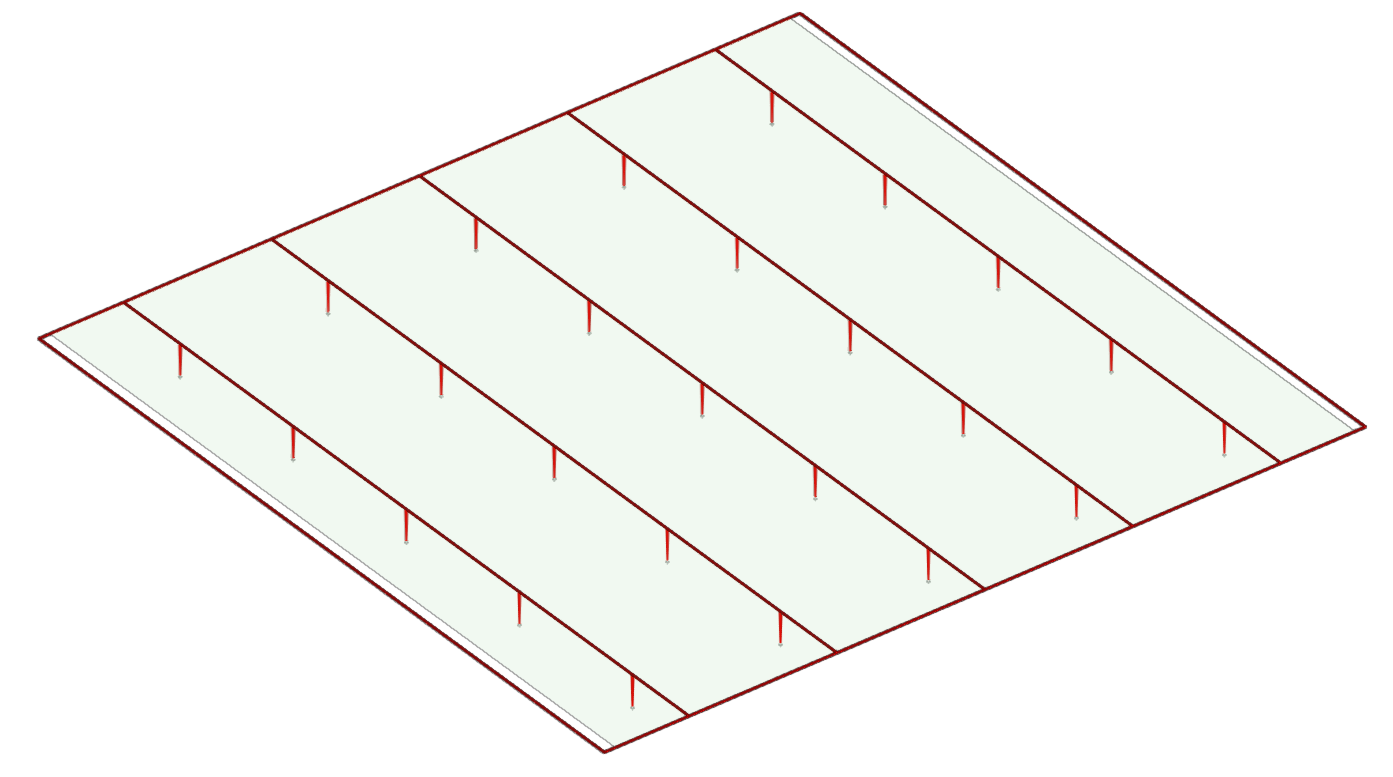
Generates a grid system consisting of a perimeter manifold together with parallel branches joining points along the perimeter, including the definition of the pipes and sprinklers along them.
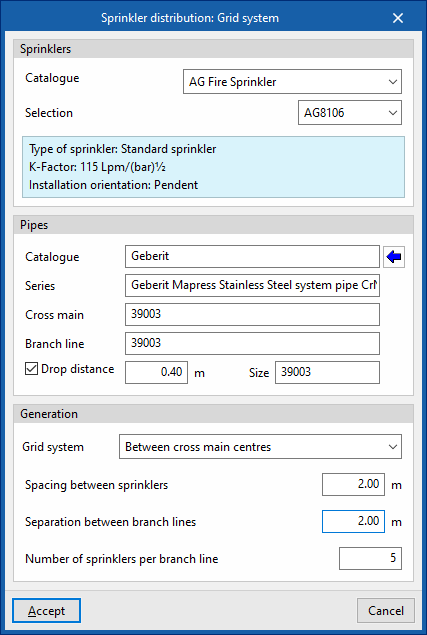
When entering a grid system, in the window that appears when this option is selected, the program allows users to select the sprinklers and the pipes included in them (both the manifolds and the branches or the spans up to the sprinklers):
- Sprinklers
- Catalogue / Selection
- Pipes
- Catalogue / Series / Cross main /Branch line / Drop distance (optional)
The following parameters can be configured for the grid system generation options:
- Grid system (Between cross main centres / With branch lines to the left of the cross main / With branch lines to the right of the cross main.
Defines the position of the manifold and the branches with respect to the network insertion points in the work area. - Spacing between sprinklers
Separation value between sprinklers in the same branch. - Separation between branch lines
Separation value between branches along the manifolds. - Number of sprinklers per branch line
The length of the branches and, therefore, the spacing between opposing manifolds of the grid system can be established, defining the number of sprinklers to be installed in the branches.
Cross main with branch lines
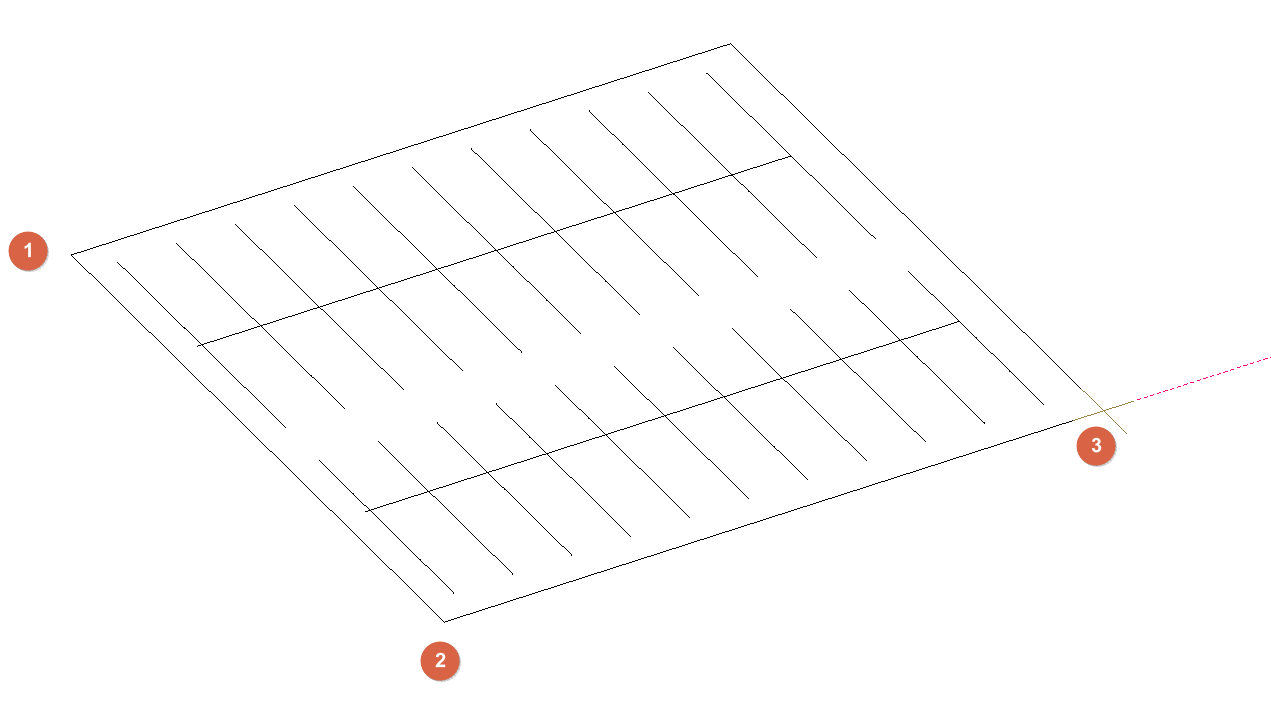
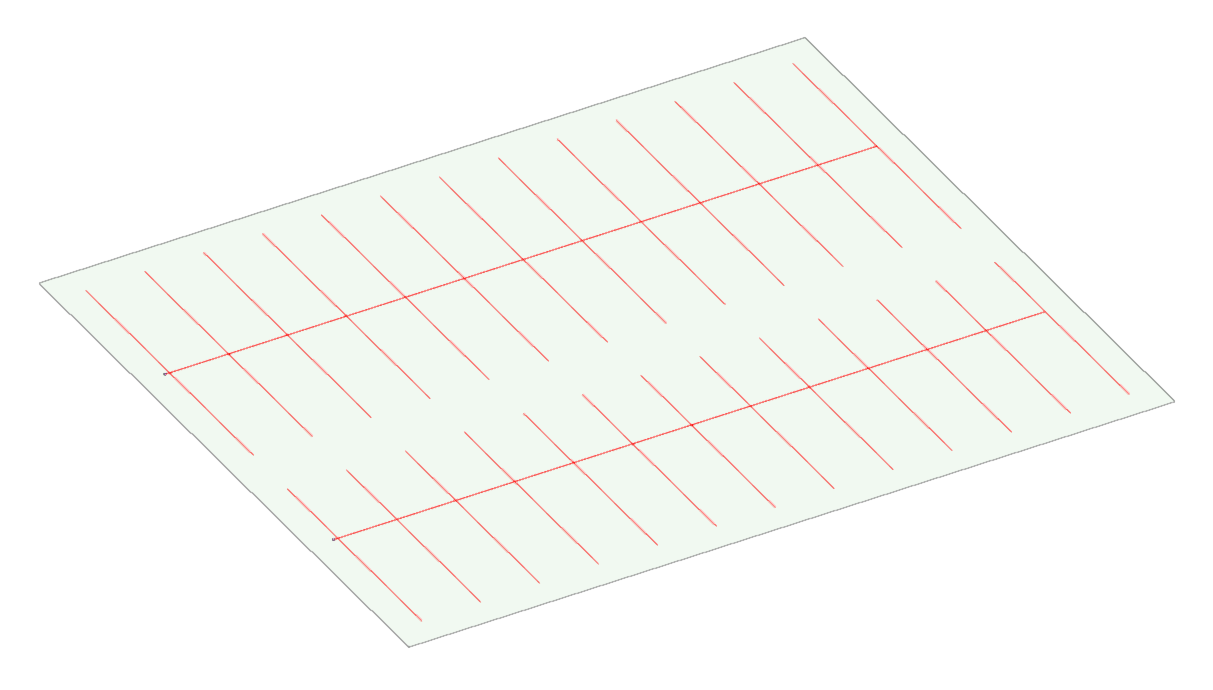
Generate a branching network by drawing a rectangle on which the network will be generated. Each branch of the network will consist of a central manifold and several branches arranged to its left and right. The pipes and sprinklers must be defined along the branches.
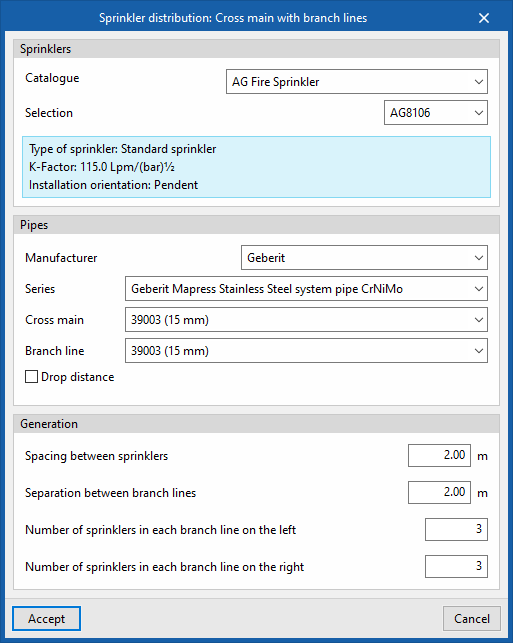
In the window that appears when this option is selected, the program allows you to select the sprinklers and the pipes that make them up (including the main pipes, the branches and the drop-down sections leading to the sprinklers):
- Sprinklers
- Catalogue / Selection
- Pipes
- Manufacturer / Series / Cross main / Branch line/ Drop distance (optional)
As for the network generation options, the following parameters can be configured:
- Spacing between sprinklers
Spacing between sprinklers on the same branch. - Separation between branch lines
Separation value between branches along the manifolds. - Number of sprinklers in each branch line on the left
Enter the number of sprinklers on each branch on the left. - Number of sprinklers in each branch line on the right
Enter the number of sprinklers on each branch on the right.
After clicking "Accept", you must select three points in the "Work area" to define a rectangle within which the network will be generated. The program will create as many sprinkler trees as necessary to cover the area of the rectangle and will place a "Connection point" on each one.