

Project code configuration
Under the "Installation" tab, in the "Project" section of the main toolbar, you will find the option to adjust the "Code configuration".

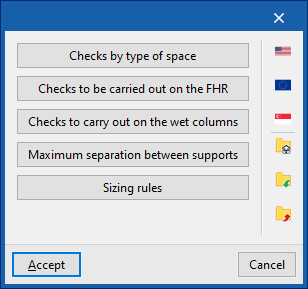
Once you have signed in, the following options are available:
- Checks by type of space
- Checks to be carried out on the FHR
- Checks to be carried out on wet risers
- Maximum separation between supports
- Design criteria
If you use the configuration import options available on the right-hand side of the "Code configuration" panel, you can automatically generate this data for various national and international codes, such as the following:
 NFPA 13 and NFPA 14 (United States)
National Fire Protection Association. Standard for the Installation of Sprinkler Systems / Standard for the Installation of Standpipe and Hose Systems- EN 12845:2016 (European Union)
Fixed fire-fighting systems. Automatic sprinkler systems. Design, installation and maintenance - CP 52:2004 (Singapore)
Singapore Standard – Code of practice for automatic fire sprinkler systems
 NFPA 13 and NFPA 14 (United States)
 EN 12845:2016 (European Union)
 CP 52:2004 (Singapore)
For installations in other parts of the world or to carry out specific analyses, customised checks can be entered and configured manually.
The other options in the right-hand column allow you to import and export the complete settings from the "Code configuration" panel to files on your hard drive, as well as to select a file containing default values when creating a new project.
The features mentioned are detailed below.
| Note: |
|---|
| The codes implemented in CYPE’s programs can be viewed via the following link. |
Checks by type of space
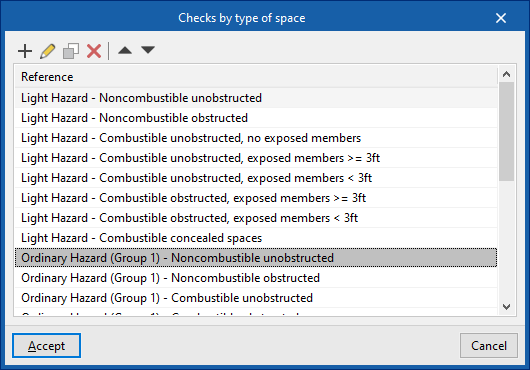
In this section, you can enable and configure the checks to be carried out for each type of space entered, based on their hazard level.
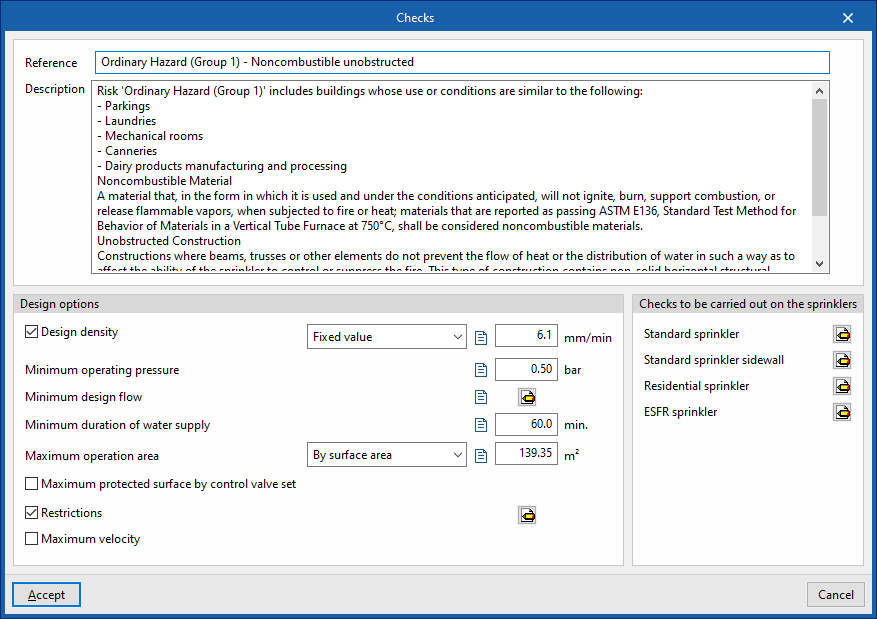
For each type of space on the list, the program allows you to set the following parameters:
- Reference
Reference to the type of spaces, based on their risk level. - Description
Description of the type of space. - Design options
For each of the following options and checks, you can enter a customisable descriptive text in addition to the associated numerical value:- Design density (Fixed value / Point-based) (optional)
The amount of water discharged per unit of time by the sprinkler system over a given area. This can be expressed as a fixed value or via a curve that determines the design density to be used based on the operating area of the active sprinklers. - Minimum operating pressure
The minimum pressure that must be maintained at the sprinklers. - Minimum design flow rate
The minimum permissible flow rate that the sprinklers must provide. This shall be taken as the maximum value obtained from the three equations shown:- Q = k * (Pmin)¹/² (optional)
Flow rate (Q) expressed as a function of the discharge factor (k), defined for the sprinkler type, and the minimum operating pressure at the sprinkler (Pmin). - Q = D * A (optional)
Flow rate (Q) expressed in terms of the design density (D) and the operating area (A). - Fixed value (in units of volume per unit of time) (optional)
This value can be edited directly by the user.
- Q = k * (Pmin)¹/² (optional)
- Minimum water supply duration (optional)
If the system is supplied from a tank, the tank must be capable of supplying water for the minimum duration specified in this section. - Maximum operating area (by surface area / by sprinkler)
The maximum operating area, expressed either by surface area or by the number of active sprinklers. - Maximum protected area per control point (optional)
If the installation has a control point, the area protected by that control point must not exceed this value. - Restrictions
Allows you to configure installation restrictions by defining the response type for each type of sprinkler. Sprinklers with different response types cannot be installed together, depending on whether or not the checkboxes at the bottom of the dialogue box are ticked.- Sprinkler type (Standard sprinkler / Standard sprinkler sidewall / Residential sprinkler / ESFR sprinkler / All types) / Response type (Standard / Quick / All types)
- Allow the installation of sprinklers with different response times (optional)
- Allow the installation of "Residential sprinklers" alongside other types of sprinklers (optional)
- Maximum velocity (optional)
The maximum permitted fluid velocity in the pipes.
- Design density (Fixed value / Point-based) (optional)
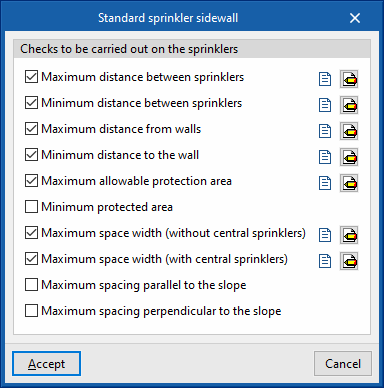
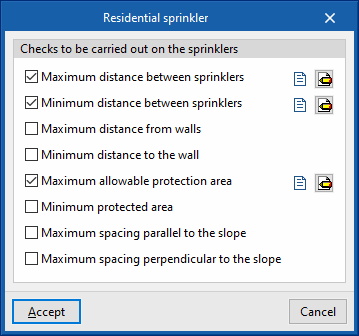
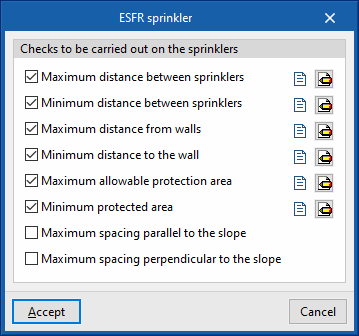
- Checks to be carried out on sprinklers
The following checks can be enabled and configured for the different types of sprinklers ("Standard sprinkler", "Standard sidewall sprinkler", "Residential sprinkler", "ESFR sprinkler"):- Maximum distance between sprinklers (Fixed value / Based on discharge density) (optional)
- Minimum distance between sprinklers (optional)
- Maximum distance from walls (Fixed value / Dependent on discharge density) (optional)
- Minimum distance to the wall (optional)
- Maximum allowable protection area (Fixed value / Based on discharge density) (optional)
- Minimum protected area (optional)
- Maximum enclosure width (without central sprinklers) (optional) [only for "Standard sprinkler sidewall"]
- Maximum protected area (with central sprinklers) (optional) [only for "Standard sprinkler sidewall"]
- Maximum spacing parallel to the slope (optional)
- Maximum spacing perpendicular to the slope (optional)

Checks to be carried out on the FHR
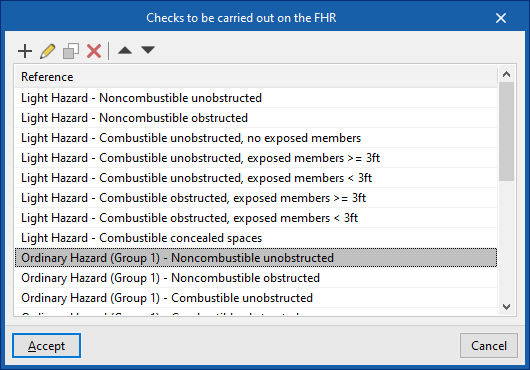
In this section, you can enable and configure the checks to be carried out on fire hose reels installed for each type of risk.
For each type of risk on the list, the program allows you to define the following parameters:
- Reference
Hazard type reference. - Description
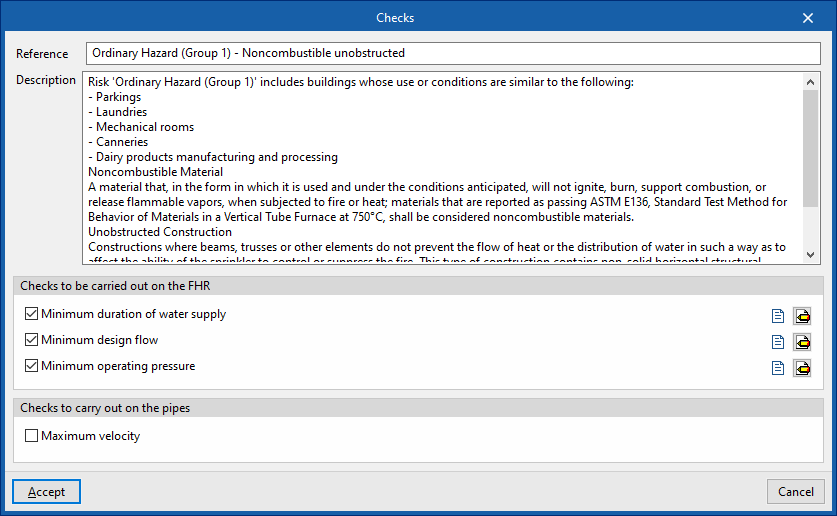
Description of the type of hazard. - Checks to be carried out on the FHR
The following checks can be enabled and configured for equipped fire hydrants:- Minimum duration of water supply (optional)
- Minimum design flow rate (optional)
- Minimum operating pressure (optional)
- Checks to be carried out on the pipes
Enables and configures the following pipe checks:- Maximum velocity (optional)
The maximum permitted fluid velocity in the pipes.
- Maximum velocity (optional)
Checks to be carried out on wet risers
In this section, you can enable and configure the checks to be carried out on the wet risers.
For each type of check on the list, the program allows you to define the following parameters:
- Reference
Reference number for the check. - Description
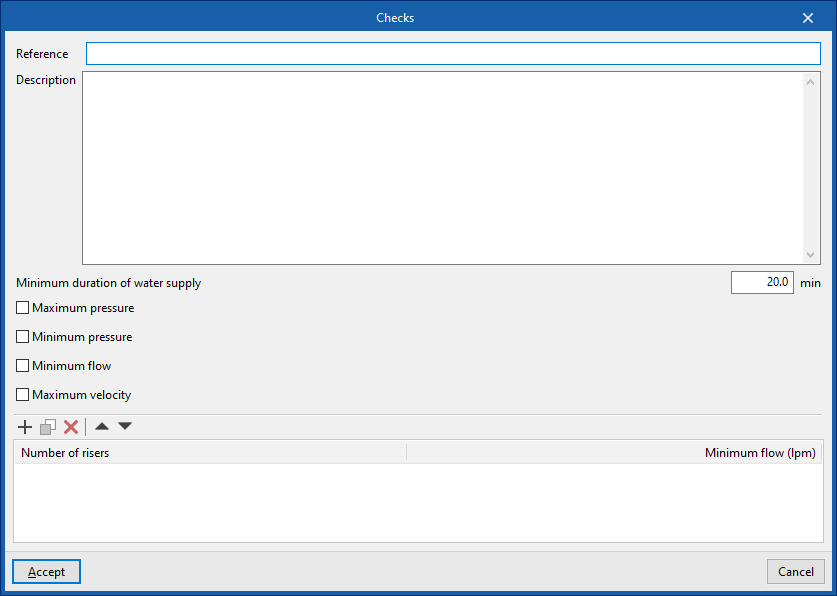
Description of the check. - Minimum duration of water supply
- Maximum pressure (optional)
- Minimum pressure (optional)
- Minimum flow rate (optional)
- Maximum velocity (optional)
- Number of risers / Minimum flow rate (l/min)
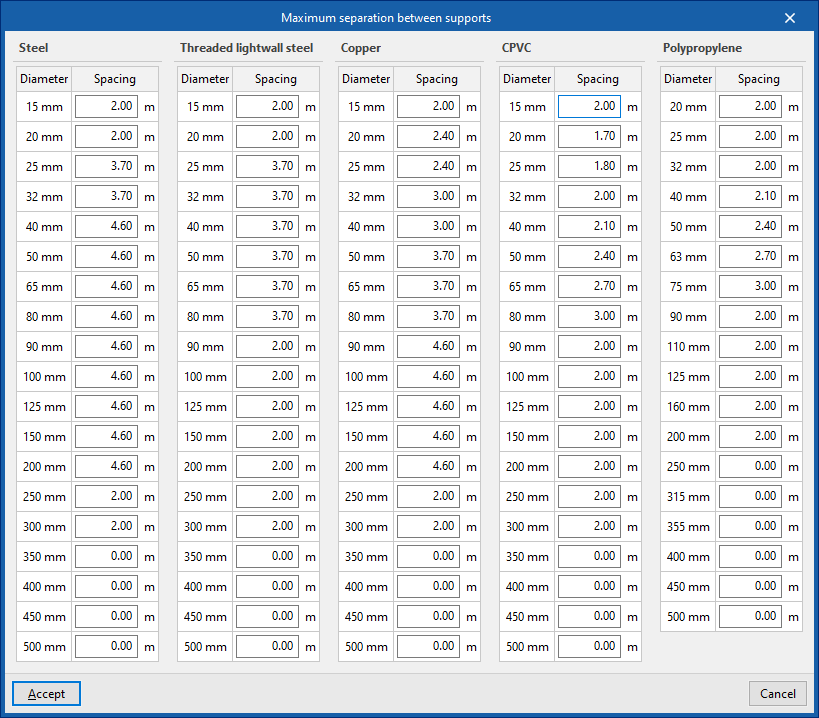
Maximum separation between supports
Sets the maximum separation between supports for different materials and pipe diameters.
This allows the program to automatically adjust the quantities of the pipe supports based on the installation geometry entered in the model and the defined spacing.
The option to "Generate support dimensions" can be found under "General data", "Design conditions", within the "Project" section.
Design criteria
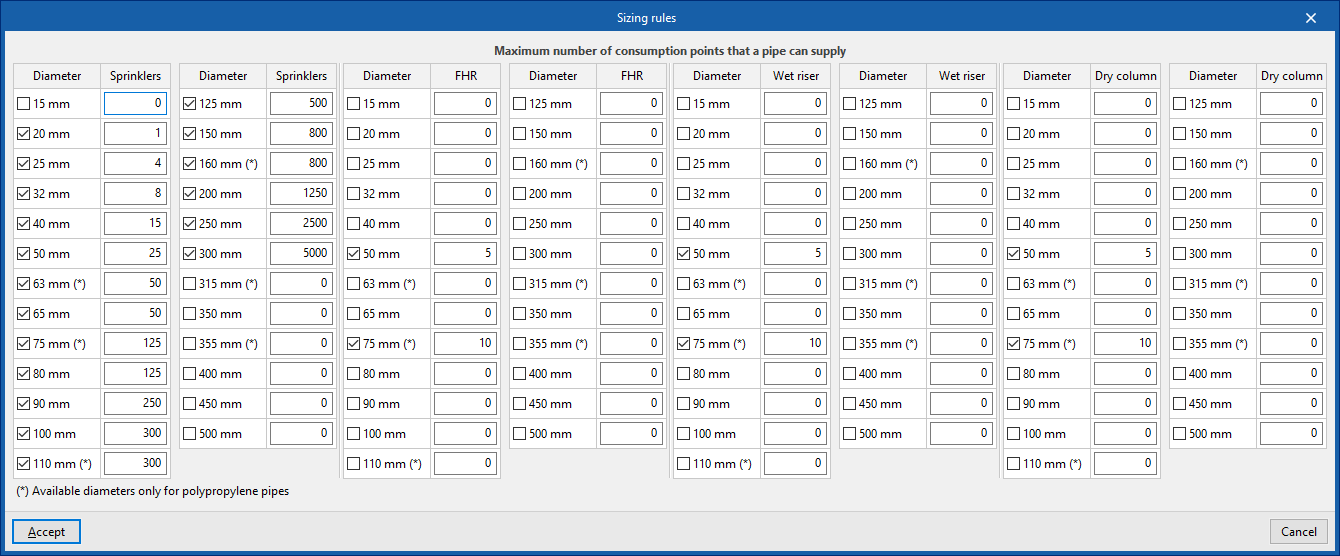
Configures the design criteria used by the program when you click the "Design" option in the "Analysis" section of the main toolbar:
- Diameter – Sprinklers/FHR/Wet riser/Dry riser (optional)
The program will adjust the pipe diameter based on the number of sprinklers, fire hose reel units or wet or dry riser outlets.
Some diameters are only available for polypropylene pipes.
| Note: |
|---|
| The default design criteria are based on NFPA 13. The selection of diameters as indicated in this section constitutes the first criterion applied by the program when designing the pipes for the project. The program then checks whether the pressure and flow requirements are met. If not, a second iteration is performed, increasing the diameter of the branch pipes to the next available size. If the requirements are still not met, a third iteration is carried out, increasing the diameter of the main pipes to the next available size. If non-compliance persists, a fourth iteration is performed, again increasing the diameter of the branch pipes, and so on until the established criteria are met. |
