Entering project data
In the "Installation" tab, in the "Project" group of the main toolbar, there is an option to enter the project data:

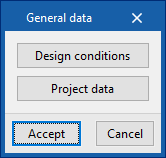
The following options are available:
- Design conditions
- Project data
Design conditions
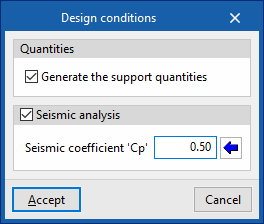
The following data can be defined:
- Quantities
- Generate the support quantities (optional)
Activating this option automatically generates the measurement of pipe supports based on the geometry of the installation entered in the model. These quantities can be configured by editing the "Maximum separation between supports" for different materials and pipe diameters. This option is located in "Regulatory settings" within the "Project" group.
- Generate the support quantities (optional)
- Seismic analysis (optional)
When this option is activated, and the following parameter is configured, it is possible to enter and analyse seismic bracing in the installation using the options in the "Bracing" group on the main toolbar.- Seismic coefficient 'Cp'
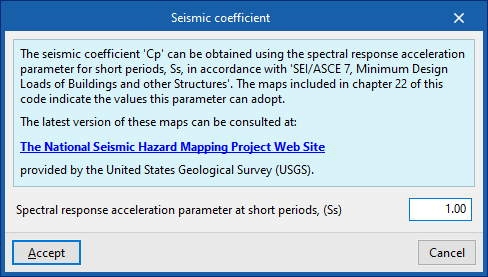
It can be entered directly or the assistant on the right can be used to obtain it from the "Spectral acceleration parameter for short periods (Ss)", in accordance with "SEI/ASCE 7, Minimum Design Loads of Buildings and Other Structures".
- Seismic coefficient 'Cp'
| Note: |
|---|
| The maps included in chapter 22 of the SEI/ASCE 7 standard indicate the values that the "Ss" parameter may take. These data can also be consulted in the following web information provided by the United States Geological Survey (USGS): The National Seismic Hazard Mapping Project Web Site. |
Project data
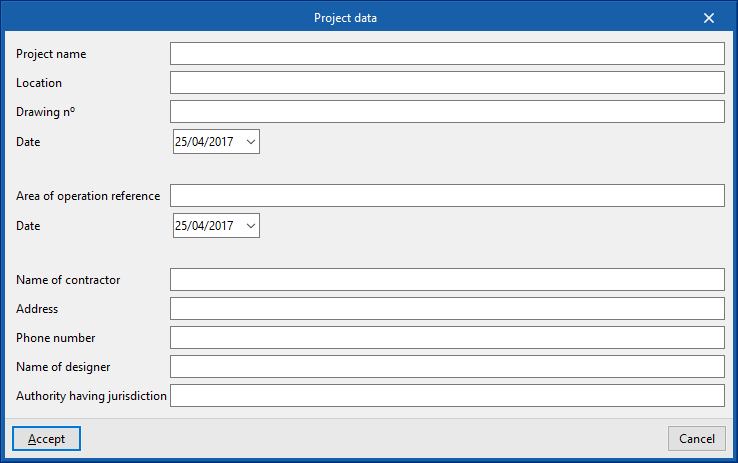
Enters the following project data into the program so that it can be used and displayed in the report composition:
- Project name
- Location
- Drawing nº / Date
- Area of operation reference / Date
- Name of contractor
- Address
- Phone number
- Name of designer
- Supervising entity