Management of the project's generic elements library
In the "Project" group of the main toolbar on the "Installation" tab, you will find the option to manage the project's generic element library:

Generic elements library
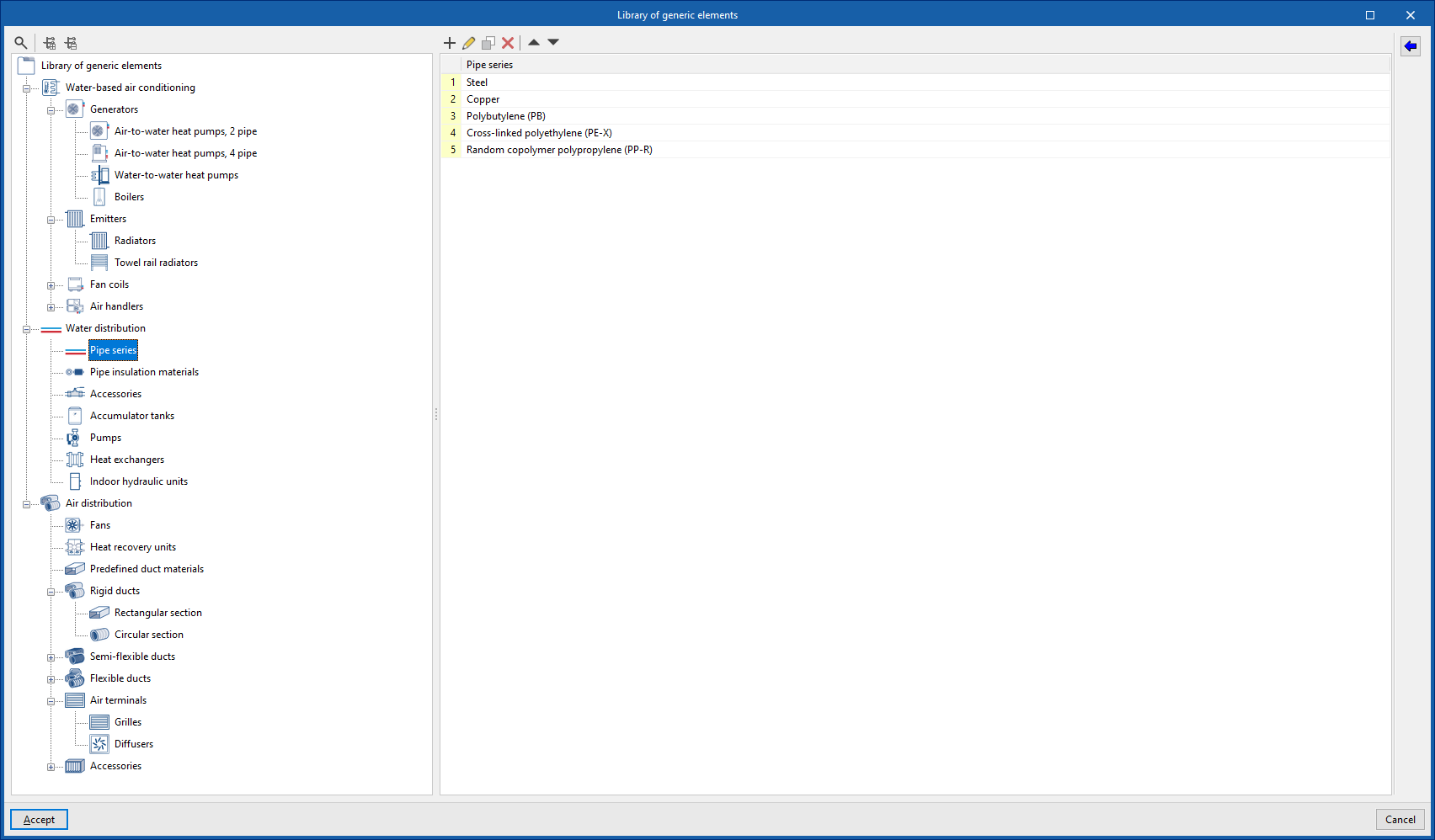
You can create and manage libraries of generic types of the following elements:
- Water-based air conditioning
- Generators (Air-water heat pumps, 2 pipes; Air-water heat pumps, 4 pipes; Water-water heat pumps; Boilers)
- Emitters (Radiators; Towel radiators)
- Fan coils (Fan coils, 2 pipes; Fan coils, 4 pipes)
- Air conditioners (Air conditioners, 2 pipes; Air conditioners, 4 pipes)
- Water distribution
- Pipe series
- Insulation for pipes
- Fittings
- Accumulators
- Pumps
- Exchangers
- Hydraulic indoor units
- Air distribution
- Fans
- Heat recovery units
- Predefined materials for ducts
- Rigid ducts (rectangular section; circular section)
- Semi-flexible ducts (rectangular section; circular section)
- Flexible ducts (rectangular section; circular section)
- Air terminals (grilles; diffusers)
- Accessories (Fire dampers; Filters; Flow regulators; Silencers)
Importing predefined types
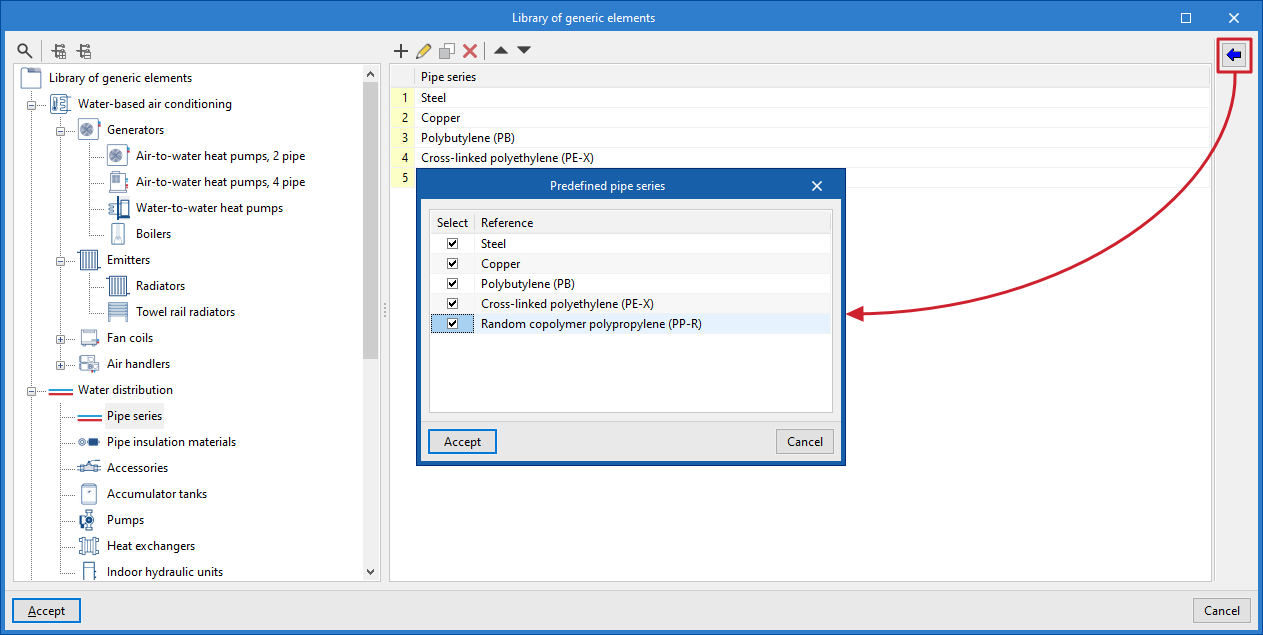
You can import predefined types for different elements using the wizard available on the right.
Note:
The generic elements created in this library can be selected when entering the installation components using the other options in the program.