Defining glazed openings for the calculation of thermal loads
If "Thermal loads" has been selected as the project type, the following parameters must be defined for glazed openings:
- Reference
Reference for the type of glazed opening.
The remaining parameters for the opening are defined in the following tabs:
"Glazed fraction" tab
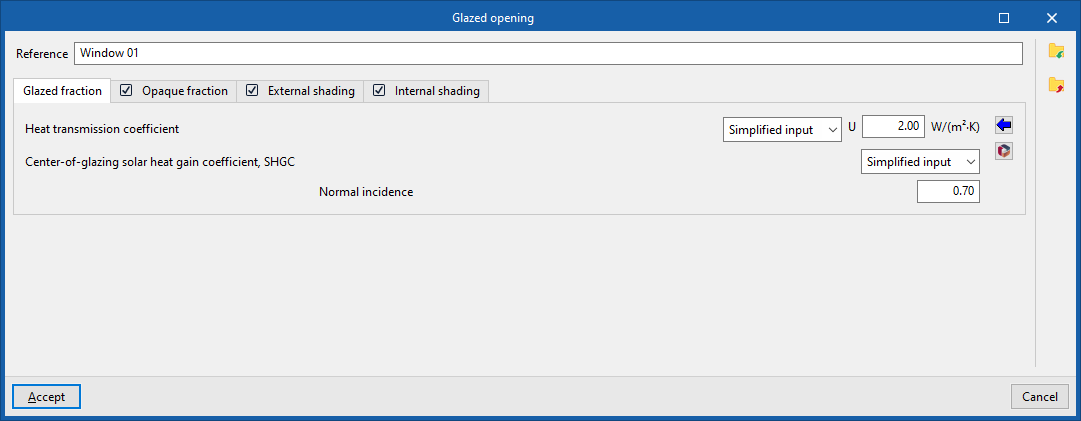
Specify the heat transfer coefficient and the solar factor for the opening. If the "Opaque fraction" tab is selected, the values entered in this panel will apply only to the glazed portion of the opening. Otherwise, they will affect the entire geometry of the opening.
- Heat transmission coefficient
Thermal transmittance of the glazed area. This can be defined in either a simplified or detailed way:- Simplified definition
The transmittance (U) of the glazed section is entered directly. - Detailed definition
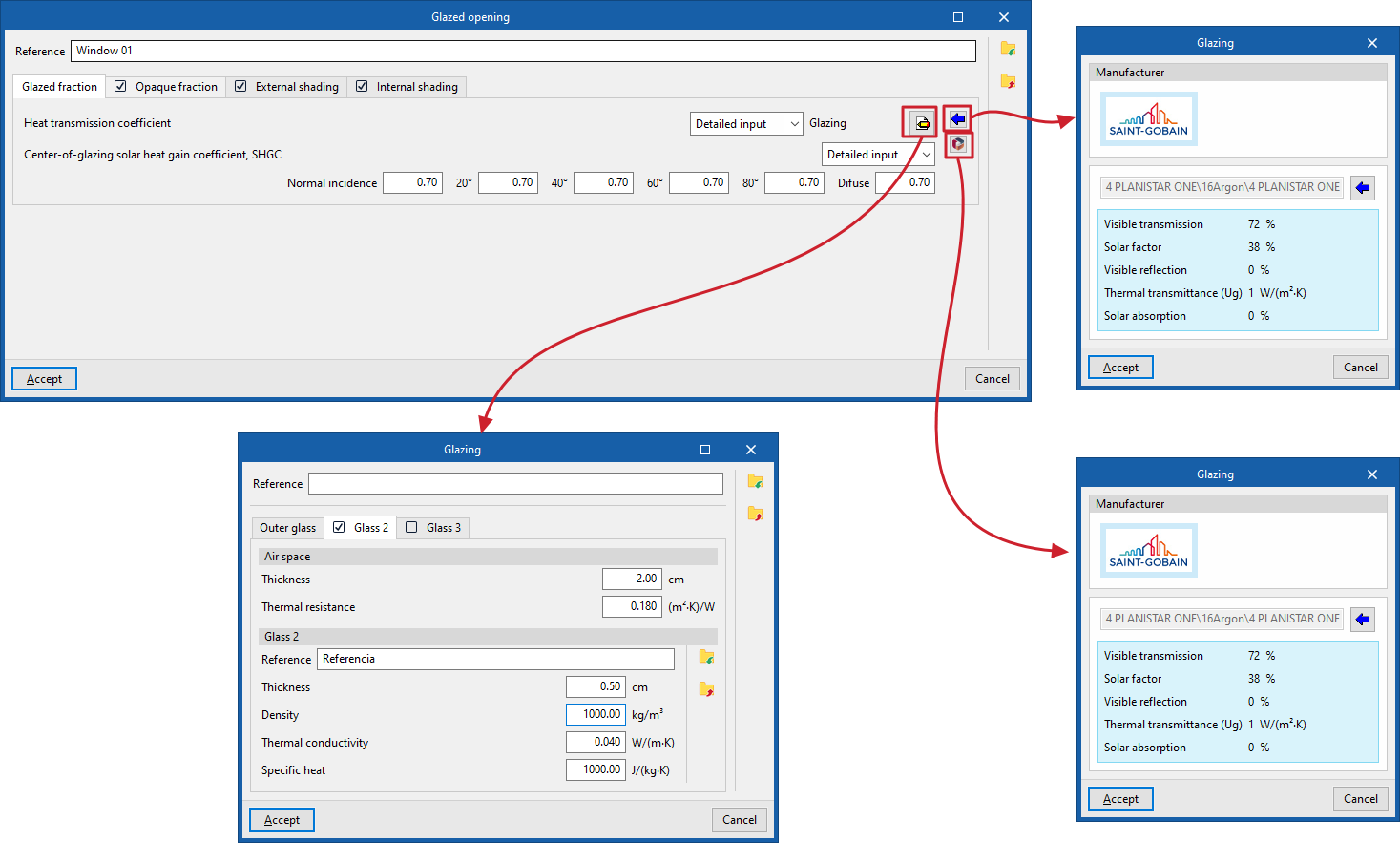
Opens a window in which the "Glazing" is defined by entering the following parameters, based on which the transmittance will be calculated automatically.- Reference
Glazing reference. - External glazing
Define single-glazed units. The data for each pane of glass can be imported and exported to .bibgen files on disc.- Reference, Density, Thermal conductivity, Specific heat
- Glass 2 (optional)
Selecting this tab defines double glazing.- Air cavity
- Thickness, Thermal resistance
- Glass 2
- Reference, Density, Thermal conductivity, Specific heat
- Air cavity
- Glass 3 (optional)
Selecting this tab sets triple glazing.- Air cavity
- Thickness, Thermal resistance
- Glass 3
- Reference, Density, Thermal conductivity, Specific heat
- Air cavity
- Reference
- Simplified definition
- Solar heat gain coefficient (SHGC): the solar heat gain coefficient of glazing, or the proportion of solar radiation that the glazing allows through, expressed as a ratio. The lower this coefficient, the less solar radiation enters the building. It can be defined in either a simplified or detailed manner:
- Simplified definition
The data for the "Normal incidence" of radiation on the glazing is entered. - Detailed definition
The data for "Normal incidence" of direct radiation on the glazing is entered for the angles "20°", "40°", "60°" and "80°", and for "Diffuse" radiation.
- Simplified definition
The buttons on the right allow you to download and import glazing data from one of the manufacturers’ catalogues available in the Open BIM Database.
"Opaque fraction" tab (optional)
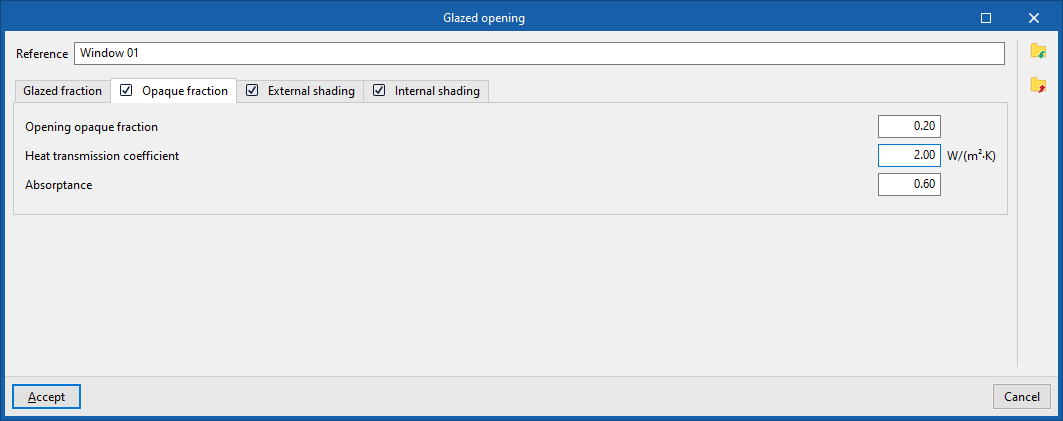
Specify the opaque fraction or frame fraction of the opening and its thermal properties.
- Opaque opening fraction
The proportion of the opening, expressed as a ratio, occupied by the opaque part (frame or carpentry). - Heat transmission coefficient
Thermal transmittance of the opaque portion. - Absorptance
The coefficient of absorption of incident radiation by the frame.
"External shading" tab (optional)
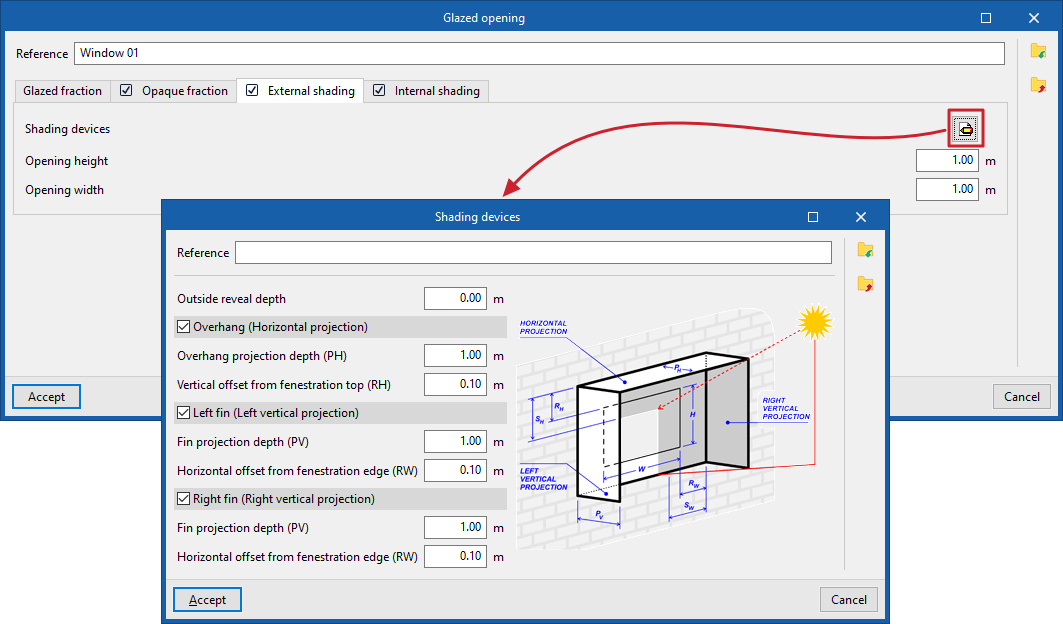
By selecting this tab, you can simulate the effect of façade projections such as recesses, window overhangs or lateral projections that cast shadows over the opening, should they not have been defined in the geometric model, included in the building’s element tree or entered into it.
- Shading devices
The program displays a generic diagram showing the layout of the opening and the possible shading devices, which helps in defining their parameters:- Outside reveal depth
The distance by which the opening is set back from the outer face of the façade cladding. - Overhang (horizontal projection) (optional)
- Overhang projection depth (PH)
- Distance to top edge of opening(RH)
- Left-hand side (vertical projection) (optional)
- Fin projection depth (PV)
- Distance to side edge of the opening (RW)
- Right-hand side (vertical projection) (optional)
- Fin projection depth (PV)
- Distance to side edge of the opening (RW)
- Outside reveal depth
- Opening height
- Opening width
| Note: |
|---|
| The program can automatically calculate the shadows cast on glazed openings by elements of the building model, as well as by neighbouring buildings and other obstacles, which are captured in the geometry of the "Building" element tree, its "Own shadows" and "Remote shadows". The options for defining shadow-casting elements on glazed openings allow this data to be entered manually if it cannot be obtained from these other sources of information. |
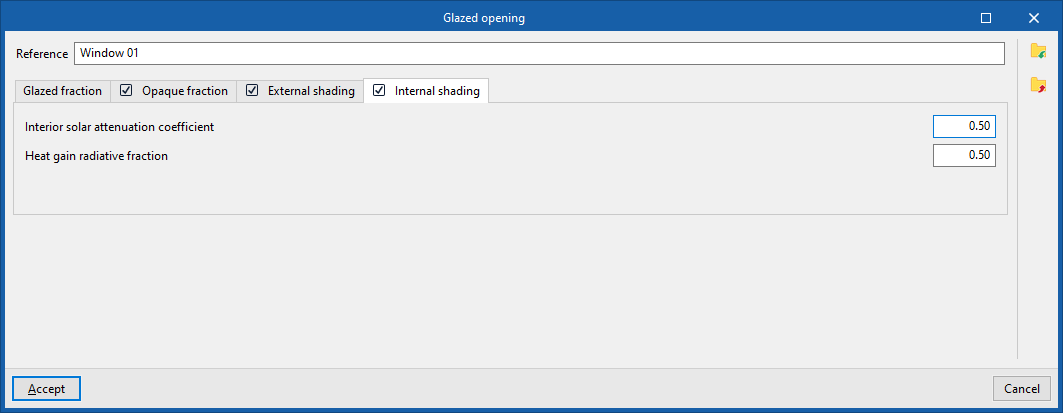
"Internal shading" tab (optional)
By selecting this tab, you can simulate the effect of shading accessories (such as shutters, blinds, slats, curtains, roller blinds or Venetian blinds) by entering the following parameters.
- Interior solar attenuation coefficient
Reduction in the solar factor of the opening resulting from the use of the fitting. This value must be between 0.10 and 1. - Heat gain radiative fraction
A factor used in the calculation of summer heat loads, representing the proportion of the total energy passing through the component in the form of radiant energy. This value must be between 0.10 and 1.