

Door libraries ("Building" tab)
The definition of the doors’ characteristics in the project’s libraries is necessary in order to specify the data relating to their thermal performance.
The model’s door library can be found on the "Building" tab and, within the tree structure in the left-hand side panel of the "Project" definition, under the "Libraries" section, by then selecting the "Doors" level.
When you select each door type from the list, the program will highlight the doors associated with that type in orange in the model’s "View". It will also display a table showing their properties to the right of the "Project" panel.
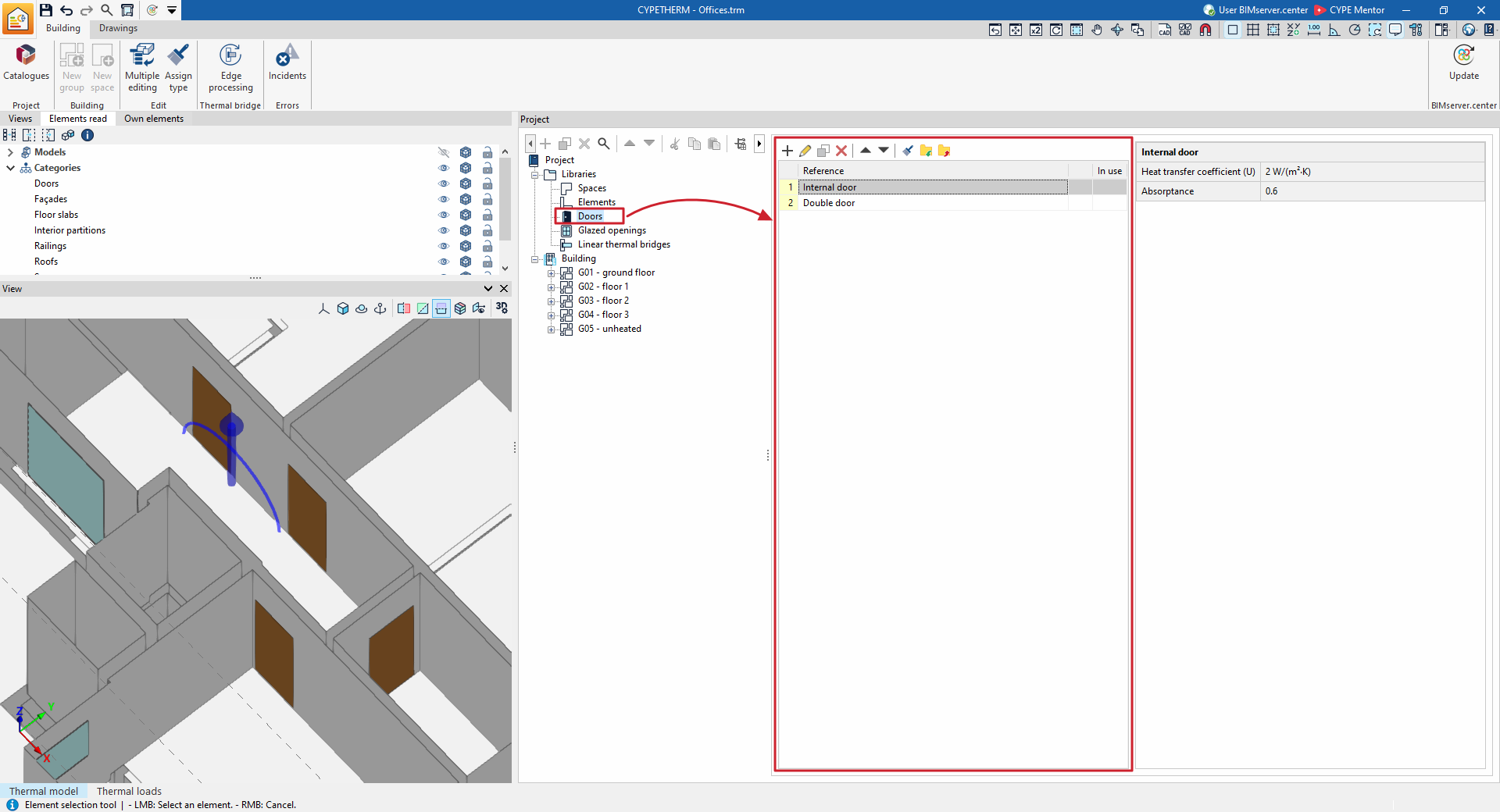
Defining doors
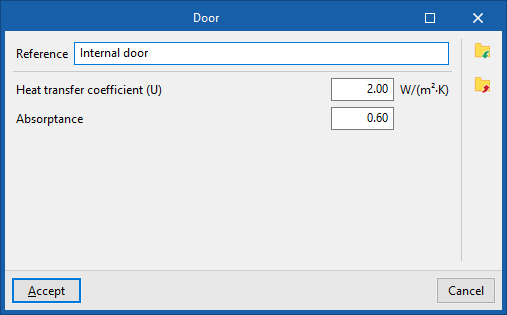
When adding or editing a door type in the library, a window opens in which you need to configure the following parameters:
- Reference
Door type reference. - Heat transfer coefficient (U)
Thermal transmittance of the door in the units shown. - Absorptance
The absorptance ranges from 0 to 1. This coefficient is lower for light-coloured surfaces and higher for dark-coloured surfaces.
In addition, the options in the right-hand column of the window allow you to do the following:
- Import / Export (settings)
These options let you import and export the door type to .bib07 files on disk.
| Note: |
|---|
| Doors defined in this way are treated as completely opaque elements and can be used to define a variety of types (internal or external doors, entrance gates, garage doors, etc.). If you wish to define a translucent or glazed door, you should use the "Glazed openings" library. |
