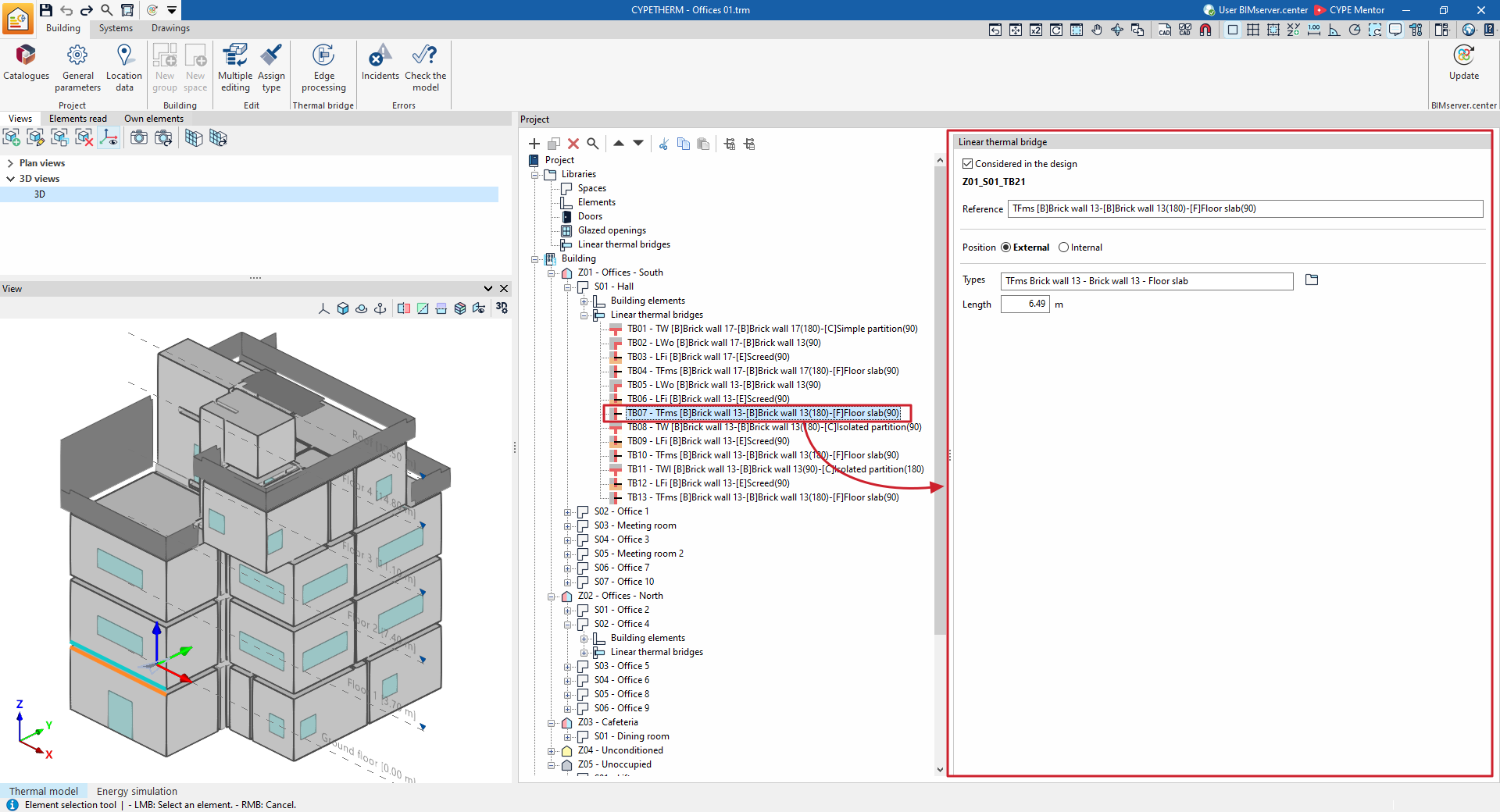
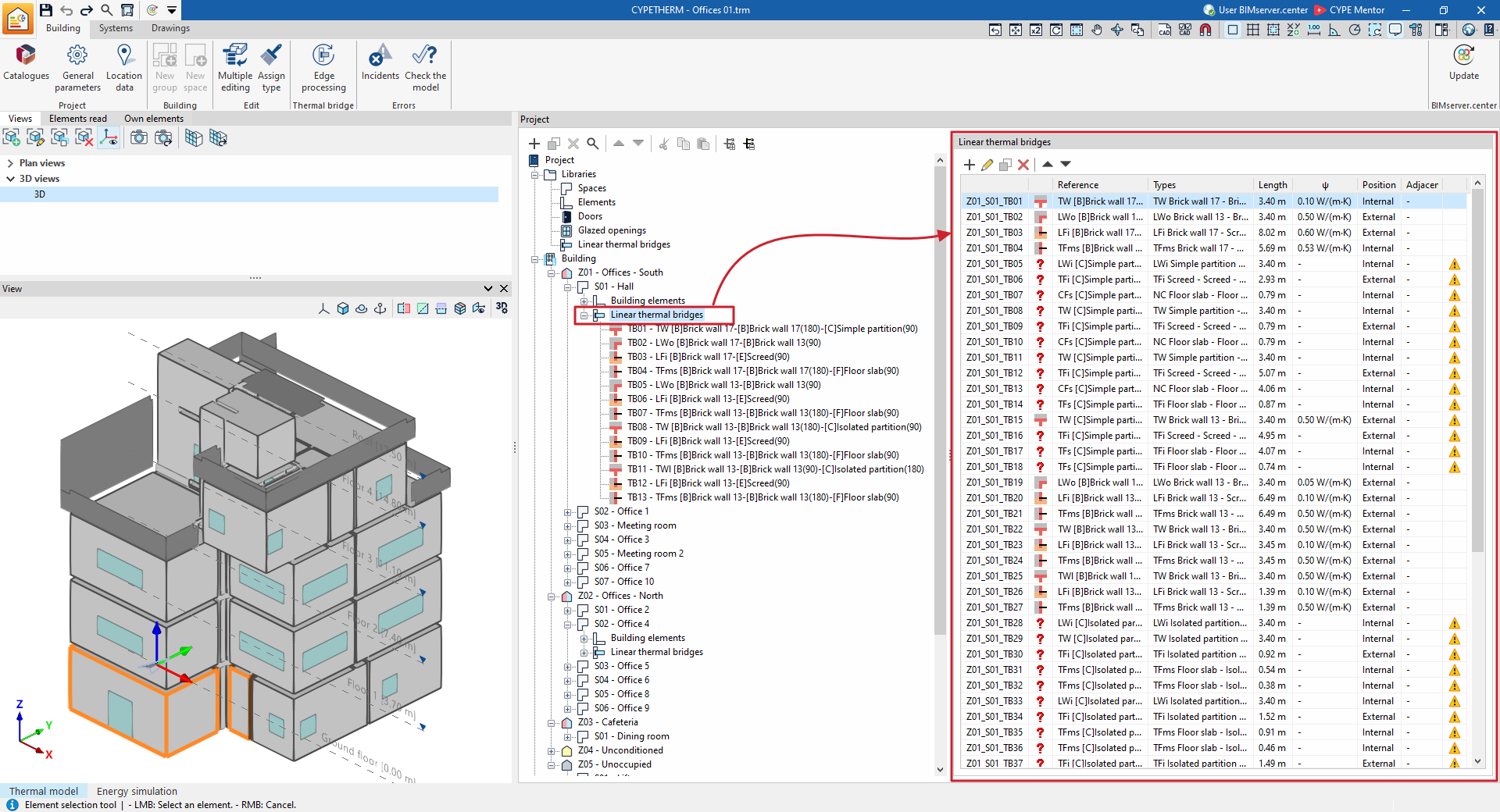
Editing linear thermal bridges in the building tree
When you select the "Linear thermal bridges" level within an enclosure, in the "Project" element tree under the "Building" tab, a table showing the linear thermal bridges associated with that space is displayed in the main editing area on the right.
This table shows various columns containing information about the bridges, including:
- Its identification code (for example, Z01_S01_TB01), which is generated automatically and depends on the position of the bridge in the tree.
- The linear thermal bridge type.
- The bridge’s "Reference".
- The selected "Type".
- The "Length" of the bridge.
- Its linear thermal transmittance (“ψ”).
- The "Adjacent" or adjoining space.
- If there are any issues.
The table features options at the top for adding, editing, copying, deleting or reordering items in the list.
You can edit the properties of each specific thermal bridge by selecting it in the tree or by editing it in the table. Each thermal bridge is defined by the following parameters:
- Considered in the design (optional)
By ticking or unticking this option, you can choose to include or ignore the linear thermal bridge in the analysis performed by the program. When this option is enabled, you can also edit the remaining parameters. - Reference
Reference for the linear thermal bridge. The program also displays the identification code. - Position (External / Internal)
This option is selected to specify whether the enclosure for the linear thermal bridge is external or internal. - Type
Enter or select (using the option on the right) the type of linear thermal bridge from those available in the library. - Length
Length of the linear thermal bridge. - With adjacent space (optional)
Select the adjoining space for internal linear thermal bridges. - btr
A dimensionless value between 0 and 1 that reduces heat loss through the thermal bridge. This parameter appears and can be edited in the program in the case of linear thermal bridges with an "Interior" position and without a defined adjoining space.