

Editing spaces in the building’s tree structure
Within the tree structure in the left-hand side panel of the "Building" tab, under the "Project" panel, the spaces that make up the building are defined, organised optionally into groups (and, in the case of the "Energy simulation" project type, grouped into thermal zones).
The building’s rooms and structural elements are imported from the BIM model or the "3D Model" tab, so the parameters shown in this section will be generated automatically.
When you select a space in the diagram, it is highlighted in the 3D model view and the main editing area appears on the right, where you can define the space’s properties.
A space is defined by the following properties.
- Name
Name of the space. This parameter can be edited directly.
- Type
Enter or select (using the option on the right) the type of space from those available in the library.
- Area
The area of the space. This value is used to calculate the simulation results per unit area. When carrying out an energy simulation, you can define spaces without a floor area ("Area" equal to 0), provided that at least one room in the same thermal zone has an "Area" value greater than 0.
- Volume between the floor and the suspended ceiling
The volume of the space, defined as the space between the floor and the suspended ceiling.
- Installed lighting power (optional)
You can specify an individual value for the installed lighting power for each room. If this option is ticked, the value defined will override that of the corresponding library type. This option will only be available if the selected room type has a lighting load defined (the "Lighting" box is ticked). This data can be imported from the BIM model information.
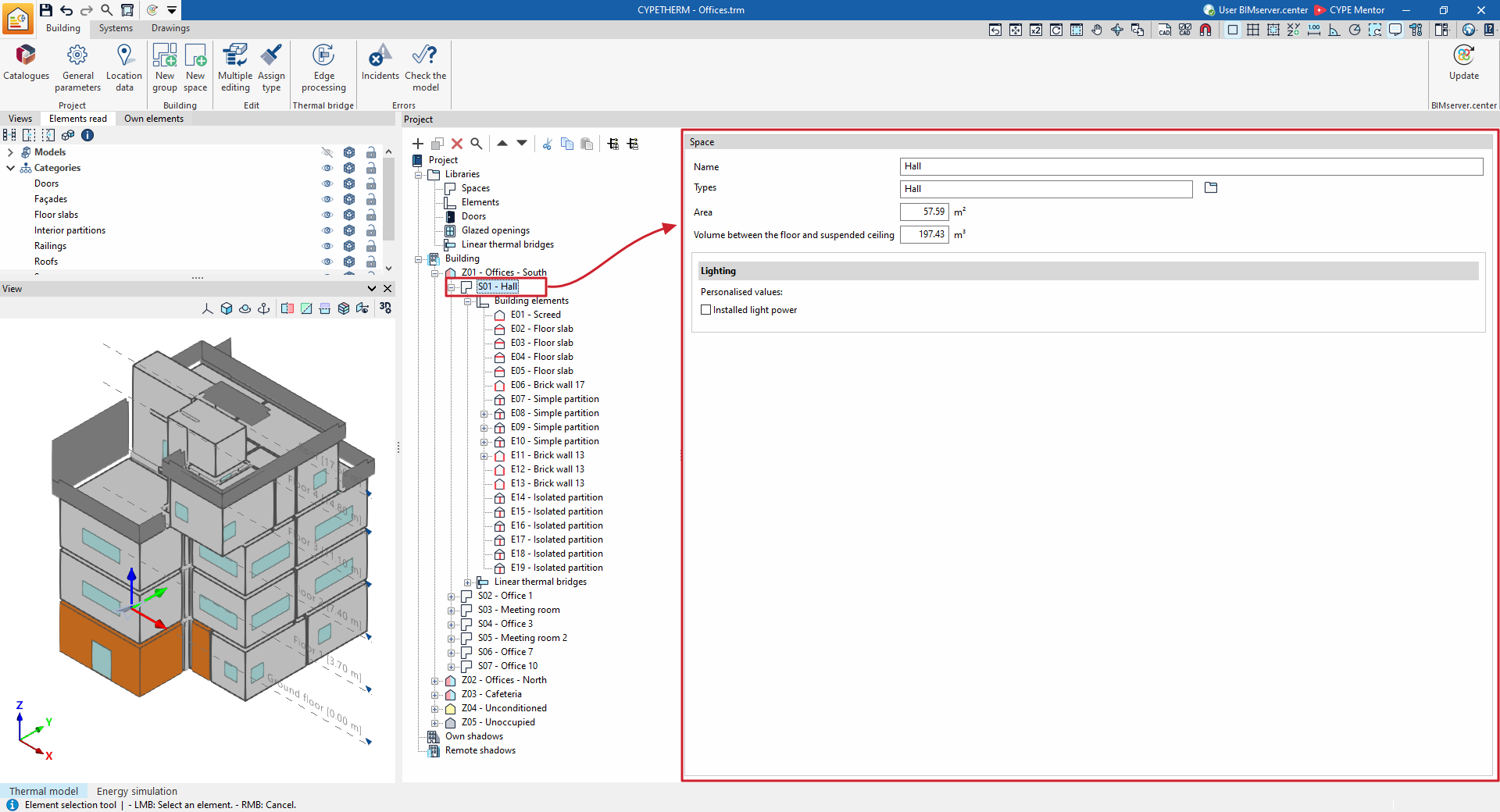
In the building layout, the building elements in each space and the linear thermal bridges associated with that space are shown and defined.
