

Linear thermal bridge library (the "Building" tab)
Defining the characteristics of linear thermal bridges in the project libraries lets you specify their details, such as linear thermal transmittance. This data can be entered manually, imported from reference standard catalogues, or calculated using a linear finite element model, and will influence the calculations performed by the program.
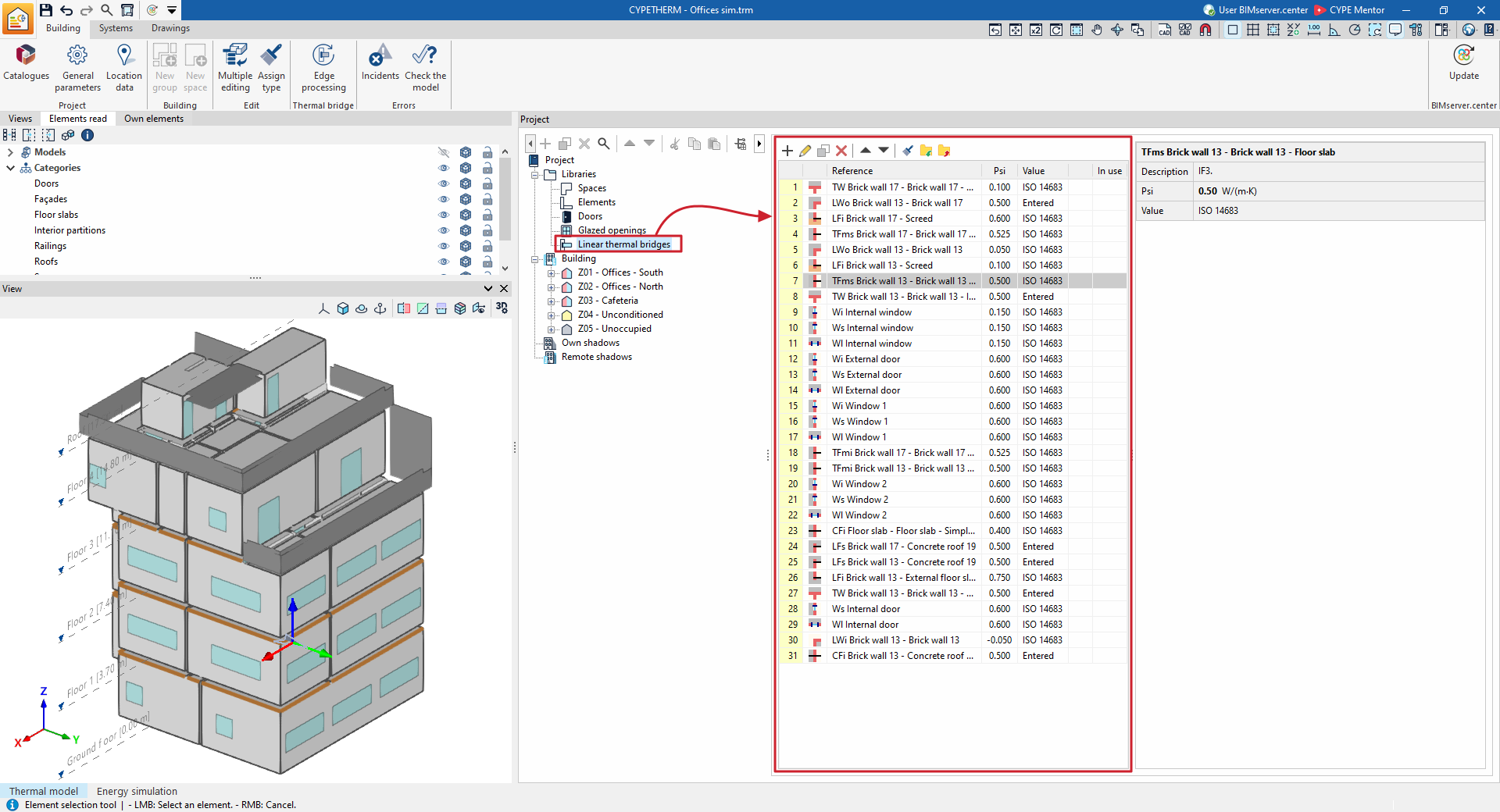
The tools for managing the library of linear thermal bridges can be found on the "Building" tab and, within the "Project" tree view, in the "Libraries" section, after selecting the "Linear thermal bridges" level.
Linear thermal bridges can be exported to files on the hard drive with the .bib10 extension.
| Note: |
|---|
| Linear thermal bridges can occur at the edges or junctions of the building’s various structural elements, both between themselves and where they meet the ground. In the most common workflows, the types of linear thermal bridges will appear directly in this section after importing BIM models from a BIMserver.center project, when the "Import thermal model from project" option is enabled. Subsequently, to edit and adjust the building’s linear thermal bridges as a whole, use the "Edge processing" option in the toolbar at the top of the "Building" tab. In this way, the program automatically modifies the data for the linear thermal bridge types in accordance with the edge processing configuration parameters. However, you can freely edit or modify a specific type of thermal bridge on a case-by-case basis using the options described in this section. |
Editing types of linear thermal bridges
When creating or editing a thermal bridge type in the library, the program allows you to configure the following parameters:
- Reference
- Type selection (for the "Thermal loads" project type)
The connection types available in this project type are represented by different symbols, which are listed below. - Description
- Psi (W/(m·K))
Linear thermal transmittance. - Value (Undefined / Entered / ISO 14683 / ISO 10211 / CTE DB-HE)
Source of the value. Thermal bridges marked with the "Undefined" option will not be included in the energy simulation. - Meeting type (under the "Energy simulation" project type)
The following meeting types are available for this project type:- Intersection of façade with floor slab
- Meeting between façade and roof
- Intersection of façade with overhang
- Intersection of façade with slab-on-ground
- Projecting corner of the façades
- Incoming corner of the façades
- Window opening
- Column
- Other (not considered in the reference building)
This information can be entered using the assistance buttons on the right, which enable automatic data import, as described in the following section.
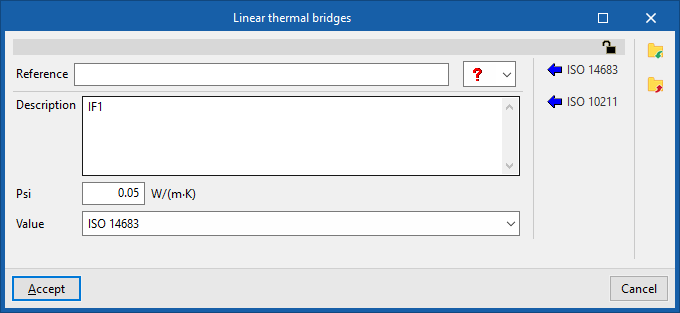
The program also features a padlock icon in the top right-hand corner, which lets you lock or unlock the parameters for the linear thermal bridge type. If the values are locked using this option, the program retains the information entered by the user in this panel and does not modify it during "Edge processing".
Automatic data import
You can automatically import data for linear thermal bridges using the following standards and methods:
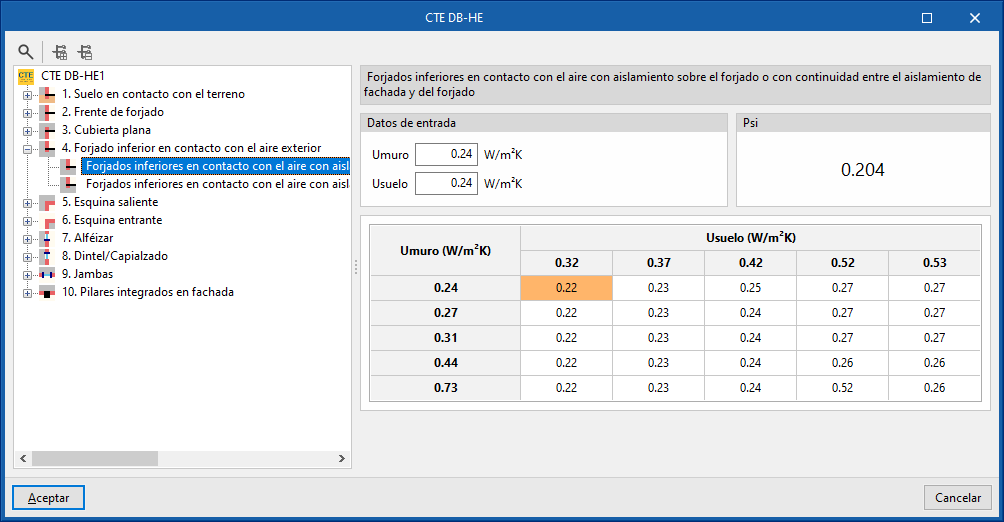
- CTE DB-HE (available in Spanish in the installation)
Import data from the thermal bridge atlas contained in the supporting document DA DB-HE/3 "Thermal Bridges" of the Spanish regulations, with its characterisation based on the construction system.
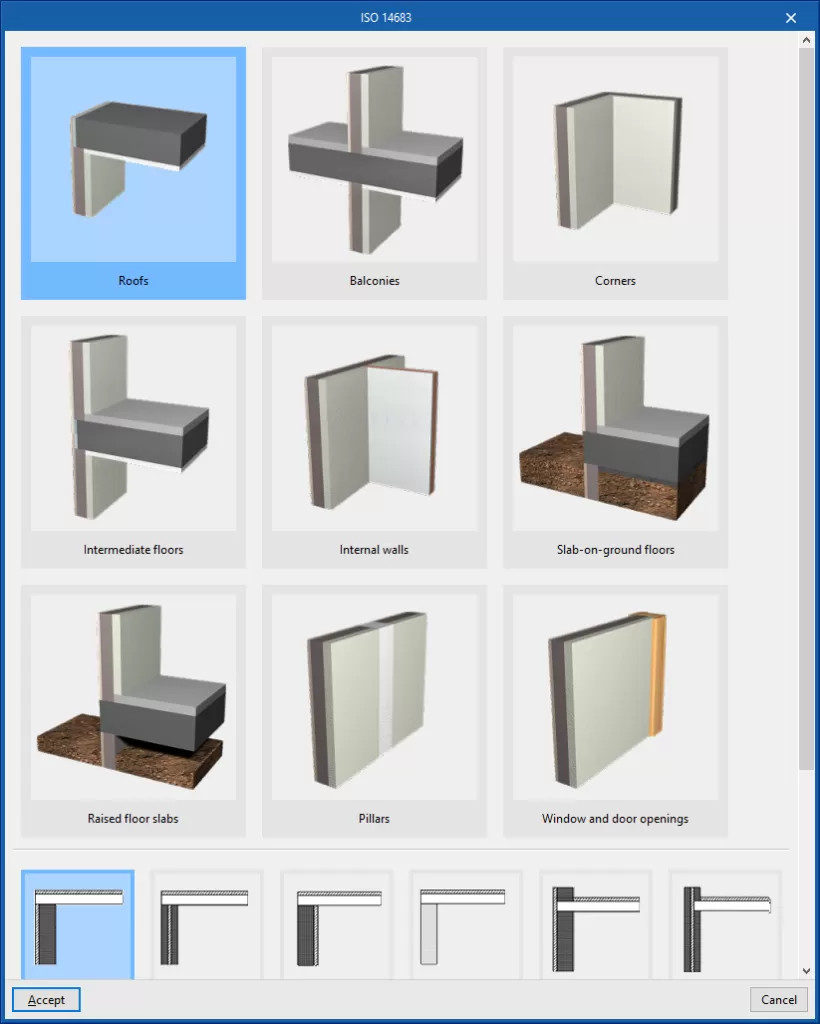
- ISO 14683
Import of thermal bridge data collected in accordance with the various types specified in the ISO 14683 standard.
- ISO 10211
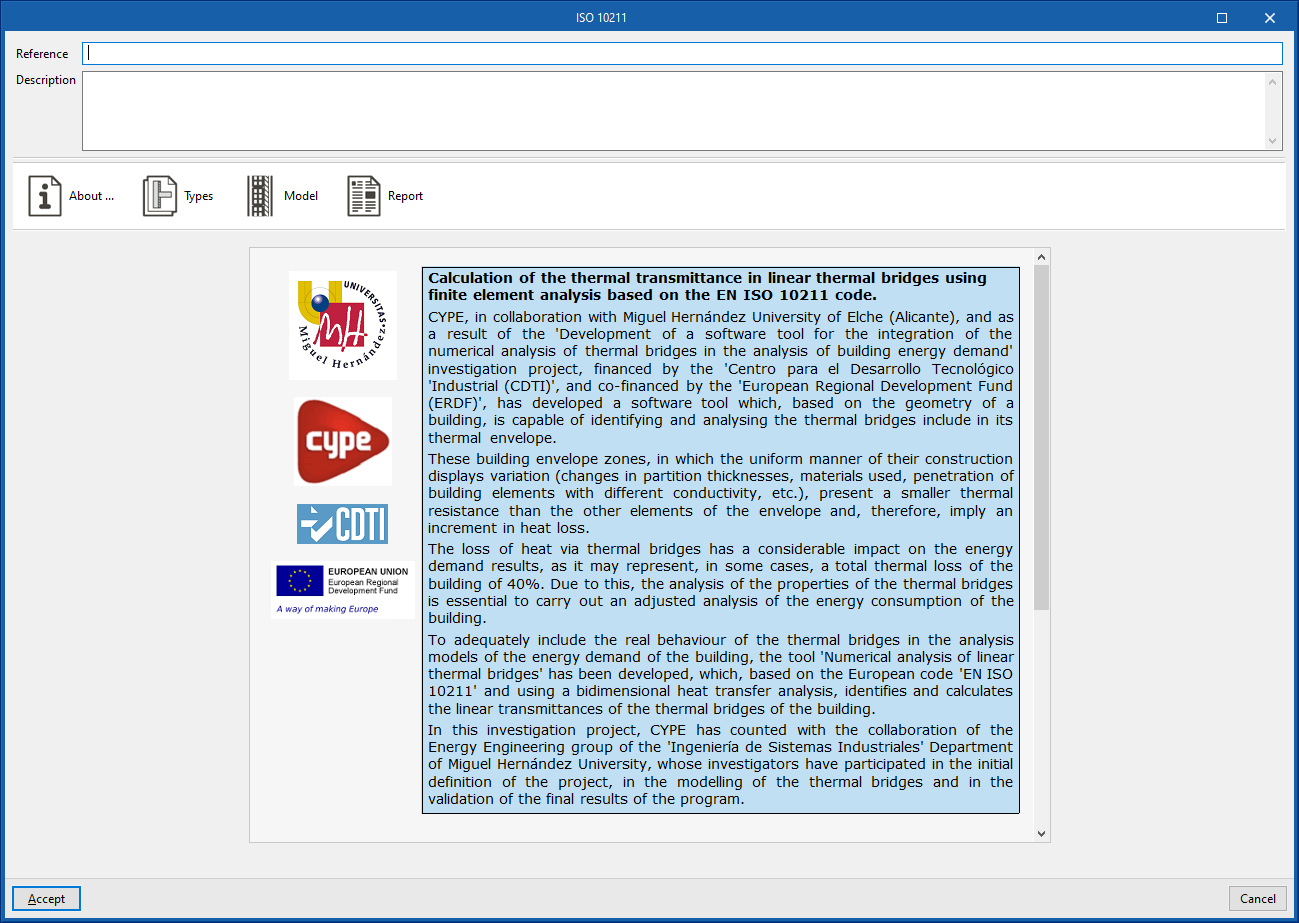
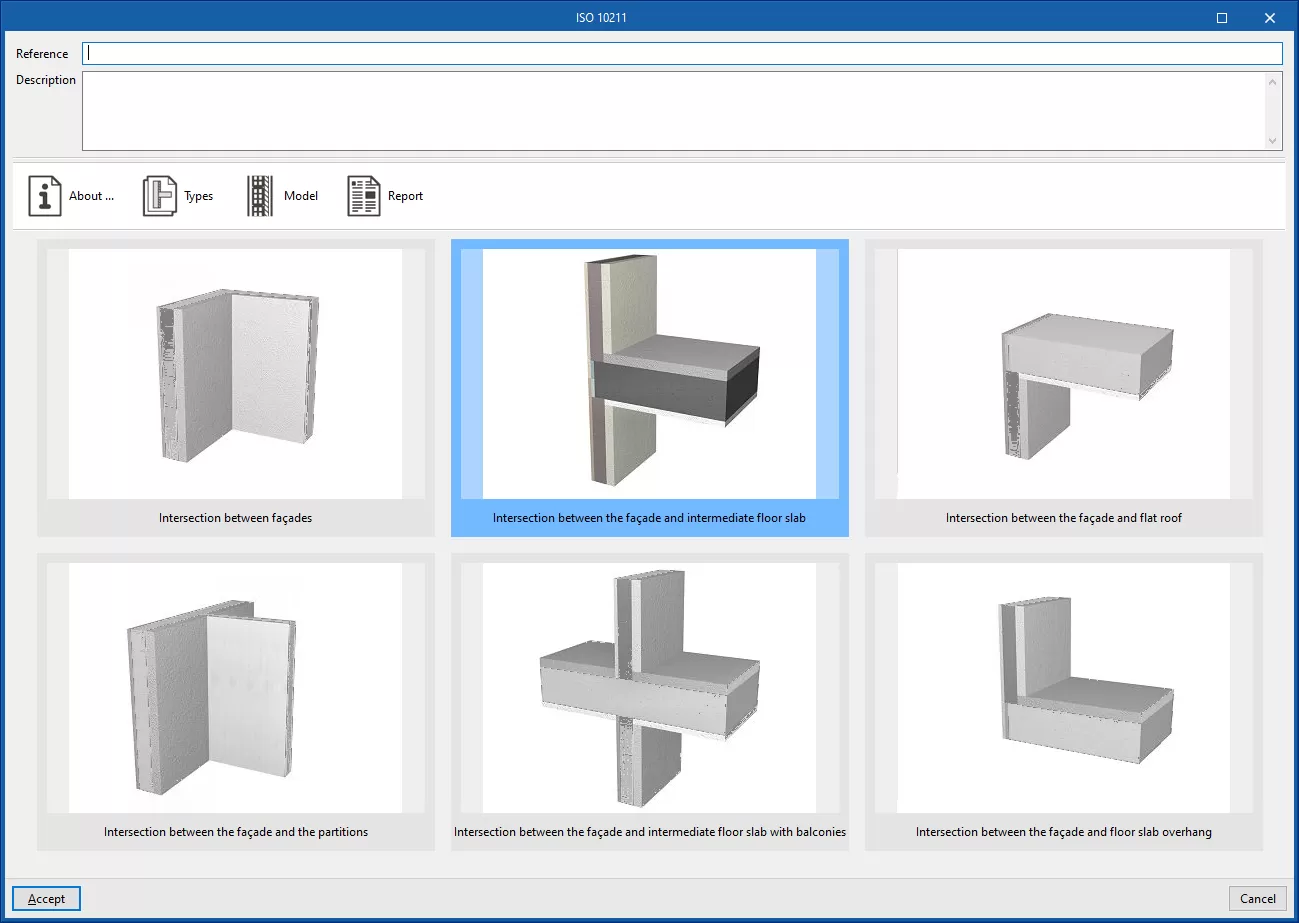
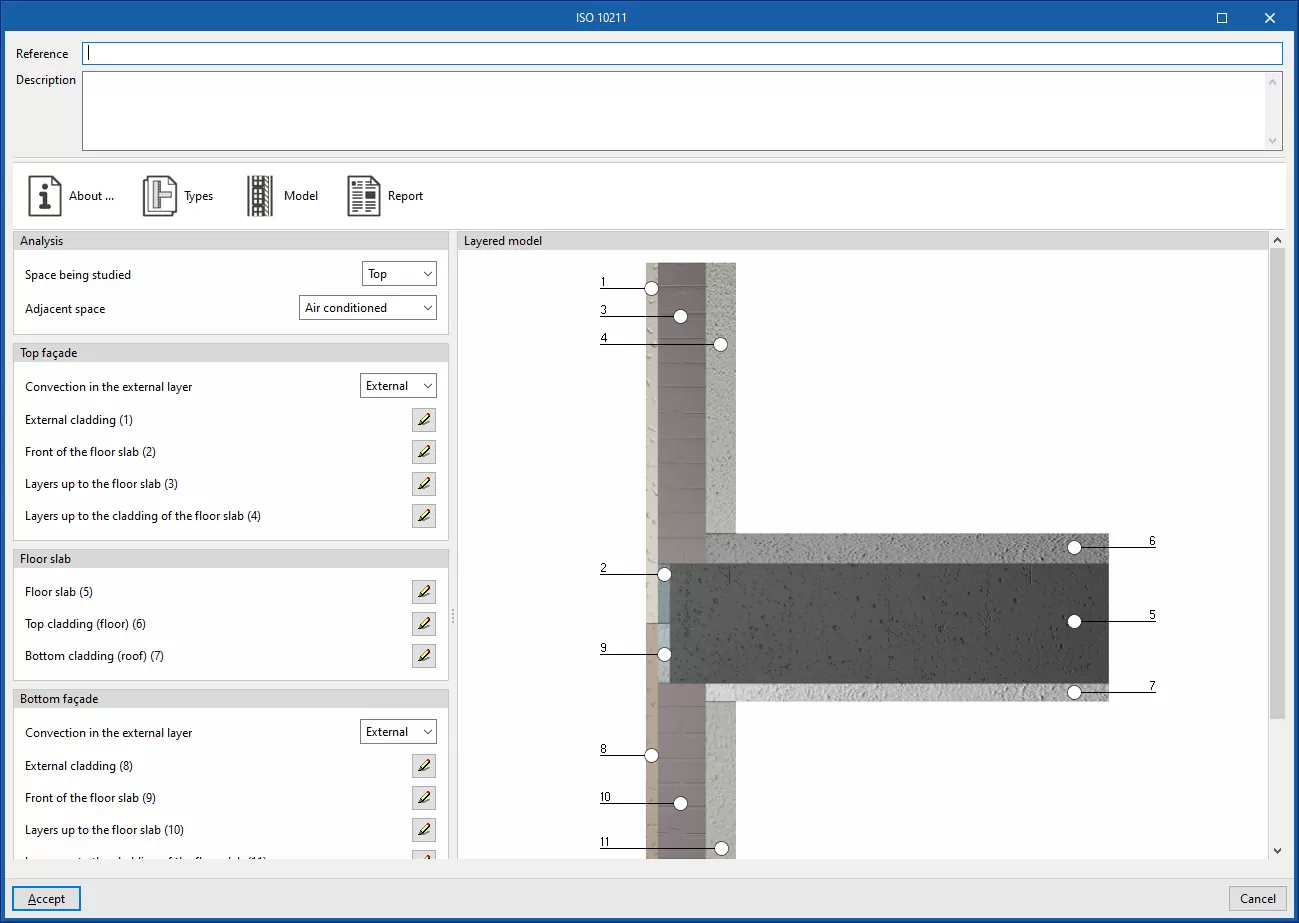
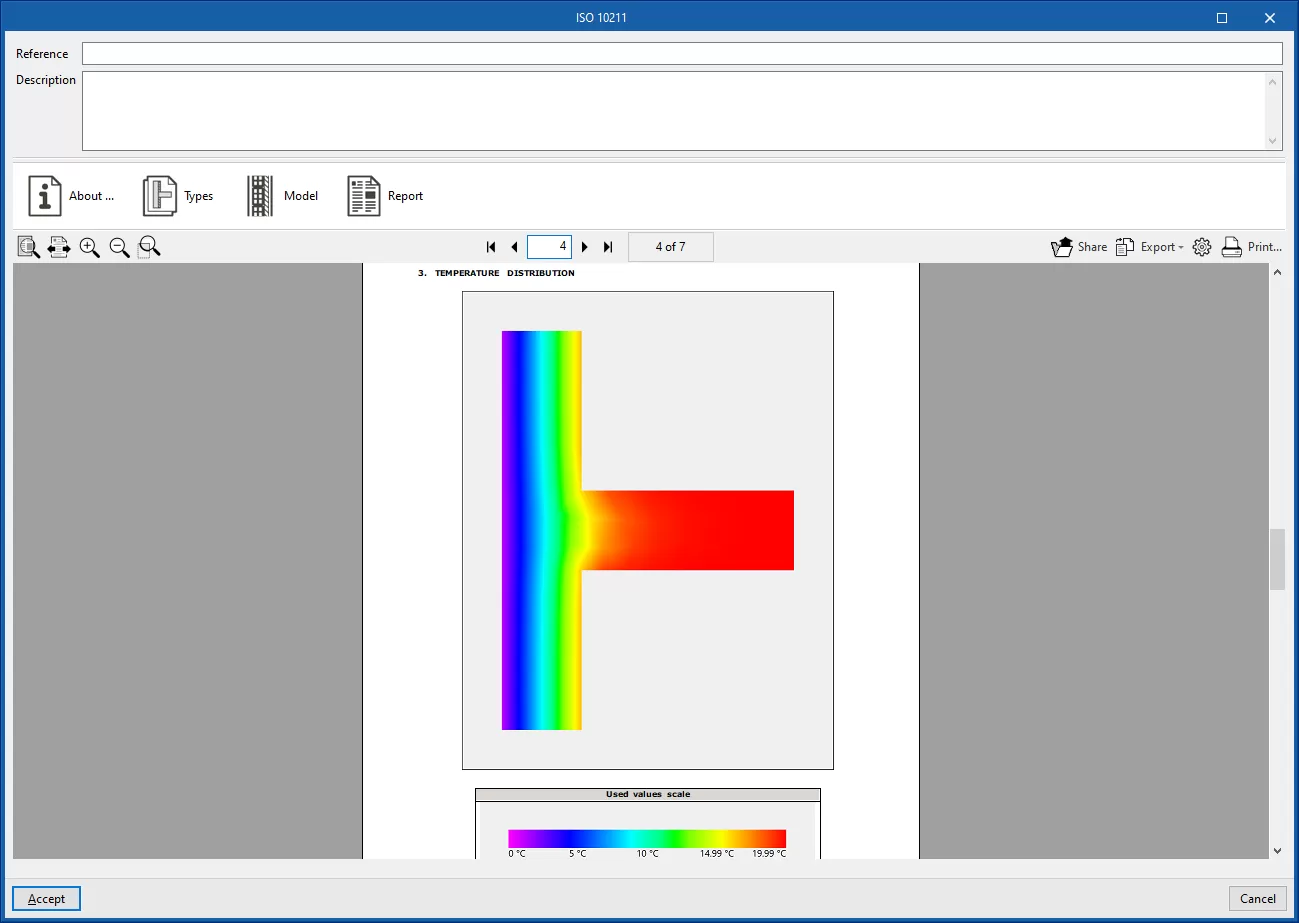
Determine the thermal transmittance of linear thermal bridges using a finite element analysis based on the EN ISO 10211 standard. This method is equivalent to that used by standalone programs such as CYPETHERM BRIDGES. The program displays a wizard with the following tabs:- About...
Informative text on the analysis method used and its implementation in the program. - Type
Select the type of thermal bridge. - Model
Details of the thermal bridge model, based on the definition of the material layers located at each of the positions indicated in the diagram. - Report
Report on the calculation of the linear thermal transmittance of the thermal bridge using the finite element analysis set out in the specified standard.
- About...
Types of intersection
In the library’s list of linear thermal bridges, the various columns show the numbering for each type of bridge, the symbols associated with the type of connection, the "Reference" for the type of linear thermal bridge, the linear thermal transmittance value ("Psi"), and details of the source of its "Value", whether there are any issues with it, and whether it is "In use" in the model or not.
The type of intersection associated with a linear thermal bridge is indicated by one of these symbols, which represent a cross-section or plan view of the intersection and use the following colour code:
- Grey: outdoor environment
- White: interior environment
- Ochre: earth-coloured
- Salmon: wall (enclosure, external wall or internal wall)
- Black: reinforced concrete, slab-on-ground floor, cantilever or column
- Blue: glazed opening
- Dark blue: outline of the opening
| Symbol | Description of the intersection | |
 | Intersection between the external wall and the floor in contact with the ground | |
 | Intersection between the external wall, cantilevered floor slab and external wall [Example: raised floor slabs] | |
 | Intersection between the cantilever, internal wall, internal floor slab and external wall | |
 | Intersection between the cantilever, internal floor slab and external wall | |
 | Intersection between the external floor slab, the building envelope and the cantilevered floor slab | |
 | Intersection between external walls and internal floor slabs [Example: floor slab edges] | |
 | Intersection between external walls, internal floor slab and external floor slab [Example: cantilevered floor slabs on balconies] | |
 | Intersection between the external wall and the roof slab | |
 | Intersection between the roof slab, the building envelope, the internal floor slab and the internal wall | |
 | Intersection between the roof slab, the building envelope and the internal floor slab | |
 | Intersection between walls at a projecting corner | |
 | Intersection between walls at an inward-angling corner | |
 | Intersection between walls (two aligned external walls and an internal wall) | |
 | Intersection between walls (two external walls at a corner and an internal wall aligned with an external wall) | |
 | Intersection between the internal wall and the slab-on-ground floors | |
 | Intersection between internal wall, external wall and cantilevered floor slabs | |
 | Intersection between the external wall and the cantilevered floor slabs | |
 | Intersection between internal wall and cantilevered floor slabs | |
 | Intersection between the internal wall and the roof slabs | |
 | Intersection between the internal wall, external wall and roof slabs | |
 | Intersection between the external wall and the overhang | |
 | Column | |
 | Sill | |
 | Lintel / Headed opening | |
 | Jambs | |
 | Joint not specified by the standard* (symbol "?") *The program assigns this type of joint to a linear thermal bridge when it is unable to classify it as any of the types covered by the standard selected during edge processing. |
