

"Drawings" tab interface
The "Drawings" tab, accessible from the top of the "Thermal model" tab, lets you create and edit the drawings for the building’s thermal envelope.
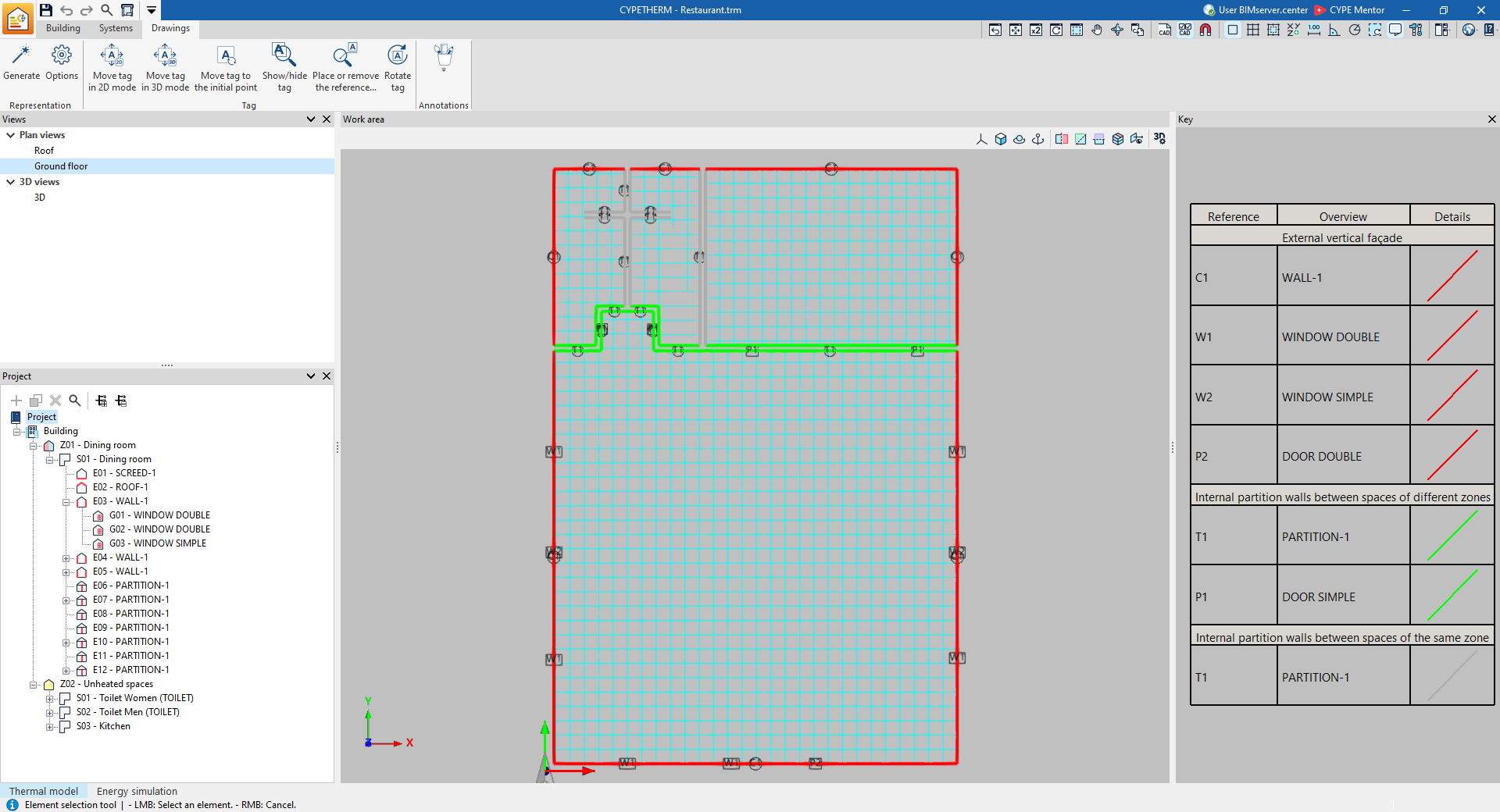
The drawings are generated from the information contained in the "Building" tab. You can also import and view templates in DXF/DWG format, either from the BIM model or via the "DXF-DWG templates" button on the top toolbar.
This tab features an interface with the following areas:
Toolbar
The top toolbar contains tools for configuring the display, managing labels and adding annotations.
Views
In this area, which is located by default at the top of the left-hand side, you can select the view to be displayed in the workspace (plan views, 3D views, elevations, etc.). Views can be created and edited in the section of the same name on the "Building" tab.
Project
This area, located at the bottom of the left-hand side, features a navigation tree where you can select the groups, zones, building elements and openings that make up the building. In the workspace, the program highlights in orange the model elements associated with the level selected in the tree.
Work area
The workspace, in the centre of the interface, is a three-dimensional environment where the model is displayed according to the selected view. The elements of the envelope are coloured according to the legend provided.
Key
In this area, on the right-hand side, the map legend is displayed, showing the "Details" of the graphic representation used for each feature, its "Reference" and its "Description".
| Note: |
|---|
| The drawings created and edited in the "Drawings" tab can subsequently be printed using the "Drawings" option at the top of the interface or via the "Drawings" option in the "File" menu. |
