Options in the "BIMserver.center" group in the "Energy simulation" tab
The "BIMserver.center" section of the main toolbar on the "Energy simulation" tab contains the following features, which are required to use the program in conjunction with other BIMserver.center tools:

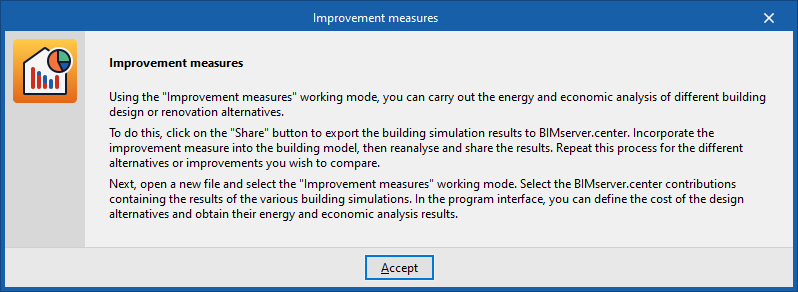
Improvement measures
This option provides access to information on the procedure for carrying out a study of improvement measures using the program. The procedure is as follows:
- Open a CYPETHERM project by selecting "Energy simulation" as the project type and model the first design option for the building. This project must be linked to a specific project on BIMserver.center.
- Once you have carried out the analysis, click on "Share" and generate an initial submission with the results of that first design option.
- Make a copy of the model (from the "File" menu, select "Save as"). This model will remain linked to the same BIMserver.center project. In the copy, make the necessary changes to the model to create the second design option for the building (for example, increasing the thickness of the thermal insulation, changing the type of windows or modifying the systems).
- Once you have carried out the analysis, tap "Share" again to generate a second submission with the results for the second design option.
- Steps 3 and 4 must be repeated for each of the other design alternatives, if any, thereby generating a set of contributions to the BIMserver.center project.
- Finally, open a new CYPETHERM project by selecting "Improvement measures analysis" as the project type, link it to the same BIMserver.center project to which the previous results were exported, and select the relevant data sets to import their data.
Share
Once the energy simulation has been carried out, the simulation results can be exported to the platform to be shared with the team working on the linked BIM project. This helps to consolidate the building project by adding information to it.
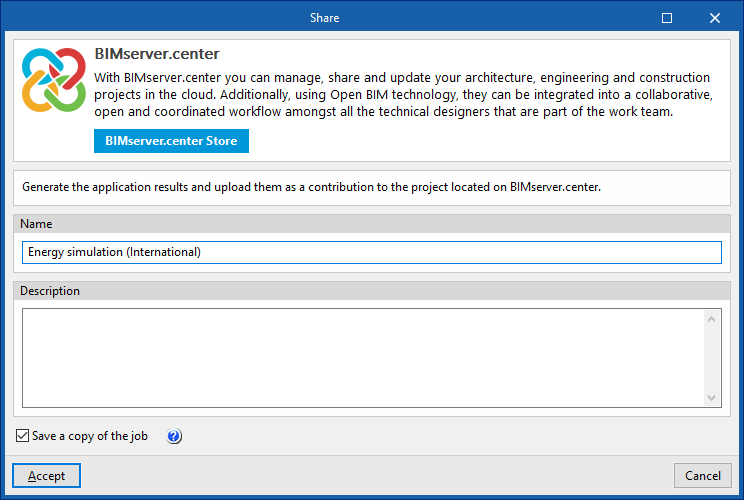
To share the results of the energy simulation carried out using CYPETHERM and include them alongside the linked BIM model, use the "Share" option, available in the "BIMserver.center" group on the toolbar of the "Energy simulation" tab.
The program lets you enter a name and a description for the contribution generated by the app:
- Name
- Description
- Save a copy of the project
If this option is enabled, a compressed file in CYP format containing the model information at the time of export will be saved. This backup copy is saved in a folder named after the project, with the extension _bak, located in the directory where the project is stored (by default, C:\CYPE Ingenieros\Projects\CYPETHERM \projectname_bak). Each time the "Share" option is used whilst this option is ticked, a new backup file in CYP format will be generated in this folder.