

Reports in the "Energy simulation" tab
The "Reports" section of the top toolbar on the "Energy simulation" tab contains options for viewing the reports generated by the program, which include reports of analysis results and the definitions entered.

The available reports are as follows:
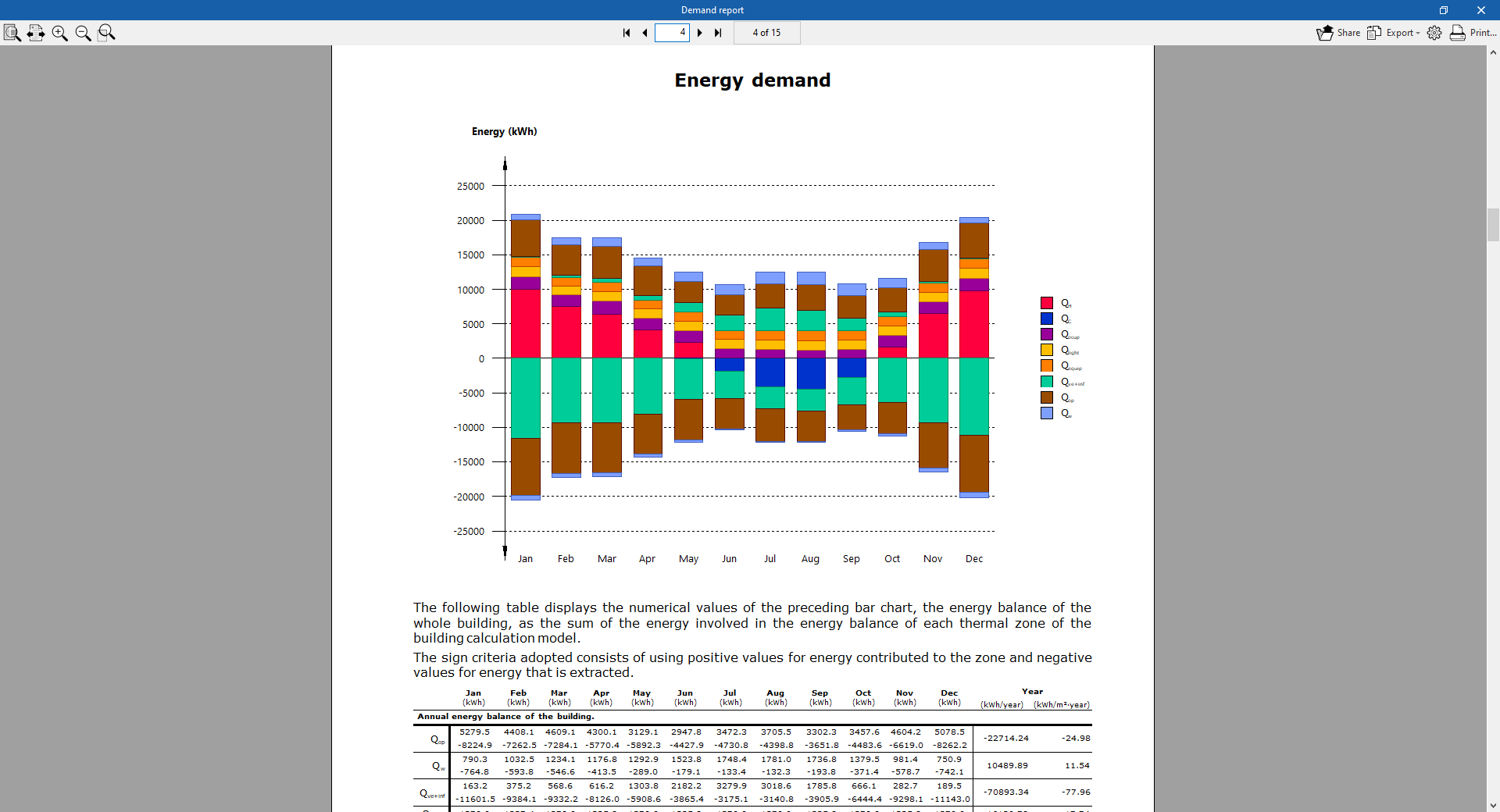
Demand report
This contains the results of the "Demand" simulation. It provides results for the building’s energy demand for heating and cooling, broken down by thermal zone. The results of the building’s energy balance and its annual energy and power demand are presented graphically.
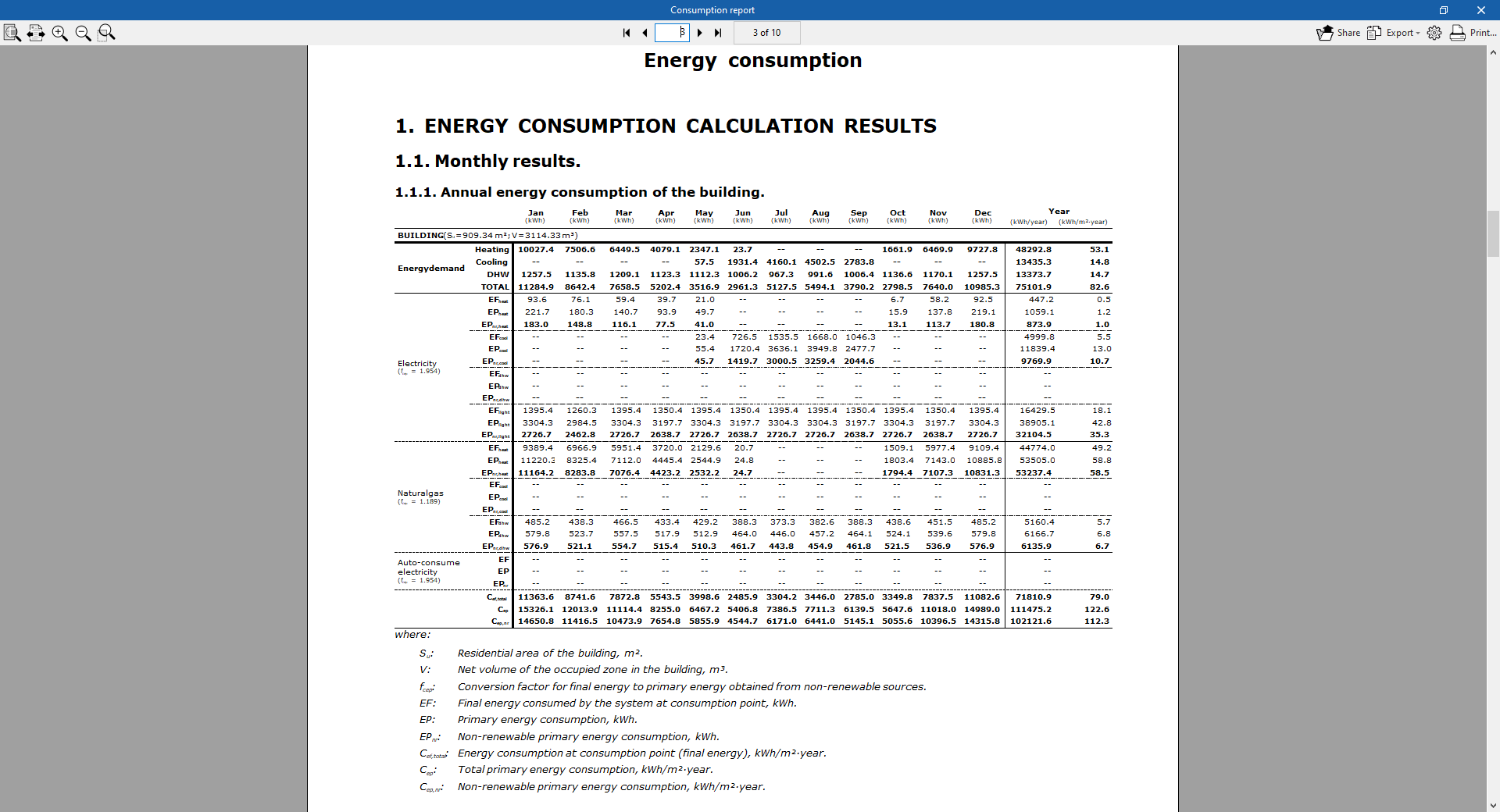
Consumption report
This section contains the results of the "Consumption" simulation. It provides data on the building’s energy consumption for heating, cooling and domestic hot water, categorised by the type of final energy consumed.
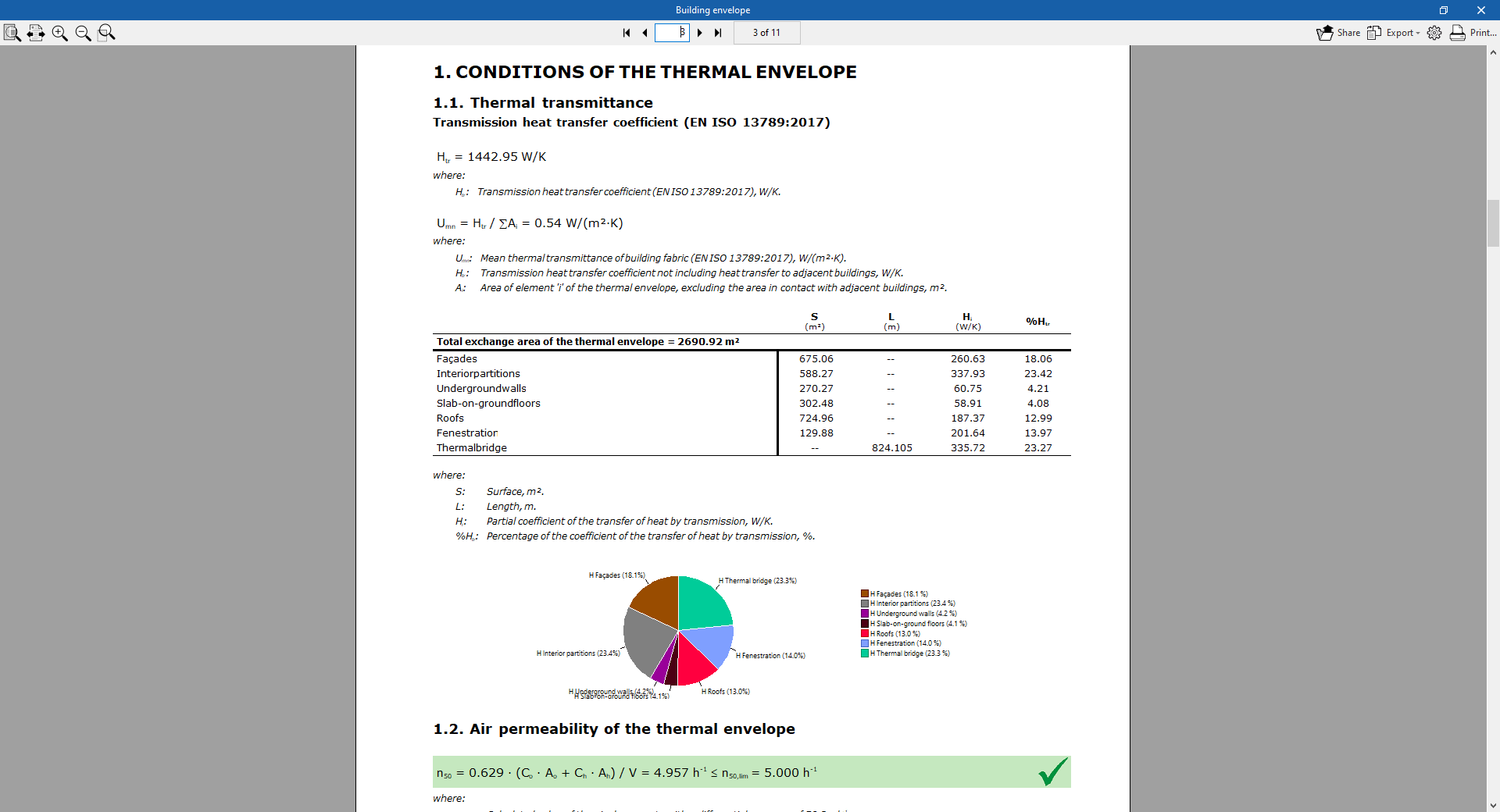
Building envelope
Contains the results for the heat transfer coefficient by transmission, calculated in accordance with standard EN ISO 13789:2017, and for the air permeability of the thermal envelope. A breakdown by component is provided, and the thermal transmittance (U) value for each component is compared with the limit value set by the user.
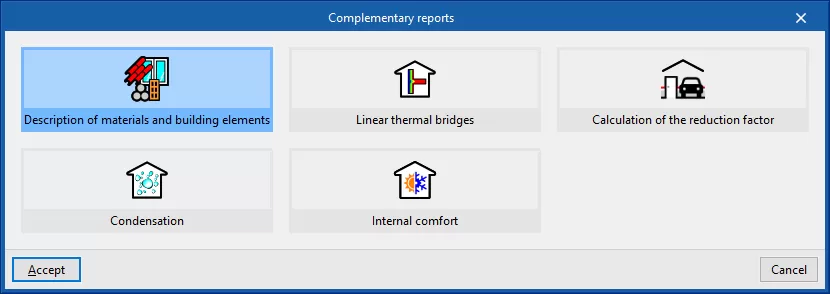
Supplementary reports
This option lets you view and print the following supplementary reports:
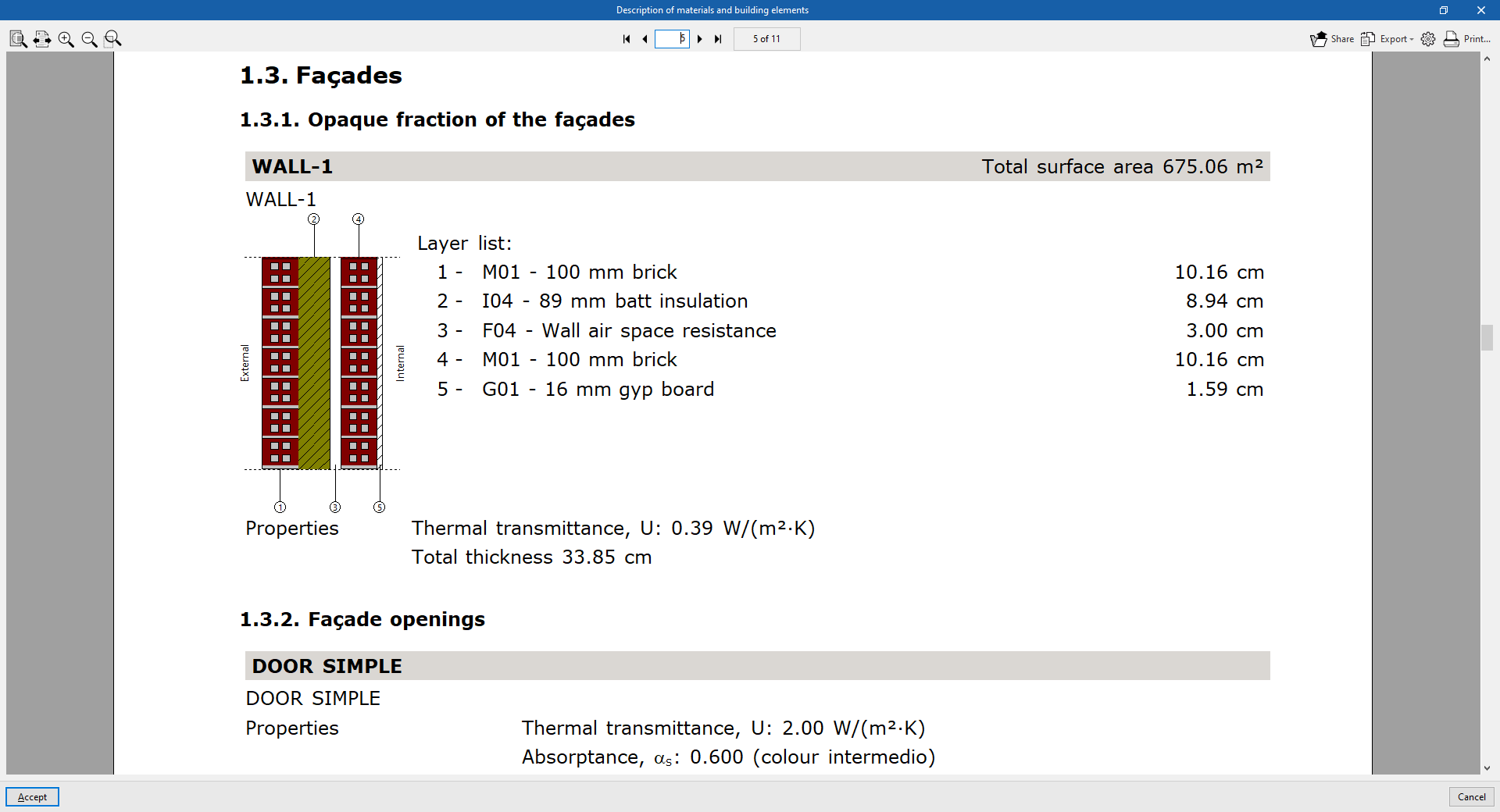
Description of materials and building elements
The various elements present in the building are shown, together with their materials, quantities, transmission coefficients, etc. The building envelope system (external walls, floors, roofs and openings) and the compartmentalisation system (vertical partitions and floor slabs) are specified.
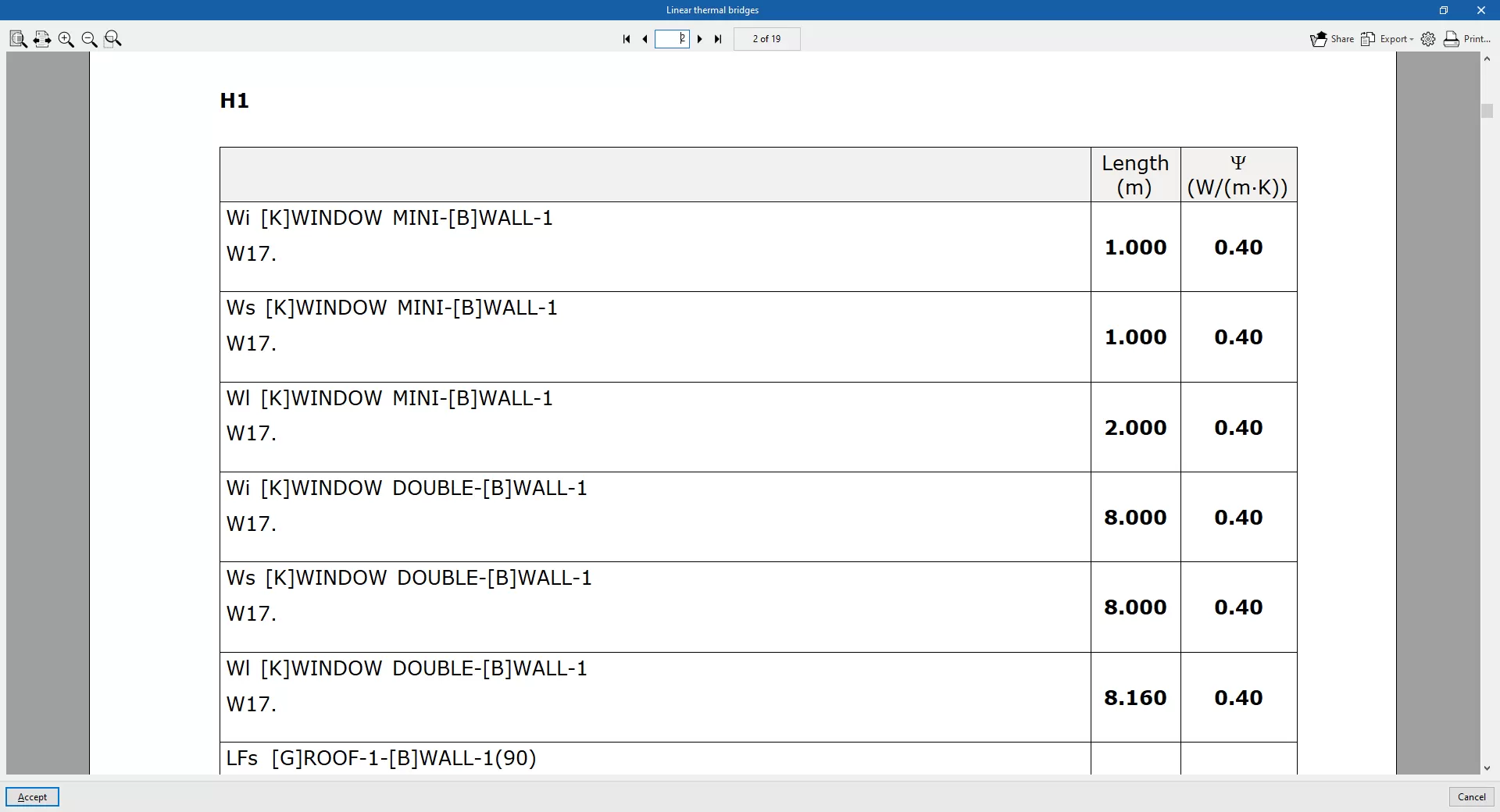
Linear thermal bridges
The thermal bridges identified in each zone and their characteristics are listed below.
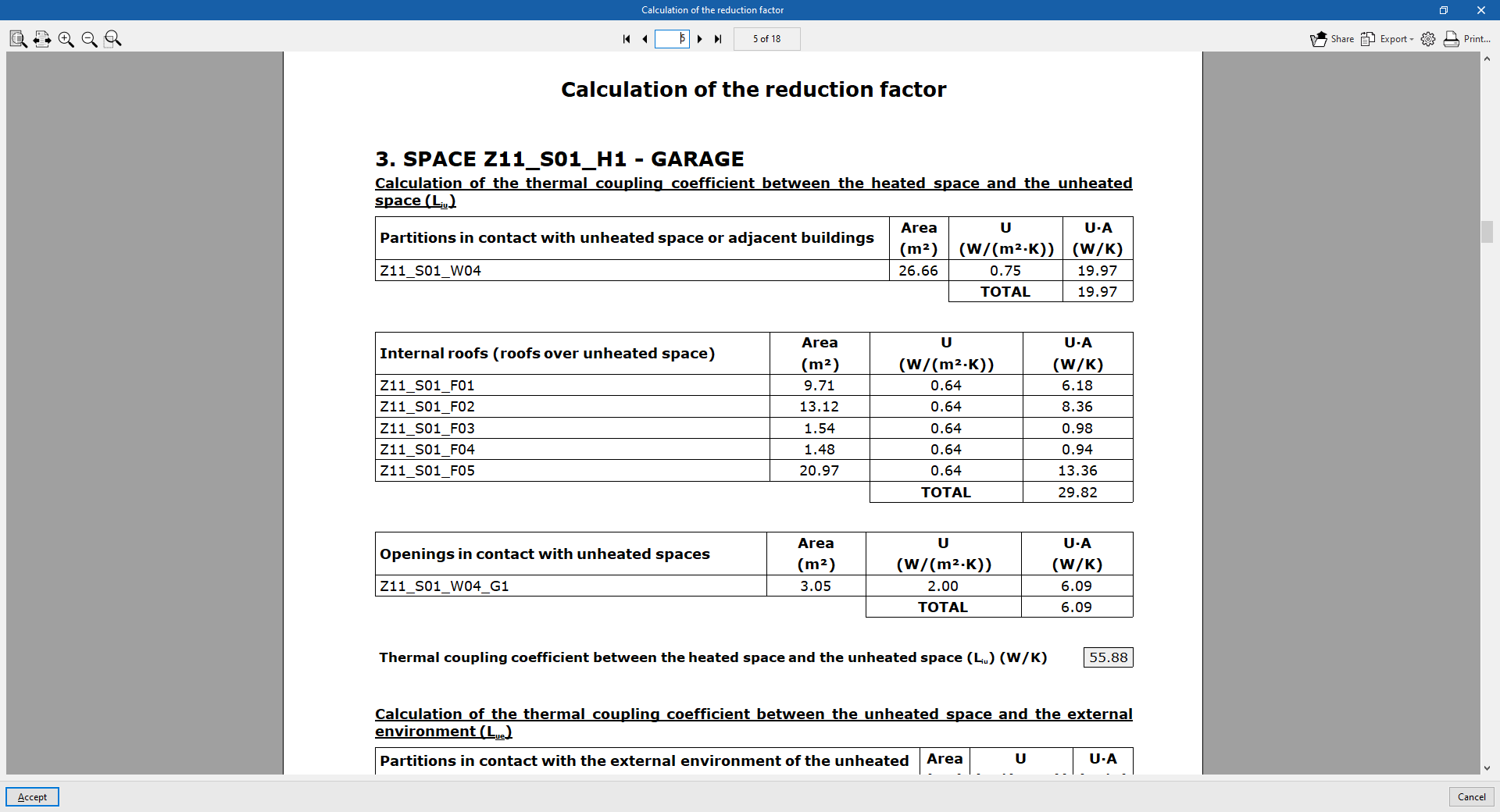
Calculation of the reduction factor
Sets out the methodology and detailed results of the calculation of heat transfer to the unheated and uncooled spaces of the building in accordance with standard EN ISO 13789:2017. These results are used in the calculation of the heat transfer coefficient by conduction in the "Building envelope" section.
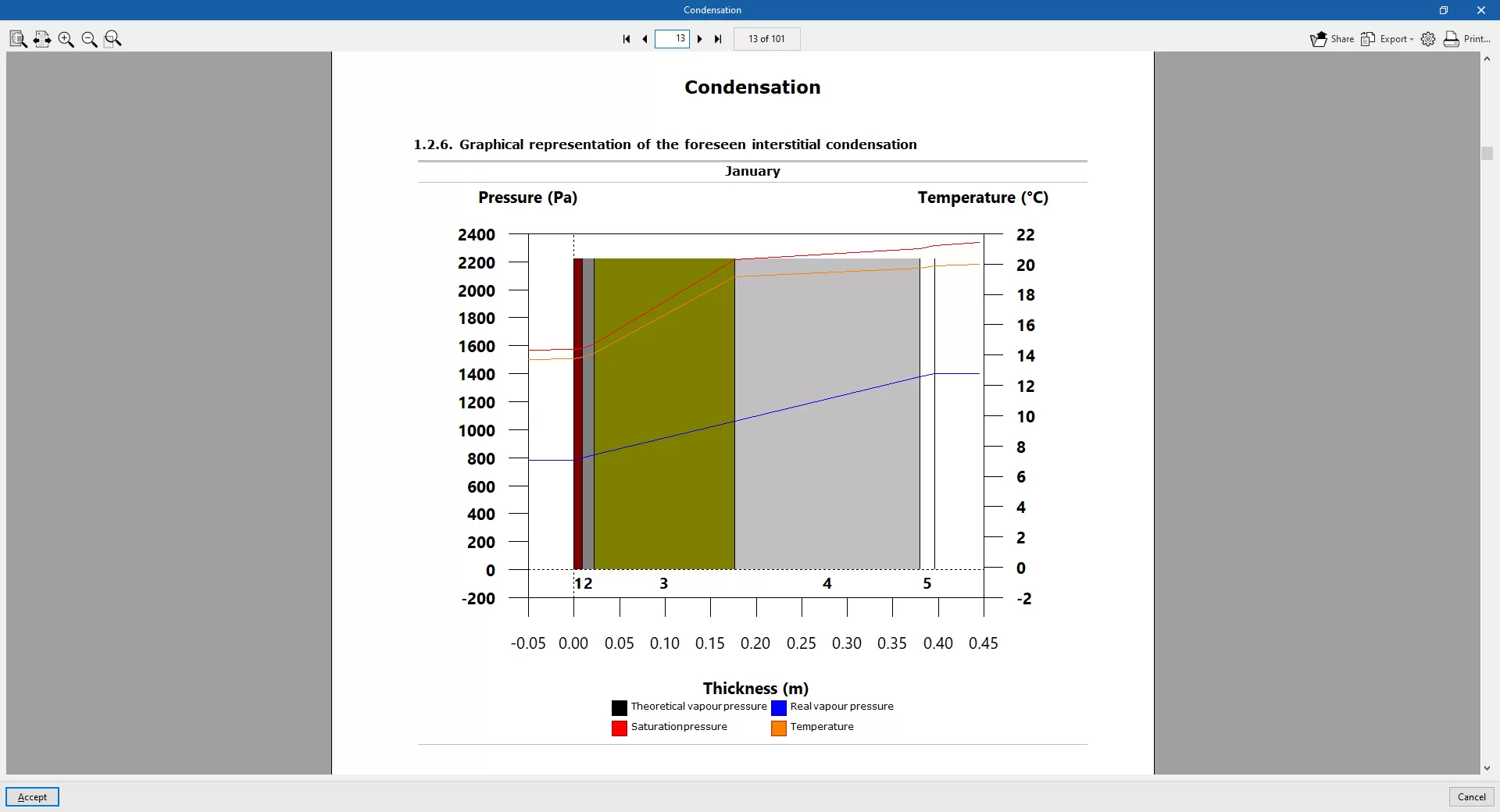
Condensation
This report is available if the option "Check for the existence of surface and interstitial condensation in accordance with ISO 13788" has been selected under "General parameters" (on the "Building" tab).
Interior comfort
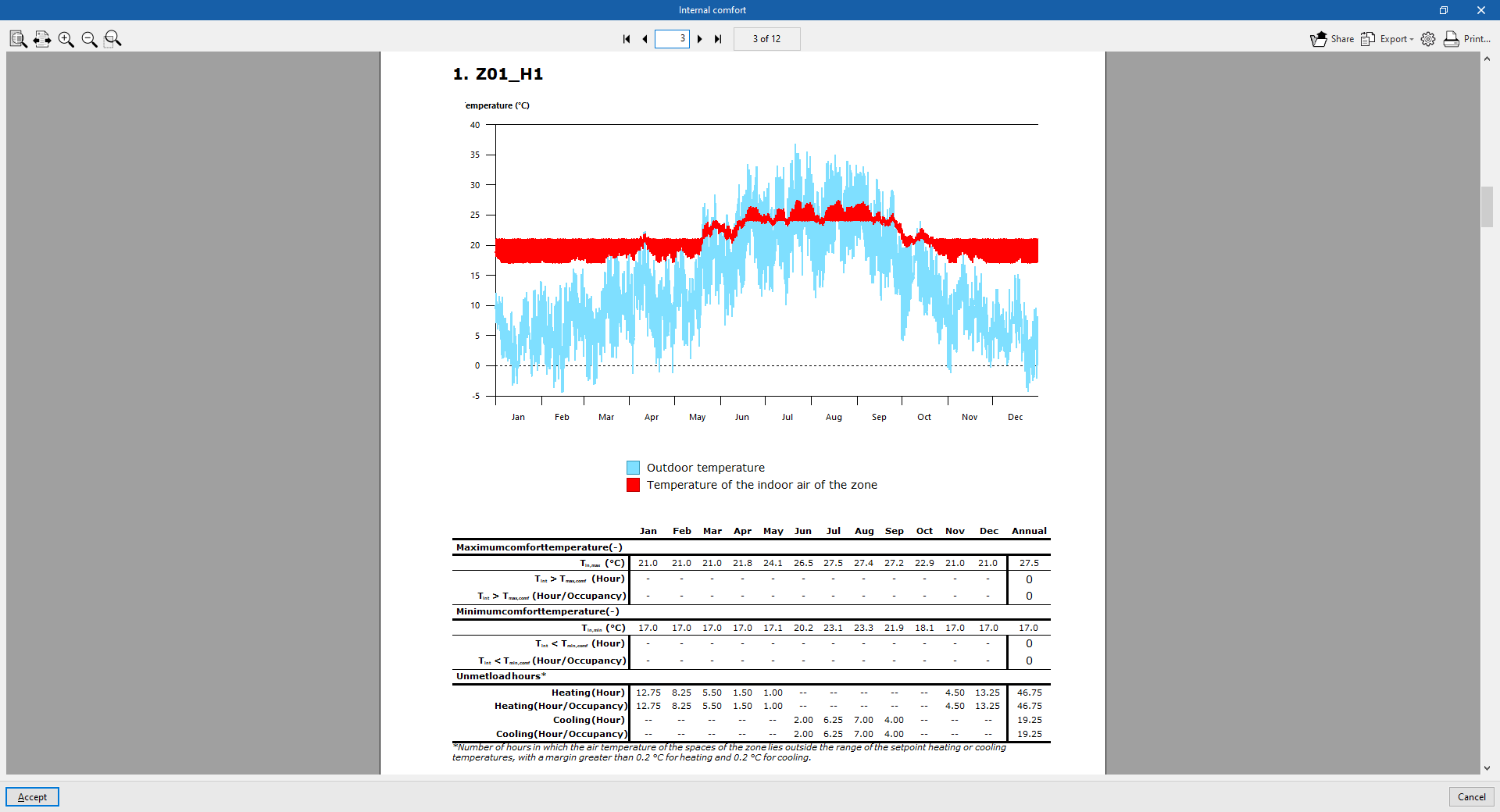
The report uses graphs and tables to show how the indoor temperature in each zone has changed over time, comparing it with the outdoor temperature. It records the number of hours during which the defined indoor comfort temperature is exceeded in each zone and the number of hours spent outside the setpoint.
The results for the indoor air temperature in each zone and the outdoor air temperature, for every hour of the year, are exported to a .csv file located in the "_dat" directory associated with the program file. The numerical values in this file correspond to those shown graphically in the "Indoor comfort" report.
The default path for this file is C:\CYPE Ingenieros\Projects\CYPETHERM\project_name.trm_dat\Energyplus\Project_cons.res\Zone air temperatures.csv
Document viewer options
The document viewer, which appears when any report is displayed, has the following options at the top:
- Share
Share the selected document online. The document will be stored on a server in PDF format and a link will be generated to access it. Only people who have this link will be able to access the file. - Export
Save the document in various formats, including PDF, DOCX, TXT, HTML and RTF. - Print
Send the document to the printer to print it directly, using the page settings selected via the button with the cog icon ("Print settings").
