Defining air-conditioning systems using the wizard
The "New air conditioning system" button, located on the top toolbar of the "Systems" tab, opens a wizard that guides you through defining a complete HVAC system – including combined HVAC and DHW systems – or adding terminal units to systems that have already been defined.

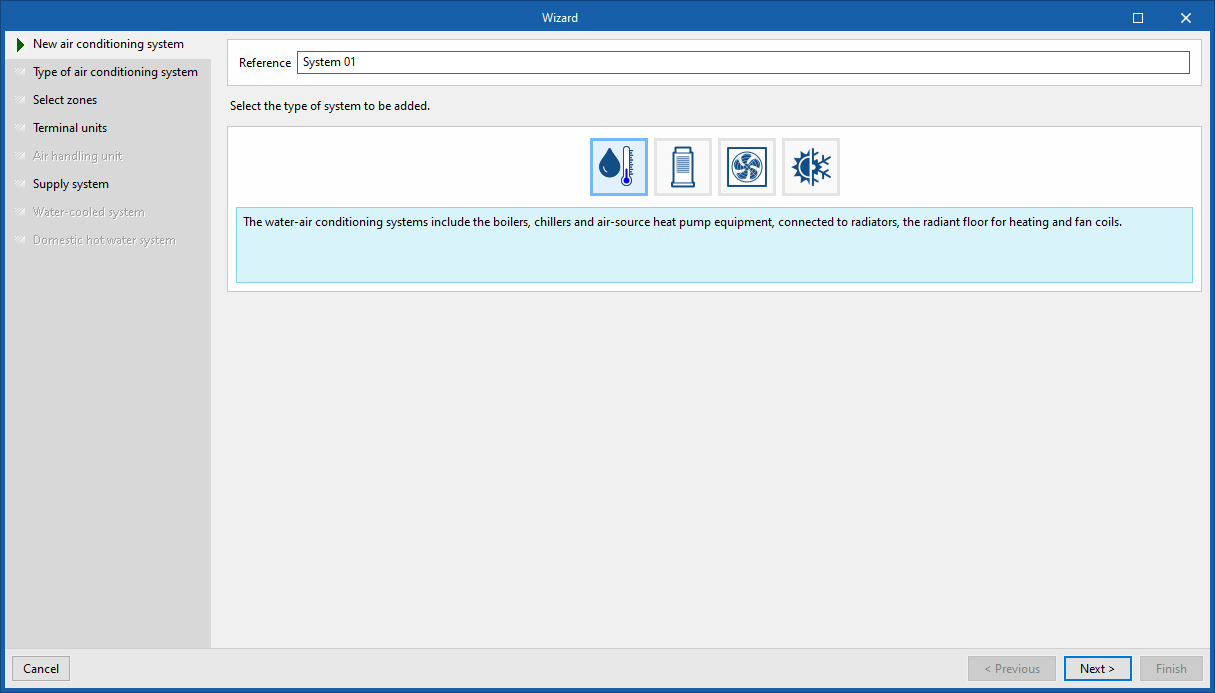
On the left-hand side of the window, the steps through which the wizard guides the user to complete the configuration of the air-conditioning system are displayed. The various sections that need to be configured according to the options selected are highlighted in black. The buttons on the bottom bar let you move forwards or backwards through the windows within the wizard.
New air-conditioning system
In the first window, you must enter a "Reference" for the new system and select its type from those available (water-based, direct expansion, air-based or constant-coefficient air-conditioning systems).
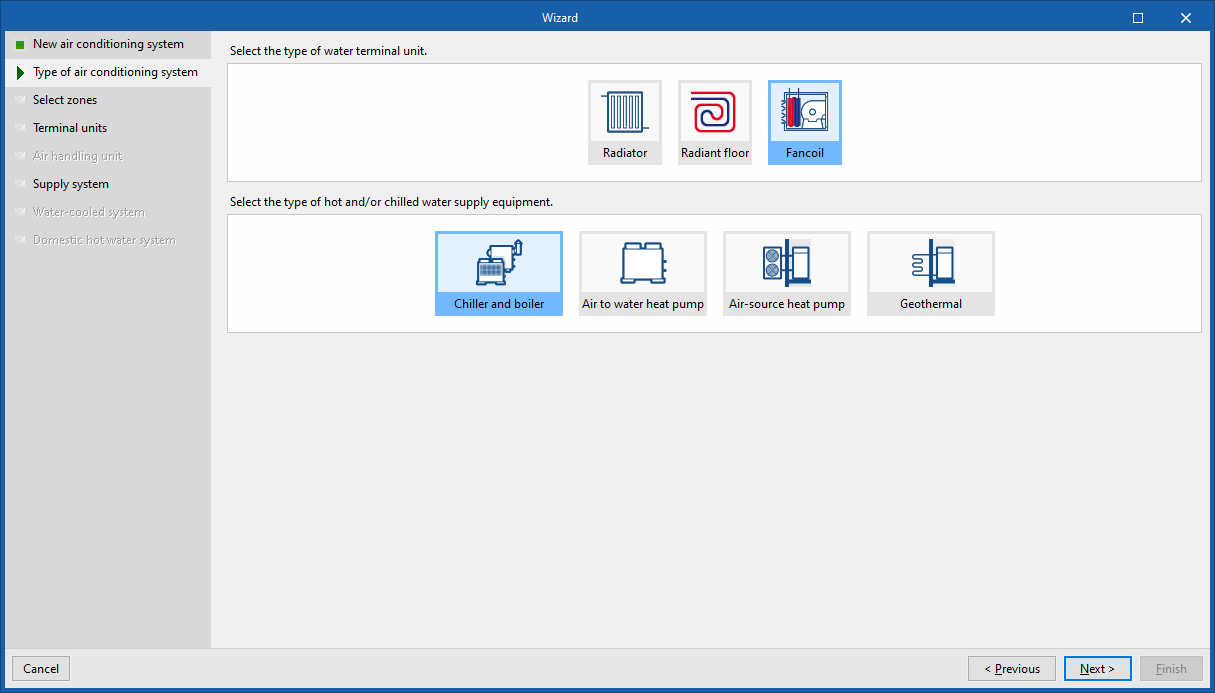
Type of air-conditioning system
In the second step of the wizard, you must select the type of air-conditioning system based on the category you chose earlier.
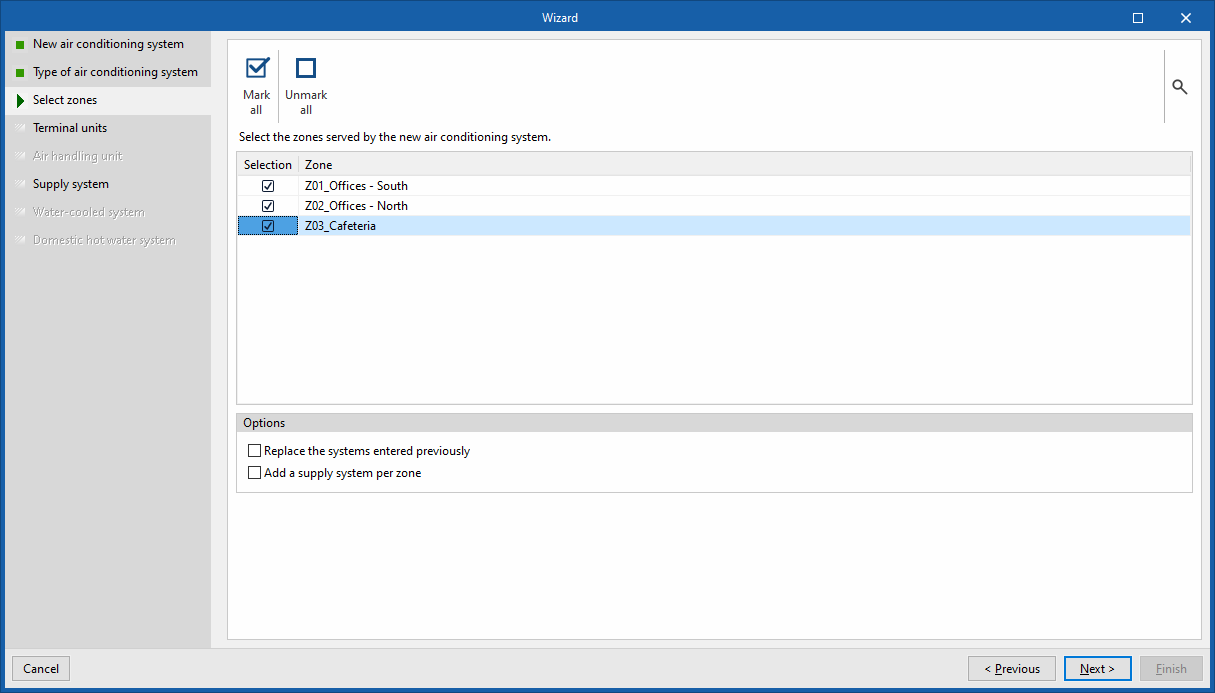
Select zones
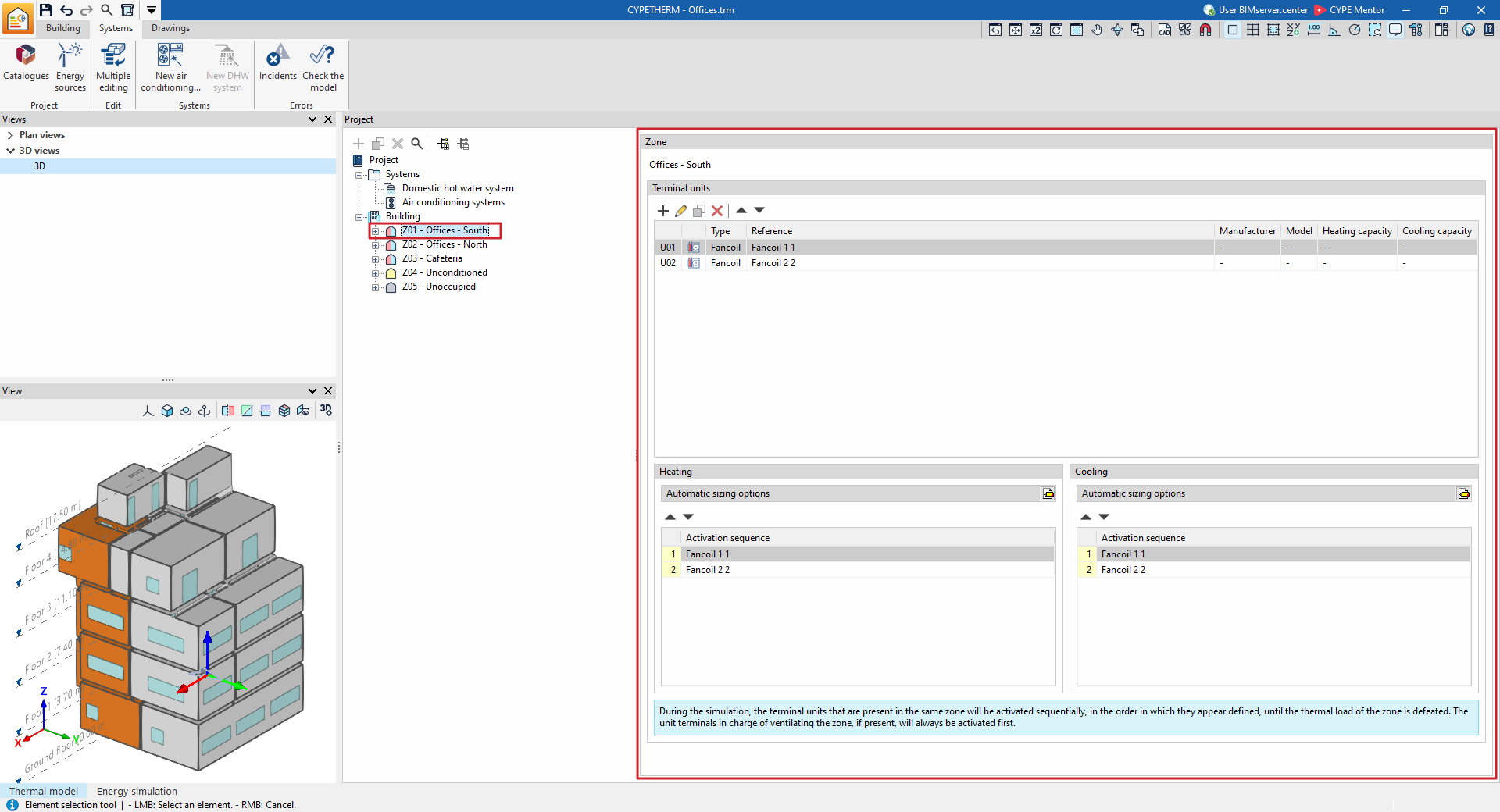
In the third step, you must select the areas of the building that you wish to connect to the air-conditioning system. The wizard then automatically creates the terminal units for the defined system in each of the selected areas and connects them to a centralised production system where necessary.
The following options are available at the bottom:
- Replace previously entered systems
Selecting this option will remove any terminal units that already exist in the selected zones. When terminal units are deleted, the building’s air-conditioning systems may no longer be connected to the terminal units. In this case, upon completing the wizard, you will be asked whether you wish to delete the unused systems. - Add one air-conditioning unit per zone
This option appears if you have chosen an air-conditioning system. If this option is selected, as many air-conditioning units as there are selected zones will be added, each connected to the terminal units defined in each zone. - Add a production system by zone
If this option is selected, as many centralised production systems will be added as there are zones selected, each connected to the equipment defined in each zone. Depending on the type of system chosen, this equipment may consist directly of terminal units or of air-handling units with water coils.
Terminal units
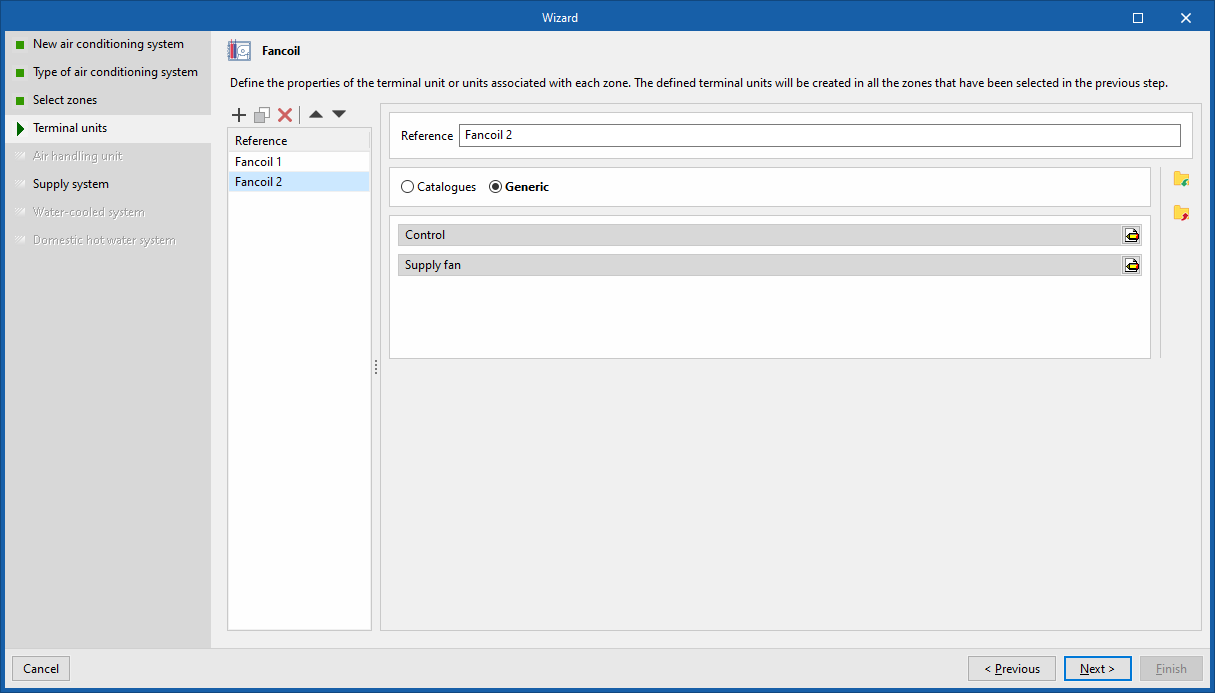
The following steps in the wizard relate to the various components that make up the selected type of air-conditioning system. Here, you can define their characteristics. In general, the configuration panels for the terminal units and air-conditioning systems available in the program will be displayed as and when required.
To describe the other options available in the wizard here, we have provided an example of an air-conditioning system comprising fan coils connected to a water-cooled chiller and a combi boiler for heating and domestic hot water.
When setting up this system, the next step offered by the wizard is to define the fan coil type terminal units. The terminal units defined in this step will be added to all the zones selected in the previous step. You can create more than one terminal unit of the same type within the zone using the panel list (subject to the possible combinations of air-conditioning systems offered by the program).
Production system / Water-cooled condensation system
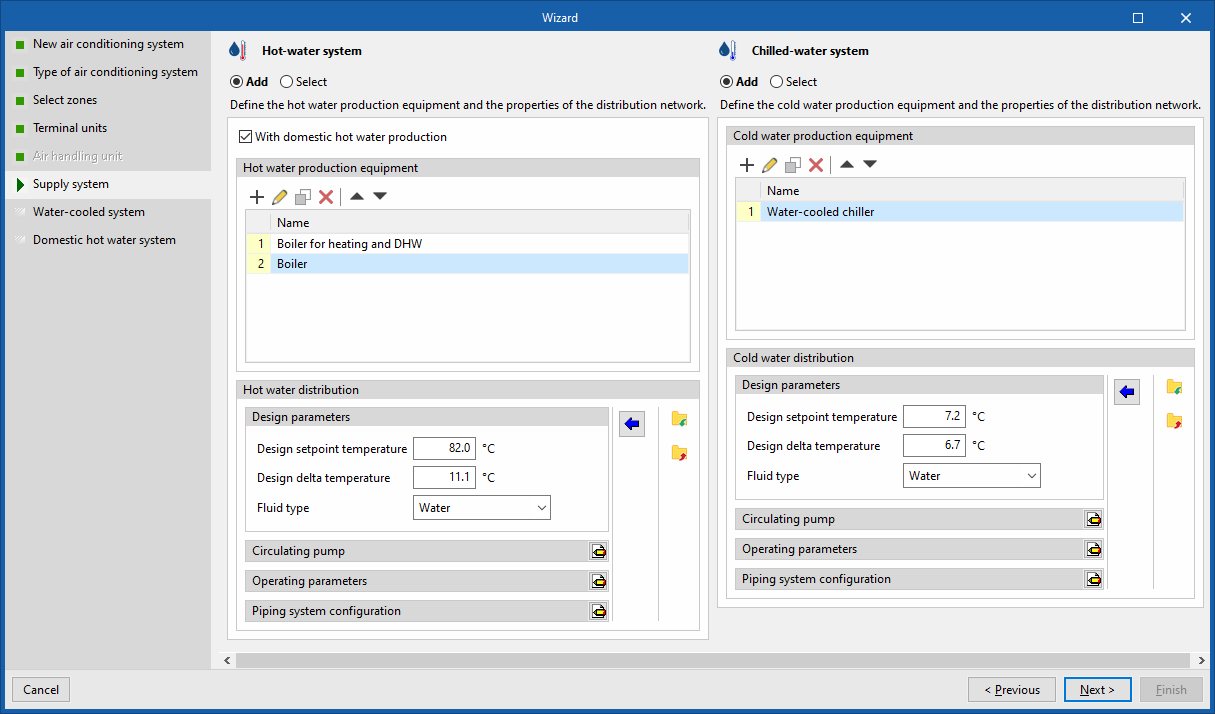
The next step is to define the centralised production systems (or air-handling units in the case of air-conditioning systems) to which the terminal units will be connected. In this example, the wizard displays the water-based heating and cooling systems.
The following options are available for each system:
- Add
Define a new air-conditioning system. - Select
Select an air-conditioning system of the appropriate type from those defined in the project. If, in the third step of the wizard, you chose the option "Add a production system" or "Add an air-conditioning unit per zone", you must add a system for each selected zone. - With DHW production (optional)
This option is exclusive to hot water production systems ("Water-based heating system" and "Air-source heat pump"). You can set up a combined heating and DHW system.
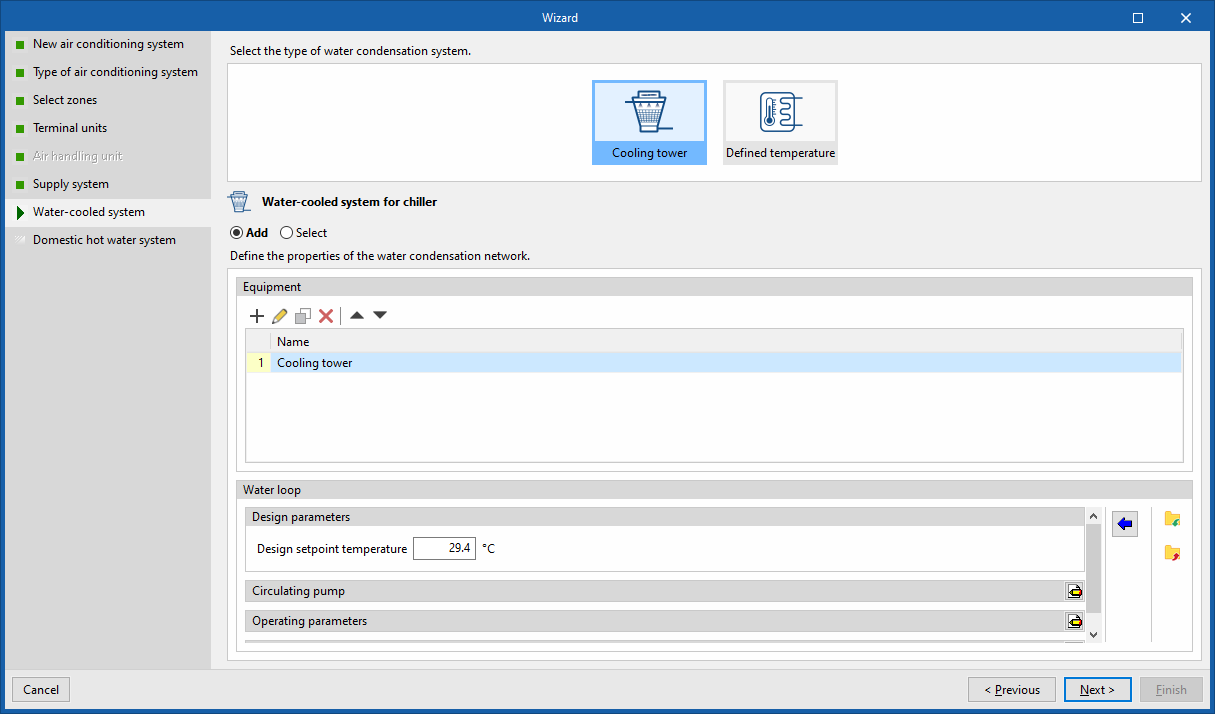
In this example, a new water-based heating system has been defined using the "With DHW production" option, and a new water-based cooling system containing a water-cooled chiller. The wizard detects the requirements of the selected equipment and, in the next step, proposes the definition of the condensing system for the chiller.
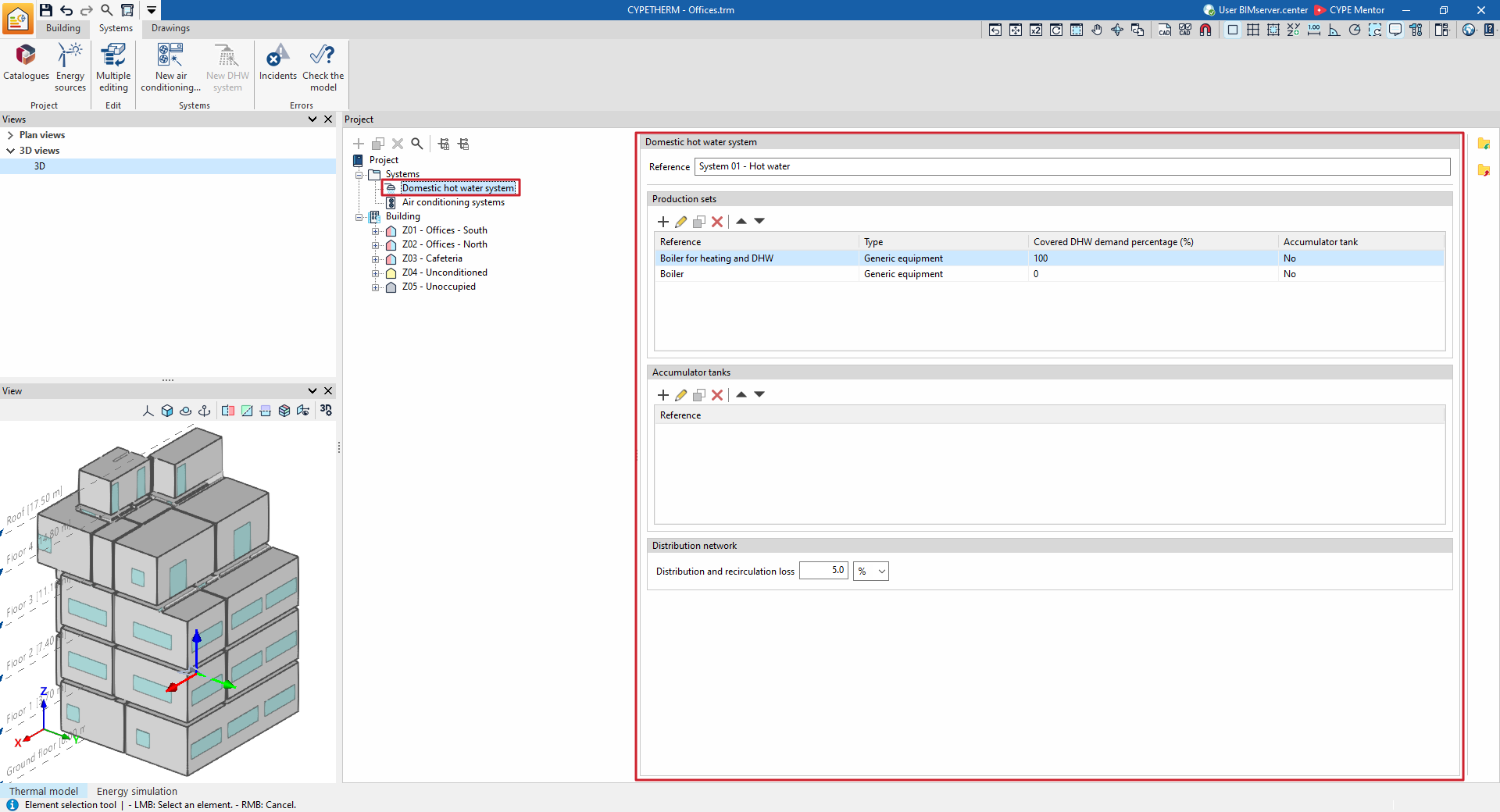
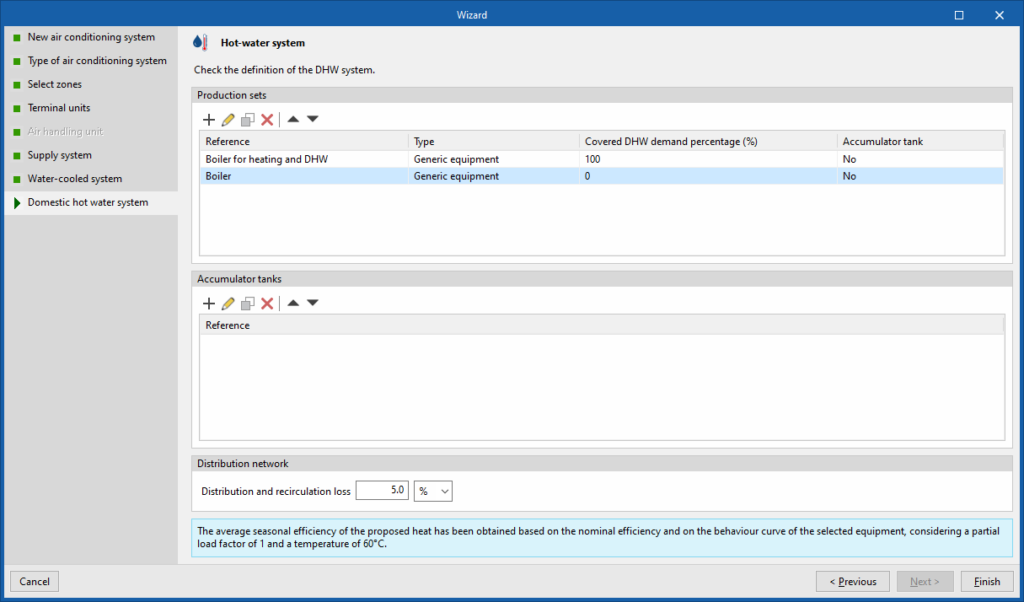
Hot water system
Finally, if you select the "With DHW production" tick box above, the wizard displays the definition of the DHW system to be added, based on the characteristics of the hot water production system equipment defined previously.
If you have defined several boilers, you must specify which one produces DHW so that its characteristics can be calculated. You can accept the wizard’s suggestion or edit it.
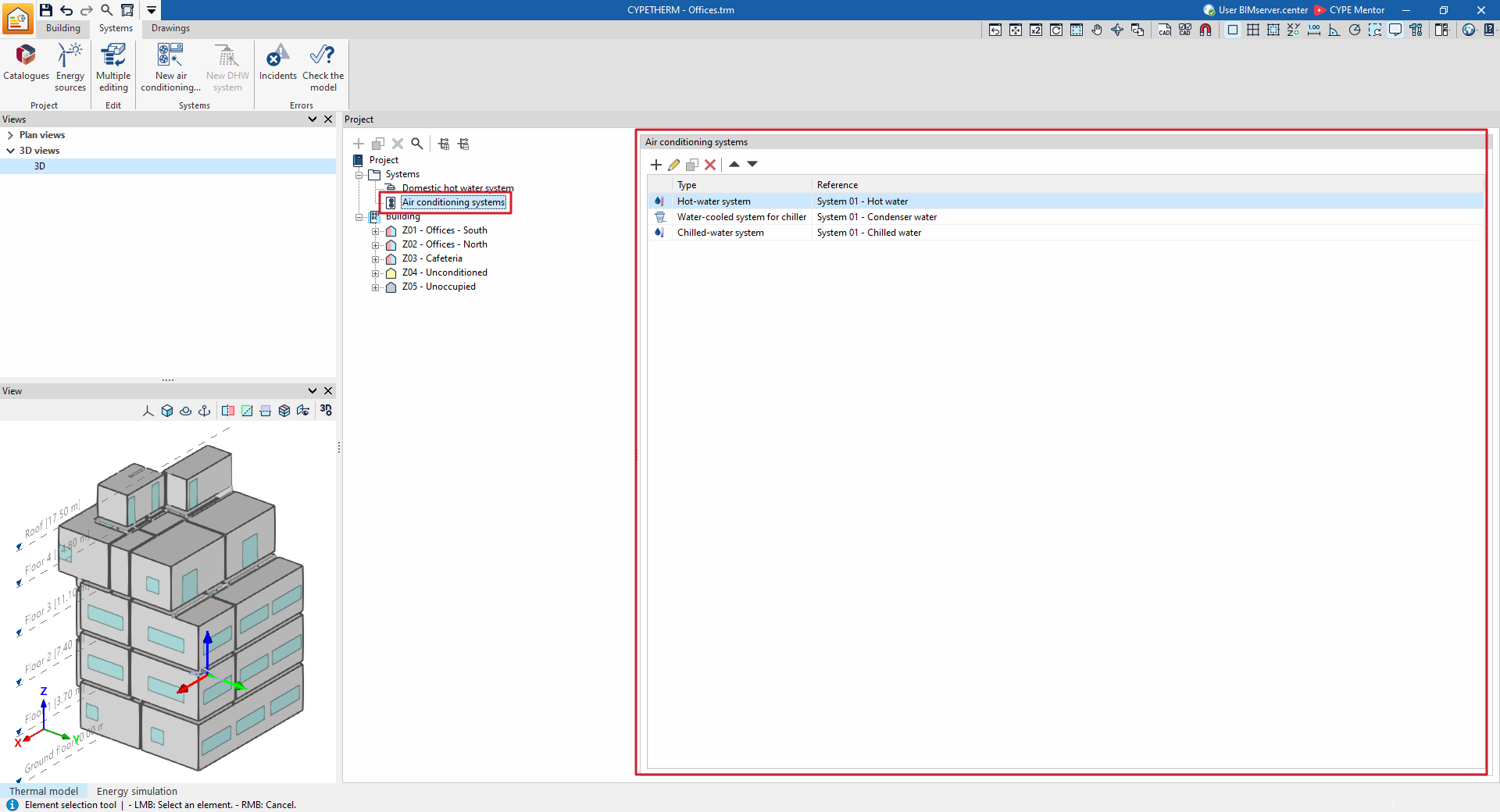
Once the wizard has finished, the various elements of the defined system are added to the building’s diagram and the necessary ventilation options are selected at zone level.
If you have added a DHW system using the wizard, the definition depends on the selection previously made under "General parameters" for "Daily DHW demand" on the "Building" tab:
- If the "Total building demand" has been defined, the wizard creates a single DHW system for the building.
- If "Demand by thermal zone" has been defined, the wizard creates a single DHW system by default that serves the zones selected in step 3 of the wizard. In this case, if "Add a production system per zone" has been selected in the wizard, a DHW system is created for each zone.