

"Systems" tab interface
The "Systems" tab, accessible from the top of the "Thermal model" tab, lets you define the building’s air-conditioning and DHW systems.
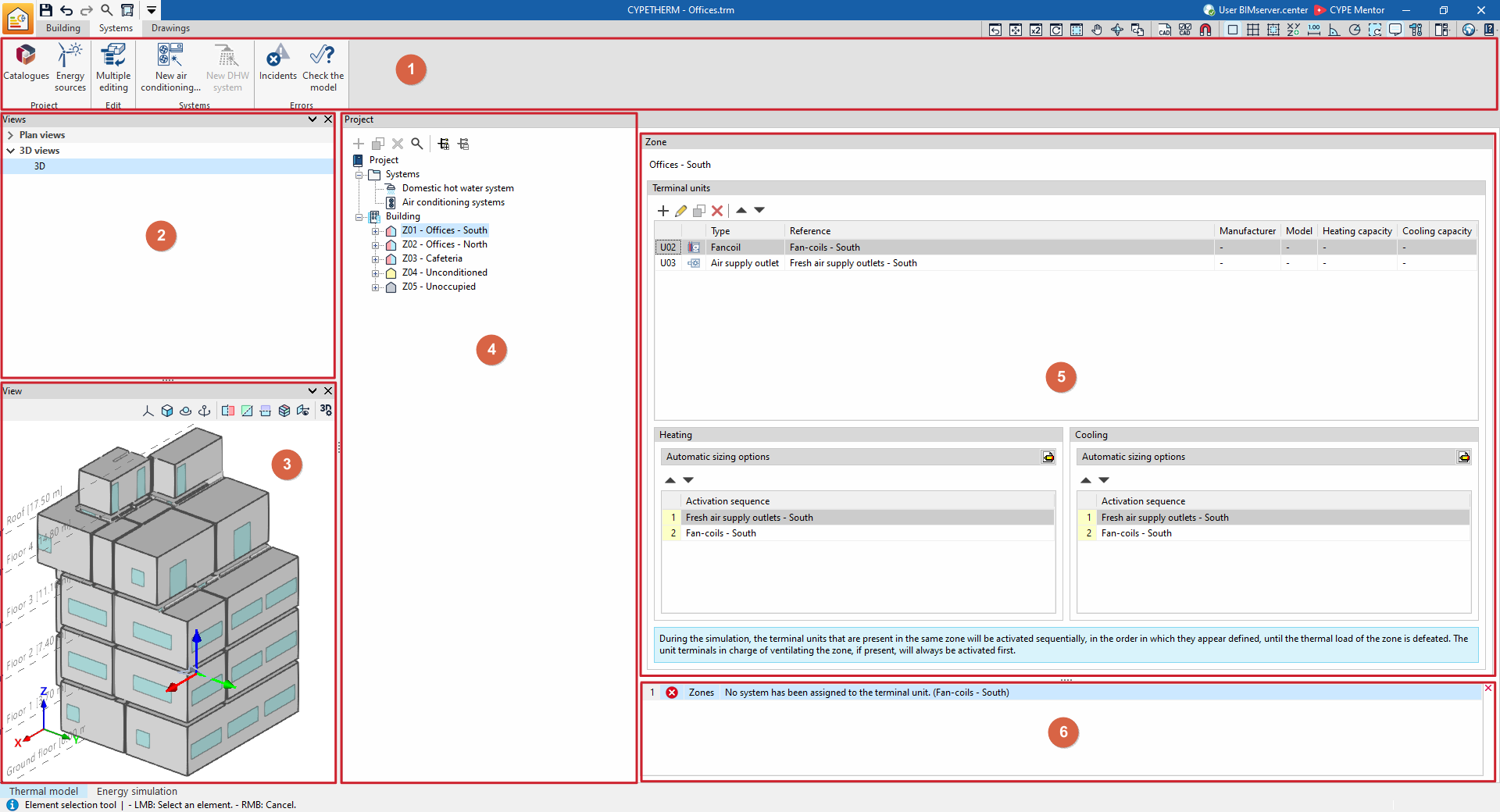
This tab features an interface comprising the following areas:
Toolbar (1)
The top toolbar contains tools for downloading and updating manufacturer catalogues, managing energy sources, accessing the wizards for entering and editing the building’s HVAC and DHW systems, and carrying out model checks.
View management (2)
The "Views" panel, located at the top of the left-hand side, lets you manage the views of the 3D model.
View (3)
The "View" panel is located at the bottom of the left-hand side and allows you to view the 3D model of the building, as well as the position of the selected element in the tree or in the main area. You can also select elements directly by clicking on their graphical representation.
Project tree diagram (4)
It is located in the centre of the interface, on the left-hand side of the "Project" panel, and offers:
- In the "Systems" section, the "DHW systems" and "Air-conditioning systems" libraries
- In the "Building" section, a navigation tree where you can select the zones or groups and the areas that make up the building
Main editing area (5)
This area, located to the right of the "Project" panel, allows you to edit the elements selected in the tree, including:
- The library editions of "DHW systems" and "Air-conditioning systems"
- The editing of the "Terminal units" associated with each zone
Issue viewer (6)
It appears at the bottom of the main editing area and displays any warnings or errors encountered whilst the template is being checked.
